
一、今天的學習目標
前幾天已經完成了 /add 指令,Day 6 也把 /add 的功能從 index.js 拆到獨立的 add.js 中。
隨著功能增加,我希望使用者有方法去看到有哪些指令可以使用。所以今天我想新增一個 /help 指令,讓使用者可以直接查看目前 Bot 有哪些功能,以及每個指令主要是做什麼的。
今天主要會完成三件事:
二、建立 /help 指令
首先我先到 deploy-commands.js 中建立新的Slash Command。
.setName('help'):設定名稱
.setDescription('查看所有可使用的指令'):設定說明
目前只是讓 Discord 知道這個指令存在,還沒有設定使用者真的輸入 /help 後要執行什麼功能。
**三、建立 help.js **
所以下一步我們要來建立 help.js 在 commands 的資料夾裡。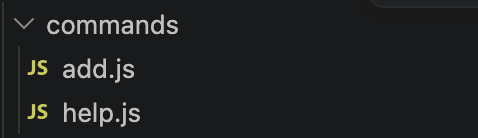
接著在裡面寫 /help 要執行的功能。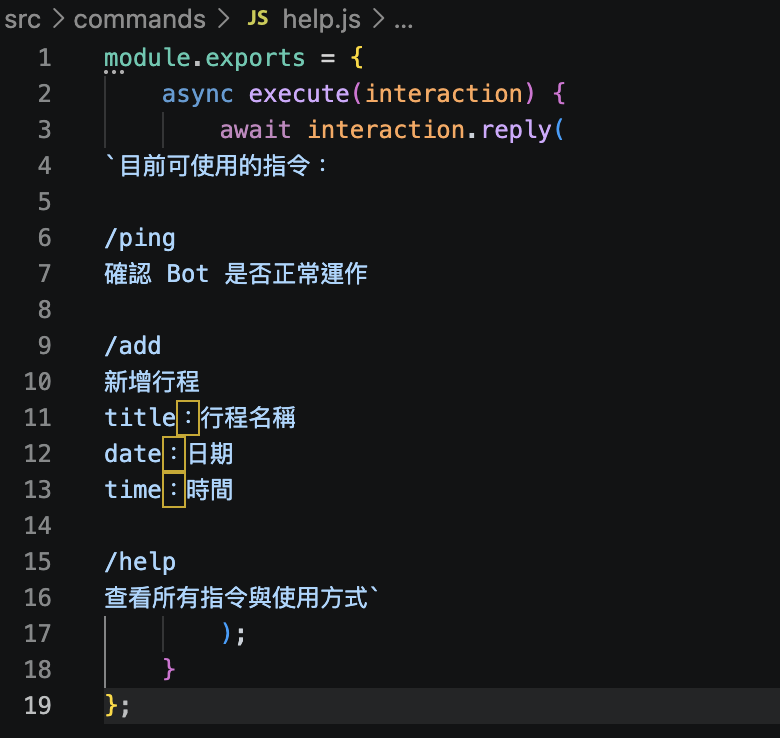
/help 的完整流程:
使用者輸入 /help
↓
Discord 把這次操作放進 interaction
↓
index.js 收到 interaction
↓
判斷 interaction.commandName 是不是 help
↓
如果是 /help,就進入 help.js
↓
使用 interaction.reply() 回覆指令說明
四、實作
在聊天室輸入 /help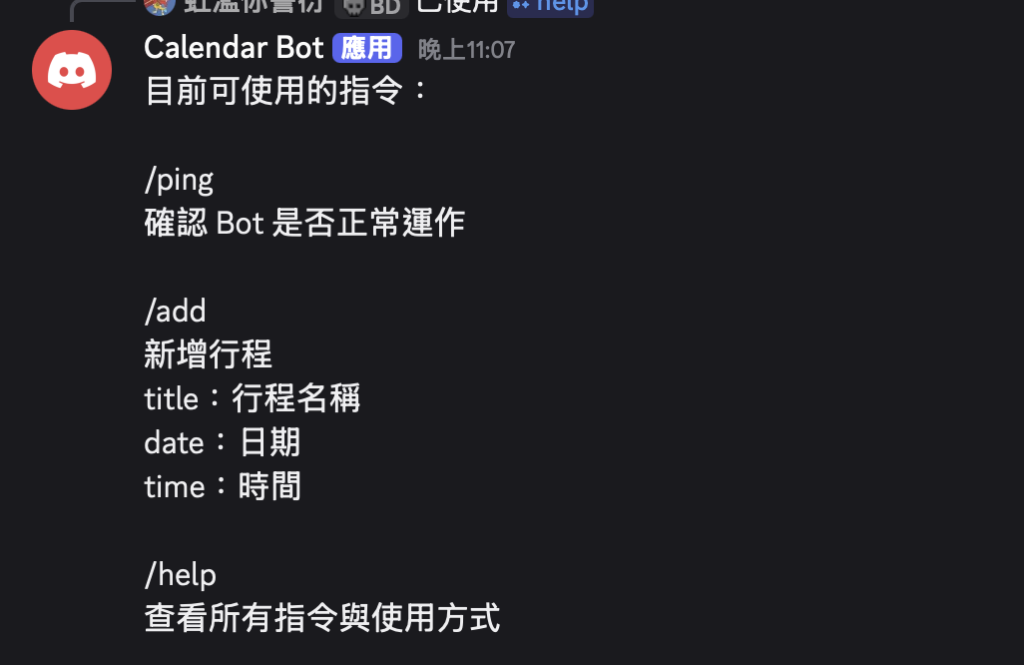
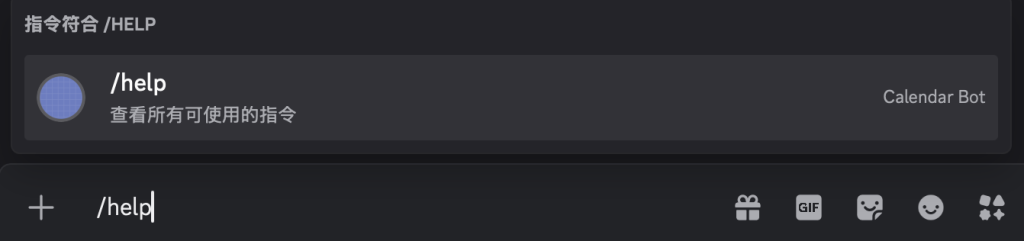
有確實跳出指令後送出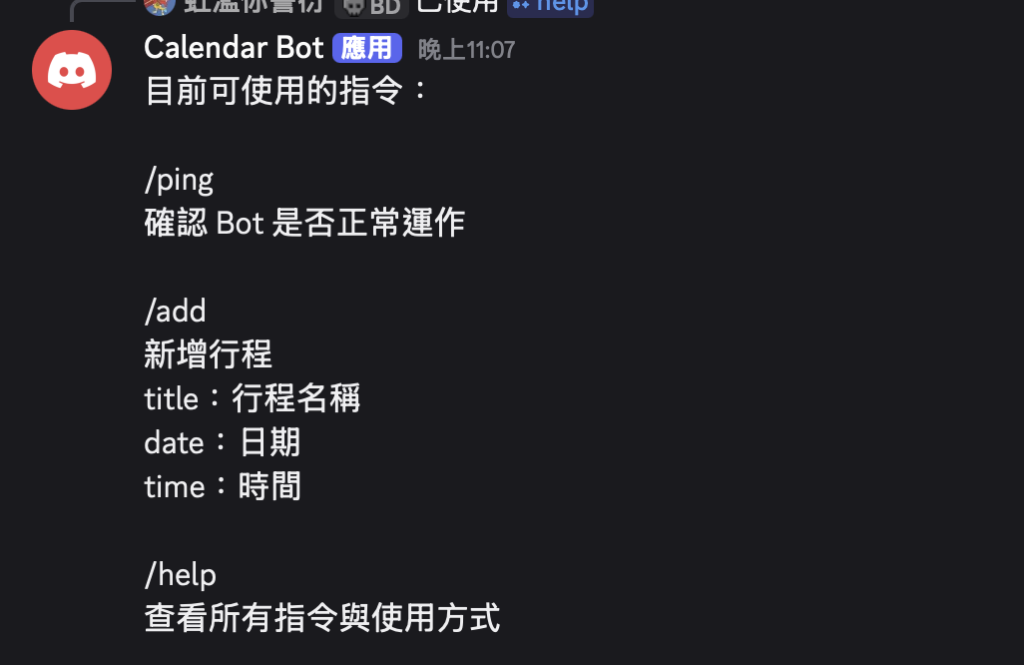
有成功看到目前所有可使用的指令
五、今日修改檔案的完整程式碼
index.js
const handleAddCommand = require('./commands/add');
const helpCommand = require('./commands/help');
require("dotenv").config();

const { Client, Events, GatewayIntentBits } = require("discord.js");

const token = process.env.DISCORD_TOKEN;

if (!token) {
  console.error("錯誤:.env 裡還沒有設定 DISCORD_TOKEN");
  console.error("請先到 Discord Developer Portal 複製 Bot Token,然後在 .env 加上:");
  console.error("DISCORD_TOKEN=你的BotToken");
  process.exit(1);
}

const client = new Client({
  intents: [
    GatewayIntentBits.Guilds
  ]
});

client.once(Events.ClientReady, () => {
  console.log(`Bot 已登入:${client.user.tag}`);
});

client.on(Events.InteractionCreate, async (interaction) => {
  try {
    if (!interaction.isChatInputCommand()) return;

    if (interaction.commandName === "ping") {
      await interaction.reply("Pong!");
      return;
    }

    if (interaction.commandName === 'add') {
      await handleAddCommand(interaction);
    }

    if (interaction.commandName === 'help') {
    await helpCommand.execute(interaction);
}
  } catch (error) {
    console.error("處理指令時發生錯誤:");
    console.error(error);

    const errorMessage = "程式發生錯誤,請看終端機錯誤訊息。";

    if (interaction.replied || interaction.deferred) {
      await interaction.followUp(errorMessage);
    } else {
      await interaction.reply(errorMessage);
    }
  }
});

client.login(token).catch((error) => {
  console.error("Bot 登入失敗,請檢查 Token 或網路連線。");
  console.error(error.message);
  process.exit(1);
});
deploy-comments.jd
require("dotenv").config();

const { REST, Routes, SlashCommandBuilder } = require("discord.js");

const commands = [
  new SlashCommandBuilder()
    .setName("ping")
    .setDescription("測試機器人是否正常運作"),

  new SlashCommandBuilder()
    .setName("add")
    .setDescription("新增行程")

    .addStringOption(option =>//加一個文字輸入欄位
      option
        .setName("title")//設定標題名稱
        .setDescription("輸入行程名稱")//給人看的說明
        .setRequired(true)//設定為必填欄位
    )

    .addStringOption(option =>
      option
        .setName("date")
        .setDescription("輸入日期,例如 20260930")
        .setRequired(true)
    )

    .addStringOption(option =>
      option
        .setName("time")
        .setDescription("輸入時間,例如 1400")
        .setRequired(true)
    ),

  new SlashCommandBuilder()
    .setName("help")
    .setDescription('查看所有可使用的指令')

].map(command => command.toJSON());
const token = process.env.DISCORD_TOKEN;
const clientId = process.env.CLIENT_ID;
const guildId = process.env.GUILD_ID;

const rest = new REST({ version: "10" }).setToken(token);

async function deployCommands() {
  await rest.put(
    Routes.applicationGuildCommands(clientId, guildId),
    { body: commands }
  );

  console.log("指令註冊成功");
}

deployCommands();
help.js
module.exports = {
    async execute(interaction) {
        await interaction.reply(
`目前可使用的指令:

/ping
確認 Bot 是否正常運作

/add
新增行程
title:行程名稱
date:日期
time:時間

/help
查看所有指令與使用方式`
        );
    }
};

 ugg49
ugg49

 iThome鐵人賽
 看影片追技術