
在前面的開發中,我們已經完成了記帳 CRUD、預算控制、月曆檢視、圓餅圖統計以及安全密碼鎖。然而,在日常實際使用時,我們發現了一個痛點:每個月固定要繳的房租、手機費、Netflix 訂閱費或交通月票,如果每個月都要手動重新輸入一次,不僅麻煩,還容易忘記!因此,今天的核心任務就是為專案加入 「每月固定支出 / 重複記帳功能」,讓系統能夠在每個月初自動幫忙生成固定開銷紀錄,大幅提升記帳工具的自動化與實用性。
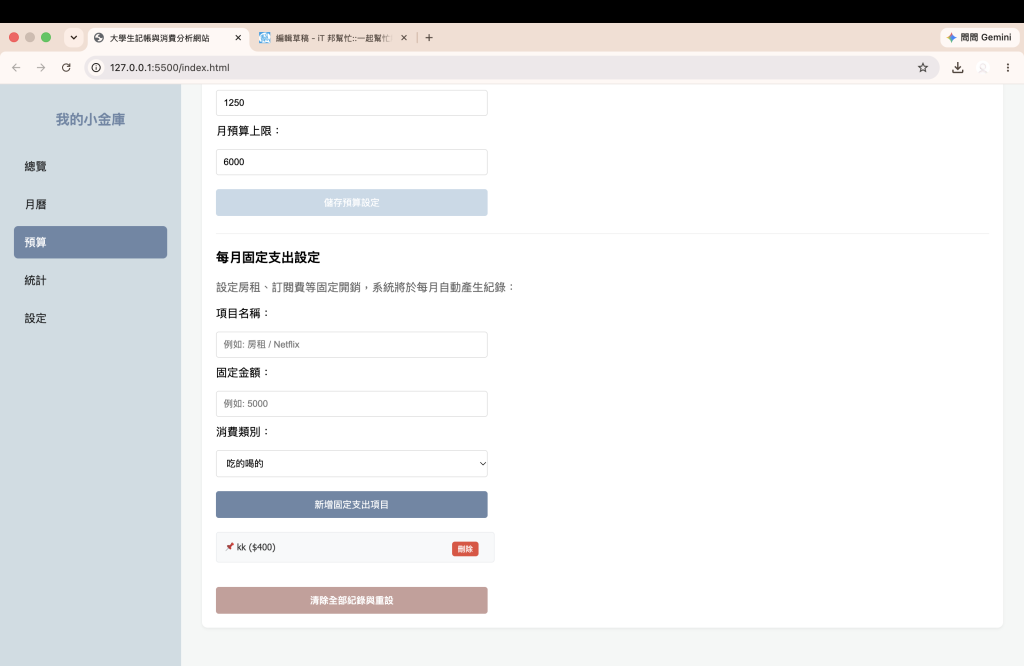
我們在預算設定頁面(Budget Page)下方,新增了一個「每月固定支出設定」區塊,讓使用者可以自由填寫固定項目的名稱、金額與類別:
<!-- 每月固定支出設定區塊 -->
<h3>每月固定支出設定</h3>
<p style="color: #666; margin-bottom: 15px;">設定房租、訂閱費等固定開銷,系統將於每月自動產生紀錄:</p>
<div style="display: flex; flex-direction: column; gap: 10px; max-width: 400px;">
    <label>項目名稱:</label><input type="text" id="fixed-name" placeholder="例如: 房租 / Netflix">
    <label>固定金額:</label><input type="number" id="fixed-amount" placeholder="例如: 5000">
    <label>消費類別:</label>
    <select id="fixed-category">
        <option value="food">吃的喝的</option>
        <option value="transport">交通</option>
        <option value="entertainment">娛樂</option>
        <option value="clothes">買買買</option>
        <option value="other">其他</option>
    </select>
    <button id="add-fixed-btn" style="margin-top: 10px;">新增固定支出項目</button>
</div>
<div style="margin-top: 20px; max-width: 400px;" id="fixed-list-container"></div>
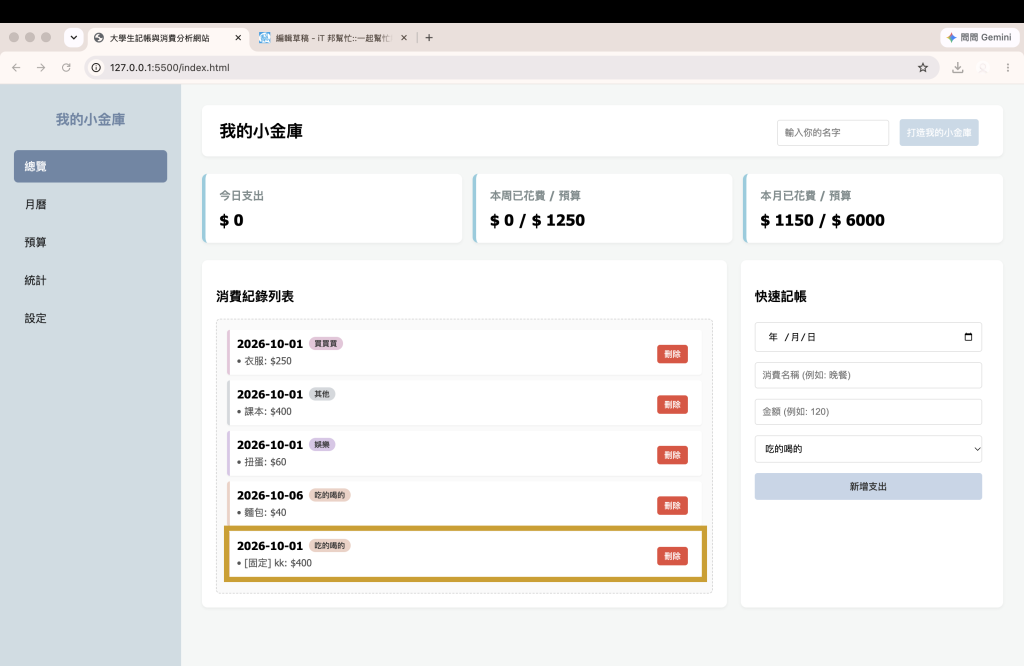
為了實現自動化記帳,我們寫了一個檢查與套用函式 checkAndApplyFixedExpenses()。這段邏輯最精妙的地方在於「防重複機制」:系統會抓取當前年月(例如 2026-10)。利用 localStorage 檢查這個月是否已經自動生成過固定支出(透過 fixed_applied_YYYY-MM 作為檢查 Key)。
如果本月還沒生成過,就會自動將固定項目寫入 expenses 陣列,並將日期統一設定為當月 1 號(YYYY-10-01),同時在名稱前加上 [固定] 標籤以方便識別。
// 檢查並自動帶入當月固定支出
function checkAndApplyFixedExpenses() {
    if (fixedExpenses.length === 0) return;

    const now = new Date();
    const currentYearMonth = now.toISOString().slice(0, 7); // 格式: YYYY-MM
    const checkKey = `fixed_applied_${currentYearMonth}`;

    // 檢查這個月是否已經自動生成過了
    if (localStorage.getItem(checkKey) === 'true') return;

    const applyDate = `${currentYearMonth}-01`;
    let hasNewAdded = false;

    fixedExpenses.forEach(fixed => {
        // 避免重複寫入同一天的相同項目
        const exists = expenses.some(e => e.date === applyDate && e.name === `[固定] ${fixed.name}`);
        if (!exists) {
            expenses.push({
                date: applyDate,
                name: `[固定] ${fixed.name}`,
                amount: fixed.amount,
                category: fixed.category
            });
            hasNewAdded = true;
        }
    });

    if (hasNewAdded) {
        localStorage.setItem('my_expenses', JSON.stringify(expenses));
        localStorage.setItem(checkKey, 'true'); // 標記本月已生成
        renderExpenses();
        renderCalendar();
        renderChart();
    }
}
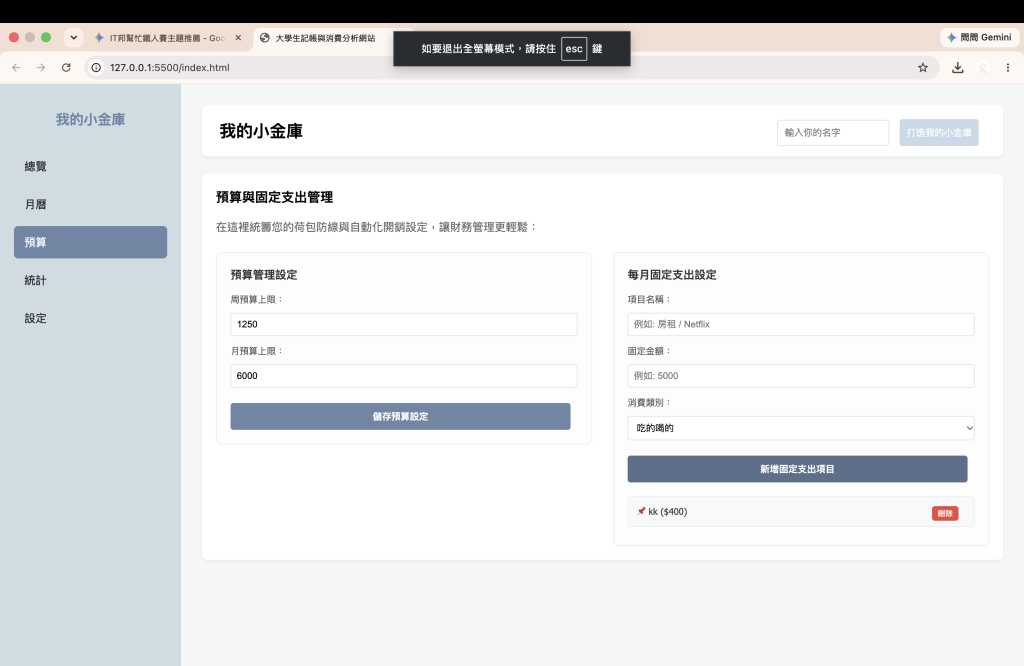
我們在 index.html 的預算頁面中,透過 Grid 容器與卡片設計,打造出乾淨的雙欄介面:
<!-- 預算與固定支出管理頁面重構 -->
<div id="budget-page" class="page-view">
    <div class="section-box">
        <h3 style="margin-top: 0;">預算與固定支出管理</h3>
        <p style="color: #666; margin-bottom: 25px;">在這裡統籌您的荷包防線與自動化開銷設定:</p>

        <!-- 左右雙欄 Grid 排版容器 -->
        <div style="display: grid; grid-template-columns: 1fr 1fr; gap: 30px; align-items: start;">

            <!-- 左欄:預算管理設定 -->
            <div style="background: #fdfdfd; padding: 20px; border-radius: 8px; border: 1px solid #eaeaea;">
                <h4 style="margin-top: 0; color: #333; margin-bottom: 15px;">📊 預算管理設定</h4>
                <div style="display: flex; flex-direction: column; gap: 12px;">
                    <div>
                        <label style="display: block; font-size: 13px; color: #555; margin-bottom: 5px;">周預算上限:</label>
                        <input type="number" id="weekly-budget" placeholder="例如: 2000" style="width: 100%; padding: 8px; border: 1px solid #ddd; border-radius: 4px;">
                    </div>
                    <div>
                        <label style="display: block; font-size: 13px; color: #555; margin-bottom: 5px;">月預算上限:</label>
                        <input type="number" id="monthly-budget" placeholder="例如: 8000" style="width: 100%; padding: 8px; border: 1px solid #ddd; border-radius: 4px;">
                    </div>
                    <button id="set-budget-btn" style="margin-top: 10px; background-color: #6d87a6; color: white; padding: 10px; border: none; border-radius: 4px; cursor: pointer; font-weight: bold;">儲存預算設定</button>
                </div>
            </div>

            <!-- 右欄:每月固定支出設定 -->
            <div style="background: #fdfdfd; padding: 20px; border-radius: 8px; border: 1px solid #eaeaea;">
                <h4 style="margin-top: 0; color: #333; margin-bottom: 15px;">📌 每月固定支出設定</h4>
                <div style="display: flex; flex-direction: column; gap: 12px;">
                    <div>
                        <label style="display: block; font-size: 13px; color: #555; margin-bottom: 5px;">項目名稱:</label>
                        <input type="text" id="fixed-name" placeholder="例如: 房租 / Netflix" style="width: 100%; padding: 8px; border: 1px solid #ddd; border-radius: 4px;">
                    </div>
                    <div>
                        <label style="display: block; font-size: 13px; color: #555; margin-bottom: 5px;">固定金額:</label>
                        <input type="number" id="fixed-amount" placeholder="例如: 5000" style="width: 100%; padding: 8px; border: 1px solid #ddd; border-radius: 4px;">
                    </div>
                    <div>
                        <label style="display: block; font-size: 13px; color: #555; margin-bottom: 5px;">消費類別:</label>
                        <select id="fixed-category" style="width: 100%; padding: 8px; border: 1px solid #ddd; border-radius: 4px;">
                            <option value="food">吃的喝的</option>
                            <option value="transport">交通</option>
                            <option value="entertainment">娛樂</option>
                            <option value="clothes">買買買</option>
                            <option value="other">其他</option>
                        </select>
                    </div>
                    <button id="add-fixed-btn" style="margin-top: 10px; background-color: #5b708b; color: white; padding: 10px; border: none; border-radius: 4px; cursor: pointer; font-weight: bold;">新增固定支出項目</button>
                </div>

                <!-- 已設定的固定支出列表容器 -->
                <div style="margin-top: 20px;" id="fixed-list-container"></div>
            </div>

        </div>
    </div>
</div>

 rong824

 iThome鐵人賽
 看影片追技術