iT邦幫忙

0

Day 8|C# 集合與例外處理

c#
  • 分享至 

  • xImage
  •  

今天的學習目標

  • 理解 List 如何儲存多筆資料
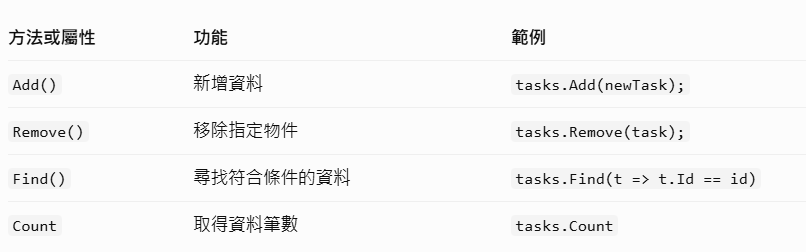
  • 學會 Add、Remove、Find 等集合操作
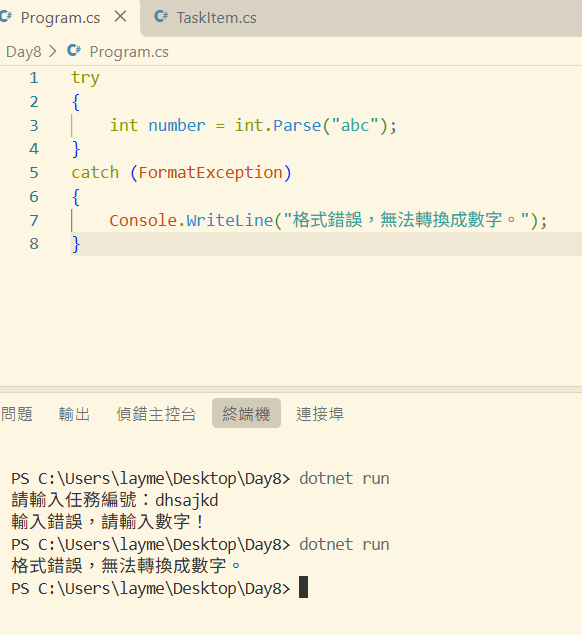
  • 理解 try-catch 例外處理
  • 替 TaskFlow 加入刪除任務功能

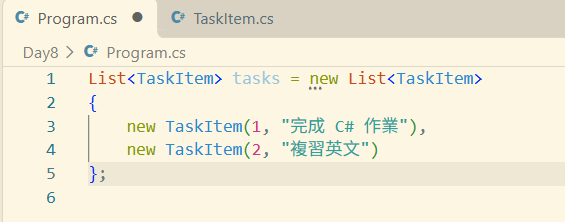
複習 List

https://ithelp.ithome.com.tw/upload/images/20261017/20184430byVCWJFYQD.png
https://ithelp.ithome.com.tw/upload/images/20261017/20184430m6aPUdZB2Q.png

什麼是例外處理

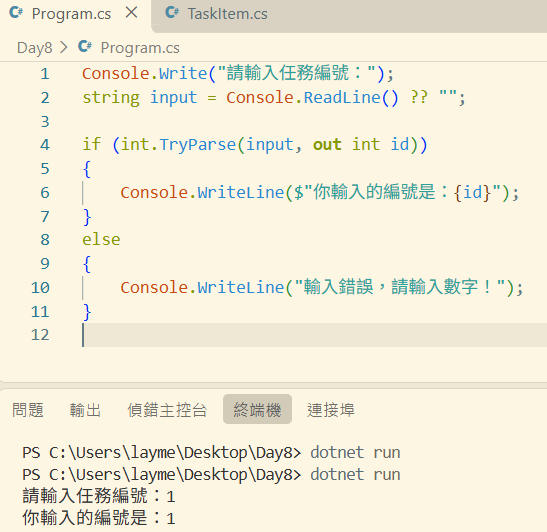
當使用者要輸入任務編號,但他輸入的是 abc,而不是數字。如果直接把文字轉成整數,就可能發生錯誤。

使用 int.TryParse()

https://ithelp.ithome.com.tw/upload/images/20261017/20184430L7QmwIEkmO.png
https://ithelp.ithome.com.tw/upload/images/20261017/20184430dWdputKfXA.png

使用 try-catch

https://ithelp.ithome.com.tw/upload/images/20261017/20184430Ay92TnFH0X.png

替 TaskFlow 加入刪除任務

我們用改昨天寫的程式碼來改。
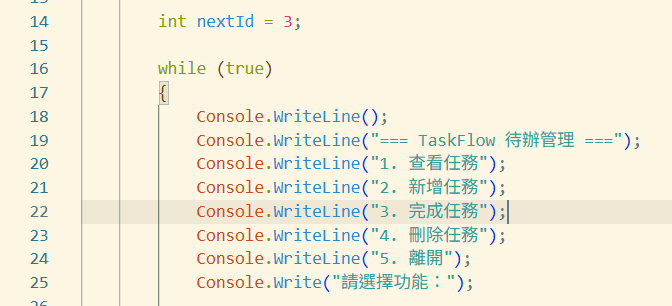
加入「4. 刪除任務」,並將原本的「離開」改成第 5 項
https://ithelp.ithome.com.tw/upload/images/20261017/20184430VJhsnB4TTB.png
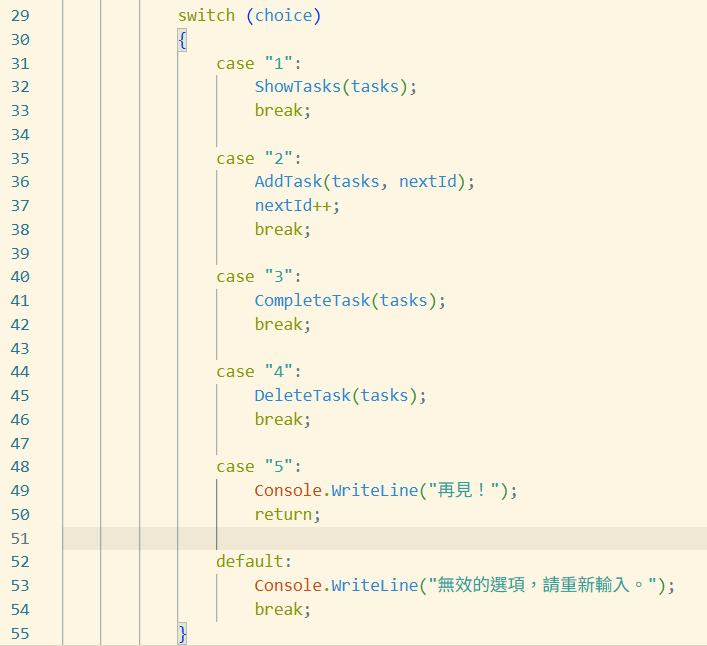
switch(choice) 裡面加入刪除,原本的 case "4" 是離開功能,移除並改成case "5"
https://ithelp.ithome.com.tw/upload/images/20261017/20184430OrMGapinB3.png
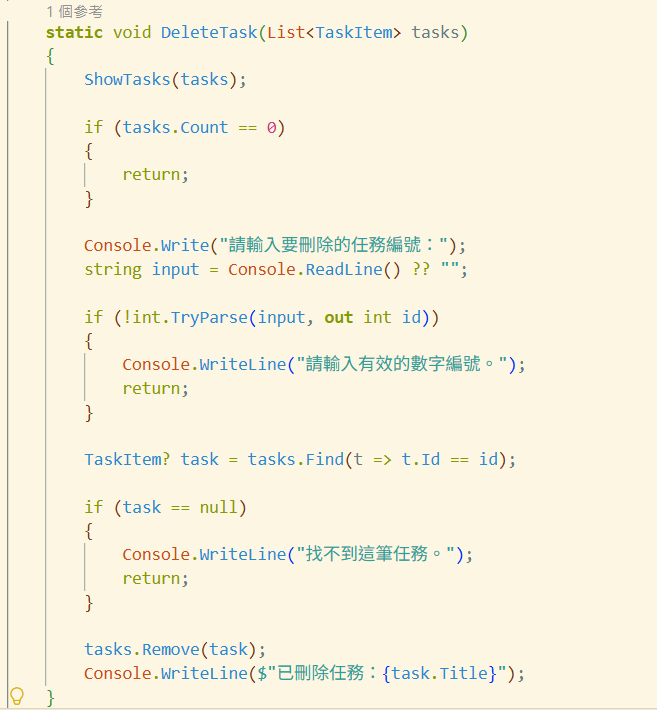
新增刪除方法
https://ithelp.ithome.com.tw/upload/images/20261017/20184430D2uQi5ARfq.png
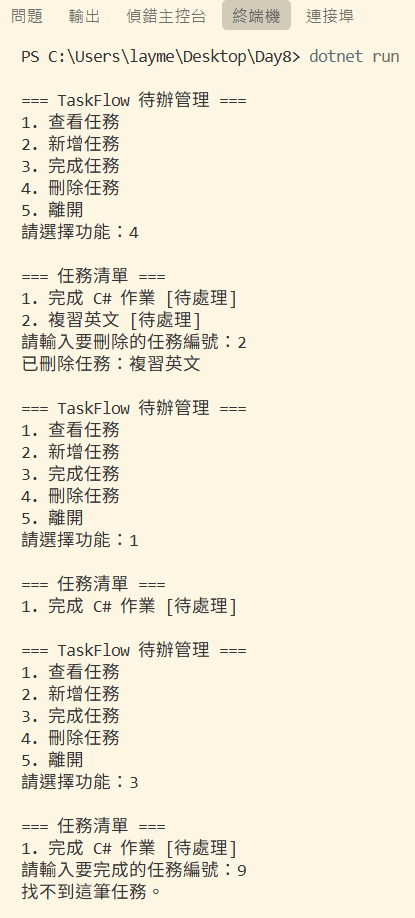
結果
https://ithelp.ithome.com.tw/upload/images/20261017/20184430McF8ogaEWh.png


*提醒邦友,使用第三方服務/API 時,請務必評估資安風險與隱私保護
圖片
  熱門推薦
圖片
{{ item.channelVendor }} | {{ item.webinarstarted }} |
{{ formatDate(item.duration) }}
直播中

尚未有邦友留言

立即登入留言