
當內容創作者撰寫英文部落格文章時,通常希望將其分發到不同的技術社群,以分享知識、增加影響力和觸及率。然而,這些社群中的許多讀者並不閱讀、撰寫或說英語。當部落格文章發佈在這些本地化的、特定語言的 Facebook 社團時,他們的追蹤者不會閱讀它,從而錯過了寶貴的見解。
我經常為全球技術社群撰寫英文部落格文章,但在本地化社團(如台灣的繁體中文 Facebook 社群)分享時遇到了障礙。由於語言障礙,我的讀者在那裡錯失了機會,而且我缺乏手動翻譯它們的技術詞彙。我的解決方案?我為 Gemini CLI 建立了一個自定義的 Agent Skill。
該 Skill 會識別使用者提示詞中的目標語言,並從目標語言資料夾載入術語檔案以執行翻譯。然後,該 Skill 會執行一個 Node.js 腳本,以驗證來源與目標 URL 是否相符,以及替代文字 (Alt-text) 和連結文字是否已翻譯,以提高無障礙性並提升搜尋引擎最佳化 (SEO)。
本指南示範了如何為 Gemini CLI 建立翻譯代理 Skill。
在開始之前,請確保您具備以下條件:
全域安裝 Gemini CLI。
npm install -g @google/gemini-cli
若要全域存取您的擴充功能和 API 金鑰,請在 ~/.gemini 全域工作區中建立一個 .env 檔案,並將 API 金鑰新增至 .env 檔案,如下所示:
# Your Google AI Studio API Key
GEMINI_API_KEY=<Gemini API Key>
我們使用 ~/.gemini 路徑,這是 macOS/Linux 系統的標準路徑。本指南假設您熟悉類 Unix 環境。 Windows (PowerShell/CMD) 使用者可能需要稍微調整路徑或指令。
Gemini CLI 會自動從它找到的第一個 .env 檔案中載入變數,從當前目錄向上搜尋,然後在 ~/.gemini/.env 或 ~/.env 中搜尋。
當 CLI 從 .gemini/.env 檔案載入 GEMINI_API_KEY 時,它會自動在專案中運作。此外,它還充當金鑰更換的單一事實來源。當金鑰過期時,使用者只需要更新一個檔案,而不是尋找分散在各個專案中的多個複本。
此 Skill 的完整原始碼可在 技術本地化專家代理程式技能 (Technical Localization Expert Agent Skill) 取得,然而,以下章節將檢視關鍵組件的運作方式。
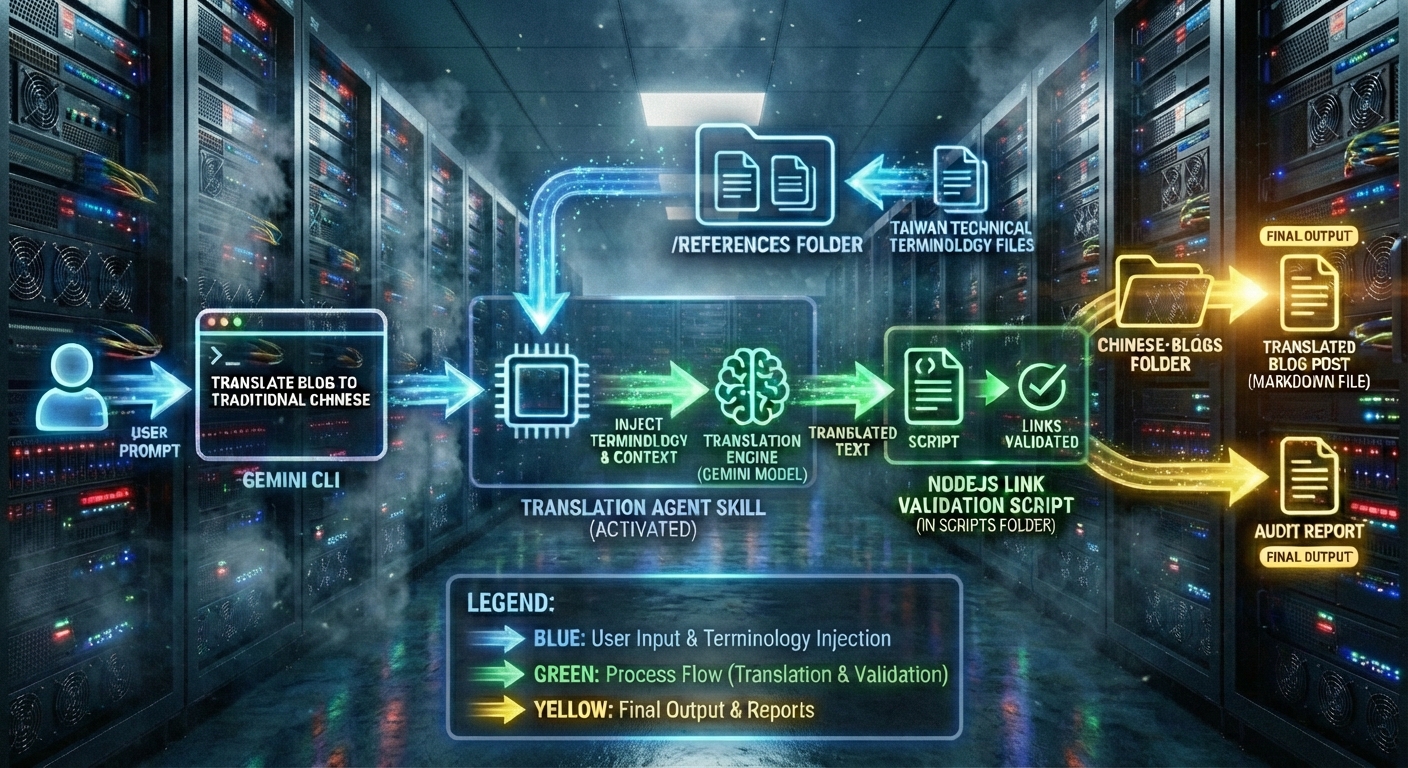
使用者在 Gemini CLI 中輸入提示詞,以使用 technical-localization-expert Skill 將英文部落格翻譯為繁體中文。
CLI 啟動該 Skill,從 references 資料夾載入台灣技術術語檔案。
該 Skill 指導 CLI 執行 Linux cat 指令來讀取來源部落格文章。
該 Skill 建立術語對應並將其連同來源文字注入翻譯提示詞背景中,以產生翻譯後的文字。
scripts 資料夾中的 Node.js 連結驗證腳本會驗證翻譯後文字的連結是否有效。
該 Skill 將翻譯後的文字儲存到 chinese-blogs 資料夾中的 Markdown 檔案中。
稽核報告列出了本地化程序的步驟,且每個步驟都產生預期的結果。
Agent Skill 是一個自包含的目錄,其中包含一個必要的 SKILL.md Markdown 檔案,以及選用的資料夾,如 scripts、references 和 assets。當該目錄放置在全域 .gemini 資料夾的 skills 資料夾中時,重新啟動後即可使用。
my-skill/
├── SKILL.md          # Required: instructions + metadata
├── scripts/          # Optional: executable code
├── references/       # Optional: documentation
└── assets/           # Optional: templates, resources
在我們的翻譯部落格文章 Skill 中,頂層資料夾名稱 (my-skill) 命名為 technical-localization-expert,以符合 Skill 名稱,避免混淆並方便發現。
references 資料夾包含歸類在 terminology-en-[code] 子資料夾下的術語檔案,其中 [code] 是目標語言代碼。Markdown 檔案有一個對應表,將英文術語對應到目標語言。例如,此表將常見的 AI 術語從英文對應到繁體中文。
# AI

| English | zh-TW (Taiwan Standard) | Notes |
| :--- | :--- | :--- |
| Artificial Intelligence | 人工智慧 | Never use 人工智能 |
| Training | 訓練 | |
| Inference | 推論 | Not 推理 |
| Fine-tuning | 微調 | |
| Model | 模型 | |
| Hyperparameter | 超參數 | |
| Prompt | 提示詞 | |
| Embedding | 嵌入 | |
| Large Language Model | 大型語言模型 | LLM |
最後,scripts 資料夾包含一個 Node.js 腳本,用於對翻譯後文字中的資產和連結執行驗證。
讓我們建立 Agent Skill 的資料夾結構。
以下指令為翻譯部落格文章 Skill 建立所有資料夾和空檔案。
cd ~    # Switch to the home directory
mkdir technical-localization-expert
touch SKILL.md

# Create the references folder, subfolder, and terminology files
mkdir technical-localization-expert/references
mkdir technical-localization-expert/references/terminology-en-zhtw

mkdir technical-localization-expert/references/terminology-en-zhtw/ai.md
mkdir technical-localization-expert/references/terminology-en-zhtw/backend.md
mkdir technical-localization-expert/references/terminology-en-zhtw/cloud.md
mkdir technical-localization-expert/references/terminology-en-zhtw/frontend.md
mkdir technical-localization-expert/references/terminology-en-zhtw/general.md
mkdir technical-localization-expert/references/terminology-en-zhtw/internet.md

# Create the scripts folder and an empty Node.js file
mkdir technical-localization-expert/scripts
touch technical-localization-expert/scripts/check-links.js
以下章節詳細分析 Skill 的每個組件。
為了可維護性和擴展性,繁體中文的檔案放置在 terminology-en-zhtw 下。terminology-en-zhtw 目錄包含 ai.md、frontend.md、backend.md、web.md、cloud.md、general.md 和 internet.md Markdown 檔案,以保持台灣標準術語。
只需新增 terminology-en-zhcn 資料夾,即可將此模組化設計擴展到簡體中文。這可確保代理程式使用正確的區域術語,例如 軟體 (繁體) 而不是 軟件 (簡體)。
我們可以在 terminology-en-zhtw 中找到 Markdown 檔案,並將 Markdown 表格複製到我們的空檔案中。
CLI 啟動該 Skill 後,它會載入這些檔案以建立單一的英文對繁體中文技術術語對應。此外,它會將對應和來源部落格文章注入使用者提示詞中,以產生翻譯後的繁體中文部落格文章並將其儲存到目標資料夾。
驗證腳本會在我們完成發佈文章之前驗證 URL、替代文字和連結。
check-links.js 腳本會驗證原始和翻譯後的部落格文章。雖然 Gemini 功能強大,但大型語言模型有時會對 URL 產生幻覺,或意外翻譯技術路徑。此腳本提供決定性的檢查,以確保部落格保持功能正常。
首先,腳本確保替代文字和連結文字已翻譯,以提高無障礙性。
assetRegex 是一個正規表達式,用於比對具有替代文字的圖像和具有連結文字的 URL。extract 函式會擷取資產以驗證文字是否未被意外翻譯。
const assetRegex = /(!?)\[([^\]]*)\]\(([^)]+)\)/g;

const extract = (content) => {
  const results = [];
  let match;
  while ((match = assetRegex.exec(content)) !== null) {
    results.push({
      isImage: match[1] === '!',
      text: match[2].trim(),
      url: match[3].trim()
    });
  }
  return results;
};

const sourceAssets = extract(sourceContent);
const targetAssets = extract(targetContent);
當文字既不在單反引號區塊也不在三反引號區塊中時,來源和目標文字不應相同。如果相同,則會發生錯誤,並將錯誤訊息推送到 errors 陣列中。
const isCode = src.text.startsWith('`') && src.text.endsWith('`');
if (src.text && src.text === trg.text && !isCode) {
  errors.push(`Untranslated Text: Asset #${i+1} still says "${src.text}"`);
}
如果目標 URL 是相對路徑,則不應包含非英文內容。這對 ASCII 是有效的,但某些有效的 URL 可能包含編碼後的 UTF-8 字元。請確保部落格文章中的路徑保持 ASCII。
// For relative paths, we ensure they aren't accidentally translated into words
// (e.g., ../assets/ changed to ../activos/)
if (trg.url.match(/[^\x00-\x7F]/)) {
    errors.push(`Relative Path Error: Path "${trg.url}" contains non-English characters.`);
}
如果 errors 陣列不為空,腳本會列印錯誤訊息。驗證成功後,腳本會顯示成功訊息。
if (errors.length > 0) {
console.log('❌ Integrity & Translation Errors:');
errors.forEach(err => console.log(`  - ${err}`));
} else {
console.log('✅ Asset integrity and translation checks passed.');
}
當 externalLinksToCheck 陣列不為空時,目標部落格文章包含需要進行連線檢查的外部 URL。validateConnectivity 會對目標 URL 進行至少一次 fetch 呼叫並等待回應結果。當回應不為 ok 時,腳本會偵測到損壞的連結並將錯誤記錄到主控台。
async function validateConnectivity(urls) {
  const results = await Promise.all(urls.map(async (url) => {
    try {
      let response = await fetch(url, { method: 'HEAD', signal: AbortSignal.timeout(5000) });
      if (!response.ok) response = await fetch(url, { method: 'GET', signal: AbortSignal.timeout(5000) });
      return { url, ok: response.ok, status: response.status };
    } catch (e) {
      return { url, ok: false, status: 'Error/Timeout' };
    }
  }));

  results.forEach(res => {
    if (!res.ok) console.log(`  ❌ [${res.status}] ${res.url}`);
  });
}

if (src.url.startsWith('http')) {
  if (src.url !== trg.url) {
    errors.push(`URL Mismatch: Source "${src.url}" vs Target "${trg.url}"`);
  }
  externalLinksToCheck.push(trg.url);
}

if (externalLinksToCheck.length > 0) {
  console.log(`\nChecking connectivity for ${externalLinksToCheck.length} external links...`);
  await validateConnectivity(externalLinksToCheck);
}
我們可以在 scripts 中找到該腳本。
接著,在 macOS/Linux 環境中,使用 Linux chmod 指令將腳本設定為可執行。
chmod a+x check-links.js
Skill 規格說明定義在 SKILL.md 檔案中。Markdown 檔案以元數據開始。元數據包含 Skill 名稱和描述。
Gemini CLI 首先載入 Skill 名稱和描述。當描述與使用者提示詞中的關鍵字相符時,CLI 會啟動該 Skill 並將整個檔案載入背景中。
---
name: technical-localization-expert
description: A high-precision localization engine that scans categorized terminology folders in `references/` to ensure domain-specific accuracy. Optimized for English-to-Global technical content with strict code-asset protection.
---
接下來的幾個章節是 Persona 和執行部落格翻譯的邏輯。
類別 1 要求 Gemini 驗證來源是否為英文。
類別 2 要求模型掃描使用者提示詞以識別目標語言(繁體中文)並衍生語言代碼 (zhtw)。該 Skill 會尋找 references/terminology-en-zhtw 資料夾並載入其中的所有 Markdown 檔案。
# Technical Localization Expert

## PERSONA

You are a Senior Technical Translator and Localization Specialist. You specialize in converting developer-focused English content into various target languages. You prioritize technical accuracy, character set integrity, and the absolute preservation of all technical assets.

## 語言與機械邏輯

1. **Category 1: Source Language Validation**
    - **Rule:** This skill is strictly optimized for translating **English source text**.
    - **Action:** Analyze the source content before proceeding.
    - **Stop Condition:** If the source language is NOT English, stop processing and notify the user: "⚠️ Notification: This localization engine requires English source text to ensure terminology-to-glossary consistency."

2. **Category 2: Modular Glossary Scanning & Fallback**
    - **Step 1:** Identify the Target Language Code (e.g., Traditional Chinese -> `zhtw`, Spanish -> `es`, Brazilian Portuguese -> `ptbr`).
    - **Step 2:** Locate the folder: `references/terminology-en-[code]/`.
    - **Step 3 (Success):** If the folder exists, read all Markdown files within it (e.g., `cloud.md`, `frontend.md`, `general.md`) to build a comprehensive terminology map.
    - **Step 4 (Fallback):** If the folder does NOT exist, notify the user: "Notice: No custom glossary folder found for [code]. Proceeding with standard regional technical terminology." Revert to internal high-precision standards for that locale.
類別 3、4、5 和 6 是確保模型理解該做什麼和不該做什麼的指令。例如,替代文字和連結文字必須翻譯成目標語言,而相對路徑則不應翻譯。此外,單反引號和三反引號區塊中的任何文字、程式碼和變數都不應翻譯。
3. **Category 3: Immutable Code Assets (Zero-Touch Policy)**
    - **Hard Rule:** Any text wrapped in single backticks or triple backticks is a **Literal String Block**.
    - **Preservation Instructions:**
        1. **DO NOT** translate any text inside, including code logic, variable names, or comments.
        2. **DO NOT** modify the casing, indentation, or spacing.
        3. **DO NOT** interpret escape characters. If the source contains a backslash followed by a letter (such as n, t, or r), you **MUST** output those literal characters. Do not convert them into actual newlines or tabs.
        4. **Even if the block contains English instructions or prose, it must be treated as raw, immutable data.**
    - **Verification:** Before outputting, check that every character within the backticks matches the source 1:1.

4. **Category 4: Image & Link Asset Protection & Path Adjustment**
    - **External Links:** For `(https://...)`, translate the `Link Text` but leave the `(URL)` verbatim.
    - **Absolute Internal Paths:** For paths starting with `/` (e.g., `/assets/images/logo.png`), leave the path verbatim as it is root-relative.
    - **Relative Paths (Strategy 3 - Path Re-calculation):**
        1. If the target localization file is stored at a different directory depth than the English source (e.g., moving from `blog/post.md` to `zh/blog/post.md`), you **must** recalculate the relative path.
        2. Adjust the number of "upward" steps (e.g., changing `../assets/` to `../../assets/`) to ensure the link remains functional from the new file location.
    - **Alt-Text:** Always translate the `Alt Text` for images and `Link Text` for hyperlinks to the target language, while applying the rules above to the `(URL)` portion.

5. **Category 5: Regional Standards & zh-TW Integrity**
    - **Traditional Chinese (zh-TW):** Strictly use Traditional Chinese characters. Use Taiwan-specific industry standards (e.g., Software -> 軟體, Instance -> 執行個體, Project -> 專案). Ensure zero "bleed" from Simplified Chinese vocabulary.
    - **General:** For any target language, use the professional IT vocabulary of that specific region. Avoid literal "machine" translations.

6. **Category 6: Formatting & Raw String Integrity**
    - **Markdown:** Maintain all Markdown formatting integrity (#, **, *, -, >).
    - **Escape Characters:** Treat code as **raw text**. Do not render `\n` as a physical newline within code blocks or backticks; output the literal characters.
    - **Tone:** Professional, technical "developer-to-developer" tone.
    - **Address:** Use the polite/formal form of address in the target language (e.g., "您" for Chinese, "Usted" for Spanish).
類別 7 指定了執行順序,以便系統化且高精度地翻譯英文部落格。
類別 8 驗證資產以確保外部連結未損壞。僅翻譯替代文字和連結文字,排除相對路徑。
7. **Category 7: Order of Execution**
    1. **Validate:** Confirm the source is English. (Stop if not).
    2. **Map:** Identify the target ISO code.
    3. **Scan:** Look for the folder `references/terminology-en-[code]/`.
       - **If folder exists:** Ingest all modular glossary files.
       - **If folder missing:** Trigger Fallback Notification and use internal standards.
    4. **Translate:** Execute the translation while strictly protecting all backticks, URLs, and image paths.
    5. **Verify:** **Execute `./scripts/check-links.js`** on the result to identify broken or mismatched URLs.
    6. **Remediate:** If links are broken, fix them based on the English source and re-verify.
    7. **Deliver:** Provide the finalized, verified translation.

8. **Category 8: Quality Assurance & Link Integrity (Mandatory)**
    - **Verification Tool:** `./scripts/check-links.js`.
    - **Logic for Broken Links:**
        1. If the script reports a link as broken, compare it to the original English source.
        2. **Branch A (Translation Error):** If the URL in your translation differs from the source, fix it to match the source exactly and re-run the script.
        3. **Branch B (Source Error):** If the URL matches the source exactly but the script still reports it as broken, categorize it as a **"Pre-existing Source Error."**
        4. **Maximum Retries:** Do not attempt more than 2 correction cycles per link.
    - **Action Audit Report:** At the end of the output, provide a concise summary of the localization actions taken, including:
        - **Source Validation:** Confirmation that the source was English.
        - **Glossary Status:** Identification of the glossary folder used (e.g., `references/terminology-en-[code]/`) or if the "Fallback" was triggered.
        - **Asset Protection:** Confirmation that all text within single and triple backticks was preserved 1:1 as per Category 3.
        - **Link Integrity:** Results of the link verification (e.g., "All links verified" or "Pre-existing Source Errors identified").
    - **Final Action:** If errors persist after retries, deliver the translation and list all persistent errors within the Link Integrity section of the Audit Report.
定義了規格說明、靜態術語檔案以及翻譯部落格文章 Skill 的驗證腳本,並存放在 technical-localization-expert 目錄中。我們可以將該目錄複製到 ~/.gemini/skills,使其可用於 Gemini CLI。
technical-localization-expert 資料夾包含以下檔案:SKILL.md、references 和 scripts 資料夾。
technical-localization-expert
├── references
│   └── terminology-en-zhtw
│       ├── ai.md
│       ├── backend.md
│       ├── cloud.md
│       ├── frontend.md
│       ├── general.md
│       ├── internet.md
│       └── web.md
├── scripts
│   └── check-links.js
└── SKILL.md
| 組件 | 描述 |
|---|---|
| SKILL Markdown 檔案 | 翻譯代理 Skill 的規格說明。 |
| references | 儲存「英文對語言代碼」子資料夾的資料夾。 |
| references/terminology-en-zhtw | 此資料夾包含英文對繁體中文的術語檔案。 |
| terminology-en-zhtw/ai.md | 此檔案維護 AI 術語從英文到繁體中文的對應。 |
| terminology-en-zhtw/backend.md | 此檔案維護後端術語從英文到繁體中文的對應。 |
| terminology-en-zhtw/cloud.md | 此檔案維護雲端術語從英文到繁體中文的對應。 |
| terminology-en-zhtw/frontend.md | 此檔案維護前端術語從英文到繁體中文的對應。 |
| terminology-en-zhtw/general.md | 此檔案維護通用技術術語從英文到繁體中文的對應。 |
| terminology-en-zhtw/internet.md | 此檔案維護網際網路術語從英文到繁體中文的對應。 |
| scripts | 包含代理程式可以執行的獨立腳本的資料夾。 |
| check-links.js | 這是一個 Node.js 腳本,用於測試翻譯後文字中的連結是否可達。 |
將整個 technical-localization-expert 資料夾複製到 ~/.gemini/skills。然後,列出 ~/.gemini/skills/technical-localization-expert 的內容以進行驗證。
mkdir -p ~/.gemini/skills/technical-localization-expert

cd ~/technical-localization-expert
cp -r ./technical-localization-expert/* ~/.gemini/skills/technical-localization-expert
ls ~/.gemini/skills/technical-localization-expert
成功複製目錄後,我重新啟動 Gemini CLI 以將部落格文章翻譯為繁體中文。
切換到部落格文章所在的資料夾。然後,在終端機啟動 Gemini CLI。
cd markdown
gemini
在 Gemini CLI 中輸入以下指令:
use the technical-localization-expert skill to translate @mastering_live_sports_data_with_gemini_3.md to Traditional Chinese and write the translation to chinese-blogs/translated3.md
此使用者提示詞指示 CLI 使用該 Skill 將當前目錄中的部落格文章翻譯為繁體中文。翻譯後的繁體中文部落格文章會儲存到 chinese-blogs/translated3.md。
CLI 發現 technical-localization-expert Skill 並提示我啟動它。
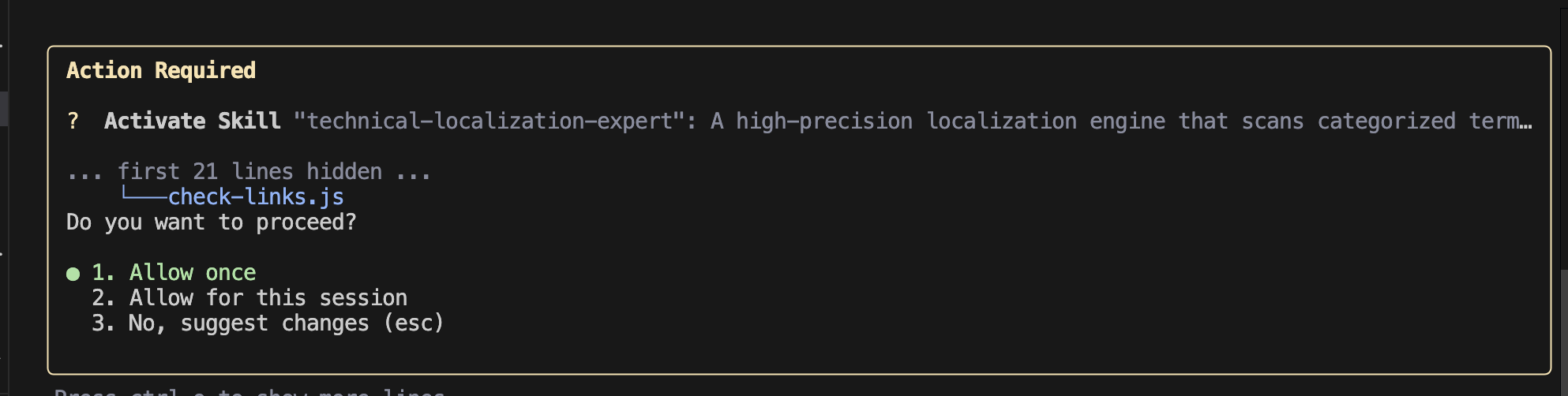
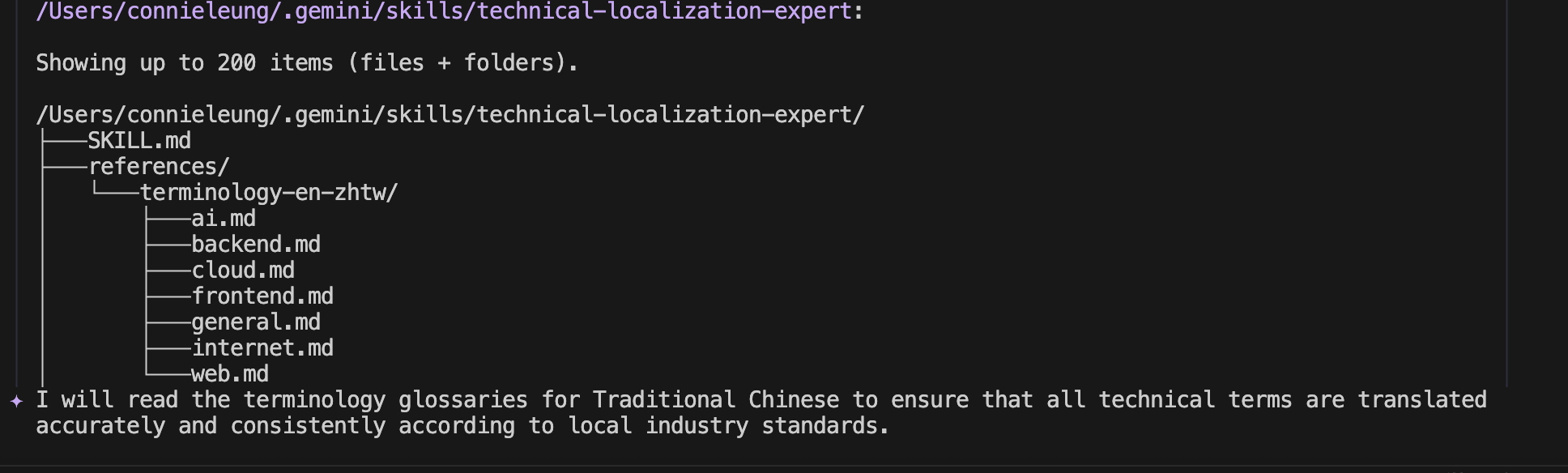
接著,CLI 從 references/terminology-en-zhtw 資料夾載入術語檔案,且該 Skill 執行 cat Linux 指令將英文部落格文章動態攝取到模型的背景視窗中。

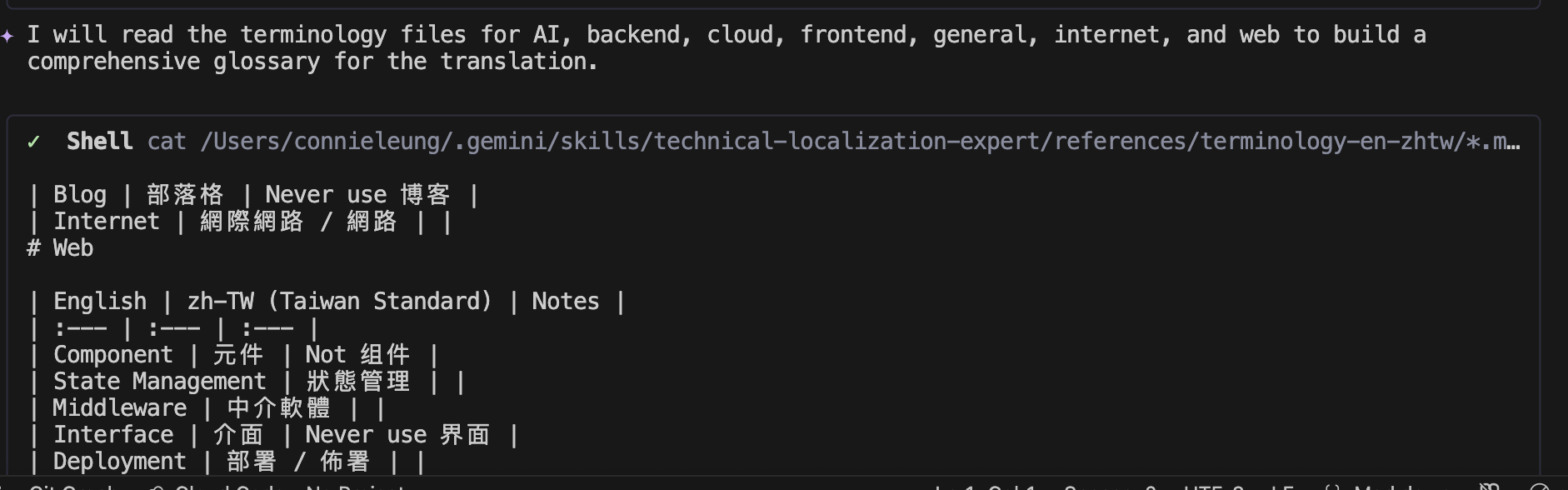
接下來,該 Skill 從檔案中擷取技術術語,並將其連同英文部落格文字注入提示詞中以產生繁體中文部落格。它會啟動連結驗證腳本,以擷取並驗證翻譯後文字中的連結。
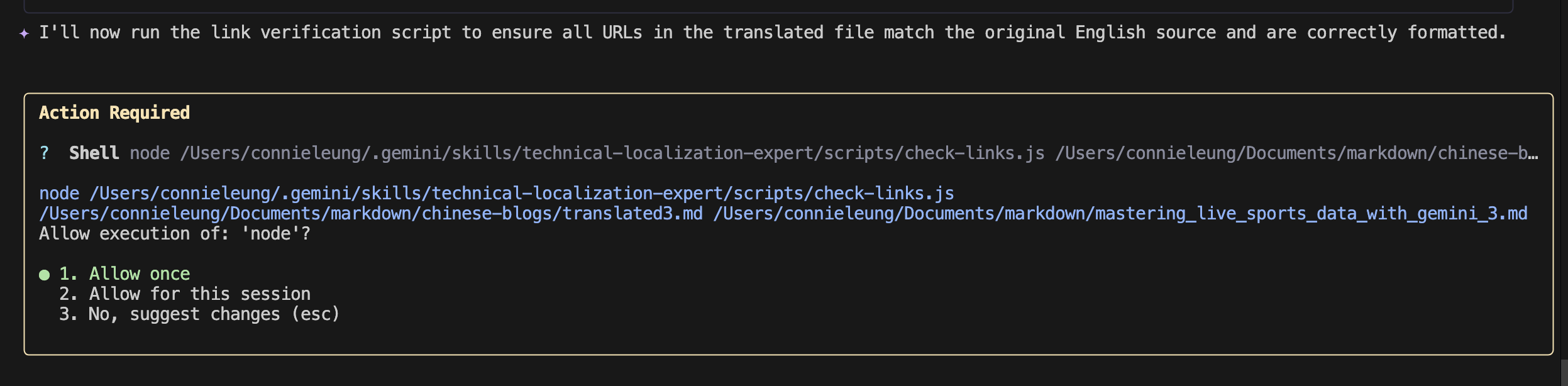
翻譯後文字中的連結有效,且與英文部落格文章中的連結相符。內容已儲存到 chinese-blogs/translated3.md 以供進一步審閱和發佈。
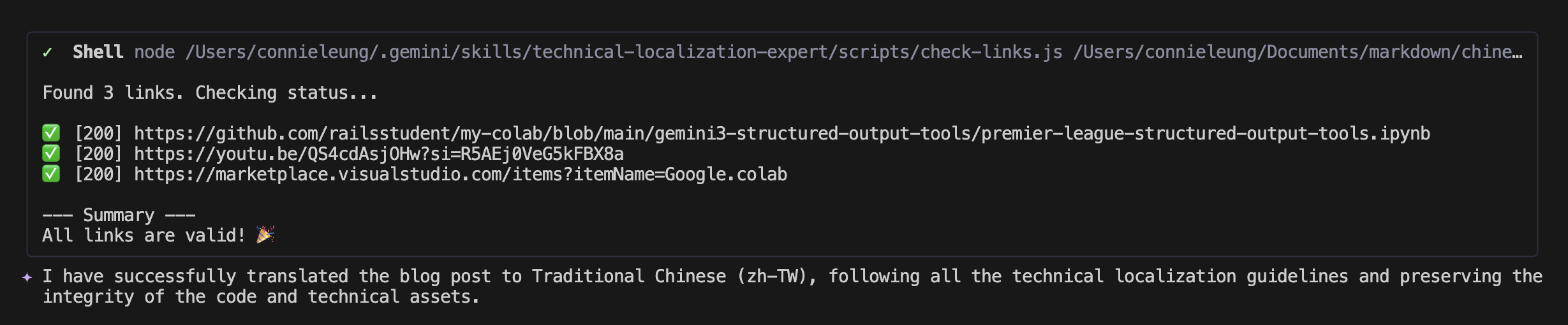
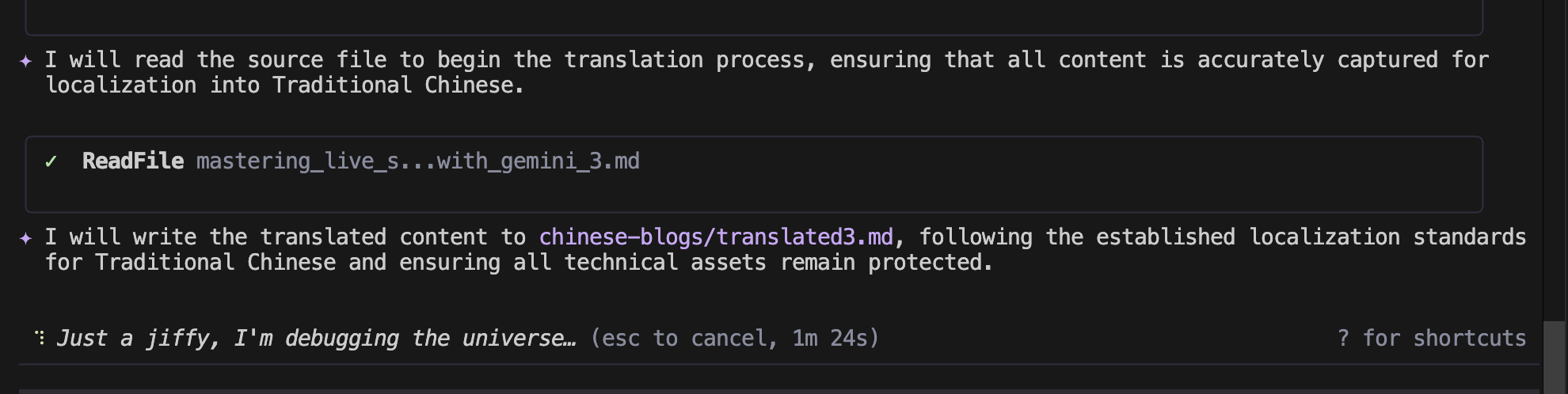
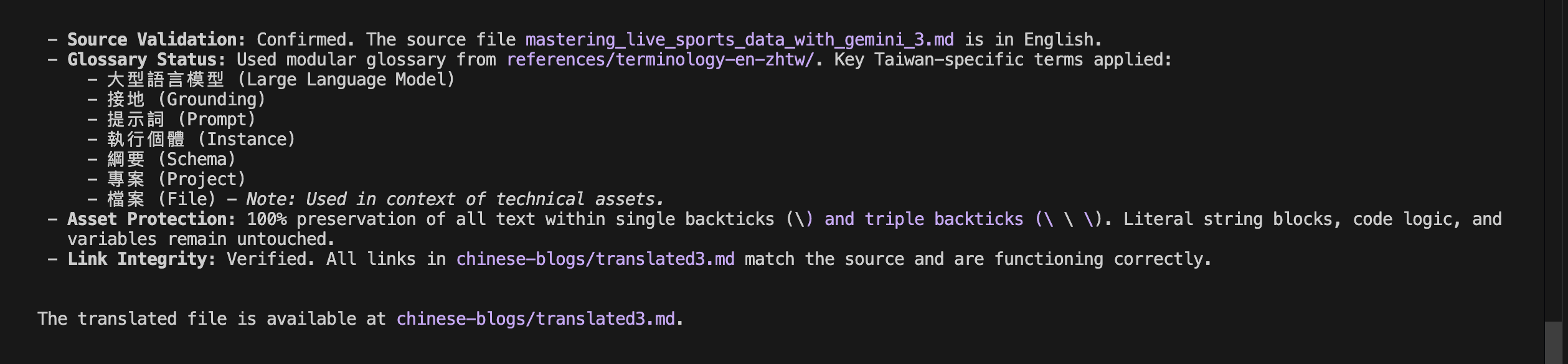
最後,該 Skill 列印稽核報告,列出該本地化程序的所有已完成步驟。該 Skill 偵測到英文內容,在翻譯過程中應用台灣技術術語,保留三反引號中的任何文字,並驗證翻譯後文字中的連結是否與原始連結相符且可達。
透過在代理 Skill 中編排術語檔案和連結驗證腳本,我現在可以使用 Gemini CLI 中的單一 Skill 將英文文章翻譯成繁體中文。這可確保每個技術術語都準確無誤,且每個連結都能正常運作。此工作流程讓我未來能充滿自信地將文章發佈到台灣 Facebook 社團和全球平台。
您會如何使用 Gemini CLI 和 Agent Skill 來增加您在全球社群中的影響力?
Audit Report:

 Connie

 iThome鐵人賽
 看影片追技術