
main.py,就跑以下指令:uvicorn main:app --reload --host 0.0.0.0 --port 8000
因為我的 n8n 是在 Docker Container 裡,所以要用--host 0.0.0.0,FastAPI才不會只被綁在127.0.0.1
跑起來後先用測試 FastAPI 沒有問題,可以用FastAPI 自動生成的 Swagger UI http://localhost:8000/docs 先測試 POST /summarize
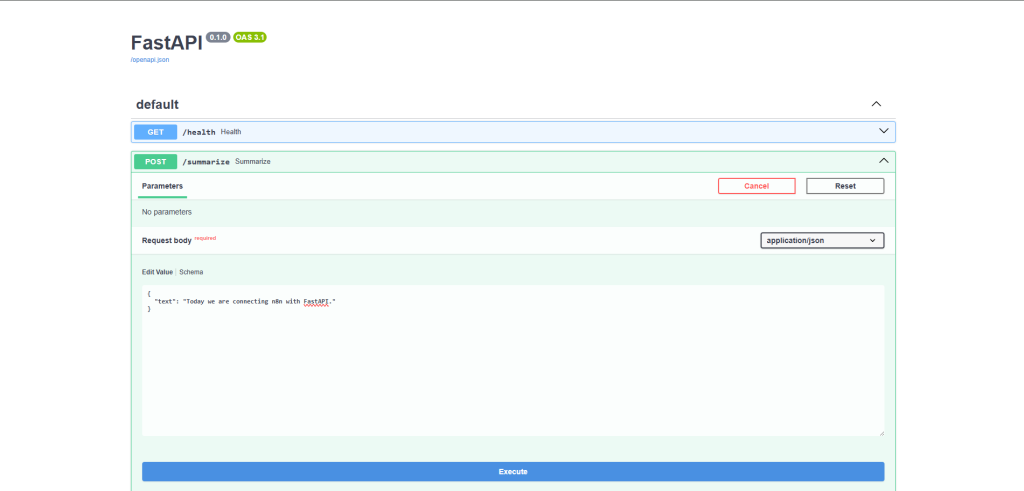
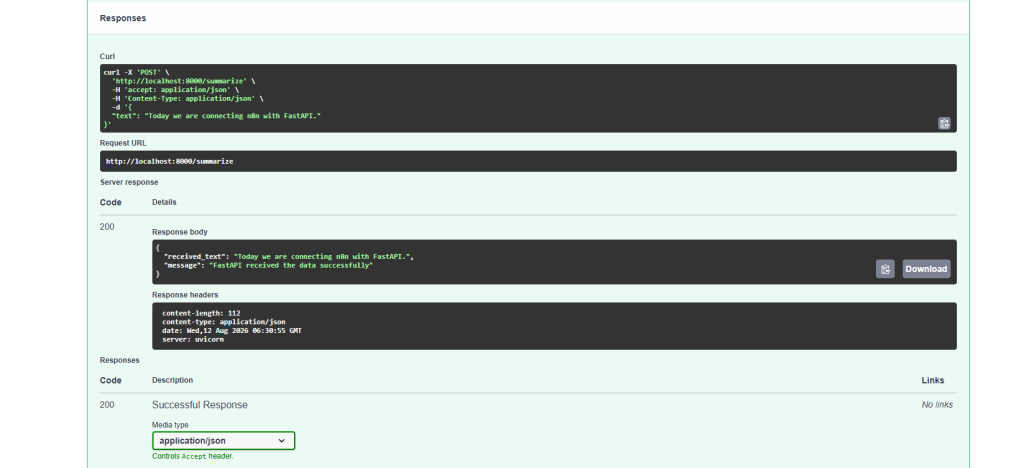
確認是成功的
n8n 接起來
首先將昨天建好的 Container 跑起來,進入 n8n 介面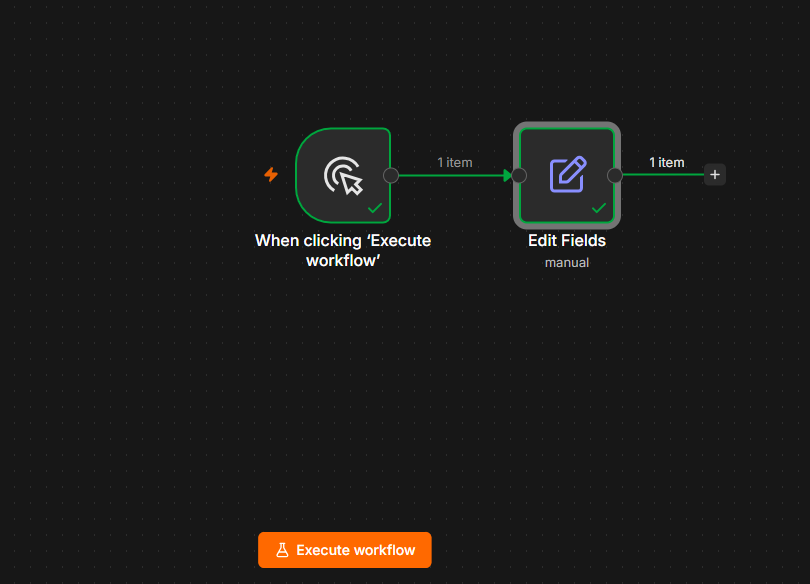
接著新增像上圖這樣的節點,一個 Trigger 接上一個 Edit Fields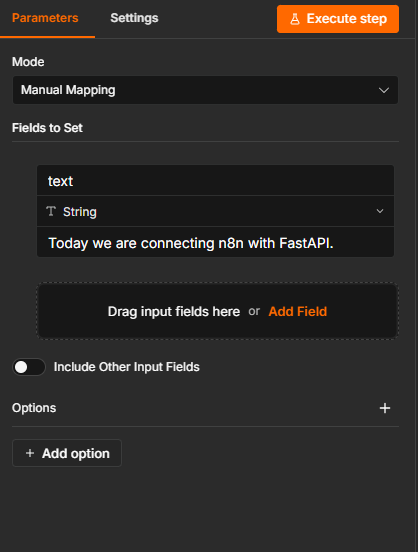
Edit Fields 節點內部設定如上圖,只有一個 string 是因為我們今天只要接起來就好。
加入 HTTP Request Node
因為FastAPI 跑在Windows Host,而 n8n 跑在:Docker Container。所以如果在 n8n HTTP Request 裡填:http://localhost:8000
這個 localhost 對 n8n Container 而言其實代表 n8n Container 自己,並不是我的 Windows。
所以要使用host.docker.internal,它會解析到 Docker Host,也就是我的 Windows 電腦。所以 n8n 就會找到 http://host.docker.internal:8000 ,也就是我的 FastAPI。
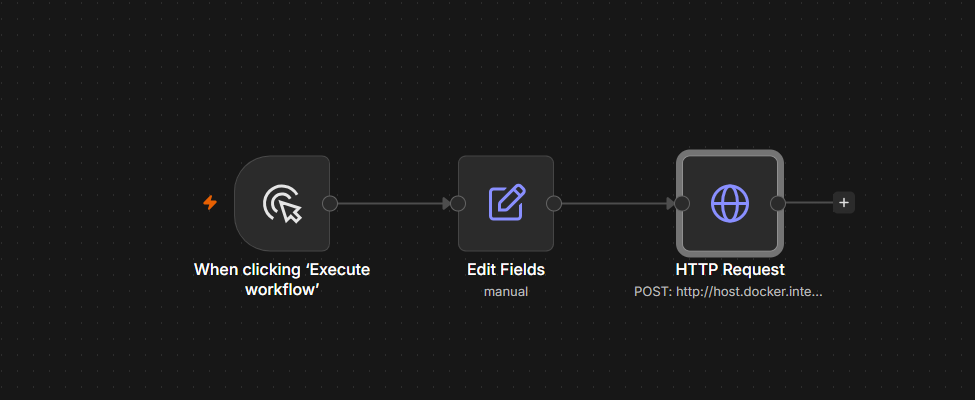
所以要在 Edit Fields 後面接上一個 HTTP Request Node,如上圖
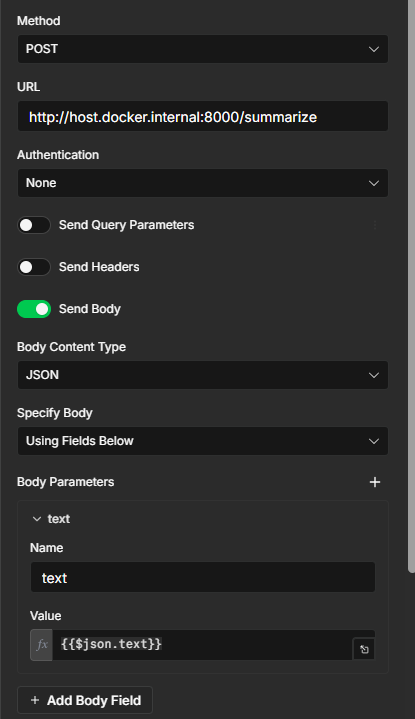
如上圖設定 HTTP Request Node。URL後面要加上/summarize是因為我的 FastAPI 的 endpoint 是 @app.post("/summarize")
Authentication 設定是 None 是因為現在只有在自己的本機測試,如果 API 對 Internet 公開,就需要處理 authentication
Body 的 value 設定成{{$json.text}} 代表要取得前一個 Node 傳進來的目前 JSON item 裡的 text 欄位。
Manual Trigger -> Edit Fields -> HTTP Request -> FastAPI
HTTP Request Node 的 Output 會看到以下輸出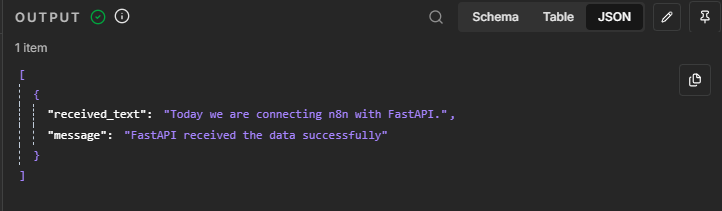
就代表我們接成功了。



 iThome鐵人賽
 看影片追技術