
Ventoy 是一個用來製作可開機 USB 的開源工具。安裝一次 Ventoy 後,你只要把 ISO、WIM、IMG、VHD(x)、EFI 等映像檔直接複製到 USB,就可以開機,不需要每次重新格式化。USB 裡可以放很多映像檔,開機時 Ventoy 會提供選單讓你選要啟動哪一個。它也支援多種 BIOS/UEFI、MBR/GPT,以及 Windows、Linux 等多種作業系統。
以前我在使用 USB disk 給主機安裝作業系統時,我會使用 dd 這個 command line tool 去製作 USB bootable installer
例如:
dd if=ubuntu.iso of=/dev/sdd bs=10M
但使用 dd 製作 bootable USB 時,一個 USB disk 通常就只能拿來放一個作業系統的 installer。
如果今天要安裝 Ubuntu,USB 就是 Ubuntu installer;下次如果要安裝 Windows 或其他 Linux,就必須重新製作 USB。
這樣不但麻煩,也會造成 USB disk 空間的浪費。例如一支 64 GB 的 USB disk,如果 Ubuntu ISO 只有約 2 GB,剩下的空間也不能很方便地拿來存放其他 bootable installer。
因此我希望有一種方式,可以讓同一支 USB disk 同時存放多個 ISO,並且在開機時選擇要啟動哪一個 installer,而不需要每次重新製作 USB。
這也是我開始使用 Ventoy 的原因。
下載 Ventoy 可以到 Ventoy Github 下載,進入 Github 頁面點擊右邊的 Releases,我使用 Linux 所以下當前最新版本 ventoy-1.1.17-linux.tar.gz。
在我的 Linux 主機上使用 wget 下載:
wget https://github.com/ventoy/Ventoy/releases/download/v1.1.17/ventoy-1.1.17-linux.tar.gz
解壓縮後進入 ventoy 資料夾,使用裡面的 Ventoy2Disk.sh 安裝 Ventoy:
# sh Ventoy2Disk.sh -I /dev/sdd

**********************************************
      Ventoy: 1.1.17  x86_64
      longpanda admin@ventoy.net
      https://www.ventoy.net
**********************************************

Disk : /dev/sdd
Size : 28 GiB
Style: MBR


Attention:
You will install Ventoy to /dev/sdd.
All the data on the disk /dev/sdd will be lost!!!

Continue? (y/n) y

All the data on the disk /dev/sdd will be lost!!!
Double-check. Continue? (y/n) y

Create partitions on /dev/sdd by fdisk in MBR style ...
Done
Wait for partitions ...
partition exist OK
create efi fat fs /dev/sdd2 ...
mkfs.fat 4.2 (2021-01-31)
success
Wait for partitions $vPART1 and $vPART2 ...
/dev/sdd1 exist OK
/dev/sdd2 exist OK
partition exist OK
Format partition 1 /dev/sdd1 ...
mkexfatfs 1.3.0
Creating... done.
Flushing... done.
File system created successfully.
mkexfatfs success
writing data to disk ...
sync data ...
esp partition processing ...

Install Ventoy to /dev/sdd successfully finished.
安裝完後 USB Disk 會變成這樣
# fdisk -l /dev/sdd
Disk /dev/sdd: 28.91 GiB, 31042043904 bytes, 60628992 sectors
Disk model: USB DISK 3.0
Units: sectors of 1 * 512 = 512 bytes
Sector size (logical/physical): 512 bytes / 512 bytes
I/O size (minimum/optimal): 512 bytes / 512 bytes
Disklabel type: dos
Disk identifier: 0x08265a57

Device     Boot    Start      End  Sectors  Size Id Type
/dev/sdd1  *        2048 60563455 60561408 28.9G  7 HPFS/NTFS/exFAT
/dev/sdd2       60563456 60628991    65536   32M ef EFI (FAT-12/16/32)

# mount /dev/sdd1 /tmp/a
# mount /dev/sdd2 /tmp/b
# ls -l /tmp/a
total 0
# ls -l /tmp/b
total 7
drwxr-xr-x  3 root root  512 Jul 24 20:59 EFI
-rwxr-xr-x  1 root root 1420 Jul 24 20:59 ENROLL_THIS_KEY_IN_MOKMANAGER.cer
drwxr-xr-x 10 root root 1536 Jul 24 20:59 grub
drwxr-xr-x  2 root root  512 Jul 24 20:59 tool
drwxr-xr-x  4 root root 3072 Jul 24 20:59 ventoy
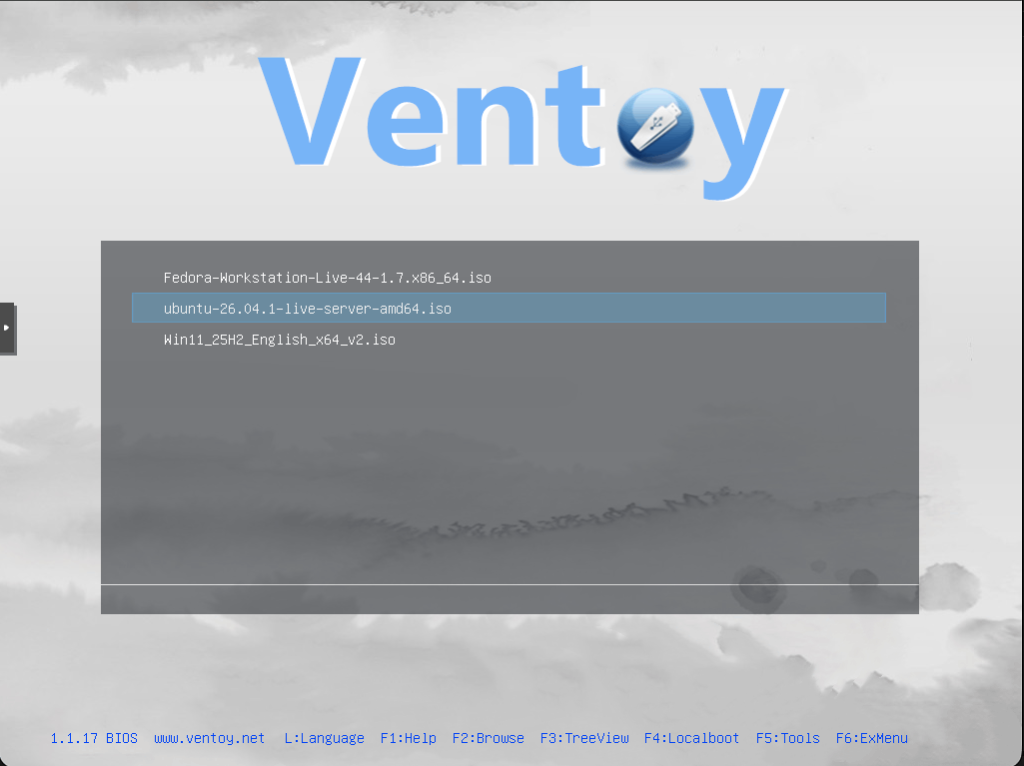
將 Bootable installer 的 ISO 檔案直接放到 Ventoy 的第一個分割區 /dev/sdd1。也可以建立資料夾進行分類;開機時使用 USB Disk 開機,Ventoy 會自動搜尋這些目錄及其子目錄中的映像檔,並在開機選單中列出來供選擇。
# ls -tlr -R
.:
total 5644096
-rwxr-xr-x 1 root root 2851612672 Apr 22 22:19 Fedora-Workstation-Live-44-1.7.x86_64.iso
-rwxr-xr-x 1 root root 2927861760 Aug 26 13:14 ubuntu-26.04.1-live-server-amd64.iso
drwxr-xr-x 2 root root      32768 Sep 21 20:47 WIN

./WIN:
total 14270112
-rwxr-xr-x 1 root root 6140975104 Sep 21 21:40 Win10_22H2_English_x64v1.iso
-rwxr-xr-x 1 root root 8471603200 Sep 21 20:44 Win11_25H2_English_x64_v2.iso
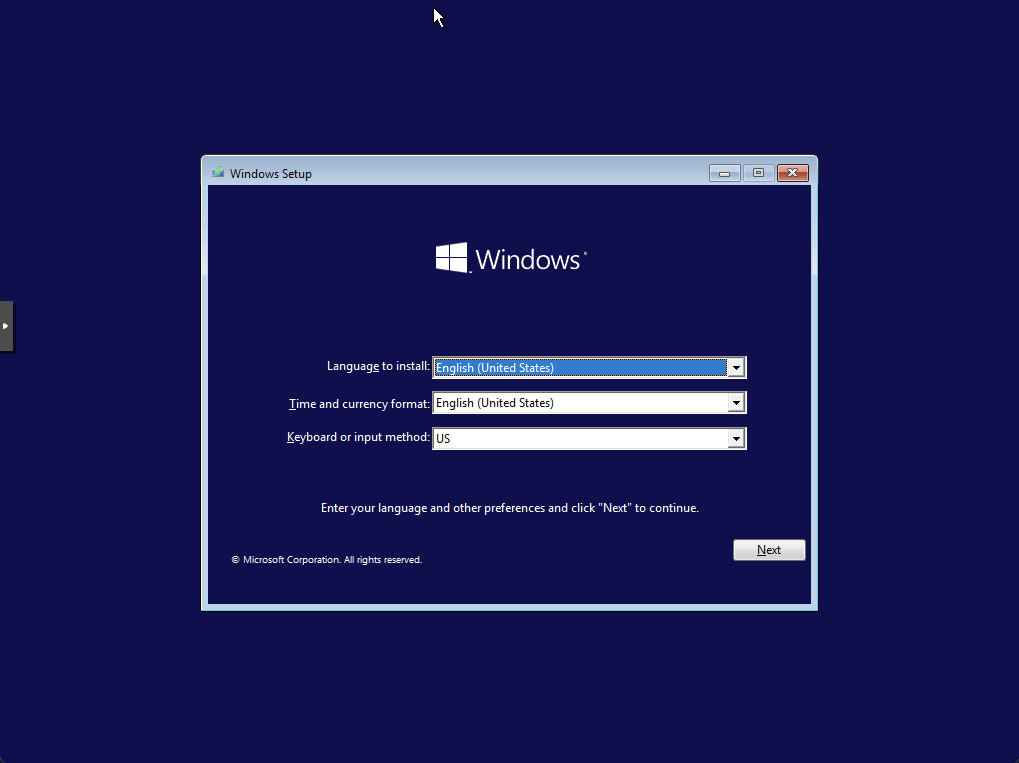
在使用 Proxmox VE 安裝 Windows 時,我測試發現同一個 Windows ISO:
不確定是什麼問題,如果有遇到同樣的問題,可以考慮使用傳統方式製作 Windows 安裝 USB Disk。

 不懂就學
不懂就學

 iThome鐵人賽
 看影片追技術