
前幾天用 VirtualBox 安裝了 Ubuntu VM,並在裡面啟動 Minikube 練習 K8S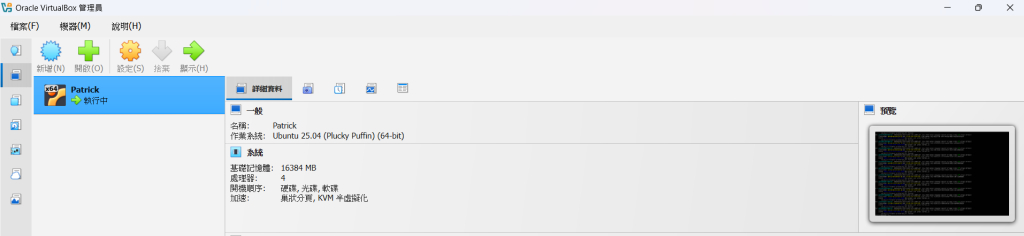
由於電腦關機前都有儲存狀態
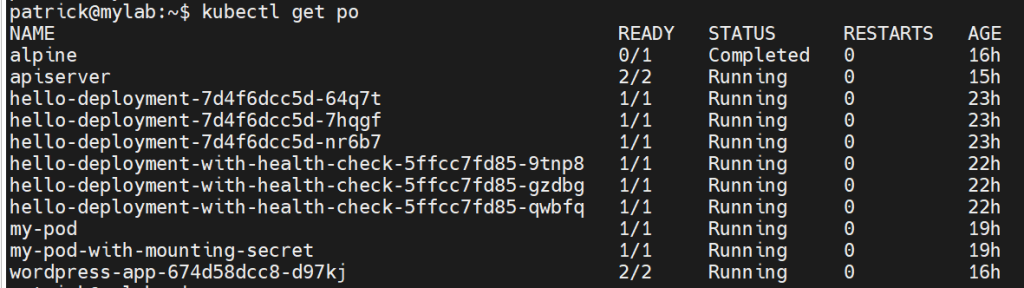
因此在 Minikube 上面保留了一些 Deployment 和 Service 元件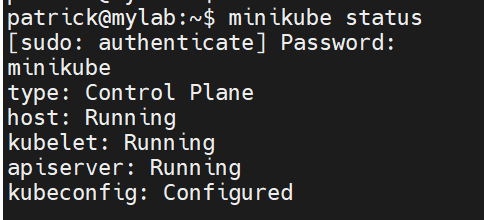
三天後再次啟動 VM
輸入簡單的查詢指令,想看看自己這幾天的練習紀錄:
kubectl get po -A
結果將近等了 10 秒才顯示 pod(之前等不到 2 秒就會顯示)
當下第一個判斷是:
為了驗證自己的判斷
我在網路上找了幾篇文章照做:
UseDNS no
GSSAPIAuthentication no
systemctl restart sshd
此時從 mobaXterm 介面底部注意到 CPU 的使用率高達 96%:

當下第二個判斷是:
為了驗證自己的判斷
我輸入 top 指令查看資源用量,結果大部分的 CPU 用量果然是 minikube 吃的:
$ top
top - 13:50:34 up 11:20,  4 users,  load average: 8.12, 15.35, 13.31
Tasks: 227 total,   1 running, 226 sleeping,   0 stopped,   0 zombie
%Cpu(s):  2.0 us,  5.0 sy,  0.0 ni, 89.6 id,  0.2 wa,  0.0 hi,  3.2 si,  0.0 st
MiB Mem :  15476.1 total,   7085.4 free,   1584.0 used,   7162.1 buff/cache
MiB Swap:   4096.0 total,   4096.0 free,      0.0 used.  13892.1 avail Mem

    PID USER      PR  NI    VIRT    RES    SHR S  %CPU  %MEM     TIME+ COMMAND
**  26387 root      20   0 1626872 342076  85328 S  75.0   2.2  85:15.80 kube-apiserver
**  26379 root      20   0   11.2g  65332  25320 S  20.0   0.4  53:22.57 etcd
  26545 root      20   0 2499852 108220  61064 S   7.0   0.7  57:15.59 kubelet
  26339 root      20   0 1406000 114812  65836 S   4.3   0.7  37:47.92 kube-controller**
於是我盡快把 minikube 裡面沒在用的大部分元件刪除
首先刪除沒在用的 Deployment:
$ kubectl delete deploy hello-deployment hello-deployment-with-health-check
deployment.apps "hello-deployment" deleted from default namespace
deployment.apps "hello-deployment-with-health-check" deleted from default namespace
再來刪除沒在用的 Service 元件:

$ kubectl delete svc hello-service
service "hello-service" deleted from default namespace
之後再用 top 指令查看資源用量,順利降下來了:
$ top
top - 14:07:29 up 11:37,  4 users,  load average: 0.99, 1.22, 4.83
Tasks: 210 total,   1 running, 209 sleeping,   0 stopped,   0 zombie
%Cpu(s):  1.7 us,  4.2 sy,  0.0 ni, 91.0 id,  0.2 wa,  0.0 hi,  2.9 si,  0.0 st
MiB Mem :  15476.1 total,   7080.6 free,   1584.3 used,   7166.6 buff/cache
MiB Swap:   4096.0 total,   4096.0 free,      0.0 used.  13891.8 avail Mem

    PID USER      PR  NI    VIRT    RES    SHR S  %CPU  %MEM     TIME+ COMMAND
  **26387 root      20   0 1626872 340048  85328 S  10.0   2.1  87:04.85 kube-apiserver
  26545 root      20   0 2499852 108172  61064 S   5.6   0.7  58:23.95 kubelet
  26379 root      20   0   11.2g  65344  25320 S   5.3   0.4  54:30.15 etcd
  26339 root      20   0 1406000 114820  65836 S   4.7   0.7  38:37.53 kube-controller
  26352 root      20   0 1376888  65120  41288 S   1.0   0.4  15:10.65 kube-scheduler**
mobaXterm 介面底部的 CPU 用量圖示也恢復了正常值

希望這篇記錄能幫助大家順利解決問題
https://blog.csdn.net/weixin_50466477/article/details/132707558
https://www.51cto.com/article/814827.html
https://blog.toright.com/posts/4521/解決-ssh-登入速度慢的問題

 patrickhuang83

 iThome鐵人賽
 看影片追技術