技術文章
技術問答
My Project
iT 徵才
聊天室
2026 鐵人賽
登入/註冊
文章
問答
Tag
邦友
鐵人賽
搜尋
4
經典小畫家白板
小畫家
問題
幫忙
ai
liqincheng
2026-09-04 16:50:17
‧
9837 瀏覽
分享至
請問一下,哪裡需要加強的?
回答
討論
1
邀請回答
追蹤
檢舉
×
邀請回答
輸入邀請回答者的帳號或暱稱
Loading
找不到結果。
已達邀請上限
邀請回答
{{ result.user.nickname }}
{{ result.user.account }}
已邀請的邦友
{{ invite_list.length }}
/5
取消邀請
{{ invite.nickname }}
{{ invite.account }}
liqincheng
iT邦新手 5 級 ‧
2026-09-06 14:03:30
檢舉
感謝您:dscwferp
https://ithelp.ithome.com.tw/users/20024401/profile
用AI 加了:
1. 可以打字<-不用手寫
2. 物件+圖層<-可以移動位置
3. 複製貼上<-不用重做
4. 剪貼簿複製貼上<-跟其他軟體互動
一起分享!!
共同創作!
希望大家喜歡!
```
<!DOCTYPE html>
<html lang="zh-TW" class="h-full bg-slate-100">
<head>
<meta charset="UTF-8">
<meta name="viewport" content="width=device-width, initial-scale=1.0">
<title>經典小畫家白板</title>
<!-- Tailwind CSS CDN -->
<script src="https://cdn.tailwindcss.com"></script>
<!-- FontAwesome Icons -->
<link rel="stylesheet" href="https://cdnjs.cloudflare.com/ajax/libs/font-awesome/6.4.0/css/all.min.css">
<style>
/* 繪圖畫布預設為純白背景 */
#drawCanvas {
cursor: crosshair;
background-color: #ffffff;
touch-action: none;
}
/* 打字功能:浮動文字輸入框 */
#textOverlay {
position: absolute;
display: none;
flex-direction: column;
border: 1.5px dashed #2563eb;
background: rgba(255,255,255,0.9);
min-width: 120px;
max-width: 90%;
z-index: 20;
}
#textDragBar {
cursor: move;
background: #2563eb;
color: #fff;
font-size: 11px;
padding: 2px 6px;
display: flex;
justify-content: space-between;
align-items: center;
user-select: none;
touch-action: none;
}
#textInput {
outline: none;
border: none;
background: transparent;
resize: both;
overflow: hidden;
min-width: 120px;
min-height: 1.5em;
padding: 4px 6px;
line-height: 1.4;
white-space: pre-wrap;
}
#textConfirmBar {
display: flex;
gap: 4px;
padding: 2px 4px 4px 4px;
}
#layerList::-webkit-scrollbar { width: 6px; }
#layerList::-webkit-scrollbar-thumb { background: #cbd5e1; border-radius: 3px; }
</style>
</head>
<body class="h-full flex flex-col overflow-hidden font-sans select-none">
<!-- 頂部功能區 (Ribbon UI 樣式) -->
<header class="bg-slate-200 border-b border-slate-300 px-4 py-2 flex flex-col shadow-sm z-50">
<!-- 上方標題與檔案動作列 -->
<div class="flex items-center justify-between pb-2 border-b border-slate-300/60 mb-2">
<div class="flex items-center gap-2">
<i class="fa-solid fa-paintbrush text-xl text-blue-600"></i>
<h1 class="text-base font-bold text-slate-800 tracking-tight">經典小畫家白板</h1>
</div>
<div class="flex items-center gap-2">
<!-- 檔案上傳按鈕 (支援圖片上傳與編輯) -->
<label for="imageInput" class="cursor-pointer flex items-center gap-1.5 px-3 py-1.5 bg-white border border-slate-300 hover:bg-slate-50 text-slate-700 rounded text-xs font-medium shadow-sm transition">
<i class="fa-solid fa-folder-open text-blue-600"></i>
<span>開啟圖片</span>
</label>
<input type="file" id="imageInput" accept="image/*" class="hidden">
<button id="clearBtn" class="flex items-center gap-1.5 px-3 py-1.5 bg-white border border-slate-300 hover:bg-rose-50 hover:text-rose-600 text-slate-700 rounded text-xs font-medium shadow-sm transition">
<i class="fa-solid fa-file-circle-plus text-rose-500"></i>
<span>新增白板</span>
</button>
<button id="saveBtn" class="flex items-center gap-1.5 px-3 py-1.5 bg-blue-600 hover:bg-blue-700 text-white rounded text-xs font-medium shadow-sm transition">
<i class="fa-solid fa-floppy-disk"></i>
<span>儲存</span>
</button>
</div>
</div>
<!-- 仿 Ribbon 工具列面板 -->
<div class="flex items-center gap-6 overflow-x-auto py-1 text-xs">
<!-- 影像群組 (復原/重做) -->
<div class="flex flex-col items-center border-r border-slate-300 pr-6">
<div class="flex gap-1 mb-1">
<button id="undoBtn" disabled title="復原" class="p-2 bg-white border border-slate-300 hover:bg-slate-100 rounded disabled:opacity-40"><i class="fa-solid fa-rotate-left"></i></button>
<button id="redoBtn" disabled title="重做" class="p-2 bg-white border border-slate-300 hover:bg-slate-100 rounded disabled:opacity-40"><i class="fa-solid fa-rotate-right"></i></button>
</div>
<span class="text-[11px] text-slate-600 font-medium">歷程</span>
</div>
<!-- 工具群組 -->
<div class="flex flex-col items-center border-r border-slate-300 pr-6">
<div class="flex gap-2 mb-1">
<button id="pencilTool" title="鉛筆/畫筆" class="tool-btn flex flex-col items-center justify-center w-10 h-10 bg-blue-100 border border-blue-400 text-blue-700 rounded shadow-sm">
<i class="fa-solid fa-pencil text-sm"></i>
<span class="text-[9px] mt-0.5">鉛筆</span>
</button>
<button id="eraserTool" title="橡皮擦" class="tool-btn flex flex-col items-center justify-center w-10 h-10 bg-white border border-slate-300 hover:bg-slate-100 text-slate-700 rounded shadow-sm">
<i class="fa-solid fa-eraser text-sm"></i>
<span class="text-[9px] mt-0.5">橡皮擦</span>
</button>
<button id="textTool" title="文字/打字 (T)" class="tool-btn flex flex-col items-center justify-center w-10 h-10 bg-white border border-slate-300 hover:bg-slate-100 text-slate-700 rounded shadow-sm">
<i class="fa-solid fa-font text-sm"></i>
<span class="text-[9px] mt-0.5">文字</span>
</button>
<button id="selectTool" title="選取/移動 (V)" class="tool-btn flex flex-col items-center justify-center w-10 h-10 bg-white border border-slate-300 hover:bg-slate-100 text-slate-700 rounded shadow-sm">
<i class="fa-solid fa-arrow-pointer text-sm"></i>
<span class="text-[9px] mt-0.5">選取</span>
</button>
</div>
<span class="text-[11px] text-slate-600 font-medium">工具</span>
</div>
<!-- 選取物件操作群組 -->
<div class="flex flex-col items-center border-r border-slate-300 pr-6">
<div class="flex gap-1 mb-1">
<button id="delObjBtn" title="刪除選取 (Del)" class="p-2 bg-white border border-slate-300 hover:bg-rose-50 hover:text-rose-600 rounded disabled:opacity-40" disabled><i class="fa-solid fa-trash"></i></button>
<button id="copyObjBtn" title="複製選取 (Ctrl+C)" class="p-2 bg-white border border-slate-300 hover:bg-slate-100 rounded disabled:opacity-40" disabled><i class="fa-solid fa-copy"></i></button>
<button id="pasteObjBtn" title="貼上 (Ctrl+V)" class="p-2 bg-white border border-slate-300 hover:bg-slate-100 rounded disabled:opacity-40" disabled><i class="fa-solid fa-paste"></i></button>
<button id="dupObjBtn" title="再製一份 (Ctrl+D)" class="p-2 bg-white border border-slate-300 hover:bg-slate-100 rounded disabled:opacity-40" disabled><i class="fa-solid fa-clone"></i></button>
<button id="sysCopyBtn" title="物件複製到系統剪貼簿" class="p-2 bg-white border border-slate-300 hover:bg-slate-100 rounded disabled:opacity-40" disabled><i class="fa-solid fa-file-export"></i></button>
<button id="sysPasteBtn" title="剪貼簿貼上成物件 (Ctrl+V)" class="p-2 bg-white border border-slate-300 hover:bg-slate-100 rounded"><i class="fa-solid fa-file-import"></i></button>
<button id="forwardBtn" title="上移一層" class="p-2 bg-white border border-slate-300 hover:bg-slate-100 rounded disabled:opacity-40" disabled><i class="fa-solid fa-arrow-up"></i></button>
<button id="backwardBtn" title="下移一層" class="p-2 bg-white border border-slate-300 hover:bg-slate-100 rounded disabled:opacity-40" disabled><i class="fa-solid fa-arrow-down"></i></button>
<button id="frontBtn" title="置頂" class="p-2 bg-white border border-slate-300 hover:bg-slate-100 rounded disabled:opacity-40" disabled><i class="fa-solid fa-angles-up"></i></button>
<button id="backBtn" title="置底" class="p-2 bg-white border border-slate-300 hover:bg-slate-100 rounded disabled:opacity-40" disabled><i class="fa-solid fa-angles-down"></i></button>
</div>
<span class="text-[11px] text-slate-600 font-medium">層級</span>
</div>
<!-- 大小粗細群組 -->
<div class="flex flex-col items-center border-r border-slate-300 pr-6">
<div class="flex flex-col justify-center h-full mb-1 gap-1">
<label for="brushSize" class="text-[10px] text-slate-600 mb-0.5">筆刷粗細: <span id="sizeText" class="font-bold">3</span>px</label>
<input type="range" id="brushSize" min="1" max="40" value="3" class="w-28 accent-blue-600">
<label for="fontSize" class="text-[10px] text-slate-600 mb-0.5">文字大小: <span id="fontSizeText" class="font-bold">28</span>px</label>
<input type="range" id="fontSize" min="12" max="120" value="28" class="w-28 accent-emerald-600">
</div>
<span class="text-[11px] text-slate-600 font-medium">大小</span>
</div>
<!-- 畫布尺寸群組 -->
<div class="flex flex-col items-center border-r border-slate-300 pr-6">
<div class="flex flex-col justify-center mb-1 gap-1">
<div class="flex items-center gap-1">
<label for="canvasW" class="text-[10px] text-slate-600">寬</label>
<input type="number" id="canvasW" value="900" min="200" max="3000" step="10" class="w-16 px-1 py-0.5 text-[11px] border border-slate-300 rounded bg-white outline-none focus:border-blue-500">
<span class="text-[10px] text-slate-400">×</span>
<label for="canvasH" class="text-[10px] text-slate-600">高</label>
<input type="number" id="canvasH" value="550" min="200" max="3000" step="10" class="w-16 px-1 py-0.5 text-[11px] border border-slate-300 rounded bg-white outline-none focus:border-blue-500">
<button id="canvasApplyBtn" title="套用畫布大小" class="px-2 py-0.5 bg-blue-600 hover:bg-blue-700 text-white rounded text-[11px]">套用</button>
</div>
<div class="flex items-center gap-1">
<button data-canvas-preset="900x550" title="預設 900x550" class="canvas-preset px-1.5 py-0.5 bg-white border border-slate-300 hover:bg-slate-100 rounded text-[10px]">預設</button>
<button data-canvas-preset="1280x720" title="寬版 1280x720" class="canvas-preset px-1.5 py-0.5 bg-white border border-slate-300 hover:bg-slate-100 rounded text-[10px]">寬版</button>
<button data-canvas-preset="720x960" title="直式 720x960" class="canvas-preset px-1.5 py-0.5 bg-white border border-slate-300 hover:bg-slate-100 rounded text-[10px]">直式</button>
<button data-canvas-preset="1920x1080" title="1080p 1920x1080" class="canvas-preset px-1.5 py-0.5 bg-white border border-slate-300 hover:bg-slate-100 rounded text-[10px]">1080p</button>
</div>
</div>
<span class="text-[11px] text-slate-600 font-medium">畫布</span>
</div>
<!-- 色彩調色盤群組 (含當選取外框發亮提示) -->
<div class="flex items-center gap-4">
<!-- 顏色方格網 -->
<div class="grid grid-cols-10 gap-1.5" id="paletteGrid">
<!-- 顏色由 JavaScript 動態產生 -->
</div>
<!-- 自訂編輯色彩 -->
<div class="flex flex-col items-center pl-3 border-l border-slate-300">
<label for="customColor" class="cursor-pointer flex flex-col items-center">
<div class="w-8 h-8 rounded bg-gradient-to-tr from-rose-500 via-emerald-500 to-blue-500 border border-slate-400 shadow-sm flex items-center justify-center text-white text-xs">
<i class="fa-solid fa-palette"></i>
</div>
<span class="text-[10px] text-slate-600 mt-0.5">編輯色彩</span>
</label>
<input type="color" id="customColor" value="#000000" class="hidden">
</div>
</div>
</div>
</header>
<!-- 繪圖白板主區域(含圖層面板) -->
<main class="flex-1 bg-slate-400 p-4 flex gap-4 justify-center items-start overflow-auto">
<div class="bg-white shadow-2xl border border-slate-500 relative flex items-center justify-center shrink-0" id="canvasWrapper">
<canvas id="drawCanvas" width="900" height="550"></canvas>
<!-- 打字功能浮動輸入框 -->
<div id="textOverlay">
<div id="textDragBar">
<span><i class="fa-solid fa-up-down-left-right mr-1"></i>拖曳移動</span>
<span class="opacity-70">Enter 換行 · Ctrl+Enter 完成</span>
</div>
<textarea id="textInput" rows="2" cols="20" placeholder="在此輸入文字..."></textarea>
<div id="textConfirmBar">
<button id="textOkBtn" class="px-2 py-1 bg-blue-600 hover:bg-blue-700 text-white rounded text-[11px]"><i class="fa-solid fa-check mr-1"></i>完成</button>
<button id="textCancelBtn" class="px-2 py-1 bg-white border border-slate-300 hover:bg-slate-100 rounded text-[11px]">取消(Esc)</button>
</div>
</div>
</div>
<!-- 圖層面板 -->
<aside class="w-60 shrink-0 bg-slate-100 border border-slate-500 shadow-2xl rounded overflow-hidden flex flex-col max-h-[550px]">
<div class="bg-slate-200 px-3 py-2 border-b border-slate-300 flex items-center justify-between">
<span class="text-xs font-bold text-slate-700"><i class="fa-solid fa-layer-group mr-1 text-blue-600"></i>圖層 <span id="layerCount" class="font-normal text-slate-500"></span></span>
<span class="text-[10px] text-slate-500">上層在前</span>
</div>
<div id="layerList" class="flex-1 overflow-y-auto p-1.5 space-y-1 text-xs min-h-[100px]"></div>
<div class="px-2 py-1.5 border-t border-slate-300 text-[10px] text-slate-500 leading-relaxed">
選取工具(V)點物件可選取,拖曳移動,Del 刪除。<br>Ctrl+C 複製,Ctrl+V 貼上(含系統剪貼簿),Ctrl+D 再製。<br>右上 <i class="fa-solid fa-file-export"></i> 輸出到系統,<i class="fa-solid fa-file-import"></i> 從系統貼入。<br>點清單也可選取。
</div>
</aside>
</main>
<!-- 底部狀態列 -->
<footer class="bg-slate-200 border-t border-slate-300 px-4 py-1 text-xs text-slate-600 flex justify-between items-center z-50">
<div id="statusInfo" class="flex items-center gap-4">
<span id="canvasSizeInfo">畫布大小: 900 x 550 像素</span>
<span id="coordInfo">游標: 0, 0</span>
<span id="selInfo" class="font-medium text-blue-700"></span>
</div>
<div>
<span>經典小畫家白板 © 2026</span>
</div>
</footer>
<!-- JavaScript 繪圖邏輯(物件式圖層架構) -->
<script>
const canvas = document.getElementById('drawCanvas');
const ctx = canvas.getContext('2d', { willReadFrequently: true });
const canvasWrapper = document.getElementById('canvasWrapper');
const imageInput = document.getElementById('imageInput');
// 控制元件
const pencilToolBtn = document.getElementById('pencilTool');
const eraserToolBtn = document.getElementById('eraserTool');
const textToolBtn = document.getElementById('textTool');
const selectToolBtn = document.getElementById('selectTool');
const brushSizeInput = document.getElementById('brushSize');
const sizeText = document.getElementById('sizeText');
const fontSizeInput = document.getElementById('fontSize');
const fontSizeText = document.getElementById('fontSizeText');
const textOverlay = document.getElementById('textOverlay');
const textDragBar = document.getElementById('textDragBar');
const textInput = document.getElementById('textInput');
const textOkBtn = document.getElementById('textOkBtn');
const textCancelBtn = document.getElementById('textCancelBtn');
const paletteGrid = document.getElementById('paletteGrid');
const customColorInput = document.getElementById('customColor');
const clearBtn = document.getElementById('clearBtn');
const undoBtn = document.getElementById('undoBtn');
const redoBtn = document.getElementById('redoBtn');
const saveBtn = document.getElementById('saveBtn');
const coordInfo = document.getElementById('coordInfo');
const canvasSizeInfo = document.getElementById('canvasSizeInfo');
const canvasWInput = document.getElementById('canvasW');
const canvasHInput = document.getElementById('canvasH');
const canvasApplyBtn = document.getElementById('canvasApplyBtn');
const selInfo = document.getElementById('selInfo');
const layerList = document.getElementById('layerList');
const layerCount = document.getElementById('layerCount');
const delObjBtn = document.getElementById('delObjBtn');
const copyObjBtn = document.getElementById('copyObjBtn');
const pasteObjBtn = document.getElementById('pasteObjBtn');
const sysCopyBtn = document.getElementById('sysCopyBtn');
const sysPasteBtn = document.getElementById('sysPasteBtn');
const dupObjBtn = document.getElementById('dupObjBtn');
const forwardBtn = document.getElementById('forwardBtn');
const backwardBtn = document.getElementById('backwardBtn');
const frontBtn = document.getElementById('frontBtn');
const backBtn = document.getElementById('backBtn');
// ===== 物件式狀態 =====
// obj: {id,type:'stroke'|'text'|'image', ...}
// stroke: {points:[{x,y}], color, size, eraser:bool}
// text: {x,y,text,color,fontSize}
// image: {x,y,w,h,src}
let objects = [];
let nextId = 1;
let selectedId = null;
let currentTool = 'pencil'; // 'pencil','eraser','text','select'
let currentColor = '#000000';
let currentSize = 3;
let currentFontSize = 28;
let currentStroke = null; // 繪製中的筆劃
let isDrawing = false;
let selectDrag = null; // 選取後拖曳移動
let textPos = { x: 0, y: 0 };
let history = [];
let historyStep = -1;
const imageCache = {};
function getImage(src) {
if (!imageCache[src]) {
const im = new Image();
im.src = src;
im.onload = () => redrawAll();
imageCache[src] = im;
}
return imageCache[src];
}
// ===== 歷程(物件快照,含畫布尺寸) =====
function snapshot() { return JSON.stringify({ objects, nextId, w: canvas.width, h: canvas.height }); }
function restore(json) {
try {
const d = JSON.parse(json);
objects = d.objects || [];
nextId = d.nextId || 1;
if (Number.isInteger(d.w) && Number.isInteger(d.h)) applyCanvasSize(d.w, d.h, true);
objects.forEach(o => { if (o.type === 'image') getImage(o.src); });
if (selectedId != null && !objects.find(o => o.id === selectedId)) selectedId = null;
} catch (e) { /* 忽略損毀快照 */ }
}
function saveState() {
historyStep++;
if (historyStep < history.length) history.length = historyStep;
history.push(snapshot());
if (history.length > 100) { history.shift(); historyStep--; }
updateHistoryButtons();
}
function updateHistoryButtons() {
undoBtn.disabled = historyStep <= 0;
redoBtn.disabled = historyStep >= history.length - 1;
}
function initBoard() {
objects = []; nextId = 1; selectedId = null;
history = []; historyStep = -1;
saveState();
redrawAll();
}
// ===== 畫布尺寸 =====
function updateCanvasSizeUI() {
canvasWInput.value = canvas.width;
canvasHInput.value = canvas.height;
canvasSizeInfo.textContent = `畫布大小: ${canvas.width} x ${canvas.height} 像素`;
}
function applyCanvasSize(w, h, skipSave) {
w = Math.max(200, Math.min(3000, Math.round(Number(w))));
h = Math.max(200, Math.min(3000, Math.round(Number(h))));
if (!Number.isFinite(w) || !Number.isFinite(h)) return false;
if (w === canvas.width && h === canvas.height) { updateCanvasSizeUI(); return true; }
commitText();
canvas.width = w;
canvas.height = h;
updateCanvasSizeUI();
if (!skipSave) { saveState(); }
redrawAll();
return true;
}
canvasApplyBtn.addEventListener('click', () => {
if (!applyCanvasSize(canvasWInput.value, canvasHInput.value)) {
flashStatus('畫布尺寸無效(寬高需為 200~3000)');
updateCanvasSizeUI();
}
});
[canvasWInput, canvasHInput].forEach(el => el.addEventListener('keydown', (e) => {
e.stopPropagation();
if (e.key === 'Enter') canvasApplyBtn.click();
}));
document.querySelectorAll('.canvas-preset').forEach(btn => btn.addEventListener('click', () => {
const [w, h] = btn.dataset.canvasPreset.split('x').map(Number);
applyCanvasSize(w, h);
}));
// ===== 繪製 =====
function drawObject(c, o) {
if (o.type === 'stroke') {
if (!o.points || o.points.length === 0) return;
c.save();
c.strokeStyle = o.color;
c.lineWidth = o.size;
c.lineCap = 'round';
c.lineJoin = 'round';
c.beginPath();
if (o.points.length === 1) {
const p = o.points[0];
c.fillStyle = o.color;
c.beginPath();
c.arc(p.x, p.y, o.size / 2, 0, Math.PI * 2);
c.fill();
} else {
c.moveTo(o.points[0].x, o.points[0].y);
for (let i = 1; i < o.points.length; i++) c.lineTo(o.points[i].x, o.points[i].y);
c.stroke();
}
c.restore();
} else if (o.type === 'text') {
c.save();
c.fillStyle = o.color;
c.font = `${o.fontSize}px sans-serif`;
c.textBaseline = 'top';
const lines = String(o.text).split('\n');
const lh = o.fontSize * 1.4;
lines.forEach((line, i) => c.fillText(line, o.x, o.y + i * lh));
c.restore();
} else if (o.type === 'image') {
const im = getImage(o.src);
if (im.complete && im.naturalWidth) {
c.drawImage(im, o.x, o.y, o.w, o.h);
}
}
}
function getObjBounds(o) {
if (o.type === 'text') {
ctx.save();
ctx.font = `${o.fontSize}px sans-serif`;
const lines = String(o.text).split('\n');
let w = 0;
lines.forEach(l => { w = Math.max(w, ctx.measureText(l).width); });
ctx.restore();
return { x: o.x, y: o.y, w: Math.max(w, 10), h: lines.length * o.fontSize * 1.4 };
} else if (o.type === 'image') {
return { x: o.x, y: o.y, w: o.w, h: o.h };
} else if (o.type === 'stroke') {
if (!o.points.length) return null;
let minX = Infinity, minY = Infinity, maxX = -Infinity, maxY = -Infinity;
o.points.forEach(p => {
minX = Math.min(minX, p.x); minY = Math.min(minY, p.y);
maxX = Math.max(maxX, p.x); maxY = Math.max(maxY, p.y);
});
const pad = o.size / 2 + 4;
return { x: minX - pad, y: minY - pad, w: (maxX - minX) + pad * 2, h: (maxY - minY) + pad * 2 };
}
return null;
}
function redrawAll() {
ctx.fillStyle = '#ffffff';
ctx.fillRect(0, 0, canvas.width, canvas.height);
objects.forEach(o => drawObject(ctx, o));
if (currentStroke && currentStroke.points.length) {
drawObject(ctx, { type: 'stroke', points: currentStroke.points, color: currentStroke.color, size: currentStroke.size });
}
const sel = objects.find(o => o.id === selectedId);
if (sel) {
const b = getObjBounds(sel);
if (b) {
ctx.save();
ctx.strokeStyle = '#2563eb';
ctx.lineWidth = 1.5;
ctx.setLineDash([6, 4]);
ctx.strokeRect(b.x, b.y, b.w, b.h);
ctx.setLineDash([]);
// 四角把手
ctx.fillStyle = '#2563eb';
[[b.x, b.y], [b.x + b.w, b.y], [b.x, b.y + b.h], [b.x + b.w, b.y + b.h]].forEach(([hx, hy]) => {
ctx.fillRect(hx - 3, hy - 3, 6, 6);
});
ctx.restore();
}
}
renderLayerList();
updateSelUI();
}
// ===== 命中測試 =====
function distToSeg(px, py, ax, ay, bx, by) {
const dx = bx - ax, dy = by - ay;
const len2 = dx * dx + dy * dy;
let t = len2 ? ((px - ax) * dx + (py - ay) * dy) / len2 : 0;
t = Math.max(0, Math.min(1, t));
const cx = ax + t * dx, cy = ay + t * dy;
return Math.hypot(px - cx, py - cy);
}
function hitTest(x, y) {
for (let i = objects.length - 1; i >= 0; i--) {
const o = objects[i];
if (o.type === 'image' || o.type === 'text') {
const b = getObjBounds(o);
if (b && x >= b.x && x <= b.x + b.w && y >= b.y && y <= b.y + b.h) return o;
} else if (o.type === 'stroke') {
const tol = o.size / 2 + 6;
if (o.points.length === 1) {
if (Math.hypot(x - o.points[0].x, y - o.points[0].y) <= tol) return o;
} else {
for (let k = 0; k < o.points.length - 1; k++) {
if (distToSeg(x, y, o.points[k].x, o.points[k].y, o.points[k + 1].x, o.points[k + 1].y) <= tol) return o;
}
}
}
}
return null;
}
// ===== 圖層 UI =====
function objLabel(o) {
if (o.type === 'stroke') return o.eraser ? '橡皮擦' : '筆劃';
if (o.type === 'text') return '文字:' + String(o.text).slice(0, 8) + (String(o.text).length > 8 ? '…' : '');
if (o.type === 'image') return '圖片';
return o.type;
}
function objIcon(o) {
if (o.type === 'stroke') return o.eraser ? 'fa-eraser' : 'fa-pencil';
if (o.type === 'text') return 'fa-font';
return 'fa-image';
}
function renderLayerList() {
layerCount.textContent = `(${objects.length})`;
layerList.innerHTML = '';
if (!objects.length) {
layerList.innerHTML = '<div class="text-center text-slate-400 py-6 text-[11px]">尚無圖層<br>畫筆或文字會自動新增</div>';
return;
}
for (let i = objects.length - 1; i >= 0; i--) {
const o = objects[i];
const row = document.createElement('div');
row.className = 'flex items-center gap-1.5 px-1.5 py-1 rounded border cursor-pointer ' + (o.id === selectedId ? 'bg-blue-100 border-blue-400' : 'bg-white border-slate-300 hover:bg-slate-50');
const dotColor = o.type === 'stroke' ? o.color : o.type === 'text' ? o.color : '#00a2e8';
row.innerHTML = `<span class="text-slate-400 w-5 text-center text-[10px]">${i + 1}</span>` +
`<i class="fa-solid ${objIcon(o)} text-slate-600 w-4 text-center"></i>` +
`<span class="w-3 h-3 rounded-full border border-slate-400 shrink-0" style="background:${dotColor}"></span>` +
`<span class="flex-1 truncate">${objLabel(o).replace(/</g, '<')}</span>`;
row.title = `圖層 ${i + 1}(由下往上)`;
row.addEventListener('click', () => { selectedId = o.id; redrawAll(); });
const del = document.createElement('button');
del.className = 'text-slate-400 hover:text-rose-600 px-1';
del.innerHTML = '<i class="fa-solid fa-xmark"></i>';
del.title = '刪除此圖層';
del.addEventListener('click', (e) => { e.stopPropagation(); selectedId = o.id; deleteSelected(); });
row.appendChild(del);
layerList.appendChild(row);
}
}
function updateSelUI() {
const sel = objects.find(o => o.id === selectedId);
const has = !!sel;
[delObjBtn, copyObjBtn, dupObjBtn, sysCopyBtn, forwardBtn, backwardBtn, frontBtn, backBtn].forEach(b => b.disabled = !has);
pasteObjBtn.disabled = !clipboard;
if (sel) {
const idx = objects.findIndex(o => o.id === selectedId);
selInfo.textContent = `已選:${objLabel(sel)}(層 ${idx + 1}/${objects.length})`;
forwardBtn.disabled = idx >= objects.length - 1;
frontBtn.disabled = idx >= objects.length - 1;
backwardBtn.disabled = idx <= 0;
backBtn.disabled = idx <= 0;
} else {
selInfo.textContent = clipboard ? '已複製 1 個物件,可貼上 (Ctrl+V)' : '';
}
}
function cloneObj(o) {
return JSON.parse(JSON.stringify(o));
}
// 剪貼簿(僅白板內部使用):存不含 id 的物件副本 + 貼上偏移次數
let clipboard = null;
let pasteCount = 0;
const PASTE_DX = 20, PASTE_DY = 20;
function copySelected() {
const sel = objects.find(o => o.id === selectedId);
if (!sel) return false;
clipboard = cloneObj(sel);
delete clipboard.id;
pasteCount = 0;
updateSelUI();
return true;
}
function pasteClipboard() {
if (!clipboard) return;
pasteCount++;
const c = cloneObj(clipboard);
const dx = PASTE_DX * pasteCount, dy = PASTE_DY * pasteCount;
if (c.type === 'stroke') {
c.points = c.points.map(p => ({ x: p.x + dx, y: p.y + dy }));
} else {
c.x += dx; c.y += dy;
}
c.id = nextId++;
objects.push(c);
if (c.type === 'image') getImage(c.src);
selectedId = c.id;
saveState(); redrawAll();
}
function duplicateSelected() {
if (!copySelected()) return;
pasteClipboard();
}
// ===== 系統剪貼簿雙向互通 =====
let sysPasteCount = 0;
function flashStatus(msg) {
// redrawAll 會重算 selInfo,延後覆寫以保留提示
setTimeout(() => { selInfo.textContent = msg; }, 0);
}
function centerPos() {
sysPasteCount++;
const d = (sysPasteCount % 10) * 20;
return {
x: Math.round(canvas.width / 2 - 60 + d),
y: Math.round(canvas.height / 2 - 20 + d)
};
}
function addTextObject(text, pos) {
const t = String(text || '');
if (!t.trim()) return false;
const p = pos || centerPos();
objects.push({
id: nextId++,
type: 'text',
x: Math.max(0, p.x),
y: Math.max(0, p.y),
text: t,
color: currentColor,
fontSize: currentFontSize
});
selectedId = nextId - 1;
saveState(); redrawAll();
return true;
}
function addImageDataURL(src) {
const img = new Image();
img.onload = function() {
let w = img.width, h = img.height;
if (w > canvas.width || h > canvas.height) {
const ratio = Math.min(canvas.width / w, canvas.height / h);
w *= ratio; h *= ratio;
}
const p = centerPos();
imageCache[src] = img;
objects.push({
id: nextId++,
type: 'image',
x: Math.max(0, Math.round(p.x - w / 2)),
y: Math.max(0, Math.round(p.y - h / 2)),
w: Math.round(w), h: Math.round(h),
src
});
selectedId = nextId - 1;
saveState(); redrawAll();
flashStatus('已從剪貼簿貼上圖片物件');
};
img.onerror = function() { flashStatus('剪貼簿圖片讀取失敗'); };
img.src = src;
}
function renderObjectToBlob(o) {
return new Promise((resolve) => {
const b = getObjBounds(o);
if (!b) { resolve(null); return; }
const pad = 12;
const off = document.createElement('canvas');
off.width = Math.max(1, Math.ceil(b.w + pad * 2));
off.height = Math.max(1, Math.ceil(b.h + pad * 2));
const c = off.getContext('2d');
c.fillStyle = '#ffffff';
c.fillRect(0, 0, off.width, off.height);
c.translate(-b.x + pad, -b.y + pad);
if (o.type === 'image') {
const im = getImage(o.src);
const draw = () => {
c.drawImage(imageCache[o.src] || im, o.x, o.y, o.w, o.h);
off.toBlob(bl => resolve(bl), 'image/png');
};
if (im.complete && im.naturalWidth) draw();
else { im.onload = draw; im.onerror = () => resolve(null); }
} else {
drawObject(c, o);
off.toBlob(bl => resolve(bl), 'image/png');
}
});
}
// 物件複製到系統剪貼簿:文字物件寫純文字(含 PNG 備援),筆劃/圖片轉 PNG
async function copyToSystem() {
const sel = objects.find(o => o.id === selectedId);
if (!sel) return;
copySelected(); // 同時保留內部備份
try {
if (!navigator.clipboard || !window.ClipboardItem) {
flashStatus('此環境不支援寫入系統剪貼簿(需 HTTPS/localhost),已改用內部複製');
return;
}
if (sel.type === 'text') {
const blobPng = await renderObjectToBlob(sel);
const itemData = { 'text/plain': new Blob([sel.text], { type: 'text/plain' }) };
if (blobPng) itemData['image/png'] = blobPng;
await navigator.clipboard.write([new ClipboardItem(itemData)]);
} else {
const blob = await renderObjectToBlob(sel);
if (!blob) { flashStatus('轉 PNG 失敗,已改用內部複製'); return; }
await navigator.clipboard.write([new ClipboardItem({ 'image/png': blob })]);
}
flashStatus('已複製到系統剪貼簿');
} catch (err) {
flashStatus('系統剪貼簿寫入被拒,已改用內部複製');
}
updateSelUI();
}
// 剪貼簿貼上成物件(按鈕觸發,經 Clipboard API,需使用者授權)
async function pasteFromSystem() {
try {
if (navigator.clipboard && navigator.clipboard.read) {
let items = [];
try { items = await navigator.clipboard.read(); }
catch (readErr) { items = []; }
for (const item of items) {
for (const mime of item.types) {
if (mime.startsWith('image/')) {
const blob = await item.getType(mime);
const reader = new FileReader();
reader.onload = (ev) => addImageDataURL(ev.target.result);
reader.readAsDataURL(blob);
return; // 一次處理一張圖
}
}
}
for (const item of items) {
if (item.types.includes('text/plain')) {
const blob = await item.getType('text/plain');
const t = await blob.text();
if (addTextObject(t)) { flashStatus('已從剪貼簿貼上文字物件'); return; }
}
}
}
if (navigator.clipboard && navigator.clipboard.readText) {
try {
const t = await navigator.clipboard.readText();
if (t && t.trim()) {
if (addTextObject(t)) { flashStatus('已從剪貼簿貼上文字物件'); return; }
}
} catch (e) { /* 忽略,改用內部退回 */ }
}
} catch (err) {
flashStatus('讀取系統剪貼簿失敗,改用內部貼上');
}
if (clipboard) { pasteClipboard(); }
else { flashStatus('剪貼簿是空的(系統與內部皆無內容)'); }
}
function deleteSelected() {
if (selectedId == null) return;
objects = objects.filter(o => o.id !== selectedId);
selectedId = null;
saveState(); redrawAll();
}
function moveSelected(dir) {
// dir: +1 上移, -1 下移, 'front' 置頂, 'back' 置底
const idx = objects.findIndex(o => o.id === selectedId);
if (idx < 0) return;
const [o] = objects.splice(idx, 1);
if (dir === 'front') objects.push(o);
else if (dir === 'back') objects.unshift(o);
else {
const ni = Math.max(0, Math.min(objects.length, idx + dir));
objects.splice(ni, 0, o);
}
saveState(); redrawAll();
}
delObjBtn.addEventListener('click', deleteSelected);
copyObjBtn.addEventListener('click', copySelected);
pasteObjBtn.addEventListener('click', pasteClipboard);
dupObjBtn.addEventListener('click', duplicateSelected);
sysCopyBtn.addEventListener('click', copyToSystem);
sysPasteBtn.addEventListener('click', pasteFromSystem);
// 系統貼上事件:圖片→圖片物件、文字→文字物件;無系統內容則退回內部貼上。
// 與 Ctrl+V keydown 去重:keydown 只排程退回,真正貼上由 paste 事件統一處理。
let lastPasteEventAt = 0;
let pasteFallbackTimer = null;
document.addEventListener('paste', (e) => {
const tag = e.target && e.target.tagName;
if (e.target === textInput || tag === 'INPUT' || tag === 'TEXTAREA') return; // 輸入框走原生貼上
lastPasteEventAt = Date.now();
if (pasteFallbackTimer) { clearTimeout(pasteFallbackTimer); pasteFallbackTimer = null; }
const dt = e.clipboardData;
if (dt) {
const files = dt.files || [];
for (const f of files) {
if (f.type && f.type.startsWith('image/')) {
e.preventDefault();
const reader = new FileReader();
reader.onload = (ev) => addImageDataURL(ev.target.result);
reader.readAsDataURL(f);
return;
}
}
const t = dt.getData('text/plain') || dt.getData('text');
if (t && t.trim()) {
e.preventDefault();
if (addTextObject(t)) flashStatus('已從剪貼簿貼上文字物件');
return;
}
}
// 無可用系統內容 → 退回內部貼上
if (clipboard) { e.preventDefault(); pasteClipboard(); }
});
forwardBtn.addEventListener('click', () => moveSelected(1));
backwardBtn.addEventListener('click', () => moveSelected(-1));
frontBtn.addEventListener('click', () => moveSelected('front'));
backBtn.addEventListener('click', () => moveSelected('back'));
// 重新編排的色譜顏色順序
const colors = [
'#000000', '#ed1c24', '#ff7f27', '#ffc90e', '#fff200', '#22b14c', '#00a2e8', '#3f48cc', '#a349a4', '#7f7f7f',
'#ffffff', '#ffaec9', '#ffc89d', '#fae7b5', '#b5e61d', '#99d9ea', '#7092be', '#c8bfe7', '#b97a57', '#c3c3c3'
];
let colorButtons = [];
colors.forEach((hex) => {
const btn = document.createElement('button');
btn.className = 'w-6 h-6 rounded border border-slate-400 shadow-sm transition hover:scale-110 relative';
btn.style.backgroundColor = hex;
btn.addEventListener('click', () => {
currentColor = hex;
updateColorSelection(btn);
});
paletteGrid.appendChild(btn);
colorButtons.push({ btn, hex });
});
// 更新調色盤選取外框提示
function updateColorSelection(selectedBtn) {
colorButtons.forEach(item => {
item.btn.classList.remove('ring-2', 'ring-blue-600', 'scale-110', 'z-10');
item.btn.style.borderColor = '#94a3b8';
});
if (selectedBtn) {
selectedBtn.classList.add('ring-2', 'ring-blue-600', 'scale-110', 'z-10');
selectedBtn.style.borderColor = '#2563eb';
}
syncTextInputStyle();
}
// 預設選中第一個黑色
if (colorButtons.length > 0) {
updateColorSelection(colorButtons[0].btn);
}
customColorInput.addEventListener('input', (e) => {
currentColor = e.target.value;
updateColorSelection(null);
});
// 工具切換
const allToolBtns = [pencilToolBtn, eraserToolBtn, textToolBtn, selectToolBtn];
function setActiveTool(selectedBtn, toolName) {
allToolBtns.forEach(btn => {
btn.classList.remove('bg-blue-100', 'border-blue-400', 'text-blue-700');
btn.classList.add('bg-white', 'border-slate-300', 'text-slate-700');
});
selectedBtn.classList.remove('bg-white', 'border-slate-300', 'text-slate-700');
selectedBtn.classList.add('bg-blue-100', 'border-blue-400', 'text-blue-700');
currentTool = toolName;
if (toolName === 'eraser') canvas.style.cursor = 'cell';
else if (toolName === 'text') canvas.style.cursor = 'text';
else if (toolName === 'select') canvas.style.cursor = 'default';
else canvas.style.cursor = 'crosshair';
// 切換工具時若有未完成的文字,先提交
if (toolName !== 'text') commitText();
}
pencilToolBtn.addEventListener('click', () => setActiveTool(pencilToolBtn, 'pencil'));
eraserToolBtn.addEventListener('click', () => setActiveTool(eraserToolBtn, 'eraser'));
textToolBtn.addEventListener('click', () => setActiveTool(textToolBtn, 'text'));
selectToolBtn.addEventListener('click', () => setActiveTool(selectToolBtn, 'select'));
// 快捷鍵
document.addEventListener('keydown', (e) => {
if (e.target === textInput) return;
if (e.target.tagName === 'INPUT' || e.target.tagName === 'TEXTAREA') return;
const mod = e.ctrlKey || e.metaKey;
if (mod && (e.key === 'c' || e.key === 'C')) {
if (selectedId != null) { e.preventDefault(); copySelected(); }
return;
}
if (mod && (e.key === 'v' || e.key === 'V')) {
// 交給 paste 事件優先處理系統內容;300ms 內無 paste 事件才用內部退回
e.preventDefault();
if (pasteFallbackTimer) clearTimeout(pasteFallbackTimer);
const keyAt = Date.now();
pasteFallbackTimer = setTimeout(() => {
pasteFallbackTimer = null;
if (lastPasteEventAt < keyAt && clipboard) pasteClipboard();
else if (lastPasteEventAt < keyAt && !clipboard) flashStatus('剪貼簿是空的(系統與內部皆無內容)');
}, 300);
return;
}
if (mod && (e.key === 'd' || e.key === 'D')) {
if (selectedId != null) { e.preventDefault(); duplicateSelected(); }
return;
}
if (e.key === 't' || e.key === 'T') setActiveTool(textToolBtn, 'text');
else if (e.key === 'v' || e.key === 'V') setActiveTool(selectToolBtn, 'select');
else if ((e.key === 'Delete' || e.key === 'Backspace') && selectedId != null) { e.preventDefault(); deleteSelected(); }
else if (e.key === 'Escape') {
if (textOverlay.style.display === 'flex') cancelText();
else { selectedId = null; redrawAll(); }
}
});
brushSizeInput.addEventListener('input', (e) => {
currentSize = parseInt(e.target.value);
sizeText.textContent = currentSize;
});
fontSizeInput.addEventListener('input', (e) => {
currentFontSize = parseInt(e.target.value);
fontSizeText.textContent = currentFontSize;
syncTextInputStyle();
});
// 取得畫布相對座標(含顯示縮放換算)
function getMousePos(e) {
const rect = canvas.getBoundingClientRect();
const sx = canvas.width / rect.width;
const sy = canvas.height / rect.height;
return {
x: Math.floor((e.clientX - rect.left) * sx),
y: Math.floor((e.clientY - rect.top) * sy)
};
}
// 繪圖 / 選取事件監聽
canvas.addEventListener('mousedown', (e) => {
const pos = getMousePos(e);
// 文字工具:點一下就開啟 / 換位置輸入框
if (currentTool === 'text') {
if (textOverlay.style.display === 'flex' && textInput.value.trim() !== '') {
commitText();
}
openTextBox(pos.x, pos.y);
return;
}
// 選取工具:命中測試 + 開始拖曳
if (currentTool === 'select') {
const hit = hitTest(pos.x, pos.y);
selectedId = hit ? hit.id : null;
if (hit) {
const snapshotPts = hit.type === 'stroke' ? hit.points.map(p => ({ ...p })) : null;
selectDrag = { sx: pos.x, sy: pos.y, ox: hit.x, oy: hit.y, pts: snapshotPts, moved: false, id: hit.id };
}
redrawAll();
return;
}
// 筆刷 / 橡皮擦:開始新筆劃
isDrawing = true;
currentStroke = {
points: [{ x: pos.x, y: pos.y }],
color: currentTool === 'eraser' ? '#ffffff' : currentColor,
size: currentSize
};
redrawAll();
});
canvas.addEventListener('mousemove', (e) => {
const pos = getMousePos(e);
coordInfo.textContent = `游標: ${pos.x}, ${pos.y}`;
if (currentTool === 'select' && selectDrag) {
const o = objects.find(v => v.id === selectDrag.id);
if (o) {
const dx = pos.x - selectDrag.sx;
const dy = pos.y - selectDrag.sy;
if (Math.abs(dx) + Math.abs(dy) > 0) selectDrag.moved = true;
if (o.type === 'stroke') {
o.points = selectDrag.pts.map(p => ({ x: p.x + dx, y: p.y + dy }));
} else {
o.x = selectDrag.ox + dx;
o.y = selectDrag.oy + dy;
}
redrawAll();
}
return;
}
if (!isDrawing || !currentStroke) return;
currentStroke.points.push({ x: pos.x, y: pos.y });
redrawAll();
});
function endStroke() {
if (isDrawing && currentStroke && currentStroke.points.length) {
objects.push({
id: nextId++,
type: 'stroke',
points: currentStroke.points,
color: currentStroke.color,
size: currentStroke.size,
eraser: currentTool === 'eraser'
});
selectedId = nextId - 1;
saveState();
}
isDrawing = false;
currentStroke = null;
redrawAll();
}
canvas.addEventListener('mouseup', () => {
if (currentTool === 'select' && selectDrag) {
if (selectDrag.moved) saveState();
selectDrag = null;
redrawAll();
return;
}
endStroke();
});
canvas.addEventListener('mouseleave', () => {
if (currentTool === 'select' && selectDrag) {
if (selectDrag.moved) saveState();
selectDrag = null;
redrawAll();
return;
}
if (isDrawing) endStroke();
});
// ===== 打字功能(提交即新增文字物件) =====
function syncTextInputStyle() {
textInput.style.color = currentColor;
textInput.style.fontSize = currentFontSize + 'px';
textInput.style.fontFamily = 'sans-serif';
}
// canvas 座標轉 wrapper 內定位(處理 canvas 縮放顯示的情況)
function canvasToWrapper(x, y) {
const rect = canvas.getBoundingClientRect();
const wrapRect = canvasWrapper.getBoundingClientRect();
const scaleX = rect.width / canvas.width;
const scaleY = rect.height / canvas.height;
return {
left: (rect.left - wrapRect.left) + x * scaleX,
top: (rect.top - wrapRect.top) + y * scaleY
};
}
function openTextBox(x, y) {
textPos = { x, y };
const p = canvasToWrapper(x, y);
textOverlay.style.display = 'flex';
textOverlay.style.left = p.left + 'px';
textOverlay.style.top = p.top + 'px';
syncTextInputStyle();
感謝您:dscwferp https://ithelp.ithome.com.tw/users/20024401/profile 用AI 加了: 1. 可以打字<-不用手寫 2. 物件+圖層<-可以移動位置 3. 複製貼上<-不用重做 4. 剪貼簿複製貼上<-跟其他軟體互動 一起分享!! 共同創作! 希望大家喜歡! ``` <!DOCTYPE html> <html lang="zh-TW" class="h-full bg-slate-100"> <head> <meta charset="UTF-8"> <meta name="viewport" content="width=device-width, initial-scale=1.0"> <title>經典小畫家白板</title> <!-- Tailwind CSS CDN --> <script src="https://cdn.tailwindcss.com"></script> <!-- FontAwesome Icons --> <link rel="stylesheet" href="https://cdnjs.cloudflare.com/ajax/libs/font-awesome/6.4.0/css/all.min.css"> <style> /* 繪圖畫布預設為純白背景 */ #drawCanvas { cursor: crosshair; background-color: #ffffff; touch-action: none; } /* 打字功能:浮動文字輸入框 */ #textOverlay { position: absolute; display: none; flex-direction: column; border: 1.5px dashed #2563eb; background: rgba(255,255,255,0.9); min-width: 120px; max-width: 90%; z-index: 20; } #textDragBar { cursor: move; background: #2563eb; color: #fff; font-size: 11px; padding: 2px 6px; display: flex; justify-content: space-between; align-items: center; user-select: none; touch-action: none; } #textInput { outline: none; border: none; background: transparent; resize: both; overflow: hidden; min-width: 120px; min-height: 1.5em; padding: 4px 6px; line-height: 1.4; white-space: pre-wrap; } #textConfirmBar { display: flex; gap: 4px; padding: 2px 4px 4px 4px; } #layerList::-webkit-scrollbar { width: 6px; } #layerList::-webkit-scrollbar-thumb { background: #cbd5e1; border-radius: 3px; } </style> </head> <body class="h-full flex flex-col overflow-hidden font-sans select-none"> <!-- 頂部功能區 (Ribbon UI 樣式) --> <header class="bg-slate-200 border-b border-slate-300 px-4 py-2 flex flex-col shadow-sm z-50"> <!-- 上方標題與檔案動作列 --> <div class="flex items-center justify-between pb-2 border-b border-slate-300/60 mb-2"> <div class="flex items-center gap-2"> <i class="fa-solid fa-paintbrush text-xl text-blue-600"></i> <h1 class="text-base font-bold text-slate-800 tracking-tight">經典小畫家白板</h1> </div> <div class="flex items-center gap-2"> <!-- 檔案上傳按鈕 (支援圖片上傳與編輯) --> <label for="imageInput" class="cursor-pointer flex items-center gap-1.5 px-3 py-1.5 bg-white border border-slate-300 hover:bg-slate-50 text-slate-700 rounded text-xs font-medium shadow-sm transition"> <i class="fa-solid fa-folder-open text-blue-600"></i> <span>開啟圖片</span> </label> <input type="file" id="imageInput" accept="image/*" class="hidden"> <button id="clearBtn" class="flex items-center gap-1.5 px-3 py-1.5 bg-white border border-slate-300 hover:bg-rose-50 hover:text-rose-600 text-slate-700 rounded text-xs font-medium shadow-sm transition"> <i class="fa-solid fa-file-circle-plus text-rose-500"></i> <span>新增白板</span> </button> <button id="saveBtn" class="flex items-center gap-1.5 px-3 py-1.5 bg-blue-600 hover:bg-blue-700 text-white rounded text-xs font-medium shadow-sm transition"> <i class="fa-solid fa-floppy-disk"></i> <span>儲存</span> </button> </div> </div> <!-- 仿 Ribbon 工具列面板 --> <div class="flex items-center gap-6 overflow-x-auto py-1 text-xs"> <!-- 影像群組 (復原/重做) --> <div class="flex flex-col items-center border-r border-slate-300 pr-6"> <div class="flex gap-1 mb-1"> <button id="undoBtn" disabled title="復原" class="p-2 bg-white border border-slate-300 hover:bg-slate-100 rounded disabled:opacity-40"><i class="fa-solid fa-rotate-left"></i></button> <button id="redoBtn" disabled title="重做" class="p-2 bg-white border border-slate-300 hover:bg-slate-100 rounded disabled:opacity-40"><i class="fa-solid fa-rotate-right"></i></button> </div> <span class="text-[11px] text-slate-600 font-medium">歷程</span> </div> <!-- 工具群組 --> <div class="flex flex-col items-center border-r border-slate-300 pr-6"> <div class="flex gap-2 mb-1"> <button id="pencilTool" title="鉛筆/畫筆" class="tool-btn flex flex-col items-center justify-center w-10 h-10 bg-blue-100 border border-blue-400 text-blue-700 rounded shadow-sm"> <i class="fa-solid fa-pencil text-sm"></i> <span class="text-[9px] mt-0.5">鉛筆</span> </button> <button id="eraserTool" title="橡皮擦" class="tool-btn flex flex-col items-center justify-center w-10 h-10 bg-white border border-slate-300 hover:bg-slate-100 text-slate-700 rounded shadow-sm"> <i class="fa-solid fa-eraser text-sm"></i> <span class="text-[9px] mt-0.5">橡皮擦</span> </button> <button id="textTool" title="文字/打字 (T)" class="tool-btn flex flex-col items-center justify-center w-10 h-10 bg-white border border-slate-300 hover:bg-slate-100 text-slate-700 rounded shadow-sm"> <i class="fa-solid fa-font text-sm"></i> <span class="text-[9px] mt-0.5">文字</span> </button> <button id="selectTool" title="選取/移動 (V)" class="tool-btn flex flex-col items-center justify-center w-10 h-10 bg-white border border-slate-300 hover:bg-slate-100 text-slate-700 rounded shadow-sm"> <i class="fa-solid fa-arrow-pointer text-sm"></i> <span class="text-[9px] mt-0.5">選取</span> </button> </div> <span class="text-[11px] text-slate-600 font-medium">工具</span> </div> <!-- 選取物件操作群組 --> <div class="flex flex-col items-center border-r border-slate-300 pr-6"> <div class="flex gap-1 mb-1"> <button id="delObjBtn" title="刪除選取 (Del)" class="p-2 bg-white border border-slate-300 hover:bg-rose-50 hover:text-rose-600 rounded disabled:opacity-40" disabled><i class="fa-solid fa-trash"></i></button> <button id="copyObjBtn" title="複製選取 (Ctrl+C)" class="p-2 bg-white border border-slate-300 hover:bg-slate-100 rounded disabled:opacity-40" disabled><i class="fa-solid fa-copy"></i></button> <button id="pasteObjBtn" title="貼上 (Ctrl+V)" class="p-2 bg-white border border-slate-300 hover:bg-slate-100 rounded disabled:opacity-40" disabled><i class="fa-solid fa-paste"></i></button> <button id="dupObjBtn" title="再製一份 (Ctrl+D)" class="p-2 bg-white border border-slate-300 hover:bg-slate-100 rounded disabled:opacity-40" disabled><i class="fa-solid fa-clone"></i></button> <button id="sysCopyBtn" title="物件複製到系統剪貼簿" class="p-2 bg-white border border-slate-300 hover:bg-slate-100 rounded disabled:opacity-40" disabled><i class="fa-solid fa-file-export"></i></button> <button id="sysPasteBtn" title="剪貼簿貼上成物件 (Ctrl+V)" class="p-2 bg-white border border-slate-300 hover:bg-slate-100 rounded"><i class="fa-solid fa-file-import"></i></button> <button id="forwardBtn" title="上移一層" class="p-2 bg-white border border-slate-300 hover:bg-slate-100 rounded disabled:opacity-40" disabled><i class="fa-solid fa-arrow-up"></i></button> <button id="backwardBtn" title="下移一層" class="p-2 bg-white border border-slate-300 hover:bg-slate-100 rounded disabled:opacity-40" disabled><i class="fa-solid fa-arrow-down"></i></button> <button id="frontBtn" title="置頂" class="p-2 bg-white border border-slate-300 hover:bg-slate-100 rounded disabled:opacity-40" disabled><i class="fa-solid fa-angles-up"></i></button> <button id="backBtn" title="置底" class="p-2 bg-white border border-slate-300 hover:bg-slate-100 rounded disabled:opacity-40" disabled><i class="fa-solid fa-angles-down"></i></button> </div> <span class="text-[11px] text-slate-600 font-medium">層級</span> </div> <!-- 大小粗細群組 --> <div class="flex flex-col items-center border-r border-slate-300 pr-6"> <div class="flex flex-col justify-center h-full mb-1 gap-1"> <label for="brushSize" class="text-[10px] text-slate-600 mb-0.5">筆刷粗細: <span id="sizeText" class="font-bold">3</span>px</label> <input type="range" id="brushSize" min="1" max="40" value="3" class="w-28 accent-blue-600"> <label for="fontSize" class="text-[10px] text-slate-600 mb-0.5">文字大小: <span id="fontSizeText" class="font-bold">28</span>px</label> <input type="range" id="fontSize" min="12" max="120" value="28" class="w-28 accent-emerald-600"> </div> <span class="text-[11px] text-slate-600 font-medium">大小</span> </div> <!-- 畫布尺寸群組 --> <div class="flex flex-col items-center border-r border-slate-300 pr-6"> <div class="flex flex-col justify-center mb-1 gap-1"> <div class="flex items-center gap-1"> <label for="canvasW" class="text-[10px] text-slate-600">寬</label> <input type="number" id="canvasW" value="900" min="200" max="3000" step="10" class="w-16 px-1 py-0.5 text-[11px] border border-slate-300 rounded bg-white outline-none focus:border-blue-500"> <span class="text-[10px] text-slate-400">×</span> <label for="canvasH" class="text-[10px] text-slate-600">高</label> <input type="number" id="canvasH" value="550" min="200" max="3000" step="10" class="w-16 px-1 py-0.5 text-[11px] border border-slate-300 rounded bg-white outline-none focus:border-blue-500"> <button id="canvasApplyBtn" title="套用畫布大小" class="px-2 py-0.5 bg-blue-600 hover:bg-blue-700 text-white rounded text-[11px]">套用</button> </div> <div class="flex items-center gap-1"> <button data-canvas-preset="900x550" title="預設 900x550" class="canvas-preset px-1.5 py-0.5 bg-white border border-slate-300 hover:bg-slate-100 rounded text-[10px]">預設</button> <button data-canvas-preset="1280x720" title="寬版 1280x720" class="canvas-preset px-1.5 py-0.5 bg-white border border-slate-300 hover:bg-slate-100 rounded text-[10px]">寬版</button> <button data-canvas-preset="720x960" title="直式 720x960" class="canvas-preset px-1.5 py-0.5 bg-white border border-slate-300 hover:bg-slate-100 rounded text-[10px]">直式</button> <button data-canvas-preset="1920x1080" title="1080p 1920x1080" class="canvas-preset px-1.5 py-0.5 bg-white border border-slate-300 hover:bg-slate-100 rounded text-[10px]">1080p</button> </div> </div> <span class="text-[11px] text-slate-600 font-medium">畫布</span> </div> <!-- 色彩調色盤群組 (含當選取外框發亮提示) --> <div class="flex items-center gap-4"> <!-- 顏色方格網 --> <div class="grid grid-cols-10 gap-1.5" id="paletteGrid"> <!-- 顏色由 JavaScript 動態產生 --> </div> <!-- 自訂編輯色彩 --> <div class="flex flex-col items-center pl-3 border-l border-slate-300"> <label for="customColor" class="cursor-pointer flex flex-col items-center"> <div class="w-8 h-8 rounded bg-gradient-to-tr from-rose-500 via-emerald-500 to-blue-500 border border-slate-400 shadow-sm flex items-center justify-center text-white text-xs"> <i class="fa-solid fa-palette"></i> </div> <span class="text-[10px] text-slate-600 mt-0.5">編輯色彩</span> </label> <input type="color" id="customColor" value="#000000" class="hidden"> </div> </div> </div> </header> <!-- 繪圖白板主區域(含圖層面板) --> <main class="flex-1 bg-slate-400 p-4 flex gap-4 justify-center items-start overflow-auto"> <div class="bg-white shadow-2xl border border-slate-500 relative flex items-center justify-center shrink-0" id="canvasWrapper"> <canvas id="drawCanvas" width="900" height="550"></canvas> <!-- 打字功能浮動輸入框 --> <div id="textOverlay"> <div id="textDragBar"> <span><i class="fa-solid fa-up-down-left-right mr-1"></i>拖曳移動</span> <span class="opacity-70">Enter 換行 · Ctrl+Enter 完成</span> </div> <textarea id="textInput" rows="2" cols="20" placeholder="在此輸入文字..."></textarea> <div id="textConfirmBar"> <button id="textOkBtn" class="px-2 py-1 bg-blue-600 hover:bg-blue-700 text-white rounded text-[11px]"><i class="fa-solid fa-check mr-1"></i>完成</button> <button id="textCancelBtn" class="px-2 py-1 bg-white border border-slate-300 hover:bg-slate-100 rounded text-[11px]">取消(Esc)</button> </div> </div> </div> <!-- 圖層面板 --> <aside class="w-60 shrink-0 bg-slate-100 border border-slate-500 shadow-2xl rounded overflow-hidden flex flex-col max-h-[550px]"> <div class="bg-slate-200 px-3 py-2 border-b border-slate-300 flex items-center justify-between"> <span class="text-xs font-bold text-slate-700"><i class="fa-solid fa-layer-group mr-1 text-blue-600"></i>圖層 <span id="layerCount" class="font-normal text-slate-500"></span></span> <span class="text-[10px] text-slate-500">上層在前</span> </div> <div id="layerList" class="flex-1 overflow-y-auto p-1.5 space-y-1 text-xs min-h-[100px]"></div> <div class="px-2 py-1.5 border-t border-slate-300 text-[10px] text-slate-500 leading-relaxed"> 選取工具(V)點物件可選取,拖曳移動,Del 刪除。<br>Ctrl+C 複製,Ctrl+V 貼上(含系統剪貼簿),Ctrl+D 再製。<br>右上 <i class="fa-solid fa-file-export"></i> 輸出到系統,<i class="fa-solid fa-file-import"></i> 從系統貼入。<br>點清單也可選取。 </div> </aside> </main> <!-- 底部狀態列 --> <footer class="bg-slate-200 border-t border-slate-300 px-4 py-1 text-xs text-slate-600 flex justify-between items-center z-50"> <div id="statusInfo" class="flex items-center gap-4"> <span id="canvasSizeInfo">畫布大小: 900 x 550 像素</span> <span id="coordInfo">游標: 0, 0</span> <span id="selInfo" class="font-medium text-blue-700"></span> </div> <div> <span>經典小畫家白板 &copy; 2026</span> </div> </footer> <!-- JavaScript 繪圖邏輯(物件式圖層架構) --> <script> const canvas = document.getElementById('drawCanvas'); const ctx = canvas.getContext('2d', { willReadFrequently: true }); const canvasWrapper = document.getElementById('canvasWrapper'); const imageInput = document.getElementById('imageInput'); // 控制元件 const pencilToolBtn = document.getElementById('pencilTool'); const eraserToolBtn = document.getElementById('eraserTool'); const textToolBtn = document.getElementById('textTool'); const selectToolBtn = document.getElementById('selectTool'); const brushSizeInput = document.getElementById('brushSize'); const sizeText = document.getElementById('sizeText'); const fontSizeInput = document.getElementById('fontSize'); const fontSizeText = document.getElementById('fontSizeText'); const textOverlay = document.getElementById('textOverlay'); const textDragBar = document.getElementById('textDragBar'); const textInput = document.getElementById('textInput'); const textOkBtn = document.getElementById('textOkBtn'); const textCancelBtn = document.getElementById('textCancelBtn'); const paletteGrid = document.getElementById('paletteGrid'); const customColorInput = document.getElementById('customColor'); const clearBtn = document.getElementById('clearBtn'); const undoBtn = document.getElementById('undoBtn'); const redoBtn = document.getElementById('redoBtn'); const saveBtn = document.getElementById('saveBtn'); const coordInfo = document.getElementById('coordInfo'); const canvasSizeInfo = document.getElementById('canvasSizeInfo'); const canvasWInput = document.getElementById('canvasW'); const canvasHInput = document.getElementById('canvasH'); const canvasApplyBtn = document.getElementById('canvasApplyBtn'); const selInfo = document.getElementById('selInfo'); const layerList = document.getElementById('layerList'); const layerCount = document.getElementById('layerCount'); const delObjBtn = document.getElementById('delObjBtn'); const copyObjBtn = document.getElementById('copyObjBtn'); const pasteObjBtn = document.getElementById('pasteObjBtn'); const sysCopyBtn = document.getElementById('sysCopyBtn'); const sysPasteBtn = document.getElementById('sysPasteBtn'); const dupObjBtn = document.getElementById('dupObjBtn'); const forwardBtn = document.getElementById('forwardBtn'); const backwardBtn = document.getElementById('backwardBtn'); const frontBtn = document.getElementById('frontBtn'); const backBtn = document.getElementById('backBtn'); // ===== 物件式狀態 ===== // obj: {id,type:'stroke'|'text'|'image', ...} // stroke: {points:[{x,y}], color, size, eraser:bool} // text: {x,y,text,color,fontSize} // image: {x,y,w,h,src} let objects = []; let nextId = 1; let selectedId = null; let currentTool = 'pencil'; // 'pencil','eraser','text','select' let currentColor = '#000000'; let currentSize = 3; let currentFontSize = 28; let currentStroke = null; // 繪製中的筆劃 let isDrawing = false; let selectDrag = null; // 選取後拖曳移動 let textPos = { x: 0, y: 0 }; let history = []; let historyStep = -1; const imageCache = {}; function getImage(src) { if (!imageCache[src]) { const im = new Image(); im.src = src; im.onload = () => redrawAll(); imageCache[src] = im; } return imageCache[src]; } // ===== 歷程(物件快照,含畫布尺寸) ===== function snapshot() { return JSON.stringify({ objects, nextId, w: canvas.width, h: canvas.height }); } function restore(json) { try { const d = JSON.parse(json); objects = d.objects || []; nextId = d.nextId || 1; if (Number.isInteger(d.w) && Number.isInteger(d.h)) applyCanvasSize(d.w, d.h, true); objects.forEach(o => { if (o.type === 'image') getImage(o.src); }); if (selectedId != null && !objects.find(o => o.id === selectedId)) selectedId = null; } catch (e) { /* 忽略損毀快照 */ } } function saveState() { historyStep++; if (historyStep < history.length) history.length = historyStep; history.push(snapshot()); if (history.length > 100) { history.shift(); historyStep--; } updateHistoryButtons(); } function updateHistoryButtons() { undoBtn.disabled = historyStep <= 0; redoBtn.disabled = historyStep >= history.length - 1; } function initBoard() { objects = []; nextId = 1; selectedId = null; history = []; historyStep = -1; saveState(); redrawAll(); } // ===== 畫布尺寸 ===== function updateCanvasSizeUI() { canvasWInput.value = canvas.width; canvasHInput.value = canvas.height; canvasSizeInfo.textContent = `畫布大小: ${canvas.width} x ${canvas.height} 像素`; } function applyCanvasSize(w, h, skipSave) { w = Math.max(200, Math.min(3000, Math.round(Number(w)))); h = Math.max(200, Math.min(3000, Math.round(Number(h)))); if (!Number.isFinite(w) || !Number.isFinite(h)) return false; if (w === canvas.width && h === canvas.height) { updateCanvasSizeUI(); return true; } commitText(); canvas.width = w; canvas.height = h; updateCanvasSizeUI(); if (!skipSave) { saveState(); } redrawAll(); return true; } canvasApplyBtn.addEventListener('click', () => { if (!applyCanvasSize(canvasWInput.value, canvasHInput.value)) { flashStatus('畫布尺寸無效(寬高需為 200~3000)'); updateCanvasSizeUI(); } }); [canvasWInput, canvasHInput].forEach(el => el.addEventListener('keydown', (e) => { e.stopPropagation(); if (e.key === 'Enter') canvasApplyBtn.click(); })); document.querySelectorAll('.canvas-preset').forEach(btn => btn.addEventListener('click', () => { const [w, h] = btn.dataset.canvasPreset.split('x').map(Number); applyCanvasSize(w, h); })); // ===== 繪製 ===== function drawObject(c, o) { if (o.type === 'stroke') { if (!o.points || o.points.length === 0) return; c.save(); c.strokeStyle = o.color; c.lineWidth = o.size; c.lineCap = 'round'; c.lineJoin = 'round'; c.beginPath(); if (o.points.length === 1) { const p = o.points[0]; c.fillStyle = o.color; c.beginPath(); c.arc(p.x, p.y, o.size / 2, 0, Math.PI * 2); c.fill(); } else { c.moveTo(o.points[0].x, o.points[0].y); for (let i = 1; i < o.points.length; i++) c.lineTo(o.points[i].x, o.points[i].y); c.stroke(); } c.restore(); } else if (o.type === 'text') { c.save(); c.fillStyle = o.color; c.font = `${o.fontSize}px sans-serif`; c.textBaseline = 'top'; const lines = String(o.text).split('\n'); const lh = o.fontSize * 1.4; lines.forEach((line, i) => c.fillText(line, o.x, o.y + i * lh)); c.restore(); } else if (o.type === 'image') { const im = getImage(o.src); if (im.complete && im.naturalWidth) { c.drawImage(im, o.x, o.y, o.w, o.h); } } } function getObjBounds(o) { if (o.type === 'text') { ctx.save(); ctx.font = `${o.fontSize}px sans-serif`; const lines = String(o.text).split('\n'); let w = 0; lines.forEach(l => { w = Math.max(w, ctx.measureText(l).width); }); ctx.restore(); return { x: o.x, y: o.y, w: Math.max(w, 10), h: lines.length * o.fontSize * 1.4 }; } else if (o.type === 'image') { return { x: o.x, y: o.y, w: o.w, h: o.h }; } else if (o.type === 'stroke') { if (!o.points.length) return null; let minX = Infinity, minY = Infinity, maxX = -Infinity, maxY = -Infinity; o.points.forEach(p => { minX = Math.min(minX, p.x); minY = Math.min(minY, p.y); maxX = Math.max(maxX, p.x); maxY = Math.max(maxY, p.y); }); const pad = o.size / 2 + 4; return { x: minX - pad, y: minY - pad, w: (maxX - minX) + pad * 2, h: (maxY - minY) + pad * 2 }; } return null; } function redrawAll() { ctx.fillStyle = '#ffffff'; ctx.fillRect(0, 0, canvas.width, canvas.height); objects.forEach(o => drawObject(ctx, o)); if (currentStroke && currentStroke.points.length) { drawObject(ctx, { type: 'stroke', points: currentStroke.points, color: currentStroke.color, size: currentStroke.size }); } const sel = objects.find(o => o.id === selectedId); if (sel) { const b = getObjBounds(sel); if (b) { ctx.save(); ctx.strokeStyle = '#2563eb'; ctx.lineWidth = 1.5; ctx.setLineDash([6, 4]); ctx.strokeRect(b.x, b.y, b.w, b.h); ctx.setLineDash([]); // 四角把手 ctx.fillStyle = '#2563eb'; [[b.x, b.y], [b.x + b.w, b.y], [b.x, b.y + b.h], [b.x + b.w, b.y + b.h]].forEach(([hx, hy]) => { ctx.fillRect(hx - 3, hy - 3, 6, 6); }); ctx.restore(); } } renderLayerList(); updateSelUI(); } // ===== 命中測試 ===== function distToSeg(px, py, ax, ay, bx, by) { const dx = bx - ax, dy = by - ay; const len2 = dx * dx + dy * dy; let t = len2 ? ((px - ax) * dx + (py - ay) * dy) / len2 : 0; t = Math.max(0, Math.min(1, t)); const cx = ax + t * dx, cy = ay + t * dy; return Math.hypot(px - cx, py - cy); } function hitTest(x, y) { for (let i = objects.length - 1; i >= 0; i--) { const o = objects[i]; if (o.type === 'image' || o.type === 'text') { const b = getObjBounds(o); if (b && x >= b.x && x <= b.x + b.w && y >= b.y && y <= b.y + b.h) return o; } else if (o.type === 'stroke') { const tol = o.size / 2 + 6; if (o.points.length === 1) { if (Math.hypot(x - o.points[0].x, y - o.points[0].y) <= tol) return o; } else { for (let k = 0; k < o.points.length - 1; k++) { if (distToSeg(x, y, o.points[k].x, o.points[k].y, o.points[k + 1].x, o.points[k + 1].y) <= tol) return o; } } } } return null; } // ===== 圖層 UI ===== function objLabel(o) { if (o.type === 'stroke') return o.eraser ? '橡皮擦' : '筆劃'; if (o.type === 'text') return '文字:' + String(o.text).slice(0, 8) + (String(o.text).length > 8 ? '…' : ''); if (o.type === 'image') return '圖片'; return o.type; } function objIcon(o) { if (o.type === 'stroke') return o.eraser ? 'fa-eraser' : 'fa-pencil'; if (o.type === 'text') return 'fa-font'; return 'fa-image'; } function renderLayerList() { layerCount.textContent = `(${objects.length})`; layerList.innerHTML = ''; if (!objects.length) { layerList.innerHTML = '<div class="text-center text-slate-400 py-6 text-[11px]">尚無圖層<br>畫筆或文字會自動新增</div>'; return; } for (let i = objects.length - 1; i >= 0; i--) { const o = objects[i]; const row = document.createElement('div'); row.className = 'flex items-center gap-1.5 px-1.5 py-1 rounded border cursor-pointer ' + (o.id === selectedId ? 'bg-blue-100 border-blue-400' : 'bg-white border-slate-300 hover:bg-slate-50'); const dotColor = o.type === 'stroke' ? o.color : o.type === 'text' ? o.color : '#00a2e8'; row.innerHTML = `<span class="text-slate-400 w-5 text-center text-[10px]">${i + 1}</span>` + `<i class="fa-solid ${objIcon(o)} text-slate-600 w-4 text-center"></i>` + `<span class="w-3 h-3 rounded-full border border-slate-400 shrink-0" style="background:${dotColor}"></span>` + `<span class="flex-1 truncate">${objLabel(o).replace(/</g, '&lt;')}</span>`; row.title = `圖層 ${i + 1}(由下往上)`; row.addEventListener('click', () => { selectedId = o.id; redrawAll(); }); const del = document.createElement('button'); del.className = 'text-slate-400 hover:text-rose-600 px-1'; del.innerHTML = '<i class="fa-solid fa-xmark"></i>'; del.title = '刪除此圖層'; del.addEventListener('click', (e) => { e.stopPropagation(); selectedId = o.id; deleteSelected(); }); row.appendChild(del); layerList.appendChild(row); } } function updateSelUI() { const sel = objects.find(o => o.id === selectedId); const has = !!sel; [delObjBtn, copyObjBtn, dupObjBtn, sysCopyBtn, forwardBtn, backwardBtn, frontBtn, backBtn].forEach(b => b.disabled = !has); pasteObjBtn.disabled = !clipboard; if (sel) { const idx = objects.findIndex(o => o.id === selectedId); selInfo.textContent = `已選:${objLabel(sel)}(層 ${idx + 1}/${objects.length})`; forwardBtn.disabled = idx >= objects.length - 1; frontBtn.disabled = idx >= objects.length - 1; backwardBtn.disabled = idx <= 0; backBtn.disabled = idx <= 0; } else { selInfo.textContent = clipboard ? '已複製 1 個物件,可貼上 (Ctrl+V)' : ''; } } function cloneObj(o) { return JSON.parse(JSON.stringify(o)); } // 剪貼簿(僅白板內部使用):存不含 id 的物件副本 + 貼上偏移次數 let clipboard = null; let pasteCount = 0; const PASTE_DX = 20, PASTE_DY = 20; function copySelected() { const sel = objects.find(o => o.id === selectedId); if (!sel) return false; clipboard = cloneObj(sel); delete clipboard.id; pasteCount = 0; updateSelUI(); return true; } function pasteClipboard() { if (!clipboard) return; pasteCount++; const c = cloneObj(clipboard); const dx = PASTE_DX * pasteCount, dy = PASTE_DY * pasteCount; if (c.type === 'stroke') { c.points = c.points.map(p => ({ x: p.x + dx, y: p.y + dy })); } else { c.x += dx; c.y += dy; } c.id = nextId++; objects.push(c); if (c.type === 'image') getImage(c.src); selectedId = c.id; saveState(); redrawAll(); } function duplicateSelected() { if (!copySelected()) return; pasteClipboard(); } // ===== 系統剪貼簿雙向互通 ===== let sysPasteCount = 0; function flashStatus(msg) { // redrawAll 會重算 selInfo,延後覆寫以保留提示 setTimeout(() => { selInfo.textContent = msg; }, 0); } function centerPos() { sysPasteCount++; const d = (sysPasteCount % 10) * 20; return { x: Math.round(canvas.width / 2 - 60 + d), y: Math.round(canvas.height / 2 - 20 + d) }; } function addTextObject(text, pos) { const t = String(text || ''); if (!t.trim()) return false; const p = pos || centerPos(); objects.push({ id: nextId++, type: 'text', x: Math.max(0, p.x), y: Math.max(0, p.y), text: t, color: currentColor, fontSize: currentFontSize }); selectedId = nextId - 1; saveState(); redrawAll(); return true; } function addImageDataURL(src) { const img = new Image(); img.onload = function() { let w = img.width, h = img.height; if (w > canvas.width || h > canvas.height) { const ratio = Math.min(canvas.width / w, canvas.height / h); w *= ratio; h *= ratio; } const p = centerPos(); imageCache[src] = img; objects.push({ id: nextId++, type: 'image', x: Math.max(0, Math.round(p.x - w / 2)), y: Math.max(0, Math.round(p.y - h / 2)), w: Math.round(w), h: Math.round(h), src }); selectedId = nextId - 1; saveState(); redrawAll(); flashStatus('已從剪貼簿貼上圖片物件'); }; img.onerror = function() { flashStatus('剪貼簿圖片讀取失敗'); }; img.src = src; } function renderObjectToBlob(o) { return new Promise((resolve) => { const b = getObjBounds(o); if (!b) { resolve(null); return; } const pad = 12; const off = document.createElement('canvas'); off.width = Math.max(1, Math.ceil(b.w + pad * 2)); off.height = Math.max(1, Math.ceil(b.h + pad * 2)); const c = off.getContext('2d'); c.fillStyle = '#ffffff'; c.fillRect(0, 0, off.width, off.height); c.translate(-b.x + pad, -b.y + pad); if (o.type === 'image') { const im = getImage(o.src); const draw = () => { c.drawImage(imageCache[o.src] || im, o.x, o.y, o.w, o.h); off.toBlob(bl => resolve(bl), 'image/png'); }; if (im.complete && im.naturalWidth) draw(); else { im.onload = draw; im.onerror = () => resolve(null); } } else { drawObject(c, o); off.toBlob(bl => resolve(bl), 'image/png'); } }); } // 物件複製到系統剪貼簿:文字物件寫純文字(含 PNG 備援),筆劃/圖片轉 PNG async function copyToSystem() { const sel = objects.find(o => o.id === selectedId); if (!sel) return; copySelected(); // 同時保留內部備份 try { if (!navigator.clipboard || !window.ClipboardItem) { flashStatus('此環境不支援寫入系統剪貼簿(需 HTTPS/localhost),已改用內部複製'); return; } if (sel.type === 'text') { const blobPng = await renderObjectToBlob(sel); const itemData = { 'text/plain': new Blob([sel.text], { type: 'text/plain' }) }; if (blobPng) itemData['image/png'] = blobPng; await navigator.clipboard.write([new ClipboardItem(itemData)]); } else { const blob = await renderObjectToBlob(sel); if (!blob) { flashStatus('轉 PNG 失敗,已改用內部複製'); return; } await navigator.clipboard.write([new ClipboardItem({ 'image/png': blob })]); } flashStatus('已複製到系統剪貼簿'); } catch (err) { flashStatus('系統剪貼簿寫入被拒,已改用內部複製'); } updateSelUI(); } // 剪貼簿貼上成物件(按鈕觸發,經 Clipboard API,需使用者授權) async function pasteFromSystem() { try { if (navigator.clipboard && navigator.clipboard.read) { let items = []; try { items = await navigator.clipboard.read(); } catch (readErr) { items = []; } for (const item of items) { for (const mime of item.types) { if (mime.startsWith('image/')) { const blob = await item.getType(mime); const reader = new FileReader(); reader.onload = (ev) => addImageDataURL(ev.target.result); reader.readAsDataURL(blob); return; // 一次處理一張圖 } } } for (const item of items) { if (item.types.includes('text/plain')) { const blob = await item.getType('text/plain'); const t = await blob.text(); if (addTextObject(t)) { flashStatus('已從剪貼簿貼上文字物件'); return; } } } } if (navigator.clipboard && navigator.clipboard.readText) { try { const t = await navigator.clipboard.readText(); if (t && t.trim()) { if (addTextObject(t)) { flashStatus('已從剪貼簿貼上文字物件'); return; } } } catch (e) { /* 忽略,改用內部退回 */ } } } catch (err) { flashStatus('讀取系統剪貼簿失敗,改用內部貼上'); } if (clipboard) { pasteClipboard(); } else { flashStatus('剪貼簿是空的(系統與內部皆無內容)'); } } function deleteSelected() { if (selectedId == null) return; objects = objects.filter(o => o.id !== selectedId); selectedId = null; saveState(); redrawAll(); } function moveSelected(dir) { // dir: +1 上移, -1 下移, 'front' 置頂, 'back' 置底 const idx = objects.findIndex(o => o.id === selectedId); if (idx < 0) return; const [o] = objects.splice(idx, 1); if (dir === 'front') objects.push(o); else if (dir === 'back') objects.unshift(o); else { const ni = Math.max(0, Math.min(objects.length, idx + dir)); objects.splice(ni, 0, o); } saveState(); redrawAll(); } delObjBtn.addEventListener('click', deleteSelected); copyObjBtn.addEventListener('click', copySelected); pasteObjBtn.addEventListener('click', pasteClipboard); dupObjBtn.addEventListener('click', duplicateSelected); sysCopyBtn.addEventListener('click', copyToSystem); sysPasteBtn.addEventListener('click', pasteFromSystem); // 系統貼上事件:圖片→圖片物件、文字→文字物件;無系統內容則退回內部貼上。 // 與 Ctrl+V keydown 去重:keydown 只排程退回,真正貼上由 paste 事件統一處理。 let lastPasteEventAt = 0; let pasteFallbackTimer = null; document.addEventListener('paste', (e) => { const tag = e.target && e.target.tagName; if (e.target === textInput || tag === 'INPUT' || tag === 'TEXTAREA') return; // 輸入框走原生貼上 lastPasteEventAt = Date.now(); if (pasteFallbackTimer) { clearTimeout(pasteFallbackTimer); pasteFallbackTimer = null; } const dt = e.clipboardData; if (dt) { const files = dt.files || []; for (const f of files) { if (f.type && f.type.startsWith('image/')) { e.preventDefault(); const reader = new FileReader(); reader.onload = (ev) => addImageDataURL(ev.target.result); reader.readAsDataURL(f); return; } } const t = dt.getData('text/plain') || dt.getData('text'); if (t && t.trim()) { e.preventDefault(); if (addTextObject(t)) flashStatus('已從剪貼簿貼上文字物件'); return; } } // 無可用系統內容 → 退回內部貼上 if (clipboard) { e.preventDefault(); pasteClipboard(); } }); forwardBtn.addEventListener('click', () => moveSelected(1)); backwardBtn.addEventListener('click', () => moveSelected(-1)); frontBtn.addEventListener('click', () => moveSelected('front')); backBtn.addEventListener('click', () => moveSelected('back')); // 重新編排的色譜顏色順序 const colors = [ '#000000', '#ed1c24', '#ff7f27', '#ffc90e', '#fff200', '#22b14c', '#00a2e8', '#3f48cc', '#a349a4', '#7f7f7f', '#ffffff', '#ffaec9', '#ffc89d', '#fae7b5', '#b5e61d', '#99d9ea', '#7092be', '#c8bfe7', '#b97a57', '#c3c3c3' ]; let colorButtons = []; colors.forEach((hex) => { const btn = document.createElement('button'); btn.className = 'w-6 h-6 rounded border border-slate-400 shadow-sm transition hover:scale-110 relative'; btn.style.backgroundColor = hex; btn.addEventListener('click', () => { currentColor = hex; updateColorSelection(btn); }); paletteGrid.appendChild(btn); colorButtons.push({ btn, hex }); }); // 更新調色盤選取外框提示 function updateColorSelection(selectedBtn) { colorButtons.forEach(item => { item.btn.classList.remove('ring-2', 'ring-blue-600', 'scale-110', 'z-10'); item.btn.style.borderColor = '#94a3b8'; }); if (selectedBtn) { selectedBtn.classList.add('ring-2', 'ring-blue-600', 'scale-110', 'z-10'); selectedBtn.style.borderColor = '#2563eb'; } syncTextInputStyle(); } // 預設選中第一個黑色 if (colorButtons.length > 0) { updateColorSelection(colorButtons[0].btn); } customColorInput.addEventListener('input', (e) => { currentColor = e.target.value; updateColorSelection(null); }); // 工具切換 const allToolBtns = [pencilToolBtn, eraserToolBtn, textToolBtn, selectToolBtn]; function setActiveTool(selectedBtn, toolName) { allToolBtns.forEach(btn => { btn.classList.remove('bg-blue-100', 'border-blue-400', 'text-blue-700'); btn.classList.add('bg-white', 'border-slate-300', 'text-slate-700'); }); selectedBtn.classList.remove('bg-white', 'border-slate-300', 'text-slate-700'); selectedBtn.classList.add('bg-blue-100', 'border-blue-400', 'text-blue-700'); currentTool = toolName; if (toolName === 'eraser') canvas.style.cursor = 'cell'; else if (toolName === 'text') canvas.style.cursor = 'text'; else if (toolName === 'select') canvas.style.cursor = 'default'; else canvas.style.cursor = 'crosshair'; // 切換工具時若有未完成的文字,先提交 if (toolName !== 'text') commitText(); } pencilToolBtn.addEventListener('click', () => setActiveTool(pencilToolBtn, 'pencil')); eraserToolBtn.addEventListener('click', () => setActiveTool(eraserToolBtn, 'eraser')); textToolBtn.addEventListener('click', () => setActiveTool(textToolBtn, 'text')); selectToolBtn.addEventListener('click', () => setActiveTool(selectToolBtn, 'select')); // 快捷鍵 document.addEventListener('keydown', (e) => { if (e.target === textInput) return; if (e.target.tagName === 'INPUT' || e.target.tagName === 'TEXTAREA') return; const mod = e.ctrlKey || e.metaKey; if (mod && (e.key === 'c' || e.key === 'C')) { if (selectedId != null) { e.preventDefault(); copySelected(); } return; } if (mod && (e.key === 'v' || e.key === 'V')) { // 交給 paste 事件優先處理系統內容;300ms 內無 paste 事件才用內部退回 e.preventDefault(); if (pasteFallbackTimer) clearTimeout(pasteFallbackTimer); const keyAt = Date.now(); pasteFallbackTimer = setTimeout(() => { pasteFallbackTimer = null; if (lastPasteEventAt < keyAt && clipboard) pasteClipboard(); else if (lastPasteEventAt < keyAt && !clipboard) flashStatus('剪貼簿是空的(系統與內部皆無內容)'); }, 300); return; } if (mod && (e.key === 'd' || e.key === 'D')) { if (selectedId != null) { e.preventDefault(); duplicateSelected(); } return; } if (e.key === 't' || e.key === 'T') setActiveTool(textToolBtn, 'text'); else if (e.key === 'v' || e.key === 'V') setActiveTool(selectToolBtn, 'select'); else if ((e.key === 'Delete' || e.key === 'Backspace') && selectedId != null) { e.preventDefault(); deleteSelected(); } else if (e.key === 'Escape') { if (textOverlay.style.display === 'flex') cancelText(); else { selectedId = null; redrawAll(); } } }); brushSizeInput.addEventListener('input', (e) => { currentSize = parseInt(e.target.value); sizeText.textContent = currentSize; }); fontSizeInput.addEventListener('input', (e) => { currentFontSize = parseInt(e.target.value); fontSizeText.textContent = currentFontSize; syncTextInputStyle(); }); // 取得畫布相對座標(含顯示縮放換算) function getMousePos(e) { const rect = canvas.getBoundingClientRect(); const sx = canvas.width / rect.width; const sy = canvas.height / rect.height; return { x: Math.floor((e.clientX - rect.left) * sx), y: Math.floor((e.clientY - rect.top) * sy) }; } // 繪圖 / 選取事件監聽 canvas.addEventListener('mousedown', (e) => { const pos = getMousePos(e); // 文字工具:點一下就開啟 / 換位置輸入框 if (currentTool === 'text') { if (textOverlay.style.display === 'flex' && textInput.value.trim() !== '') { commitText(); } openTextBox(pos.x, pos.y); return; } // 選取工具:命中測試 + 開始拖曳 if (currentTool === 'select') { const hit = hitTest(pos.x, pos.y); selectedId = hit ? hit.id : null; if (hit) { const snapshotPts = hit.type === 'stroke' ? hit.points.map(p => ({ ...p })) : null; selectDrag = { sx: pos.x, sy: pos.y, ox: hit.x, oy: hit.y, pts: snapshotPts, moved: false, id: hit.id }; } redrawAll(); return; } // 筆刷 / 橡皮擦:開始新筆劃 isDrawing = true; currentStroke = { points: [{ x: pos.x, y: pos.y }], color: currentTool === 'eraser' ? '#ffffff' : currentColor, size: currentSize }; redrawAll(); }); canvas.addEventListener('mousemove', (e) => { const pos = getMousePos(e); coordInfo.textContent = `游標: ${pos.x}, ${pos.y}`; if (currentTool === 'select' && selectDrag) { const o = objects.find(v => v.id === selectDrag.id); if (o) { const dx = pos.x - selectDrag.sx; const dy = pos.y - selectDrag.sy; if (Math.abs(dx) + Math.abs(dy) > 0) selectDrag.moved = true; if (o.type === 'stroke') { o.points = selectDrag.pts.map(p => ({ x: p.x + dx, y: p.y + dy })); } else { o.x = selectDrag.ox + dx; o.y = selectDrag.oy + dy; } redrawAll(); } return; } if (!isDrawing || !currentStroke) return; currentStroke.points.push({ x: pos.x, y: pos.y }); redrawAll(); }); function endStroke() { if (isDrawing && currentStroke && currentStroke.points.length) { objects.push({ id: nextId++, type: 'stroke', points: currentStroke.points, color: currentStroke.color, size: currentStroke.size, eraser: currentTool === 'eraser' }); selectedId = nextId - 1; saveState(); } isDrawing = false; currentStroke = null; redrawAll(); } canvas.addEventListener('mouseup', () => { if (currentTool === 'select' && selectDrag) { if (selectDrag.moved) saveState(); selectDrag = null; redrawAll(); return; } endStroke(); }); canvas.addEventListener('mouseleave', () => { if (currentTool === 'select' && selectDrag) { if (selectDrag.moved) saveState(); selectDrag = null; redrawAll(); return; } if (isDrawing) endStroke(); }); // ===== 打字功能(提交即新增文字物件) ===== function syncTextInputStyle() { textInput.style.color = currentColor; textInput.style.fontSize = currentFontSize + 'px'; textInput.style.fontFamily = 'sans-serif'; } // canvas 座標轉 wrapper 內定位(處理 canvas 縮放顯示的情況) function canvasToWrapper(x, y) { const rect = canvas.getBoundingClientRect(); const wrapRect = canvasWrapper.getBoundingClientRect(); const scaleX = rect.width / canvas.width; const scaleY = rect.height / canvas.height; return { left: (rect.left - wrapRect.left) + x * scaleX, top: (rect.top - wrapRect.top) + y * scaleY }; } function openTextBox(x, y) { textPos = { x, y }; const p = canvasToWrapper(x, y); textOverlay.style.display = 'flex'; textOverlay.style.left = p.left + 'px'; textOverlay.style.top = p.top + 'px'; syncTextInputStyle();
修改
登入發表討論
熱門推薦
{{ item.subject }}
{{ item.channelVendor }}
|
{{ item.webinarstarted }}
|
{{ formatDate(item.duration) }}
直播中
立即報名
尚未有邦友回答
立即登入回答
iThome鐵人賽
參賽組數
929
組
團體組數
32
組
累計文章數
20372
篇
完賽人數
534
人
看影片追技術
看更多
{{ item.subject }}
{{ item.channelVendor }}
|
{{ formatDate(item.duration) }}
直播中
熱門tag
15th鐵人賽
16th鐵人賽
13th鐵人賽
18th鐵人賽
17th鐵人賽
14th鐵人賽
12th鐵人賽
11th鐵人賽
鐵人賽
2019鐵人賽
javascript
2018鐵人賽
python
2017鐵人賽
windows
php
c#
linux
windows server
css
熱門問題
這樣品質的光纖工程如何驗收
熱門回答
熱門文章
如何用 AI 準備軟體工程師面試
[AI 引擎] Splash 與 Strata 本地推論引擎:記憶體放不下也能跑 125B MoE 模型 Qwen3.8-Flash-Next
Day 20:【容器化與遠端開發】Remote - SSH 與 Dev Containers 遠端容器開發實戰
Claude Code 雲端實戰篇1:哪些事該丟雲端、哪些留本機,還有第一個任務的 prompt 該怎麼下
[資訊安全] React2Shell、PHP2Shell、Node2Shell 是什麼?看懂 X2Shell 漏洞家族與該修什麼
IT邦幫忙
×
標記使用者
輸入對方的帳號或暱稱
Loading
找不到結果。
標記
{{ result.label }}
{{ result.account }}


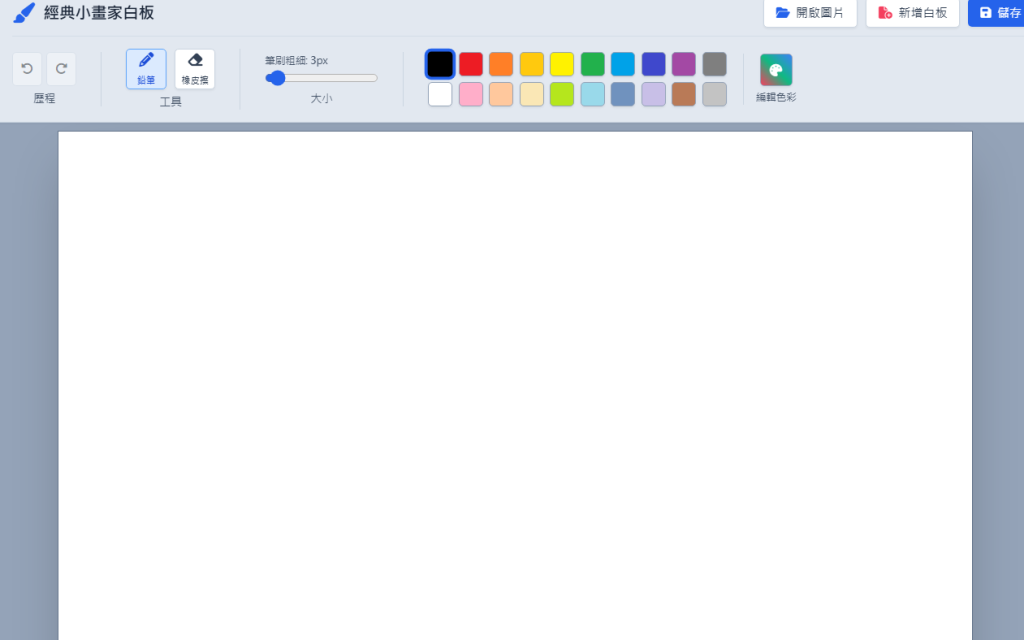



 iThome鐵人賽
 看影片追技術