
Cloud Spanner - 載入資料並執行備份
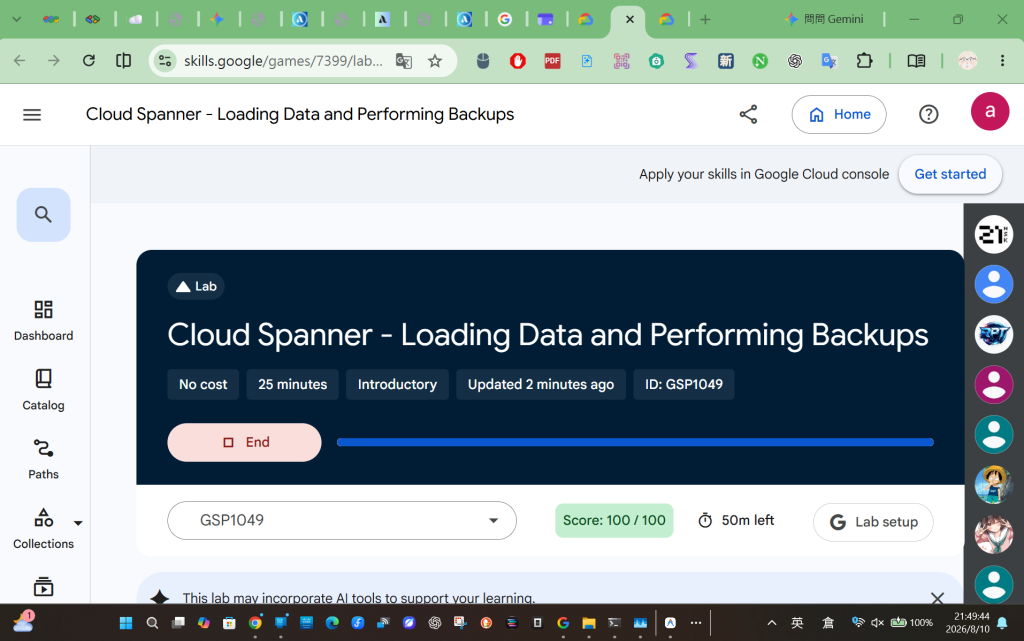
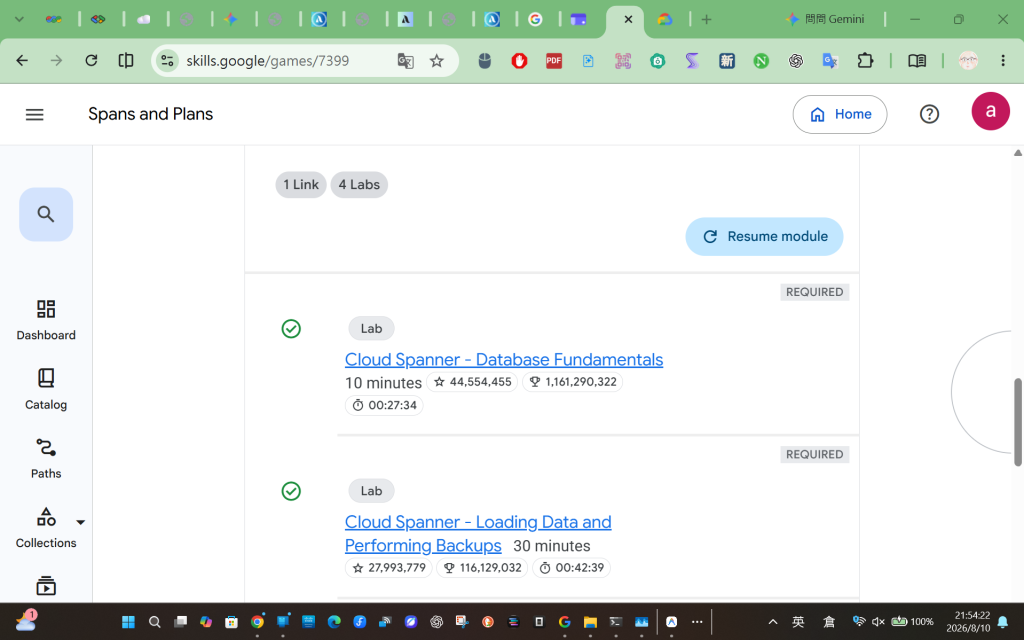
Cloud Spanner - Loading Data and Performing Backups
https://www.skills.google/games/7399/labs/45432
重新整理一份「完美版」的全程 CLI 通關攻略。作為日後操作 Cloud Spanner 與 Dataflow 的參考。
在開始對 Google Cloud 資源下達指令前,我們需要先告訴 gcloud 工具我們要操作的是哪一個專案。這可以避免在多專案環境下誤觸其他資源。
# 抓取目前登入工作階段的 Project ID,並存為環境變數
export PROJECT_ID=$(gcloud config get-value project)
gcloud config get-value project 會讀取當前啟用的專案 ID。將其設定為 $PROJECT_ID 變數後,後續指令只要遇到 $PROJECT_ID 就會自動替換,省去手動輸入一長串字串的麻煩。這裡我們不透過任何程式語言,直接使用 gcloud 內建的指令對資料庫下達 SQL 語法。
gcloud spanner databases execute-sql banking-db \
  --instance=banking-instance \
  --sql="INSERT INTO Customer (CustomerId, Name, Location) VALUES ('bdaaaa97-1b4b-4e58-b4ad-84030de92235', 'Richard Nelson', 'Ada Ohio')"
execute-sql:允許我們直接對 Cloud Spanner 執行標準的 DML (資料操作語言,如 INSERT, UPDATE, DELETE)。--instance 與 banking-db:精確指定目標執行個體與資料庫。這是最直接但較不適合大量資料寫入的基礎方法。在實際開發中,我們通常會透過程式語言的 SDK 來連接資料庫。這裡我們用指令動態生成一支 Python 程式碼並執行。
# 1. 動態建立 insert.py 檔案
cat << EOF > insert.py
from google.cloud import spanner

INSTANCE_ID = "banking-instance"
DATABASE_ID = "banking-db"

# 建立 Spanner 客戶端連線
spanner_client = spanner.Client()
instance = spanner_client.instance(INSTANCE_ID)
database = instance.database(DATABASE_ID)

# 定義交易 (Transaction) 函式
def insert_customer(transaction):
    row_ct = transaction.execute_update(
        "INSERT INTO Customer (CustomerId, Name, Location)"
        "VALUES ('b2b4002d-7813-4551-b83b-366ef95f9273', 'Shana Underwood', 'Ely Iowa')"
    )
    print("{} record(s) inserted.".format(row_ct))

# 在交易環境中執行寫入
database.run_in_transaction(insert_customer)
EOF

# 2. 執行腳本
python3 insert.py
run_in_transaction 的好處是確保了資料庫的 ACID 特性(原子性、一致性、隔離性、持久性)。如果寫入過程中發生網路異常,這筆交易會自動復原 (Rollback),避免資料出現寫一半的髒狀態。單筆寫入會造成大量的網路來回通訊 (Round-trip time)。批次寫入可以將多筆操作打包成一包,一次性送給 Spanner 處理。
# 1. 動態建立 batch_insert.py 檔案
cat << EOF > batch_insert.py
from google.cloud import spanner

INSTANCE_ID = "banking-instance"
DATABASE_ID = "banking-db"

spanner_client = spanner.Client()
instance = spanner_client.instance(INSTANCE_ID)
database = instance.database(DATABASE_ID)

# 使用 batch() 進行批次處理
with database.batch() as batch:
    batch.insert(
        table="Customer",
        columns=("CustomerId", "Name", "Location"),
        values=[
        ('edfc683f-bd87-4bab-9423-01d1b2307c0d', 'John Elkins', 'Roy Utah'),
        ('1f3842ca-4529-40ff-acdd-88e8a87eb404', 'Martin Madrid', 'Ames Iowa'),
        ('3320d98e-6437-4515-9e83-137f105f7fbc', 'Theresa Henderson', 'Anna Texas'),
        ('6b2b2774-add9-4881-8702-d179af0518d8', 'Norma Carter', 'Bend Oregon'),
        ],
    )

print("Rows inserted")
EOF

# 2. 執行腳本
python3 batch_insert.py
database.batch() 建立了一個批次操作的 Context Manager (with 語法)。在區塊內所有的 insert 都只會先暫存在記憶體,直到離開 with 區塊時,才會「一次性」發送給資料庫。這是程式化寫入資料時最推薦的作法。當資料來到十幾萬筆 (如實驗中的 15 萬筆 CSV) 時,Python 腳本會跑太久。這時我們需要動用 Dataflow 這個強大的分散式資料處理服務。
# 1. 建立暫存用的 Cloud Storage Bucket 與準備暫存檔
gsutil mb gs://$PROJECT_ID
touch emptyfile
gsutil cp emptyfile gs://$PROJECT_ID/tmp/emptyfile

# 2. 確保 Dataflow API 已啟用 (重新啟動以確保狀態乾淨)
gcloud services disable dataflow.googleapis.com --force
gcloud services enable dataflow.googleapis.com

# 3. 提交 Dataflow 任務 (使用確定可行的 us-east4 區域)
gcloud dataflow jobs run spanner-load-final \
    --gcs-location=gs://dataflow-templates/latest/GCS_Text_to_Cloud_Spanner \
    --region=us-east4 \
    --staging-location=gs://$PROJECT_ID/tmp \
    --worker-machine-type=e2-medium \
    --parameters instanceId=banking-instance,databaseId=banking-db,importManifest=gs://spls/gsp1049/manifest.json

# 4. 追蹤任務狀態 (可重複執行此指令觀察)
gcloud dataflow jobs list --region=us-east4 --format="table(id, name, state)"
gsutil mb 建立了一個專屬 Bucket。--gcs-location 指向了 Google 寫好的「將文字檔轉入 Spanner」官方範本,我們不需要自己寫複雜的 Apache Beam 程式碼。us-east4):根據我們剛才的實戰經驗,Qwiklabs 針對此專案有嚴格的 Organization Policy 限制,強制必須在 us-east4 建立運算節點。importManifest):指向一個 .json 檔案。這個檔案是「藍圖」,告訴 Dataflow 來源 CSV 在哪裡、CSV 有哪些欄位,以及要對應到 Spanner 的哪些資料表。最後,為了資料安全,我們使用指令呼叫 Spanner 的備份功能。
gcloud spanner backups create banking-backup-001 \
  --instance=banking-instance \
  --database=banking-db \
  --retention-period=365d
banking-backup-001:這是我們定義的備份檔案名稱。--retention-period=365d:這非常重要。Spanner 備份會佔用雲端空間並計費,透過設定保留期 (Retention Period),系統會在 365 天後「自動刪除」這份備份,幫助企業控制雲端成本,這也是架構設計上的最佳實踐。以下是實際執行的過程記錄:
To run a command as administrator (user "root"), use "sudo ".
See "man sudo_root" for details.
Welcome to Cloud Shell! Type "help" to get started.
Your Cloud Platform project in this session is set to qwiklabs-gcp-04-68b8c5be485a.
Use gcloud config set project [PROJECT_ID] to change to a different project.
student_02_60f7f51135c4@cloudshell:~ (qwiklabs-gcp-04-68b8c5be485a)$ export PROJECT_ID=$(gcloud config get-value project)
Your active configuration is: [cloudshell-19309]
student_02_60f7f51135c4@cloudshell:~ (qwiklabs-gcp-04-68b8c5be485a)$ gcloud spanner databases execute-sql banking-db
--instance=banking-instance
--sql="INSERT INTO Customer (CustomerId, Name, Location) VALUES ('bdaaaa97-1b4b-4e58-b4ad-84030de92235', 'Richard Nelson', 'Ada Ohio')"
Statement modified 1 row
student_02_60f7f51135c4@cloudshell:~ (qwiklabs-gcp-04-68b8c5be485a)$ cat << EOF > insert.py
from google.cloud import spanner
INSTANCE_ID = "banking-instance"
DATABASE_ID = "banking-db"
spanner_client = spanner.Client()
instance = spanner_client.instance(INSTANCE_ID)
database = instance.database(DATABASE_ID)
def insert_customer(transaction):
row_ct = transaction.execute_update(
"INSERT INTO Customer (CustomerId, Name, Location)"
"VALUES ('b2b4002d-7813-4551-b83b-366ef95f9273', 'Shana Underwood', 'Ely Iowa')"
)
print("{} record(s) inserted.".format(row_ct))
database.run_in_transaction(insert_customer)
EOF
student_02_60f7f51135c4@cloudshell:~ (qwiklabs-gcp-04-68b8c5be485a)$ python3 insert.py
1 record(s) inserted.
Failed to export metrics to Cloud Monitoring: 400 One or more TimeSeries could not be written: timeSeries[9] (metric.type="spanner.googleapis.com/internal/client/operation_latencies", metric.labels={"client_uid": "a2bf5d57-1603-40eb-b07a-061af2b9960c@1141@cs-234840707715-default", "client_name": "spanner-python/3.68.0", "status": ""}, resource.type="spanner_instance_client", resource.labels={"instance_config": "unknown", "client_hash": "000023", "location": "asia-east1"}): the set of resource labels is incomplete, missing (instance_id); timeSeries[4] (metric.type="spanner.googleapis.com/internal/client/operation_count", metric.labels={"client_uid": "a2bf5d57-1603-40eb-b07a-061af2b9960c@1141@cs-234840707715-default", "status": "", "client_name": "spanner-python/3.68.0"}, resource.type="spanner_instance_client", resource.labels={"client_hash": "000023", "location": "asia-east1", "instance_config": "unknown"}): the set of resource labels is incomplete, missing (instance_id); timeSeries[14] (metric.type="spanner.googleapis.com/internal/client/attempt_count", metric.labels={"client_name": "spanner-python/3.68.0", "client_uid": "a2bf5d57-1603-40eb-b07a-061af2b9960c@1141@cs-234840707715-default"}, resource.type="spanner_instance_client", resource.labels={"client_hash": "000023", "instance_config": "unknown", "location": "asia-east1"}): the set of resource labels is incomplete, missing (instance_id) [type_url: "type.googleapis.com/google.monitoring.v3.CreateTimeSeriesSummary"
value: "\010\022\020\017\032\006\n\002\010\003\020\003"
]
student_02_60f7f51135c4@cloudshell:~ (qwiklabs-gcp-04-68b8c5be485a)$ cat << EOF > batch_insert.py
from google.cloud import spanner
INSTANCE_ID = "banking-instance"
DATABASE_ID = "banking-db"
spanner_client = spanner.Client()
instance = spanner_client.instance(INSTANCE_ID)
database = instance.database(DATABASE_ID)
with database.batch() as batch:
batch.insert(
table="Customer",
columns=("CustomerId", "Name", "Location"),
values=[
('edfc683f-bd87-4bab-9423-01d1b2307c0d', 'John Elkins', 'Roy Utah'),
('1f3842ca-4529-40ff-acdd-88e8a87eb404', 'Martin Madrid', 'Ames Iowa'),
('3320d98e-6437-4515-9e83-137f105f7fbc', 'Theresa Henderson', 'Anna Texas'),
('6b2b2774-add9-4881-8702-d179af0518d8', 'Norma Carter', 'Bend Oregon'),
],
)
print("Rows inserted")
EOF
student_02_60f7f51135c4@cloudshell:~ (qwiklabs-gcp-04-68b8c5be485a)$ python3 batch_insert.py
Rows inserted
Failed to export metrics to Cloud Monitoring: 400 One or more TimeSeries could not be written: timeSeries[6] (metric.type="spanner.googleapis.com/internal/client/operation_latencies", metric.labels={"client_name": "spanner-python/3.68.0", "status": "", "client_uid": "8a8837bb-198b-4c39-84bb-ba8a083b5891@1162@cs-234840707715-default"}, resource.type="spanner_instance_client", resource.labels={"location": "asia-east1", "client_hash": "00013c", "instance_config": "unknown"}): the set of resource labels is incomplete, missing (instance_id); timeSeries[3] (metric.type="spanner.googleapis.com/internal/client/operation_count", metric.labels={"status": "", "client_uid": "8a8837bb-198b-4c39-84bb-ba8a083b5891@1162@cs-234840707715-default", "client_name": "spanner-python/3.68.0"}, resource.type="spanner_instance_client", resource.labels={"instance_config": "unknown", "location": "asia-east1", "client_hash": "00013c"}): the set of resource labels is incomplete, missing (instance_id); timeSeries[9] (metric.type="spanner.googleapis.com/internal/client/attempt_count", metric.labels={"client_uid": "8a8837bb-198b-4c39-84bb-ba8a083b5891@1162@cs-234840707715-default", "client_name": "spanner-python/3.68.0"}, resource.type="spanner_instance_client", resource.labels={"location": "asia-east1", "client_hash": "00013c", "instance_config": "unknown"}): the set of resource labels is incomplete, missing (instance_id) [type_url: "type.googleapis.com/google.monitoring.v3.CreateTimeSeriesSummary"
value: "\010\013\020\010\032\006\n\002\010\003\020\003"
]
student_02_60f7f51135c4@cloudshell:~ (qwiklabs-gcp-04-68b8c5be485a)$ gsutil mb gs://$PROJECT_ID
touch emptyfile
gsutil cp emptyfile gs://$PROJECT_ID/tmp/emptyfile
gcloud services disable dataflow.googleapis.com --force
gcloud services enable dataflow.googleapis.com
Google recommends using Gcloud storage CLI (https://docs.cloud.google.com/storage/docs/discover-object-storage-gcloud) instead of gsutil. Please refer to migration guide (https://docs.cloud.google.com/storage/docs/gsutil-transition-to-gcloud) for assistance.
Creating gs://qwiklabs-gcp-04-68b8c5be485a/...
Google recommends using Gcloud storage CLI (https://docs.cloud.google.com/storage/docs/discover-object-storage-gcloud) instead of gsutil. Please refer to migration guide (https://docs.cloud.google.com/storage/docs/gsutil-transition-to-gcloud) for assistance.
Copying file://emptyfile [Content-Type=application/octet-stream]...
/ [1 files][ 0.0 B/ 0.0 B]
Operation completed over 1 objects.
Operation "operations/acat.p17-281833725444-8ac2126f-049a-45f3-b1cc-e66d98f48654" finished successfully.
Operation "operations/acf.p2-281833725444-55e1c338-0151-4a69-ae2b-52078c20d4e0" finished successfully.
student_02_60f7f51135c4@cloudshell:~ (qwiklabs-gcp-04-68b8c5be485a)$ gcloud dataflow jobs run spanner-load
--gcs-location=gs://dataflow-templates/latest/GCS_Text_to_Cloud_Spanner
--region=us-east4
--staging-location=gs://$PROJECT_ID/tmp
--worker-machine-type=e2-medium
--parameters instanceId=banking-instance,databaseId=banking-db,importManifest=gs://spls/gsp1049/manifest.json
createTime: '2026-08-10T13:17:44.195026Z'
currentStateTime: '1970-01-01T00:00:00Z'
id: 2026-08-10_06_17_42-12596525428399759386
location: us-east4
name: spanner-load
projectId: qwiklabs-gcp-04-68b8c5be485a
startTime: '2026-08-10T13:17:44.195026Z'
type: JOB_TYPE_BATCH
student_02_60f7f51135c4@cloudshell:~ (qwiklabs-gcp-04-68b8c5be485a)$ gcloud spanner backups create banking-backup-001
--instance=banking-instance
--database=banking-db
--retention-period=365d
Waiting for operation [projects/qwiklabs-gcp-04-68b8c5be485a/instances/banking-instance/backups/banking-backup-001/operations/_auto_op_b4f68740bdc39bc3] to complete
...done.
Created [<ResponseValue
additionalProperties: [<AdditionalProperty
key: '@type'
value: <JsonValue
string_value: 'type.googleapis.com/google.spanner.admin.database.v1.Backup'>>, <AdditionalProperty
key: 'name'
value: <JsonValue
string_value: 'projects/qwiklabs-gcp-04-68b8c5be485a/instances/banking-instance/backups/banking-backup-001'>>, <AdditionalProperty
key: 'database'
value: <JsonValue
string_value: 'projects/qwiklabs-gcp-04-68b8c5be485a/instances/banking-instance/databases/banking-db'>>, <AdditionalProperty
key: 'expireTime'
value: <JsonValue
string_value: '2027-08-10T13:18:00.212476Z'>>, <AdditionalProperty
key: 'createTime'
value: <JsonValue
string_value: '2026-08-10T13:18:01.880333Z'>>, <AdditionalProperty
key: 'sizeBytes'
value: <JsonValue
string_value: '496'>>, <AdditionalProperty
key: 'state'
value: <JsonValue
string_value: 'READY'>>, <AdditionalProperty
key: 'encryptionInfo'
value: <JsonValue
object_value: <JsonObject
properties: [<Property
key: 'encryptionType'
value: <JsonValue
string_value: 'GOOGLE_DEFAULT_ENCRYPTION'>>]>>>, <AdditionalProperty
key: 'versionTime'
value: <JsonValue
string_value: '2026-08-10T13:18:01.880333Z'>>, <AdditionalProperty
key: 'databaseDialect'
value: <JsonValue
string_value: 'GOOGLE_STANDARD_SQL'>>, <AdditionalProperty
key: 'maxExpireTime'
value: <JsonValue
string_value: '2027-08-11T13:18:01.880333Z'>>, <AdditionalProperty
key: 'encryptionInformation'
value: <JsonValue
array_value: <JsonArray
entries: [<JsonValue
object_value: <JsonObject
properties: [<Property
key: 'encryptionType'
value: <JsonValue
string_value: 'GOOGLE_DEFAULT_ENCRYPTION'>>]>>]>>>, <AdditionalProperty
key: 'freeableSizeBytes'
value: <JsonValue
string_value: '496'>>, <AdditionalProperty
key: 'exclusiveSizeBytes'
value: <JsonValue
string_value: '496'>>, <AdditionalProperty
key: 'oldestVersionTime'
value: <JsonValue
string_value: '2026-08-10T13:18:01.880333Z'>>, <AdditionalProperty
key: 'instancePartitions'
value: <JsonValue
array_value: <JsonArray
entries: [<JsonValue
object_value: <JsonObject
properties: [<Property
key: 'instancePartition'
value: <JsonValue
string_value: 'projects/qwiklabs-gcp-04-68b8c5be485a/instances/banking-instance/instancePartitions/default'>>, <Property
key: 'instanceConfig'
value: <JsonValue
string_value: 'projects/qwiklabs-gcp-04-68b8c5be485a/instanceConfigs/regional-us-east4'>>]>>]>>>, <AdditionalProperty
key: 'minimumRestorableEdition'
value: <JsonValue
string_value: 'STANDARD'>>]>].
student_02_60f7f51135c4@cloudshell:~ (qwiklabs-gcp-04-68b8c5be485a)$
Welcome to Cloud Shell! Type "help" to get started.
Your Cloud Platform project in this session is set to qwiklabs-gcp-04-68b8c5be485a.
Use gcloud config set project [PROJECT_ID] to change to a different project.
student_02_60f7f51135c4@cloudshell:~ (qwiklabs-gcp-04-68b8c5be485a)$ gcloud dataflow jobs list --region=us-east4 --format="table(id, name, state)"
JOB_ID: 2026-08-10_06_17_42-12596525428399759386
NAME: spanner-load
STATE: Failed
student_02_60f7f51135c4@cloudshell:~ (qwiklabs-gcp-04-68b8c5be485a)$ gcloud dataflow jobs run spanner-load-2
--gcs-location=gs://dataflow-templates/latest/GCS_Text_to_Cloud_Spanner
--region=us-east1
--staging-location=gs://$PROJECT_ID/tmp
--worker-machine-type=e2-medium
--parameters instanceId=banking-instance,databaseId=banking-db,importManifest=gs://spls/gsp1049/manifest.json
ERROR: (gcloud.dataflow.jobs.run) FAILED_PRECONDITION: (2c359598b9dc57c8): 'us-east1' violates constraint 'constraints/gcp.resourceLocations' on the resource 'projects/qwiklabs-gcp-04-68b8c5be485a'.
student_02_60f7f51135c4@cloudshell:~ (qwiklabs-gcp-04-68b8c5be485a)$ # 1. 重新設定變數 (因為在新的 Shell 視窗,必須重新執行)
export PROJECT_ID=$(gcloud config get-value project)
gcloud dataflow jobs run spanner-load-3
--gcs-location=gs://dataflow-templates/latest/GCS_Text_to_Cloud_Spanner
--region=us-central1
--staging-location=gs://$PROJECT_ID/tmp
--worker-machine-type=e2-medium
--parameters instanceId=banking-instance,databaseId=banking-db,importManifest=gs://spls/gsp1049/manifest.json
Your active configuration is: [cloudshell-28958]
ERROR: (gcloud.dataflow.jobs.run) FAILED_PRECONDITION: (ab4c2beb53b29102): 'us-central1' violates constraint 'constraints/gcp.resourceLocations' on the resource 'projects/qwiklabs-gcp-04-68b8c5be485a'.
student_02_60f7f51135c4@cloudshell:~ (qwiklabs-gcp-04-68b8c5be485a)$ gcloud dataflow jobs run spanner-load-4
--gcs-location=gs://dataflow-templates/latest/GCS_Text_to_Cloud_Spanner
--region=us-east4
--staging-location=gs://$PROJECT_ID/tmp
--worker-machine-type=e2-medium
--parameters instanceId=banking-instance,databaseId=banking-db,importManifest=gs://spls/gsp1049/manifest.json
createTime: '2026-08-10T13:36:22.366595Z'
currentStateTime: '1970-01-01T00:00:00Z'
id: 2026-08-10_06_36_21-17442290409006231930
location: us-east4
name: spanner-load-4
projectId: qwiklabs-gcp-04-68b8c5be485a
startTime: '2026-08-10T13:36:22.366595Z'
type: JOB_TYPE_BATCH
student_02_60f7f51135c4@cloudshell:~ (qwiklabs-gcp-04-68b8c5be485a)$ gcloud dataflow jobs list --region=us-east4 --format="table(id, name, state)"
JOB_ID: 2026-08-10_06_36_21-17442290409006231930
NAME: spanner-load-4
STATE: Running
JOB_ID: 2026-08-10_06_17_42-12596525428399759386
NAME: spanner-load
STATE: Failed
student_02_60f7f51135c4@cloudshell:~ (qwiklabs-gcp-04-68b8c5be485a)$ gcloud dataflow jobs list --region=us-east4 --format="table(id, name, state)"
JOB_ID: 2026-08-10_06_36_21-17442290409006231930
NAME: spanner-load-4
STATE: Running
JOB_ID: 2026-08-10_06_17_42-12596525428399759386
NAME: spanner-load
STATE: Failed
student_02_60f7f51135c4@cloudshell:~ (qwiklabs-gcp-04-68b8c5be485a)$ gcloud dataflow jobs list --region=us-east4 --format="table(id, name, state)"
JOB_ID: 2026-08-10_06_36_21-17442290409006231930
NAME: spanner-load-4
STATE: Running
JOB_ID: 2026-08-10_06_17_42-12596525428399759386
NAME: spanner-load
STATE: Failed
student_02_60f7f51135c4@cloudshell:~ (qwiklabs-gcp-04-68b8c5be485a)$ gcloud dataflow jobs list --region=us-east4 --format="table(id, name, state)"
JOB_ID: 2026-08-10_06_36_21-17442290409006231930
NAME: spanner-load-4
STATE: Done
JOB_ID: 2026-08-10_06_17_42-12596525428399759386
NAME: spanner-load
STATE: Failed
student_02_60f7f51135c4@cloudshell:~ (qwiklabs-gcp-04-68b8c5be485a)$ gcloud dataflow jobs list --region=us-east4 --format="table(id, name, state)"
JOB_ID: 2026-08-10_06_36_21-17442290409006231930
NAME: spanner-load-4
STATE: Done
JOB_ID: 2026-08-10_06_17_42-12596525428399759386
NAME: spanner-load
STATE: Failed
student_02_60f7f51135c4@cloudshell:~ (qwiklabs-gcp-04-68b8c5be485a)$



 iThome鐵人賽
 看影片追技術