
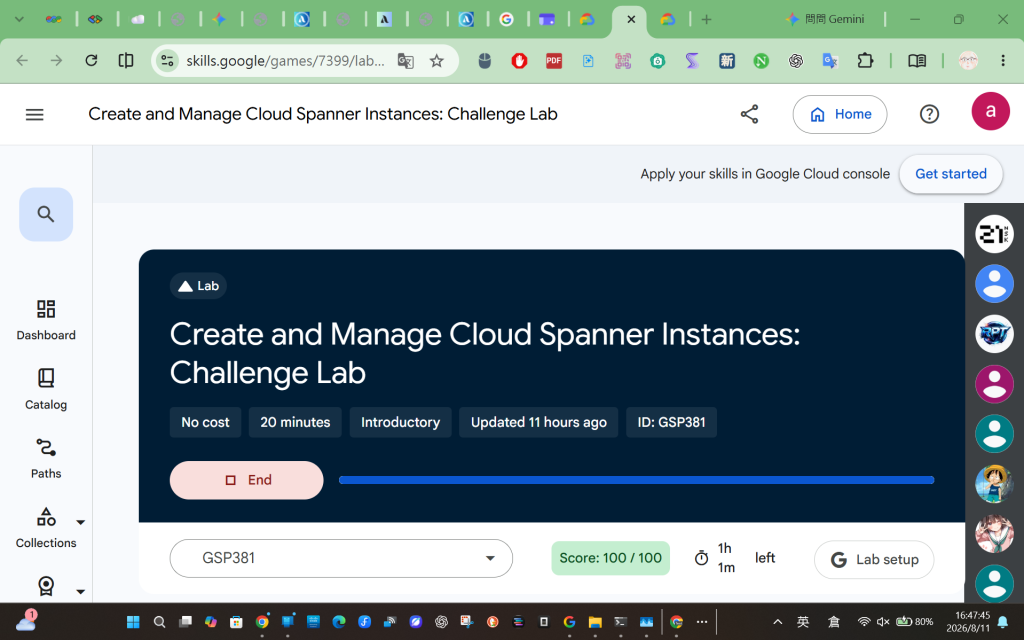
Create and Manage Cloud Spanner Instances: Challenge Lab
建立和管理 Cloud Spanner 實例:挑戰實驗室
https://www.skills.google/games/7399/labs/45434
這份 Create and Manage Cloud Spanner Instances: Challenge Lab 的測驗非常考驗對 GCP 資源操作的熟悉度。
為了方便自己未來作為學習與複習的教材,我將整個流程重新整理成一份「全 CLI 與自動化腳本」的最佳實踐指南。這份指南捨棄了容易因配額或啟動時間而失敗的 Dataflow,改用更具彈性且執行快速的 Python 批次寫入腳本,這在實際開發與維護 GCP 資料庫時是非常實用的技巧。
在操作 Cloud Spanner 的 CLI 時,最大的重點在於區分 DDL(資料定義語言) 與 DML(資料操作語言) 的指令差異:
gcloud spanner databases ddl update。gcloud spanner databases execute-sql。良好的習慣是將常用的變數存起來,這能避免在後續指令中打錯字。
# 取得目前連線的 GCP Project ID 並存為環境變數
export PROJECT_ID=$(gcloud config get-value project)
目標: 在 europe-west1 建立一個運算容量為 1 個 Node 的執行個體。
說明: 執行個體是 Spanner 的底層基礎設施,決定了運算資源與資料存放的地理位置。
gcloud spanner instances create banking-ops-instance \
  --config=regional-europe-west1 \
  --description="Banking Ops Instance" \
  --nodes=1
--config: 指定可用區或多區域架構。--nodes: 指定運算節點數量(決定 QPS 吞吐量與儲存上限)。目標: 在剛剛的執行個體內建立資料庫 banking-ops-db。
說明: 一個執行個體底下可以包含多個資料庫,資料庫才是真正存放 Table 的地方。
gcloud spanner databases create banking-ops-db \
  --instance=banking-ops-instance
目標: 建立 Portfolio, Category, Product, Customer 四張表。
說明: 由於一次要建立多張表,若將指令全塞在單行字串中容易出錯。最佳實踐是將 DDL 語法寫入一個實體檔案 (schema.ddl),再讓 gcloud 讀取該檔案進行批次更新。
# 1. 透過 heredoc 語法將 DDL 寫入 schema.ddl 檔案
cat <<EOF > schema.ddl
CREATE TABLE Portfolio (
    PortfolioId INT64 NOT NULL,
    Name STRING(MAX),
    ShortName STRING(MAX),
    PortfolioInfo STRING(MAX)
) PRIMARY KEY (PortfolioId);

CREATE TABLE Category (
    CategoryId INT64 NOT NULL,
    PortfolioId INT64 NOT NULL,
    CategoryName STRING(MAX),
    PortfolioInfo STRING(MAX)
) PRIMARY KEY (CategoryId);

CREATE TABLE Product (
    ProductId INT64 NOT NULL,
    CategoryId INT64 NOT NULL,
    PortfolioId INT64 NOT NULL,
    ProductName STRING(MAX),
    ProductAssetCode STRING(25),
    ProductClass STRING(25)
) PRIMARY KEY (ProductId);

CREATE TABLE Customer (
    CustomerId STRING(36) NOT NULL,
    Name STRING(MAX) NOT NULL,
    Location STRING(MAX) NOT NULL
) PRIMARY KEY (CustomerId);
EOF

# 2. 執行 ddl update 指令套用 Schema
gcloud spanner databases ddl update banking-ops-db \
  --instance=banking-ops-instance \
  --ddl-file=schema.ddl
目標: 將少量的初始資料寫入前三張表。
說明: 這裡使用的是標準的 SQL INSERT 語法。透過 --sql 參數直接傳遞指令給 Spanner 執行。
# 寫入 Portfolio 表
gcloud spanner databases execute-sql banking-ops-db \
  --instance=banking-ops-instance \
  --sql="INSERT INTO Portfolio (PortfolioId, Name, ShortName, PortfolioInfo) VALUES (1, 'Banking', 'Bnkg', 'All Banking Business'), (2, 'Asset Growth', 'AsstGrwth', 'All Asset Focused Products'), (3, 'Insurance', 'Insurance', 'All Insurance Focused Products');"

# 寫入 Category 表
gcloud spanner databases execute-sql banking-ops-db \
  --instance=banking-ops-instance \
  --sql="INSERT INTO Category (CategoryId, PortfolioId, CategoryName) VALUES (1,1,'Cash'), (2,2,'Investments - Short Return'), (3,2,'Annuities'), (4,3,'Life Insurance');"

# 寫入 Product 表
gcloud spanner databases execute-sql banking-ops-db \
  --instance=banking-ops-instance \
  --sql="INSERT INTO Product (ProductId, CategoryId, PortfolioId, ProductName, ProductAssetCode, ProductClass) VALUES (1,1,1,'Checking Account','ChkAcct','Banking LOB'), (2,2,2,'Mutual Fund Consumer Goods','MFundCG','Investment LOB'), (3,3,2,'Annuity Early Retirement','AnnuFixed','Investment LOB'), (4,4,3,'Term Life Insurance','TermLife','Insurance LOB'), (5,1,1,'Savings Account','SavAcct','Banking LOB'), (6,1,1,'Personal Loan','PersLn','Banking LOB'), (7,1,1,'Auto Loan','AutLn','Banking LOB'), (8,4,3,'Permanent Life Insurance','PermLife','Insurance LOB'), (9,2,2,'US Savings Bonds','USSavBond','Investment LOB');"
目標: 將位於 Cloud Storage 的 CSV 檔案(500筆資料)寫入 Customer 表。
說明: 針對中型資料載入,與其依賴啟動緩慢且容易遇到配額限制的 Dataflow 批次作業,撰寫 Python 腳本直接處理 CSV 並呼叫 API(或 CLI)是更穩健且可控的工程作法。以下腳本實現了資料清洗(處理單引號跳脫)與批次寫入(Batch Insert),能大幅降低與資料庫連線的 Overhead。
# 1. 下載目標 CSV 檔案至 Cloud Shell 本地
wget https://storage.googleapis.com/spls/gsp381/Customer_List_500.csv

# 2. 建立 Python 批次寫入腳本
cat << 'EOF' > load_data.py
import csv
import os

# 讀取 CSV 檔案
with open('Customer_List_500.csv', mode='r', encoding='utf-8') as f:
    reader = csv.reader(f)
    rows = list(reader)

# 防呆機制:如果第一列是標題 (Header),則將其跳過
if rows[0][0] == 'CustomerId':
    rows = rows[1:]

# 設定 Batch Size 每次寫入 100 筆,避免單一 SQL 字串過長遭到 Spanner 拒絕
batch_size = 100
for i in range(0, len(rows), batch_size):
    batch = rows[i:i+batch_size]
    values_list = []

    for row in batch:
        # SQL 語法處理:將字串中的單引號(')替換為兩個單引號('')進行跳脫
        c_id = row[0].replace("'", "''")
        name = row[1].replace("'", "''")
        loc = row[2].replace("'", "''")
        values_list.append(f"('{c_id}', '{name}', '{loc}')")

    # 組裝多筆 VALUES 的 INSERT 語法
    sql = f"INSERT INTO Customer (CustomerId, Name, Location) VALUES {', '.join(values_list)};"

    # 透過 os.system 呼叫 gcloud cli 送出 SQL
    cmd = f"gcloud spanner databases execute-sql banking-ops-db --instance=banking-ops-instance --sql=\"{sql}\""
    print(f"正在寫入第 {i+1} 到 {i+len(batch)} 筆資料...")
    os.system(cmd)

print("✅ 500 筆資料已全數寫入完成!")
EOF

# 3. 執行 Python 腳本
python3 load_data.py
目標: 在現有的 Category 表中,新增一個 INT64 型態的 MarketingBudget 欄位。
說明: 這屬於 Schema Evolution(結構演進),所以再次使用 ddl update。Spanner 支援線上修改 Schema,不會造成資料表長時間鎖定(Zero-downtime schema updates)。
gcloud spanner databases ddl update banking-ops-db \
  --instance=banking-ops-instance \
  --ddl="ALTER TABLE Category ADD COLUMN MarketingBudget INT64;"
以下是我自己的執行過程記錄。
Welcome to Cloud Shell! Type "help" to get started.
Your Cloud Platform project in this session is set to qwiklabs-gcp-02-cbe3cbfa21c8.
Use gcloud config set project [PROJECT_ID] to change to a different project.
student_01_46d798ab653e@cloudshell:~ (qwiklabs-gcp-02-cbe3cbfa21c8)$ # 取得並設定目前的 Project ID,這在後續 Task 5 會用到
export PROJECT_ID=$(gcloud config get-value project)
Your active configuration is: [cloudshell-7539]
student_01_46d798ab653e@cloudshell:~ (qwiklabs-gcp-02-cbe3cbfa21c8)$ gcloud spanner instances create banking-ops-instance
--config=regional-europe-west1
--description="Banking Ops Instance"
--nodes=1
Creating instance...done.
student_01_46d798ab653e@cloudshell:~ (qwiklabs-gcp-02-cbe3cbfa21c8)$ gcloud spanner databases create banking-ops-db
--instance=banking-ops-instance
Creating database...done.
student_01_46d798ab653e@cloudshell:~ (qwiklabs-gcp-02-cbe3cbfa21c8)$ # 將所有 DDL 語法寫入 schema.ddl 檔案
student_01_46d798ab653e@cloudshell:~ (qwiklabs-gcp-02-cbe3cbfa21c8)$ # 將所有 DDL 語法寫入 schema.ddl 檔案
cat < schema.ddl
CREATE TABLE Portfolio (
PortfolioId INT64 NOT NULL,
Name STRING(MAX),
ShortName STRING(MAX),
PortfolioInfo STRING(MAX)
) PRIMARY KEY (PortfolioId);
CREATE TABLE Category (
CategoryId INT64 NOT NULL,
PortfolioId INT64 NOT NULL,
CategoryName STRING(MAX),
PortfolioInfo STRING(MAX)
) PRIMARY KEY (CategoryId);
CREATE TABLE Product (
ProductId INT64 NOT NULL,
CategoryId INT64 NOT NULL,
PortfolioId INT64 NOT NULL,
ProductName STRING(MAX),
ProductAssetCode STRING(25),
ProductClass STRING(25)
) PRIMARY KEY (ProductId);
CREATE TABLE Customer (
CustomerId STRING(36) NOT NULL,
Name STRING(MAX) NOT NULL,
Location STRING(MAX) NOT NULL
) PRIMARY KEY (CustomerId);
EOF
gcloud spanner databases ddl update banking-ops-db
--instance=banking-ops-instance
--ddl-file=schema.ddl
Schema updating...done.
student_01_46d798ab653e@cloudshell:~ (qwiklabs-gcp-02-cbe3cbfa21c8)$
student_01_46d798ab653e@cloudshell:~ (qwiklabs-gcp-02-cbe3cbfa21c8)$ # 寫入 Portfolio 資料表
gcloud spanner databases execute-sql banking-ops-db
--instance=banking-ops-instance
--sql="INSERT INTO Portfolio (PortfolioId, Name, ShortName, PortfolioInfo) VALUES (1, 'Banking', 'Bnkg', 'All Banking Business'), (2, 'Asset Growth', 'AsstGrwth', 'All Asset Focused Products'), (3, 'Insurance', 'Insurance', 'All Insurance Focused Products');"
gcloud spanner databases execute-sql banking-ops-db
--instance=banking-ops-instance
--sql="INSERT INTO Category (CategoryId, PortfolioId, CategoryName) VALUES (1,1,'Cash'), (2,2,'Investments - Short Return'), (3,2,'Annuities'), (4,3,'Life Insurance');"
gcloud spanner databases execute-sql banking-ops-db
--instance=banking-ops-instance
--sql="INSERT INTO Product (ProductId, CategoryId, PortfolioId, ProductName, ProductAssetCode, ProductClass) VALUES (1,1,1,'Checking Account','ChkAcct','Banking LOB'), (2,2,2,'Mutual Fund Consumer Goods','MFundCG','Investment LOB'), (3,3,2,'Annuity Early Retirement','AnnuFixed','Investment LOB'), (4,4,3,'Term Life Insurance','TermLife','Insurance LOB'), (5,1,1,'Savings Account','SavAcct','Banking LOB'), (6,1,1,'Personal Loan','PersLn','Banking LOB'), (7,1,1,'Auto Loan','AutLn','Banking LOB'), (8,4,3,'Permanent Life Insurance','PermLife','Insurance LOB'), (9,2,2,'US Savings Bonds','USSavBond','Investment LOB');"
Statement modified 3 rows
Statement modified 4 rows
Statement modified 9 rows
student_01_46d798ab653e@cloudshell:~ (qwiklabs-gcp-02-cbe3cbfa21c8)$ # 1. 確保 Dataflow 服務已正確啟用 (依照實驗室說明先停用再啟用)
gcloud services disable dataflow.googleapis.com --force
gcloud services enable dataflow.googleapis.com
gsutil mb gs://$PROJECT_ID
cat < manifest.json
{
"tables": [
{
"table_name": "Customer",
"file_patterns": [
"gs://spls/gsp381/Customer_List_500.csv"
],
"columns": [
{"column_name": "CustomerId", "type_name": "STRING"},
{"column_name": "Name", "type_name": "STRING"},
{"column_name": "Location", "type_name": "STRING"}
]
}
]
}
EOF
gsutil cp manifest.json gs://$PROJECT_ID/
gcloud dataflow jobs run load-customer-data
--gcs-location=gs://dataflow-templates/latest/GCS_Text_to_Cloud_Spanner
--region=europe-west1
--parameters=instanceId=banking-ops-instance,databaseId=banking-ops-db,importManifest=gs://$PROJECT_ID/manifest.json
Operation "operations/acat.p17-436319987147-075db6ea-6104-48e0-8e7b-607e9a14b297" finished successfully.
Operation "operations/acf.p2-436319987147-aee3d499-e58c-425a-b07e-2f2a16138216" finished successfully.
Google recommends using Gcloud storage CLI (https://docs.cloud.google.com/storage/docs/discover-object-storage-gcloud) instead of gsutil. Please refer to migration guide (https://docs.cloud.google.com/storage/docs/gsutil-transition-to-gcloud) for assistance.
Creating gs://qwiklabs-gcp-02-cbe3cbfa21c8/...
Google recommends using Gcloud storage CLI (https://docs.cloud.google.com/storage/docs/discover-object-storage-gcloud) instead of gsutil. Please refer to migration guide (https://docs.cloud.google.com/storage/docs/gsutil-transition-to-gcloud) for assistance.
Copying file://manifest.json [Content-Type=application/json]...
Customer_List_500.csv 100%[==================================================================================>] 34.08K --.-KB/s in 0.02s
2026-08-11 08:37:49 (1.84 MB/s) - ‘Customer_List_500.csv’ saved [34900/34900]
student_01_46d798ab653e@cloudshell:~ (qwiklabs-gcp-02-cbe3cbfa21c8)$ cat << 'EOF' > load_data.py
student_01_46d798ab653e@cloudshell:~ (qwiklabs-gcp-02-cbe3cbfa21c8)$ cat << 'EOF' > load_data.py
import csv
import os
with open('Customer_List_500.csv', mode='r', encoding='utf-8') as f:
reader = csv.reader(f)
rows = list(reader)
if rows[0][0] == 'CustomerId':
rows = rows[1:]
batch_size = 100
for i in range(0, len(rows), batch_size):
batch = rows[i:i+batch_size]
values_list = []
for row in batch:
    # 將單引號做跳脫處理,避免 SQL 語法錯誤
    c_id = row[0].replace("'", "''")
    name = row[1].replace("'", "''")
    loc = row[2].replace("'", "''")
    values_list.append(f"('{c_id}', '{name}', '{loc}')")

# 組裝 INSERT SQL 語法
sql = f"INSERT INTO Customer (CustomerId, Name, Location) VALUES {', '.join(values_list)};"

# 使用 os.system 呼叫 gcloud 指令將資料寫入 Spanner
cmd = f"gcloud spanner databases execute-sql banking-ops-db --instance=banking-ops-instance --sql=\"{sql}\""
print(f"正在寫入第 {i+1} 到 {i+len(batch)} 筆資料...")
os.system(cmd)
print("500 筆資料已全數寫入完成!")
EOF
student_01_46d798ab653e@cloudshell:~ (qwiklabs-gcp-02-cbe3cbfa21c8)$ python3 load_data.py
正在寫入第 1 到 100 筆資料...
Statement modified 100 rows
正在寫入第 101 到 200 筆資料...
Statement modified 100 rows
正在寫入第 201 到 300 筆資料...
Statement modified 100 rows
正在寫入第 301 到 400 筆資料...
Statement modified 100 rows
正在寫入第 401 到 500 筆資料...
Statement modified 100 rows
500 筆資料已全數寫入完成!



 iThome鐵人賽
 看影片追技術