
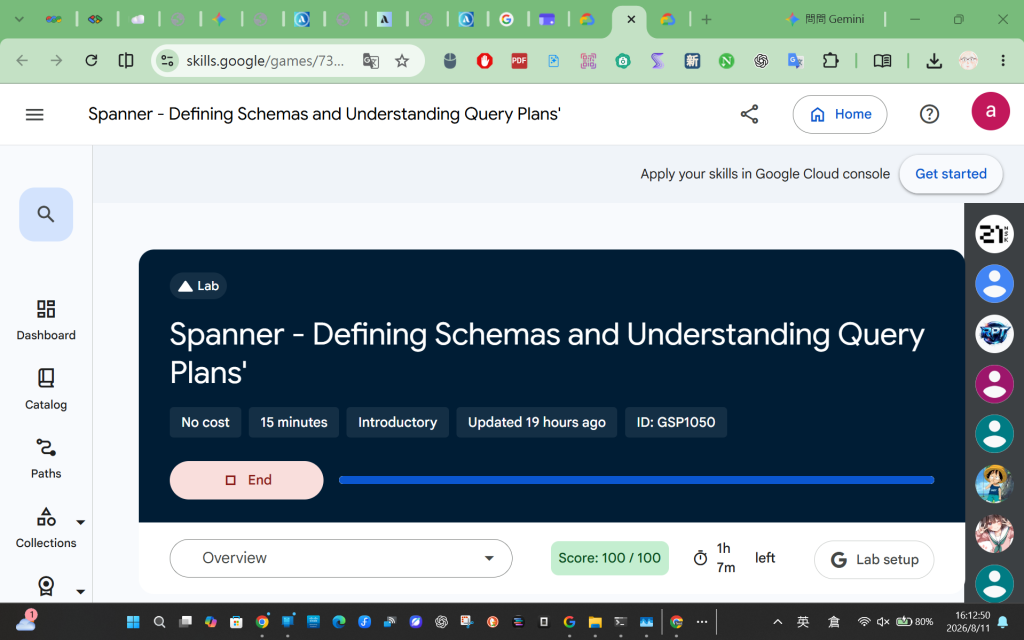
Spanner - Defining Schemas and Understanding Query Plans'
Spanner - 定義模式和理解查詢計劃
https://www.skills.google/games/7399/labs/45433
這份 Google Cloud Skills Boost 實驗 (Spanner - Defining Schemas and Understanding Query Plans') 原本混合了圖形介面 (Spanner Studio) 與 Cloud Shell 指令。
以下我將所有步驟轉換為 「純 Command Line (CLI)」 方式執行(請全部在 Cloud Shell 中輸入),並附上詳細的中文說明:
開啟 Cloud Shell 後,請先確認您的專案環境是否已正確載入(通常會自動設定):
gcloud config list project
原本實驗要求在 Spanner Studio 貼上 SQL,我們可以直接使用 gcloud spanner databases execute-sql 指令,將資料新增至 Portfolio、Category 及 Product 資料表中。
1. 匯入 Portfolio 表單:
gcloud spanner databases execute-sql banking-ops-db \
  --instance=banking-ops-instance \
  --sql="INSERT INTO Portfolio (PortfolioId, Name, ShortName, PortfolioInfo) VALUES (1, 'Banking', 'Bnkg', 'All Banking Business'), (2, 'Asset Growth', 'AsstGrwth', 'All Asset Focused Products'), (3, 'Insurance', 'Ins', 'All Insurance Focused Products');"
2. 匯入 Category 表單:
gcloud spanner databases execute-sql banking-ops-db \
  --instance=banking-ops-instance \
  --sql="INSERT INTO Category (CategoryId, PortfolioId, CategoryName) VALUES (1, 1, 'Cash'), (2, 2, 'Investments - Short Return'), (3, 2, 'Annuities'), (4, 3, 'Life Insurance');"
3. 匯入 Product 表單:
gcloud spanner databases execute-sql banking-ops-db \
  --instance=banking-ops-instance \
  --sql="INSERT INTO Product (ProductId, CategoryId, PortfolioId, ProductName, ProductAssetCode, ProductClass) VALUES (1, 1, 1, 'Checking Account', 'ChkAcct', 'Banking LOB'), (2, 2, 2, 'Mutual Fund Consumer Goods', 'MFundCG', 'Investment LOB'), (3, 3, 2, 'Annuity Early Retirement', 'AnnuFixed', 'Investment LOB'), (4, 4, 3, 'Term Life Insurance', 'TermLife', 'Insurance LOB'), (5, 1, 1, 'Savings Account', 'SavAcct', 'Banking LOB'), (6, 1, 1, 'Personal Loan', 'PersLn', 'Banking LOB'), (7, 1, 1, 'Auto Loan', 'AutLn', 'Banking LOB'), (8, 4, 3, 'Permanent Life Insurance', 'PermLife', 'Insurance LOB'), (9, 2, 2, 'US Savings Bonds', 'USSavBond', 'Investment LOB');"
說明: 這些指令會透過 DML (Data Manipulation Language) 將指定的行(Rows)直接插入到 Spanner 資料庫裡。
接下來我們透過官方提供的 Python 腳本來匯入 Campaigns 資料。
# 建立資料夾並進入
mkdir python-helper && cd python-helper

# 下載設定檔與腳本
wget https://storage.googleapis.com/cloud-training/OCBL373/requirements.txt
wget https://storage.googleapis.com/cloud-training/OCBL373/snippets.py

# 安裝 Python 依賴套件 (Spanner Client)
pip install -r requirements.txt
pip install setuptools

# 執行腳本匯入 Campaigns 資料
python snippets.py banking-ops-instance --database-id banking-ops-db insert_data
驗證剛剛匯入的 Campaigns 資料。
python snippets.py banking-ops-instance --database-id banking-ops-db query_data
說明: 執行後,您會在終端機看到 CampaignId, PortfolioId, CampaignName 等詳細資訊。
實務上,Spanner 支援零停機時間的 Schema 更新。我們要在 Category 表新增 MarketingBudget 欄位並寫入資料。
1. 新增 MarketingBudget 欄位:
python snippets.py banking-ops-instance --database-id banking-ops-db add_column
2. 替新欄位寫入更新資料:
python snippets.py banking-ops-instance --database-id banking-ops-db update_data
3. 查詢並確認欄位與資料已更新:
python snippets.py banking-ops-instance --database-id banking-ops-db query_data_with_new_column
透過次要索引,在搜尋非主鍵 (Non-Primary Key) 時能避免進行高成本的全表掃描 (Full Table Scan)。
1. 新增 CategoryName 的次要索引:
python snippets.py banking-ops-instance --database-id banking-ops-db add_index
2. 使用該索引來讀取資料:
python snippets.py banking-ops-instance --database-id banking-ops-db read_data_with_index
3. 建立包含 STORING 子句的索引:
一般索引無法順帶查出索引未包含的欄位(如
MarketingBudget),加上 STORING 可將指定欄位複製一份存在索引中,增加查詢效率。
python snippets.py banking-ops-instance --database-id banking-ops-db add_storing_index
4. 測試讀取新的 STORING 索引:
python snippets.py banking-ops-instance --database-id banking-ops-db read_data_with_storing_index
原本此步驟需在 Spanner Studio 看視覺化圖表,在 CLI 中,我們可以加上 --query-mode=PROFILE 來檢視 Spanner 輸出的執行計畫。
1. 一般 JOIN 查詢:
gcloud spanner databases execute-sql banking-ops-db \
  --instance=banking-ops-instance \
  --query-mode=PROFILE \
  --sql="SELECT Name, ShortName, CategoryName FROM Portfolio INNER JOIN Category ON Portfolio.PortfolioId = Category.PortfolioId;"
2. 聚合查詢 (Aggregate Query) 計畫:
gcloud spanner databases execute-sql banking-ops-db \
  --instance=banking-ops-instance \
  --query-mode=PROFILE \
  --sql="SELECT pr.ProductId, COUNT(*) AS ProductCount FROM Product AS pr WHERE pr.ProductId < 100 GROUP BY pr.ProductId;"
3. 共置合併查詢 (Co-located join queries):
在 Spanner 中若有 Interleaved tables,JOIN 可以在同一個伺服器節點上完成,效能極佳。
gcloud spanner databases execute-sql banking-ops-db \
  --instance=banking-ops-instance \
  --query-mode=PROFILE \
  --sql="SELECT c.CategoryName, pr.ProductName FROM Category AS c, Product AS pr WHERE c.PortfolioId = pr.PortfolioId AND c.CategoryId = pr.CategoryId;"
說明: 在指令輸出結果的最下方,您會看到
QUERY PLAN段落,顯示了類似Distributed Union、Hash Aggregate或Cross Apply等執行節點順序,這就是在終端機中解讀查詢計畫的方式。
只要循序在 Cloud Shell 貼上這些指令,就能 100% 用 CLI 解完這個實驗!
以下是我實際執行時的過程記錄.
Welcome to Cloud Shell! Type "help" to get started.
Your Cloud Platform project in this session is set to qwiklabs-gcp-04-cd711a5a40ac.
Use gcloud config set project [PROJECT_ID] to change to a different project.
student_02_9ea7d64b1ef7@cloudshell:~ (qwiklabs-gcp-04-cd711a5a40ac)$ gcloud config list project
[core]
project = qwiklabs-gcp-04-cd711a5a40ac
Your active configuration is: [cloudshell-20414]
[environment: untagged] Read more to tag: g.co/cloud/project-env-tag.
student_02_9ea7d64b1ef7@cloudshell:~ (qwiklabs-gcp-04-cd711a5a40ac)$ gcloud spanner databases execute-sql banking-ops-db
--instance=banking-ops-instance
--sql="INSERT INTO Portfolio (PortfolioId, Name, ShortName, PortfolioInfo) VALUES (1, 'Banking', 'Bnkg', 'All Banking Business'), (2, 'Asset Growth', 'AsstGrwth', 'All Asset Focused Products'), (3, 'Insurance', 'Ins', 'All Insurance Focused Products');"
Statement modified 3 rows
student_02_9ea7d64b1ef7@cloudshell:~ (qwiklabs-gcp-04-cd711a5a40ac)$ gcloud spanner databases execute-sql banking-ops-db
--instance=banking-ops-instance
--sql="INSERT INTO Category (CategoryId, PortfolioId, CategoryName) VALUES (1, 1, 'Cash'), (2, 2, 'Investments - Short Return'), (3, 2, 'Annuities'), (4, 3, 'Life Insurance');"
Statement modified 4 rows
student_02_9ea7d64b1ef7@cloudshell:~ (qwiklabs-gcp-04-cd711a5a40ac)$ gcloud spanner databases execute-sql banking-ops-db
--instance=banking-ops-instance
--sql="INSERT INTO Product (ProductId, CategoryId, PortfolioId, ProductName, ProductAssetCode, ProductClass) VALUES (1, 1, 1, 'Checking Account', 'ChkAcct', 'Banking LOB'), (2, 2, 2, 'Mutual Fund Consumer Goods', 'MFundCG', 'Investment LOB'), (3, 3, 2, 'Annuity Early Retirement', 'AnnuFixed', 'Investment LOB'), (4, 4, 3, 'Term Life Insurance', 'TermLife', 'Insurance LOB'), (5, 1, 1, 'Savings Account', 'SavAcct', 'Banking LOB'), (6, 1, 1, 'Personal Loan', 'PersLn', 'Banking LOB'), (7, 1, 1, 'Auto Loan', 'AutLn', 'Banking LOB'), (8, 4, 3, 'Permanent Life Insurance', 'PermLife', 'Insurance LOB'), (9, 2, 2, 'US Savings Bonds', 'USSavBond', 'Investment LOB');"
Statement modified 9 rows
student_02_9ea7d64b1ef7@cloudshell:~ (qwiklabs-gcp-04-cd711a5a40ac)$ # 建立資料夾並進入
mkdir python-helper && cd python-helper
wget https://storage.googleapis.com/cloud-training/OCBL373/requirements.txt
wget https://storage.googleapis.com/cloud-training/OCBL373/snippets.py
pip install -r requirements.txt
pip install setuptools
python snippets.py banking-ops-instance --database-id banking-ops-db insert_data
--2026-08-11 07:56:50-- https://storage.googleapis.com/cloud-training/OCBL373/requirements.txt
Resolving storage.googleapis.com (storage.googleapis.com)... 142.250.157.207, 142.251.8.207, 142.251.170.207, ...
Connecting to storage.googleapis.com (storage.googleapis.com)|142.250.157.207|:443... connected.
HTTP request sent, awaiting response... 200 OK
Length: 66 [text/plain]
Saving to: ‘requirements.txt’
requirements.txt 100%[=====================================================>] 66 --.-KB/s in 0s
2026-08-11 07:56:51 (35.2 MB/s) - ‘requirements.txt’ saved [66/66]
--2026-08-11 07:56:51-- https://storage.googleapis.com/cloud-training/OCBL373/snippets.py
Resolving storage.googleapis.com (storage.googleapis.com)... 142.250.157.207, 142.251.8.207, 142.251.170.207, ...
Connecting to storage.googleapis.com (storage.googleapis.com)|142.250.157.207|:443... connected.
HTTP request sent, awaiting response... 200 OK
Length: 81532 (80K) [text/x-python-script]
Saving to: ‘snippets.py’
snippets.py 100%[=====================================================>] 79.62K 398KB/s in 0.2s
2026-08-11 07:56:53 (398 KB/s) - ‘snippets.py’ saved [81532/81532]
Defaulting to user installation because normal site-packages is not writeable
Ignoring futures: markers 'python_version < "3"' don't match your environment
Collecting google-cloud-spanner==3.14.0 (from -r requirements.txt (line 1))
Downloading google_cloud_spanner-3.14.0-py2.py3-none-any.whl.metadata (9.1 kB)
Requirement already satisfied: google-api-core!=2.0.,!=2.1.,!=2.2.,!=2.3.0,<3.0.0dev,>=1.31.5 in /usr/local/lib/python3.12/dist-packages (from google-api-core[grpc]!=2.0.,!=2.1.,!=2.2.,!=2.3.0,<3.0.0dev,>=1.31.5->google-cloud-spanner==3.14.0->-r requirements.txt (line 1)) (2.31.0)
Requirement already satisfied: google-cloud-core<3.0dev,>=1.4.1 in /usr/local/lib/python3.12/dist-packages (from google-cloud-spanner==3.14.0->-r requirements.txt (line 1)) (2.6.0)
Requirement already satisfied: grpc-google-iam-v1<1.0.0dev,>=0.12.4 in /usr/local/lib/python3.12/dist-packages (from google-cloud-spanner==3.14.0->-r requirements.txt (line 1)) (0.14.4)
Requirement already satisfied: proto-plus!=1.19.6,>=1.15.0 in /usr/local/lib/python3.12/dist-packages (from google-cloud-spanner==3.14.0->-r requirements.txt (line 1)) (1.28.0)
Requirement already satisfied: sqlparse>=0.3.0 in /usr/local/lib/python3.12/dist-packages (from google-cloud-spanner==3.14.0->-r requirements.txt (line 1)) (0.5.5)
Requirement already satisfied: packaging>=14.3 in /usr/local/lib/python3.12/dist-packages (from google-cloud-spanner==3.14.0->-r requirements.txt (line 1)) (26.2)
Requirement already satisfied: googleapis-common-protos<2.0.0,>=1.63.2 in /usr/local/lib/python3.12/dist-packages (from google-api-core!=2.0.,!=2.1.,!=2.2.,!=2.3.0,<3.0.0dev,>=1.31.5->google-api-core[grpc]!=2.0.,!=2.1.,!=2.2.,!=2.3.0,<3.0.0dev,>=1.31.5->google-cloud-spanner==3.14.0->-r requirements.txt (line 1)) (1.75.0)
Requirement already satisfied: protobuf<8.0.0,>=5.29.6 in /usr/local/lib/python3.12/dist-packages (from google-api-core!=2.0.,!=2.1.,!=2.2.,!=2.3.0,<3.0.0dev,>=1.31.5->google-api-core[grpc]!=2.0.,!=2.1.,!=2.2.,!=2.3.0,<3.0.0dev,>=1.31.5->google-cloud-spanner==3.14.0->-r requirements.txt (line 1)) (6.33.6)
Requirement already satisfied: google-auth<3.0.0,>=2.14.1 in /usr/local/lib/python3.12/dist-packages (from google-api-core!=2.0.,!=2.1.,!=2.2.,!=2.3.0,<3.0.0dev,>=1.31.5->google-api-core[grpc]!=2.0.,!=2.1.,!=2.2.,!=2.3.0,<3.0.0dev,>=1.31.5->google-cloud-spanner==3.14.0->-r requirements.txt (line 1)) (2.54.0)
Requirement already satisfied: requests<3.0.0,>=2.33.0 in /usr/local/lib/python3.12/dist-packages (from google-api-core!=2.0.,!=2.1.,!=2.2.,!=2.3.0,<3.0.0dev,>=1.31.5->google-api-core[grpc]!=2.0.,!=2.1.,!=2.2.,!=2.3.0,<3.0.0dev,>=1.31.5->google-cloud-spanner==3.14.0->-r requirements.txt (line 1)) (2.34.2)
Requirement already satisfied: grpcio<2.0.0,>=1.41.0 in /usr/local/lib/python3.12/dist-packages (from google-api-core[grpc]!=2.0.,!=2.1.,!=2.2.,!=2.3.0,<3.0.0dev,>=1.31.5->google-cloud-spanner==3.14.0->-r requirements.txt (line 1)) (1.81.1)
Requirement already satisfied: grpcio-status<2.0.0,>=1.41.0 in /usr/local/lib/python3.12/dist-packages (from google-api-core[grpc]!=2.0.,!=2.1.,!=2.2.,!=2.3.0,<3.0.0dev,>=1.31.5->google-cloud-spanner==3.14.0->-r requirements.txt (line 1)) (1.81.1)
Requirement already satisfied: pyasn1-modules>=0.2.1 in /usr/local/lib/python3.12/dist-packages (from google-auth<3.0.0,>=2.14.1->google-api-core!=2.0.,!=2.1.,!=2.2.,!=2.3.0,<3.0.0dev,>=1.31.5->google-api-core[grpc]!=2.0.,!=2.1.,!=2.2.,!=2.3.0,<3.0.0dev,>=1.31.5->google-cloud-spanner==3.14.0->-r requirements.txt (line 1)) (0.4.2)
Requirement already satisfied: cryptography>=38.0.3 in /usr/local/lib/python3.12/dist-packages (from google-auth<3.0.0,>=2.14.1->google-api-core!=2.0.,!=2.1.,!=2.2.,!=2.3.0,<3.0.0dev,>=1.31.5->google-api-core[grpc]!=2.0.,!=2.1.,!=2.2.,!=2.3.0,<3.0.0dev,>=1.31.5->google-cloud-spanner==3.14.0->-r requirements.txt (line 1)) (49.0.0)
Requirement already satisfied: typing-extensions~=4.12 in /usr/local/lib/python3.12/dist-packages (from grpcio<2.0.0,>=1.41.0->google-api-core[grpc]!=2.0.,!=2.1.,!=2.2.,!=2.3.0,<3.0.0dev,>=1.31.5->google-cloud-spanner==3.14.0->-r requirements.txt (line 1)) (4.15.0)
Requirement already satisfied: charset_normalizer<4,>=2 in /usr/local/lib/python3.12/dist-packages (from requests<3.0.0,>=2.33.0->google-api-core!=2.0.,!=2.1.,!=2.2.,!=2.3.0,<3.0.0dev,>=1.31.5->google-api-core[grpc]!=2.0.,!=2.1.,!=2.2.,!=2.3.0,<3.0.0dev,>=1.31.5->google-cloud-spanner==3.14.0->-r requirements.txt (line 1)) (3.4.7)
Requirement already satisfied: idna<4,>=2.5 in /usr/local/lib/python3.12/dist-packages (from requests<3.0.0,>=2.33.0->google-api-core!=2.0.,!=2.1.,!=2.2.,!=2.3.0,<3.0.0dev,>=1.31.5->google-api-core[grpc]!=2.0.,!=2.1.,!=2.2.,!=2.3.0,<3.0.0dev,>=1.31.5->google-cloud-spanner==3.14.0->-r requirements.txt (line 1)) (3.18)
Requirement already satisfied: urllib3<3,>=1.26 in /usr/local/lib/python3.12/dist-packages (from requests<3.0.0,>=2.33.0->google-api-core!=2.0.,!=2.1.,!=2.2.,!=2.3.0,<3.0.0dev,>=1.31.5->google-api-core[grpc]!=2.0.,!=2.1.,!=2.2.,!=2.3.0,<3.0.0dev,>=1.31.5->google-cloud-spanner==3.14.0->-r requirements.txt (line 1)) (2.7.0)
Requirement already satisfied: certifi>=2023.5.7 in /usr/local/lib/python3.12/dist-packages (from requests<3.0.0,>=2.33.0->google-api-core!=2.0.,!=2.1.,!=2.2.,!=2.3.0,<3.0.0dev,>=1.31.5->google-api-core[grpc]!=2.0.,!=2.1.,!=2.2.,!=2.3.0,<3.0.0dev,>=1.31.5->google-cloud-spanner==3.14.0->-r requirements.txt (line 1)) (2026.5.20)
Requirement already satisfied: cffi>=2.0.0 in /usr/local/lib/python3.12/dist-packages (from cryptography>=38.0.3->google-auth<3.0.0,>=2.14.1->google-api-core!=2.0.,!=2.1.,!=2.2.,!=2.3.0,<3.0.0dev,>=1.31.5->google-api-core[grpc]!=2.0.,!=2.1.,!=2.2.,!=2.3.0,<3.0.0dev,>=1.31.5->google-cloud-spanner==3.14.0->-r requirements.txt (line 1)) (2.0.0)
Requirement already satisfied: pyasn1<0.7.0,>=0.6.1 in /usr/local/lib/python3.12/dist-packages (from pyasn1-modules>=0.2.1->google-auth<3.0.0,>=2.14.1->google-api-core!=2.0.,!=2.1.,!=2.2.,!=2.3.0,<3.0.0dev,>=1.31.5->google-api-core[grpc]!=2.0.,!=2.1.,!=2.2.,!=2.3.0,<3.0.0dev,>=1.31.5->google-cloud-spanner==3.14.0->-r requirements.txt (line 1)) (0.6.3)
Requirement already satisfied: pycparser in /usr/local/lib/python3.12/dist-packages (from cffi>=2.0.0->cryptography>=38.0.3->google-auth<3.0.0,>=2.14.1->google-api-core!=2.0.,!=2.1.,!=2.2.,!=2.3.0,<3.0.0dev,>=1.31.5->google-api-core[grpc]!=2.0.,!=2.1.,!=2.2.*,!=2.3.0,<3.0.0dev,>=1.31.5->google-cloud-spanner==3.14.0->-r requirements.txt (line 1)) (3.0)
Downloading google_cloud_spanner-3.14.0-py2.py3-none-any.whl (277 kB)
━━━━━━━━━━━━━━━━━━━━━━━━━━━━━━━━━━━━━━━━ 277.8/277.8 kB 1.9 MB/s eta 0:00:00
Installing collected packages: google-cloud-spanner
Successfully installed google-cloud-spanner-3.14.0
Defaulting to user installation because normal site-packages is not writeable
Requirement already satisfied: setuptools in /usr/local/lib/python3.12/dist-packages (82.0.1)
Inserted data.
student_02_9ea7d64b1ef7@cloudshell:~/python-helper (qwiklabs-gcp-04-cd711a5a40ac)$ python snippets.py banking-ops-instance --database-id banking-ops-db query_data
CampaignId: 1, PortfolioId: 1, CampaignStartDate: 2026-08-11, CampaignEndDate: 2026-08-11, CampaignName: New Account Reward, CampaignBudget: 15000
CampaignId: 2, PortfolioId: 2, CampaignStartDate: 2026-08-11, CampaignEndDate: 2026-08-11, CampaignName: Intro to Investments, CampaignBudget: 5000
CampaignId: 3, PortfolioId: 2, CampaignStartDate: 2026-08-11, CampaignEndDate: 2026-08-11, CampaignName: Youth Checking Accounts, CampaignBudget: 25000
CampaignId: 4, PortfolioId: 3, CampaignStartDate: 2026-08-11, CampaignEndDate: 2026-08-11, CampaignName: Protect Your Family, CampaignBudget: 10000
student_02_9ea7d64b1ef7@cloudshell:~/python-helper (qwiklabs-gcp-04-cd711a5a40ac)$ python snippets.py banking-ops-instance --database-id banking-ops-db add_column
Waiting for operation to complete...
Added the MarketingBudget column.
student_02_9ea7d64b1ef7@cloudshell:~/python-helper (qwiklabs-gcp-04-cd711a5a40ac)$ python snippets.py banking-ops-instance --database-id banking-ops-db update_data
Updated data.
student_02_9ea7d64b1ef7@cloudshell:~/python-helper (qwiklabs-gcp-04-cd711a5a40ac)$ python snippets.py banking-ops-instance --database-id banking-ops-db query_data_with_new_column
CategoryId: 1, PortfolioId: 1, MarketingBudget: 100000
CategoryId: 2, PortfolioId: 2, MarketingBudget: None
CategoryId: 3, PortfolioId: 2, MarketingBudget: 500000
CategoryId: 4, PortfolioId: 3, MarketingBudget: None
student_02_9ea7d64b1ef7@cloudshell:~/python-helper (qwiklabs-gcp-04-cd711a5a40ac)$ python snippets.py banking-ops-instance --database-id banking-ops-db add_index
Waiting for operation to complete...
Added the CategoryByCategoryName index.
student_02_9ea7d64b1ef7@cloudshell:~/python-helper (qwiklabs-gcp-04-cd711a5a40ac)$ python snippets.py banking-ops-instance --database-id banking-ops-db read_data_with_index
CategoryId: 3, CategoryName: Annuities
CategoryId: 1, CategoryName: Cash
CategoryId: 2, CategoryName: Investments - Short Return
CategoryId: 4, CategoryName: Life Insurance
student_02_9ea7d64b1ef7@cloudshell:~/python-helper (qwiklabs-gcp-04-cd711a5a40ac)$ python snippets.py banking-ops-instance --database-id banking-ops-db add_storing_index
Waiting for operation to complete...
Added the CategoryByCategoryName2 index.
student_02_9ea7d64b1ef7@cloudshell:~/python-helper (qwiklabs-gcp-04-cd711a5a40ac)$ python snippets.py banking-ops-instance --database-id banking-ops-db read_data_with_storing_index
CategoryNameId: 3, CategoryName: Annuities, MarketingBudget: 500000
CategoryNameId: 1, CategoryName: Cash, MarketingBudget: 100000
CategoryNameId: 2, CategoryName: Investments - Short Return, MarketingBudget: None
CategoryNameId: 4, CategoryName: Life Insurance, MarketingBudget: None
student_02_9ea7d64b1ef7@cloudshell:~/python-helper (qwiklabs-gcp-04-cd711a5a40ac)$ gcloud spanner databases execute-sql banking-ops-db
--instance=banking-ops-instance
--query-mode=PROFILE
--sql="SELECT Name, ShortName, CategoryName FROM Portfolio INNER JOIN Category ON Portfolio.PortfolioId = Category.PortfolioId;"
TOTAL_ELAPSED_TIME: 11.13 msecs
CPU_TIME: 8.78 msecs
ROWS_RETURNED: 4
ROWS_SCANNED: 8
OPTIMIZER_VERSION: 9
RELATIONAL Distributed Union
(1 execution, 0.1 msecs total latency)
distribution_table: Portfolio, execution_method: Row, split_ranges_aligned: false, subquery_cluster_node: 1
|
+- RELATIONAL Serialize Result
| (1 execution, 0.08 msecs total latency)
| execution_method: Row
| |
| +- RELATIONAL Cross Apply
| | (1 execution, 0.07 msecs total latency)
| | execution_method: Row
| | |
| | +- RELATIONAL Distributed Union
| | | (1 execution, 0.04 msecs total latency)
| | | call_type: Local, distribution_table: Category, execution_method: Row, split_ranges_aligned: false, subquery_cluster_node: 4
| | | |
| | | +- RELATIONAL Distributed Union
| | | | (1 execution, 0.03 msecs total latency)
| | | | call_type: Local, execution_method: Row, subquery_cluster_node: 5
| | | | |
| | | | - RELATIONAL Scan
| | | | (1 execution, 0.02 msecs total latency)
| | | | Full scan: true, execution_method: Row, scan_method: Automatic, scan_target: Category, scan_type: TableScan
| | | | |
| | | | +- SCALAR Reference
| | | | | PortfolioId
| | | | |
| | | | - SCALAR Reference
| | | | CategoryName
| | | |
| | | - SCALAR Constant
| | | true
| | |
| | - RELATIONAL Distributed Union
| | (4 executions, 0.01 msecs average latency)
| | call_type: Local, execution_method: Row, subquery_cluster_node: 10
| | |
| | - RELATIONAL Filter Scan
| | execution_method: Row, seekable_key_size: 0
| | |
| | - RELATIONAL Scan
| | (4 executions, 0.01 msecs average latency)
| | execution_method: Row, scan_method: Row, scan_target: Portfolio, scan_type: TableScan
| | |
| | +- SCALAR Reference
| | | PortfolioId
| | |
| | +- SCALAR Reference
| | | Name
| | |
| | +- SCALAR Reference
| | | ShortName
| | |
| | - SCALAR Function
| | ($PortfolioId = $PortfolioId_1)
| | |
| | - SCALAR Function
| | ($PortfolioId = $PortfolioId_1)
| | |
| | +- SCALAR Reference
| | | $PortfolioId
| | |
| | - SCALAR Reference
| | $PortfolioId_1
| |
| +- SCALAR Reference
| | $Name
| |
| +- SCALAR Reference
| | $ShortName
| |
| - SCALAR Reference
| $CategoryName
|
- SCALAR Constant
true
Name: Banking
ShortName: Bnkg
CategoryName: Cash
Name: Asset Growth
ShortName: AsstGrwth
CategoryName: Investments - Short Return
Name: Asset Growth
ShortName: AsstGrwth
CategoryName: Annuities
Name: Insurance
ShortName: Ins
CategoryName: Life Insurance
student_02_9ea7d64b1ef7@cloudshell:~/python-helper (qwiklabs-gcp-04-cd711a5a40ac)$ gcloud spanner databases execute-sql banking-ops-db
--instance=banking-ops-instance
--query-mode=PROFILE
--sql="SELECT pr.ProductId, COUNT(*) AS ProductCount FROM Product AS pr WHERE pr.ProductId < 100 GROUP BY pr.ProductId;"
TOTAL_ELAPSED_TIME: 7.73 msecs
CPU_TIME: 7.69 msecs
ROWS_RETURNED: 9
ROWS_SCANNED: 9
OPTIMIZER_VERSION: 9
RELATIONAL Serialize Result
(1 execution, 0.08 msecs total latency)
execution_method: Row
|
+- RELATIONAL Aggregate
| (1 execution, 0.08 msecs total latency)
| call_type: Global, execution_method: Row, iterator_type: Hash
| |
| +- RELATIONAL Distributed Union
| | (1 execution, 0.07 msecs total latency)
| | distribution_table: Product, execution_method: Row, split_ranges_aligned: false, subquery_cluster_node: 3
| | |
| | +- RELATIONAL Aggregate
| | | (1 execution, 0.05 msecs total latency)
| | | call_type: Local, execution_method: Row, iterator_type: Hash
| | | |
| | | +- RELATIONAL Distributed Union
| | | | (1 execution, 0.04 msecs total latency)
| | | | call_type: Local, execution_method: Row, subquery_cluster_node: 5
| | | | |
| | | | - RELATIONAL Filter Scan
| | | | execution_method: Row, seekable_key_size: 0
| | | | |
| | | | +- RELATIONAL Scan
| | | | | (1 execution, 0.04 msecs total latency)
| | | | | Full scan: true, execution_method: Row, scan_method: Row, scan_target: Product, scan_type: TableScan
| | | | | |
| | | | | - SCALAR Reference
| | | | | ProductId
| | | | |
| | | | - SCALAR Function
| | | | ($ProductId < 100)
| | | | |
| | | | - SCALAR Function
| | | | ($ProductId < 100)
| | | | |
| | | | +- SCALAR Reference
| | | | | $ProductId
| | | | |
| | | | - SCALAR Constant
| | | | 100
| | | |
| | | +- SCALAR Reference
| | | | $ProductId
| | | |
| | | - SCALAR Function
| | | COUNT()
| | |
| | - SCALAR Function
| | ($ProductId < 100)
| | |
| | +- SCALAR Reference
| | | $ProductId
| | |
| | - SCALAR Constant
| | 100
| |
| +- SCALAR Reference
| | $group_ProductId
| |
| - SCALAR Function
| COUNT_FINAL($v1)
| |
| - SCALAR Reference
| $v1
|
+- SCALAR Reference
| $group_ProductId'
|
- SCALAR Reference
$ProductCount
ProductId: 7
ProductCount: 1
ProductId: 4
ProductCount: 1
ProductId: 5
ProductCount: 1
ProductId: 1
ProductCount: 1
ProductId: 2
ProductCount: 1
ProductId: 3
ProductCount: 1
ProductId: 6
ProductCount: 1
ProductId: 8
ProductCount: 1
ProductId: 9
ProductCount: 1
student_02_9ea7d64b1ef7@cloudshell:~/python-helper (qwiklabs-gcp-04-cd711a5a40ac)$ gcloud spanner databases execute-sql banking-ops-db
--instance=banking-ops-instance
--query-mode=PROFILE
--sql="SELECT c.CategoryName, pr.ProductName FROM Category AS c, Product AS pr WHERE c.PortfolioId = pr.PortfolioId AND c.CategoryId = pr.CategoryId;"
TOTAL_ELAPSED_TIME: 9.24 msecs
CPU_TIME: 9.2 msecs
ROWS_RETURNED: 9
ROWS_SCANNED: 18
OPTIMIZER_VERSION: 9
RELATIONAL Distributed Union
(1 execution, 0.1 msecs total latency)
distribution_table: Category, execution_method: Row, split_ranges_aligned: false, subquery_cluster_node: 1
|
+- RELATIONAL Serialize Result
| (1 execution, 0.08 msecs total latency)
| execution_method: Row
| |
| +- RELATIONAL Cross Apply
| | (1 execution, 0.07 msecs total latency)
| | execution_method: Row
| | |
| | +- RELATIONAL Distributed Union
| | | (1 execution, 0.04 msecs total latency)
| | | call_type: Local, distribution_table: Product, execution_method: Row, split_ranges_aligned: false, subquery_cluster_node: 4
| | | |
| | | +- RELATIONAL Distributed Union
| | | | (1 execution, 0.03 msecs total latency)
| | | | call_type: Local, execution_method: Row, subquery_cluster_node: 5
| | | | |
| | | | - RELATIONAL Scan
| | | | (1 execution, 0.03 msecs total latency)
| | | | Full scan: true, execution_method: Row, scan_method: Automatic, scan_target: Product, scan_type: TableScan
| | | | |
| | | | +- SCALAR Reference
| | | | | CategoryId
| | | | |
| | | | +- SCALAR Reference
| | | | | PortfolioId
| | | | |
| | | | - SCALAR Reference
| | | | ProductName
| | | |
| | | - SCALAR Constant
| | | true
| | |
| | - RELATIONAL Distributed Union
| | (9 executions, 0 msecs average latency)
| | call_type: Local, execution_method: Row, subquery_cluster_node: 11
| | |
| | - RELATIONAL Filter Scan
| | execution_method: Row, seekable_key_size: 0
| | |
| | - RELATIONAL Scan
| | (9 executions, 0 msecs average latency)
| | execution_method: Row, scan_method: Row, scan_target: Category, scan_type: TableScan
| | |
| | +- SCALAR Reference
| | | CategoryId
| | |
| | +- SCALAR Reference
| | | PortfolioId
| | |
| | +- SCALAR Reference
| | | CategoryName
| | |
| | - SCALAR Function
| | (($PortfolioId = $PortfolioId_1) AND ($CategoryId = $CategoryId_1))
| | |
| | - SCALAR Function
| | (($PortfolioId = $PortfolioId_1) AND ($CategoryId = $CategoryId_1))
| | |
| | +- SCALAR Function
| | | ($PortfolioId = $PortfolioId_1)
| | | |
| | | +- SCALAR Reference
| | | | $PortfolioId
| | | |
| | | - SCALAR Reference
| | | $PortfolioId_1
| | |
| | - SCALAR Function
| | ($CategoryId = $CategoryId_1)
| | |
| | +- SCALAR Reference
| | | $CategoryId
| | |
| | - SCALAR Reference
| | $CategoryId_1
| |
| +- SCALAR Reference
| | $CategoryName
| |
| - SCALAR Reference
| $ProductName
|
- SCALAR Constant
true
CategoryName: Cash
ProductName: Checking Account
CategoryName: Cash
ProductName: Savings Account
CategoryName: Cash
ProductName: Personal Loan
CategoryName: Cash
ProductName: Auto Loan
CategoryName: Investments - Short Return
ProductName: Mutual Fund Consumer Goods
CategoryName: Investments - Short Return
ProductName: US Savings Bonds
CategoryName: Annuities
ProductName: Annuity Early Retirement
CategoryName: Life Insurance
ProductName: Term Life Insurance
CategoryName: Life Insurance
ProductName: Permanent Life Insurance
student_02_9ea7d64b1ef7@cloudshell:~/python-helper (qwiklabs-gcp-04-cd711a5a40ac)$



 iThome鐵人賽
 看影片追技術