

大家好!在 Day 1 確定了 UniMock AI 的專案願景與 30 天藍圖後,今天我們要建立基礎開發環境,並完成與 Google AI Studio 託管模型 Gemma-4-31B-it 的第一支連線驗證腳本。
我們選用 Google Antigravity 作為主要開發 IDE。首先在專案根目錄下建立獨立的 Python 虛擬環境並完成設定:
# 建立 Python 虛擬環境
python -m venv venv

# 啟動虛擬環境 (Windows PowerShell)
.\venv\Scripts\activate

# 升級基礎工具
python -m pip install --upgrade pip
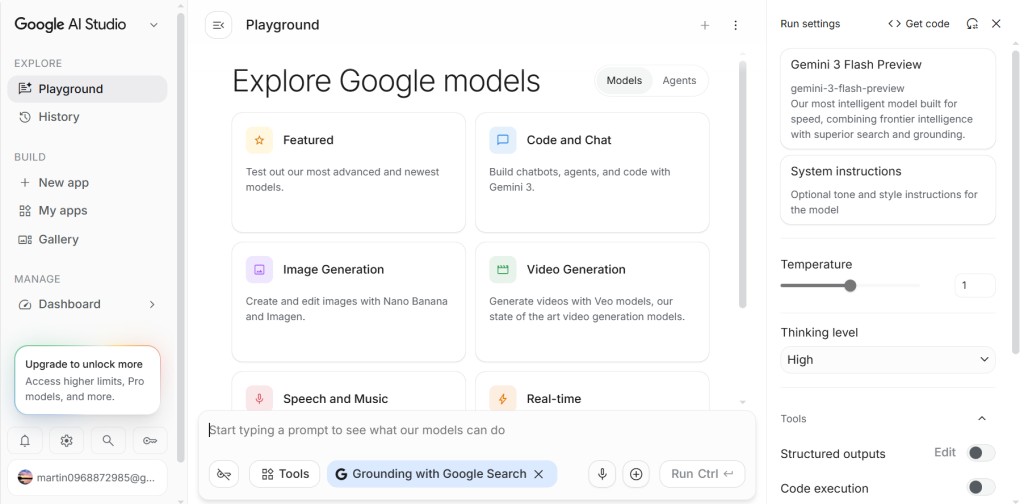

.env 檔案中。GEMINI_API_KEY=your_actual_google_ai_studio_api_key
DEFAULT_MODEL_NAME=gemma-4-31b-it
DEBUG=True
建立測試腳本 scripts/test_gemma_connection.py 驗證模型列表與 API 連線:
import os
from dotenv import load_dotenv
import google.generativeai as genai

load_dotenv()

api_key = os.getenv("GEMINI_API_KEY")
if not api_key:
    raise ValueError("未找到 GEMINI_API_KEY,請確認 .env 檔案設定。")

genai.configure(api_key=api_key)

def verify_connection():
    print("🔍 正在連接 Google AI Studio 獲取可用模型列表...")
    models = genai.list_models()
    print("✅ 可用模型列表:")
    for m in models:
        if 'generateContent' in m.supported_generation_methods:
            print(f"  - {m.name}")

    print("\n🚀 正在測試 Gemma-4-31B-it 生成對話...")
    model = genai.GenerativeModel('gemma-4-31b-it')
    response = model.generate_content("請簡短用一句話介紹自己,並說明你如何協助大學升學模擬面試。")
    print(f"🤖 模型回應:\n{response.text}")

if __name__ == "__main__":
    verify_connection()
在 CMD 或 Terminal 中執行測試腳本:
python scripts/test_gemma_connection.py
預期產出:
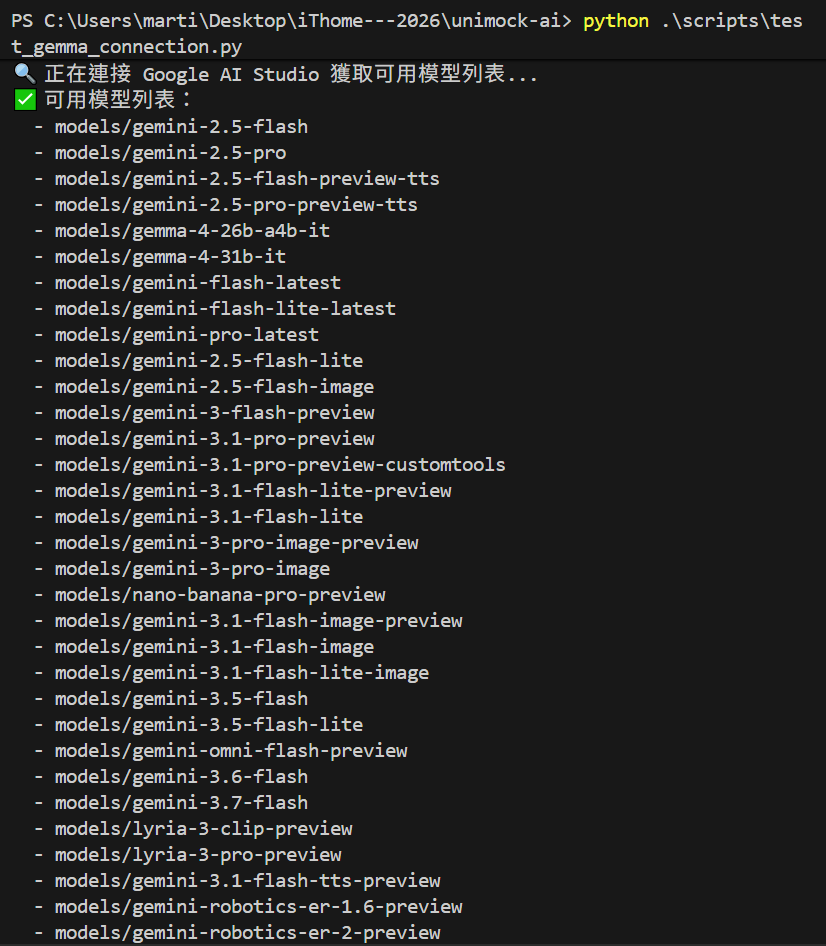
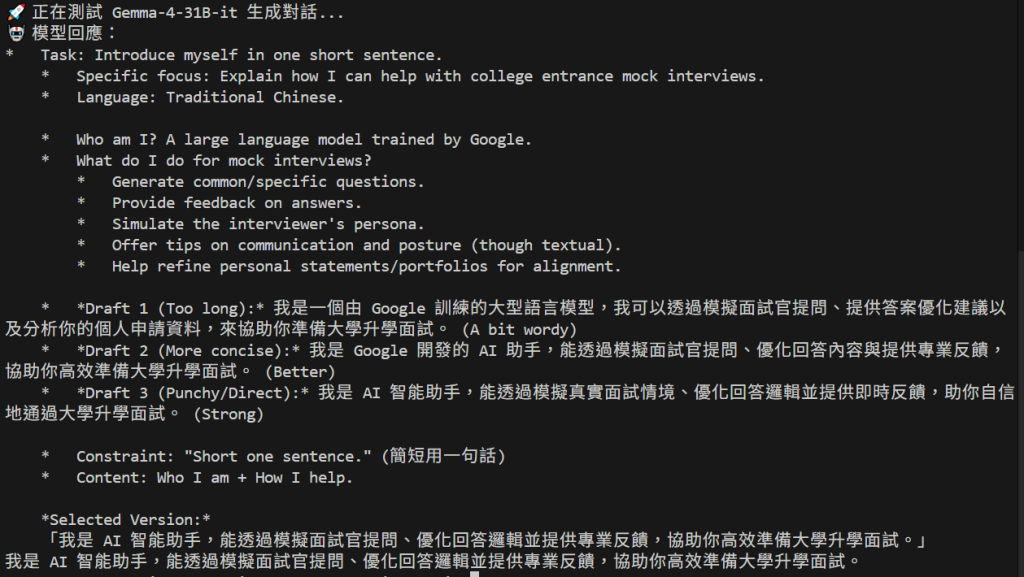
今天我們完成了 Antigravity 工作區與 Google AI Studio API 的基本連線打通。
明天 【Day 3】,我們將使用 Google Stitch 快速生成 UniMock AI 模擬面試沉浸座艙的前端原型!我們明天見!


 iThome鐵人賽
 看影片追技術