iT邦幫忙

2026 iThome 鐵人賽

DAY 9
0

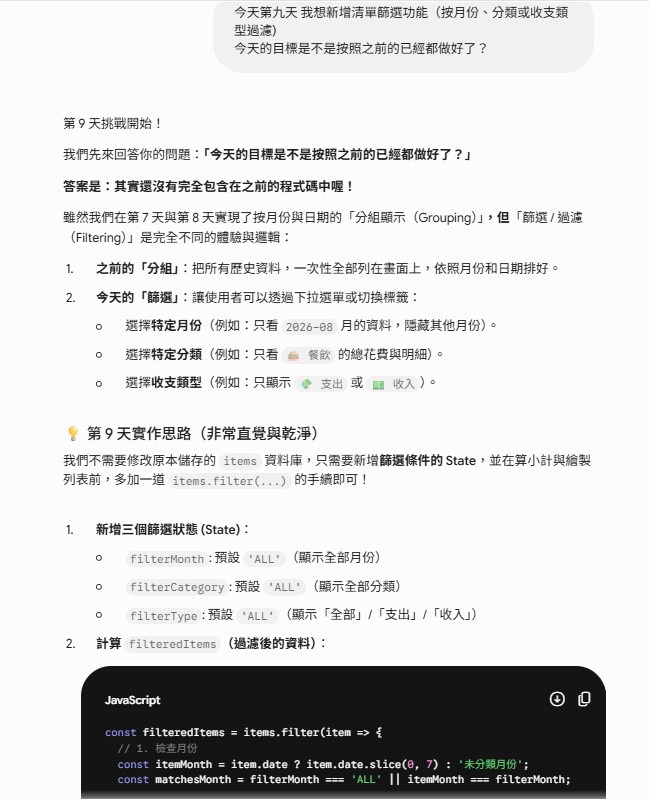
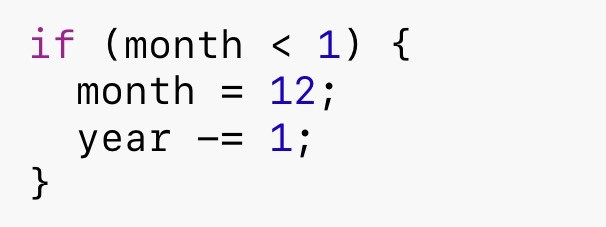
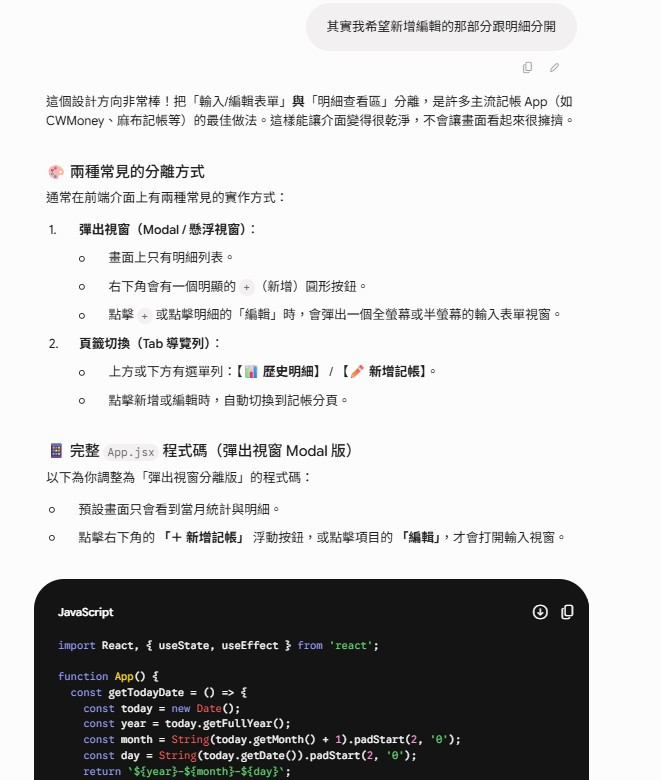
今天主要對記帳 App 的資料篩選方式和介面進行重構。原本所有紀錄都全部展示出來,這次我把它改成月份切換、收支頁籤,以及 Modal 彈出視窗,讓畫面更簡潔,也更方便查看資料。
https://ithelp.ithome.com.tw/upload/images/20260910/20183949PwhP6QOrod.jpg
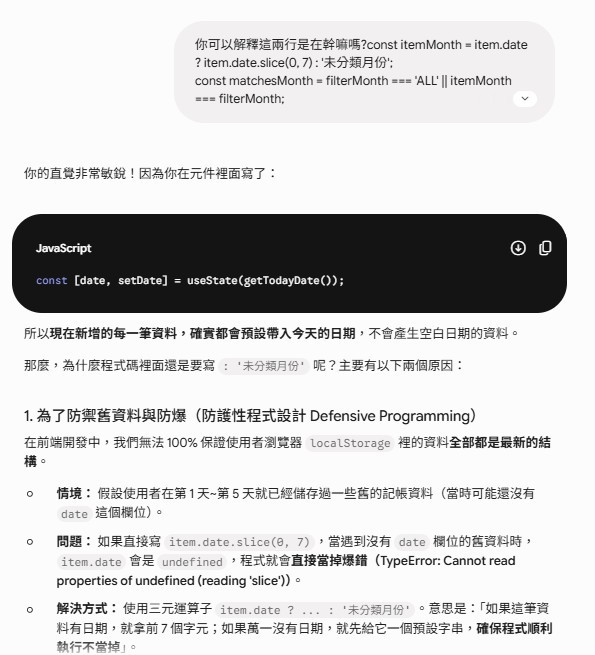
資料篩選與防護性程式設計:
https://ithelp.ithome.com.tw/upload/images/20260910/20183949VdnHfgapmQ.jpg
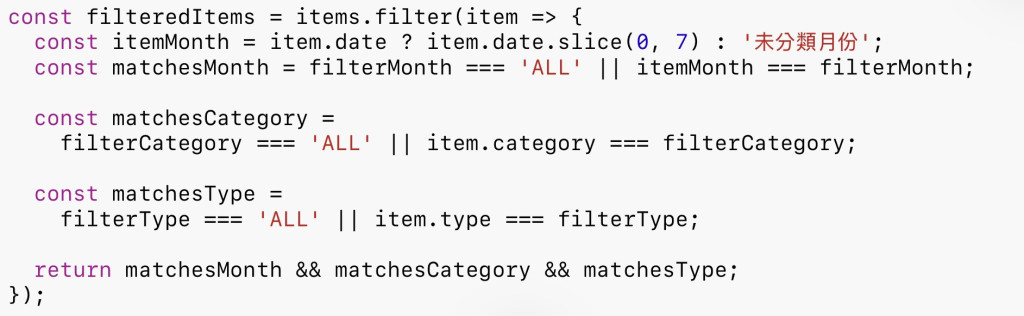
這次加入月份、分類和收支類型的多重篩選。因為一開始開發的時候,資料可能沒有 date 欄位,所以先確認資料是否存在,避免使用 slice() 時發生錯誤。
https://ithelp.ithome.com.tw/upload/images/20260910/20183949MhABxDAYCO.jpg
寫程式時除了考慮正常資料,也要預防資料不完整造成程式當掉,這就是防護性程式設計。
月份切換:
https://ithelp.ithome.com.tw/upload/images/20260910/20183949DmUwHorRTn.jpg
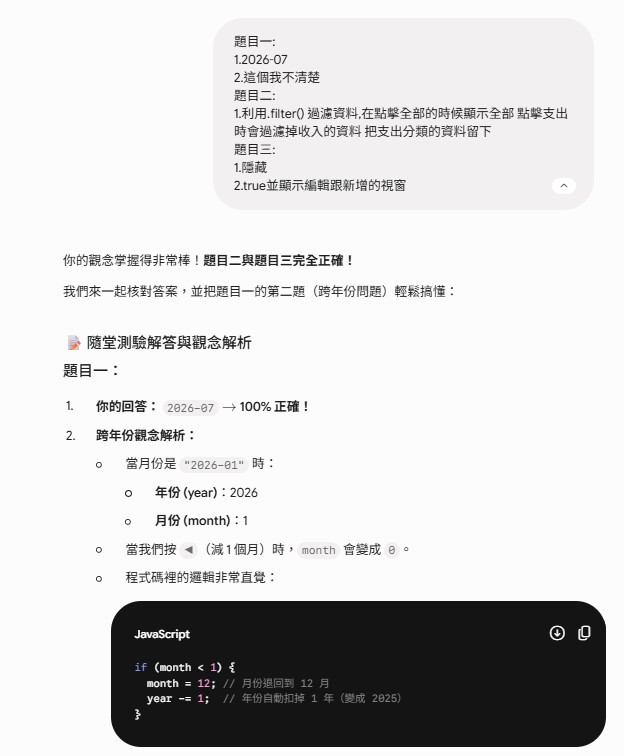
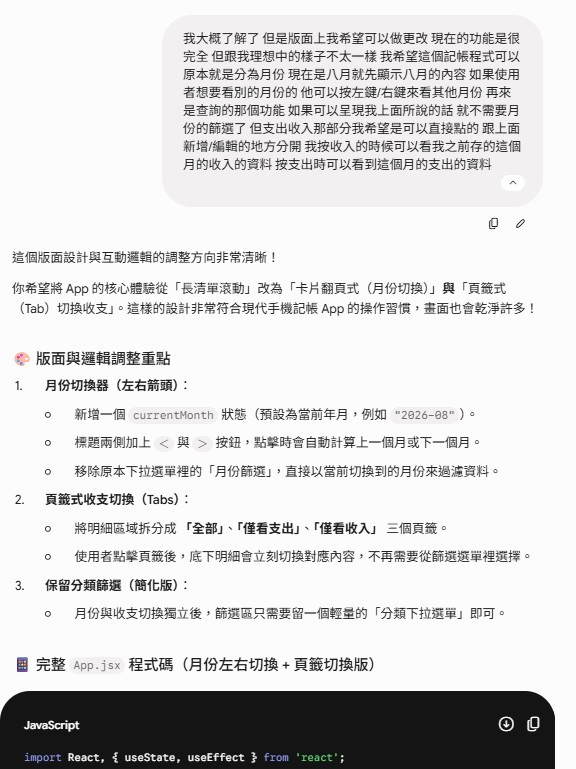
月份切換也需要考慮跨年份的情況,例如從 1 月往前切換時,要回到上一年的 12 月。
針對這部分,Gemini之後有出題考過我年份變換月份會怎麼變化?
https://ithelp.ithome.com.tw/upload/images/20260910/201839497FbYfB9ltY.jpg
https://ithelp.ithome.com.tw/upload/images/20260910/20183949f2rci8axFm.jpg
收支頁籤:
利用 activeTab 判斷目前要顯示全部、支出或收入:
https://ithelp.ithome.com.tw/upload/images/20260910/20183949VBMLTow141.jpg
Modal 彈出視窗:
新增和編輯資料時,改用 Modal 顯示表單,並透過 State 控制開關:

https://ithelp.ithome.com.tw/upload/images/20260910/20183949XzgDbikti1.jpg
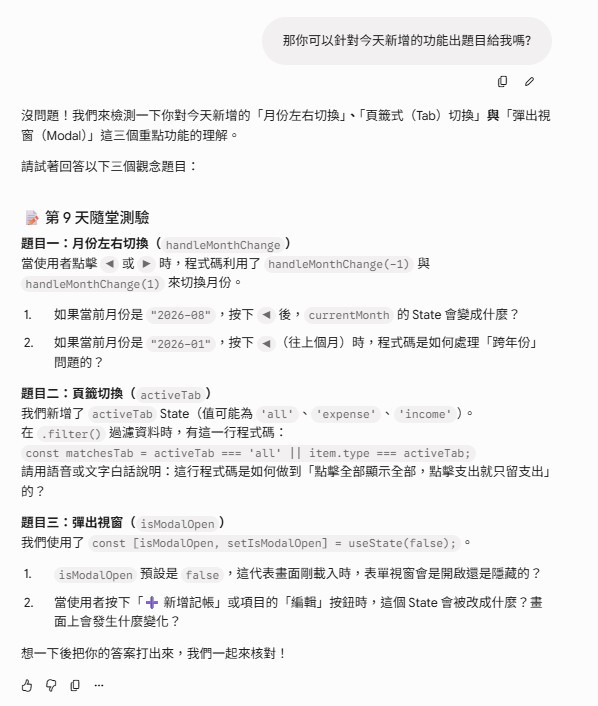
最後我請他出幾個題目考考我
https://ithelp.ithome.com.tw/upload/images/20260910/20183949BGAfAtz4x8.jpg
https://ithelp.ithome.com.tw/upload/images/20260910/20183949aJrvcuMkZR.jpg
總結:
今天主要是把原本的功能重新整理,加入月份切換、收支頁籤、資料篩選和 Modal,也開始注意資料不完整時可能造成的錯誤。


上一篇
Day 8|實作記帳資料的編輯與更新功能
系列文
Vibe Coding 實戰手冊:30 天打造具備預算控管與數據視覺化的 React 記帳應用9
圖片
  熱門推薦
圖片
{{ item.channelVendor }} | {{ item.webinarstarted }} |
{{ formatDate(item.duration) }}
直播中

尚未有邦友留言

立即登入留言