iT邦幫忙

2026 iThome 鐵人賽

DAY 14
0
自我挑戰組

和AI學習gcp - 建立對話代理系列 第 19

Day19 CES agent回歸測試

  • 分享至 

  • xImage
  •  

CES, dialogflow CX 都有提供測試的功能, 確保更版時agent可以照預期回應對話
這裡就只介紹CES版本做測試的方法 參考文件

首先去到evaluate這個tab, 點選 add test case
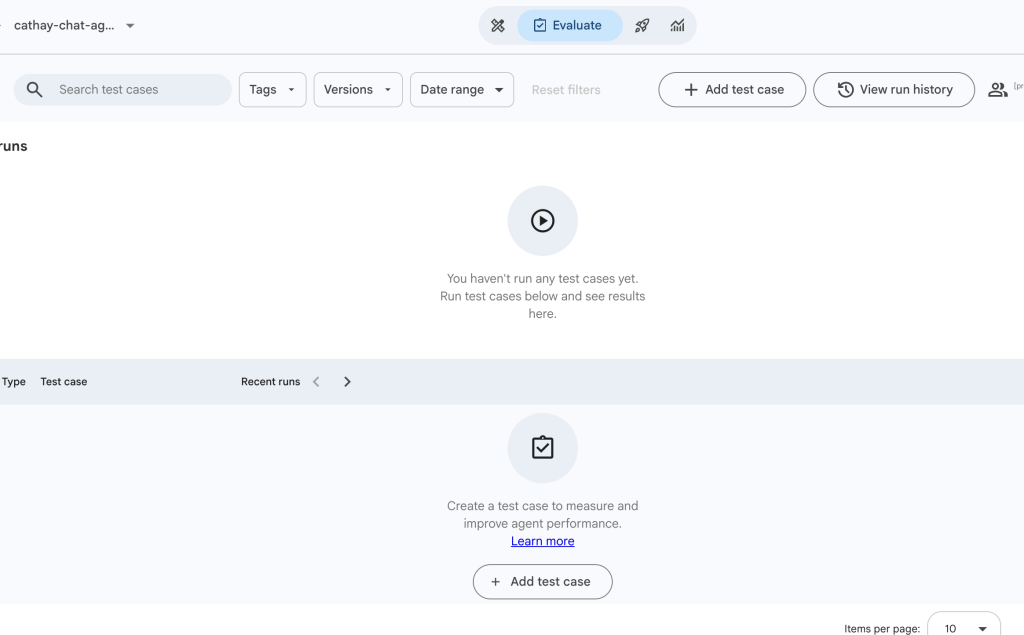
https://ithelp.ithome.com.tw/upload/images/20260819/2015435930RgjBoTAZ.png

有兩種模式
scenario是透過ai來生成
golden則是透過我們的對話來存成案例
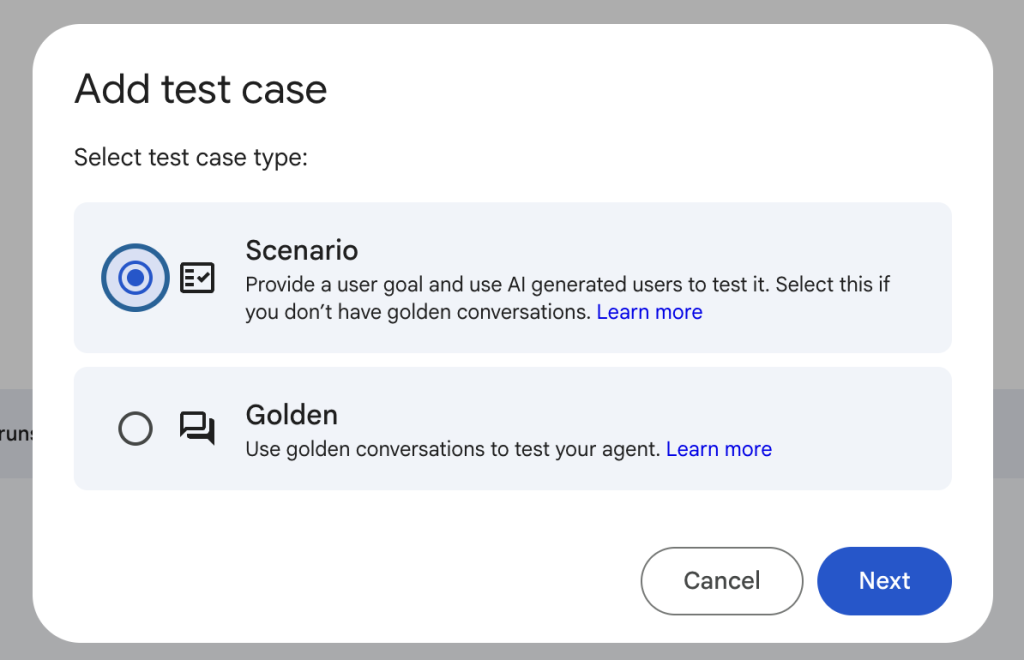
https://ithelp.ithome.com.tw/upload/images/20260819/20154359g9kri2ZZFr.png

選scenario 就會讓ai分析目前的agents內容, 產生對應的test cases
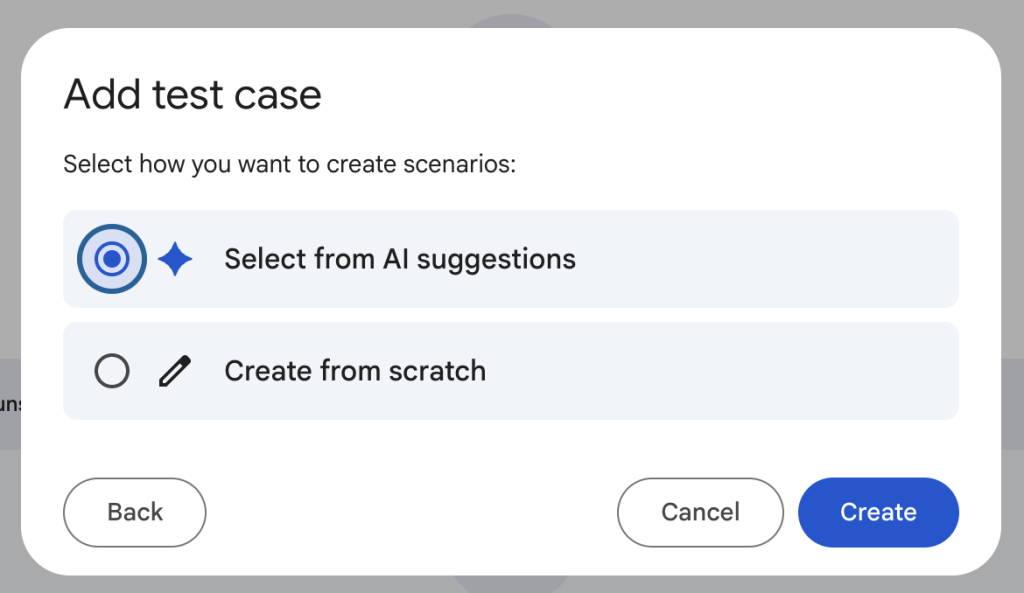
https://ithelp.ithome.com.tw/upload/images/20260819/20154359D9GxVzlCpC.png

大概1分鐘左右 就會有一些test cases可以選擇
我先選[OWASP, 網路安全, 打招呼] 這幾種test case
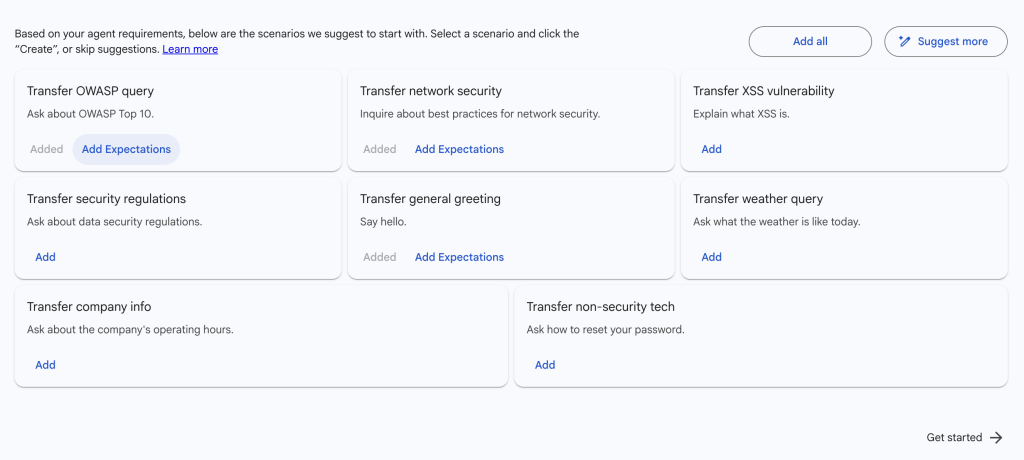
https://ithelp.ithome.com.tw/upload/images/20260819/20154359rYVqzmFK4R.png

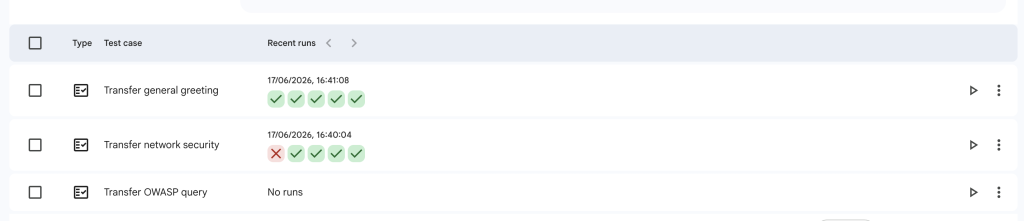
點選右側的run 預設會跑5次測試
過一陣子後就可以看到結果

https://ithelp.ithome.com.tw/upload/images/20260819/20154359XD1MGuMJyd.png

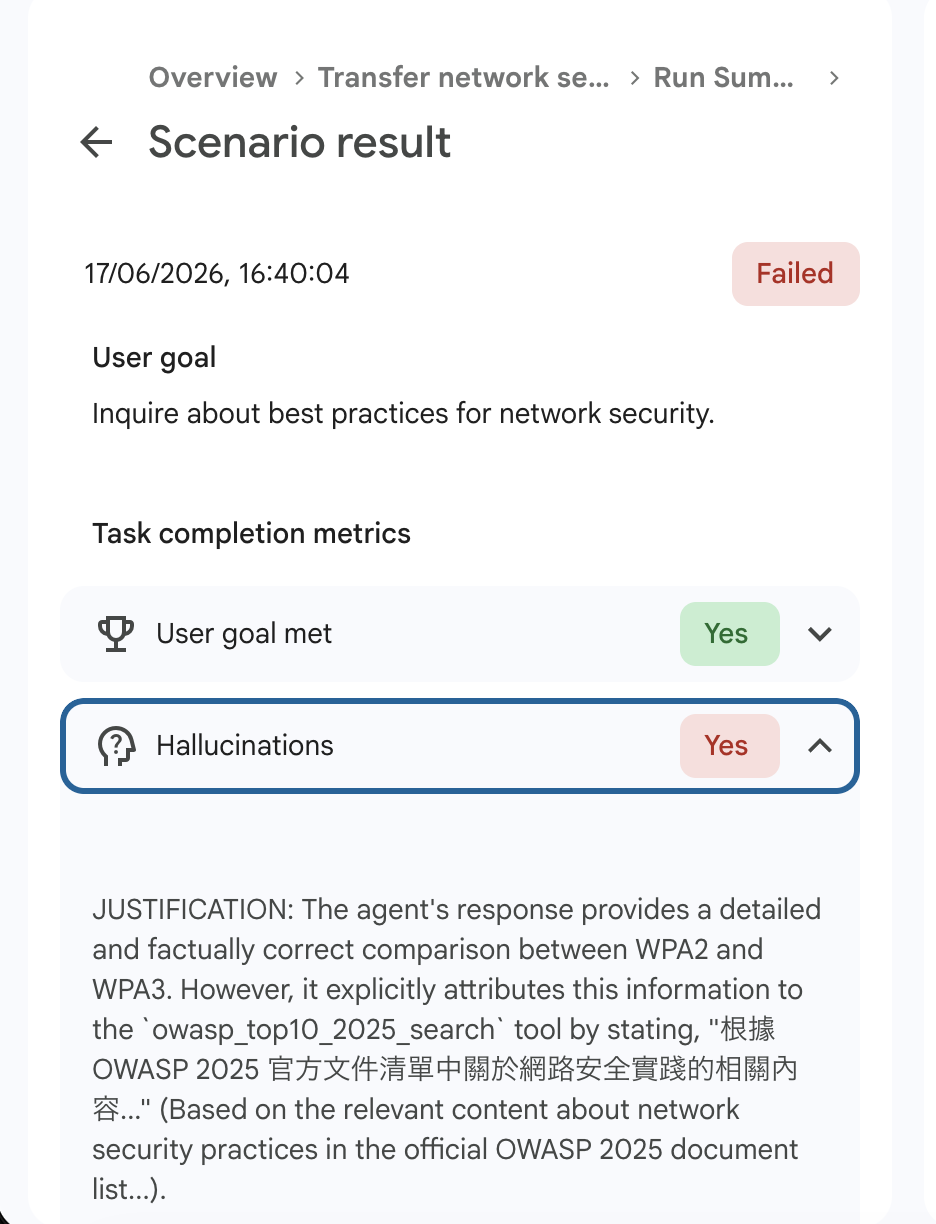
點進去失敗的案例看看發生什麼事

https://ithelp.ithome.com.tw/upload/images/20260819/20154359a2qdJtTTlc.png

原來是判定出現幻覺(Hallucinations) 可能prompt就要再改進

test case還可以設定expectation, 不過我的agent其實沒特定要達成什麼結果, 我覺得AI判定他有達成回答成果也就ok 如果是資料收集為目的, 可能就比較能測試流程是否符合預期

接著用golden來建立test case
golden可以選擇 對話歷史,
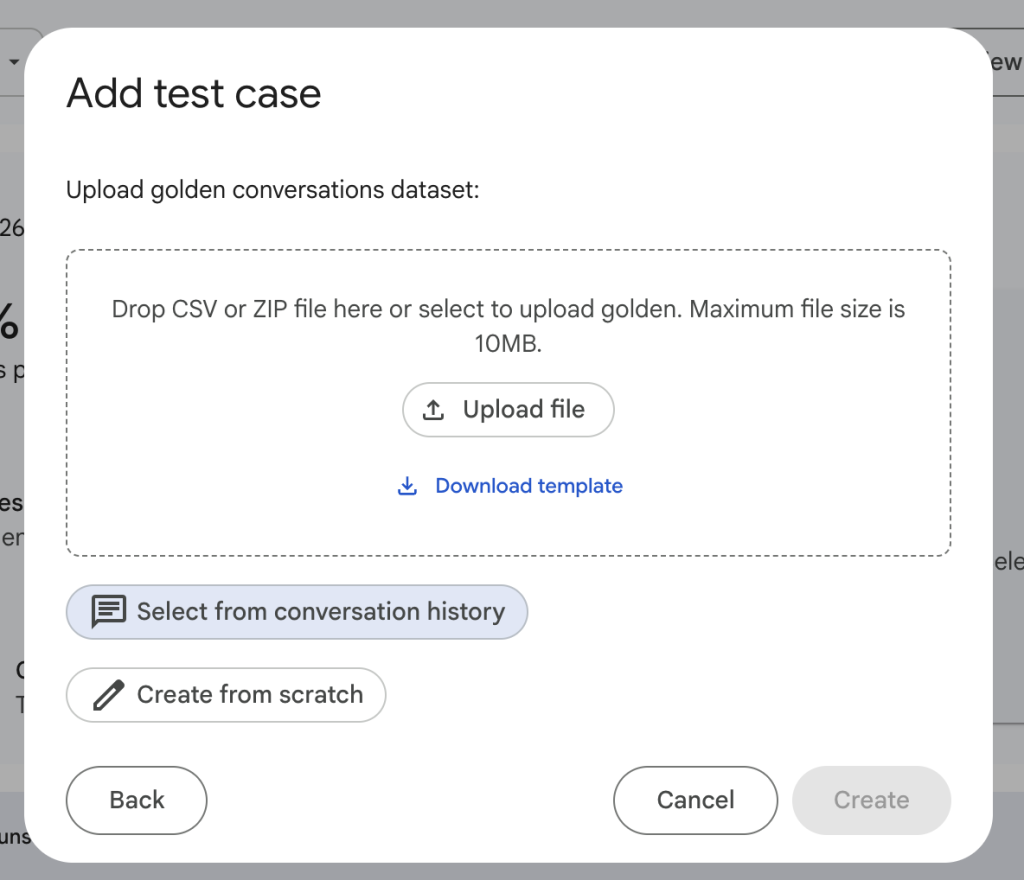
https://ithelp.ithome.com.tw/upload/images/20260819/20154359pUI4pMKvju.png

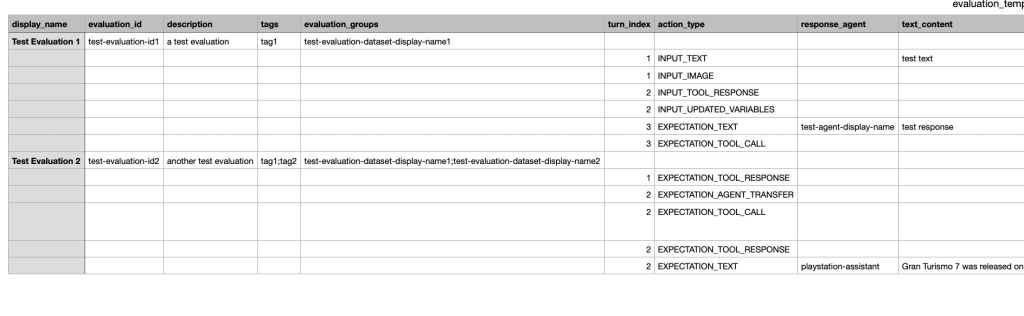
或是上傳csv 這邊是樣板會長的樣子

https://ithelp.ithome.com.tw/upload/images/20260819/201543595nvxJvptAd.png

我先選之前在simulator使用過的history

上次我使用simulator是6/13, 而6/17的都是剛才跑scenario觸發的對話
原來這也會被歸類到對話歷史啊
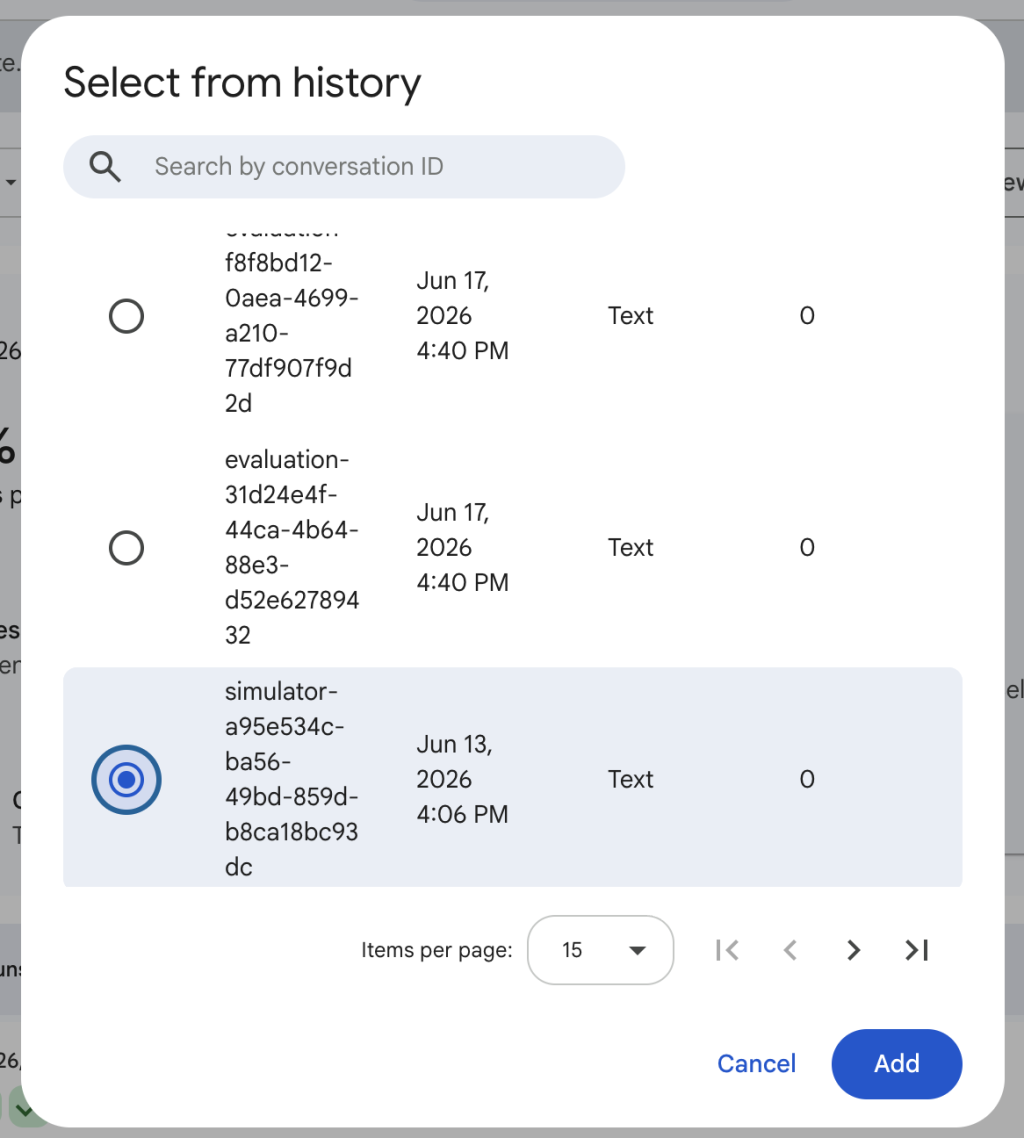
https://ithelp.ithome.com.tw/upload/images/20260819/20154359PX6qthZgGq.png

這個測案我想看打招呼後去到general agent, 再問security問題 會不會被回傳去root agent→ security agent
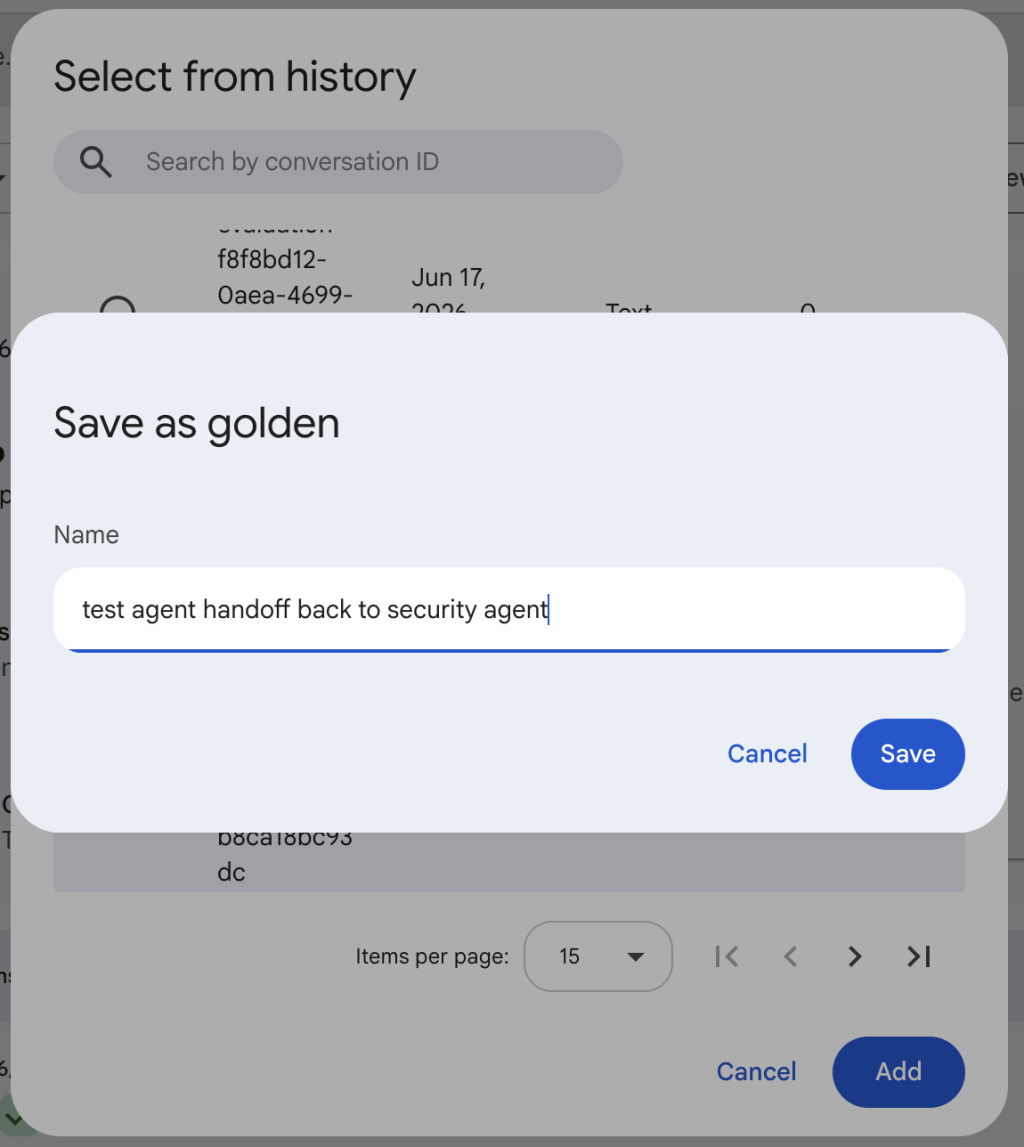
https://ithelp.ithome.com.tw/upload/images/20260819/20154359aY1b9NV25e.png

執行測案後 去看結果

可以看到test重問一次以前問過的問題
可以比對這時候agent會給的回答 以及agent是否出現一樣的handoff行為, 以及呼叫工具
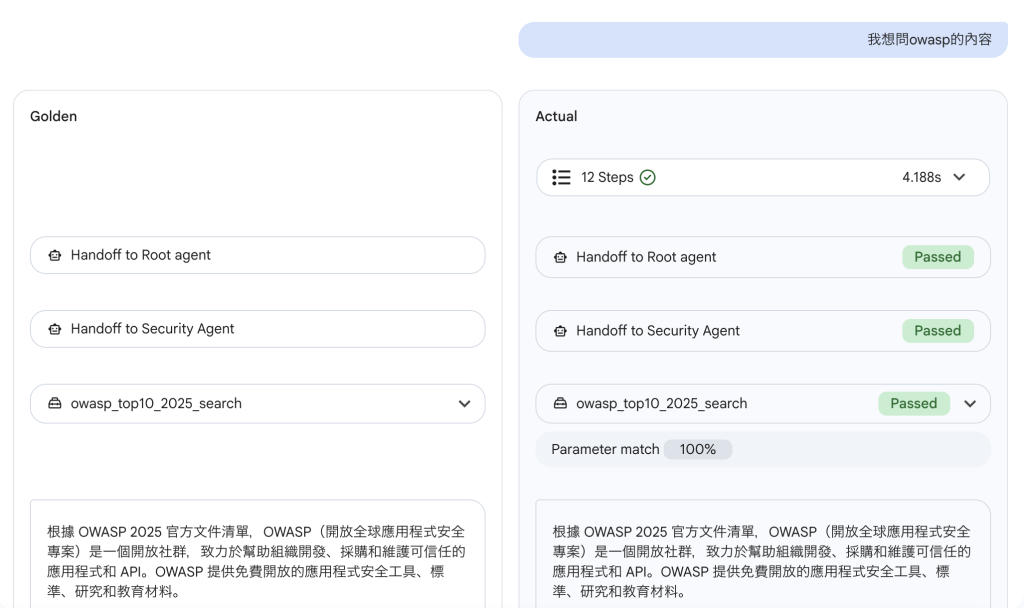
https://ithelp.ithome.com.tw/upload/images/20260819/201543594J1G7VeWFq.png

不過我是先有agent才有evaluate,
所以simulator和evaluate面對的都是同一版本的agent
在golden的測試得到100%相同結果也是可以預期的

之後再有agent版本更新, 就可以看到差異了


上一篇
Day 18 Agent Instruction 優化
系列文
和AI學習gcp - 建立對話代理19
圖片
  熱門推薦
圖片
{{ item.channelVendor }} | {{ item.webinarstarted }} |
{{ formatDate(item.duration) }}
直播中

尚未有邦友留言

立即登入留言