

這裏更近一步講 Elysia 的部分,在 Elysia 的世界有一個值得提及的部分
就是 Eden Treaty 有一段時間 trpc 在 nodejs 的圈子有流行,
對於 Elysia 來說 Eden Treaty 基本上類似 trpc 的存在
這樣確保前後端都保持一致的型別規範,不用因此寫兩套
這方便減少不必要的型別定義,間接提高開發效率以及減少程式碼量
記得要先把 Eden 給裝起來
bun add @elysiajs/eden
裝起來後就可以做以下的嘗試了
我們這裡寫一個簡單的 Elysia app,
src/server.ts
import { Elysia, t } from 'elysia';

const app = new Elysia()
  .get('/testing', () => '測試測試')
  .post('/id/:id', ({ params: { id } }) => id, {
    params: t.Object({
      id: t.Number()
    })
  })
  .post('/sample', ({ body }) => body, {
    body: t.Object({
      id: t.Number(),
      name: t.String()
    })
  })
  .listen(3000);

export type App = typeof app;
我們這裡可以把服務起起來
bun run --watch src/server.ts
src/client.ts
import { treaty } from '@elysia/eden';
import type { App } from './server'

const client = treaty<App>('localhost:3000');

// === 這裡用 /testing 的 endpoint
const { data: testingData, error: testingError } = await client.testing.get();

if (testingError != null) {
  throw new Error('/testing 看來有錯誤')
}

console.log(`/testing 拿到的資料 : ${testingData}`);

// === 這裡用 /id/:id 的 endpoint

const { data: idData, error: idError } = await client.id({ id: 1234 }).post();

if (idError !== null) {
  throw new Error('/id/:id 看來有錯誤')
}

console.log(`/id/:id 拿到的資料 ${idData}`);

// === 這裡用 /sample

const { data: sampleData, error: sampleError } = await client.sample.post({ id: 123, name: 'hello' })

if (sampleError !== null) {
  throw new Error('/sample 看來有錯誤');
}

console.log('/smaple 拿到的資料');
console.log(sampleData);
這時候執行以下的指令可以看到結果
bun run src/client.ts
我們這裡簡單展示一下
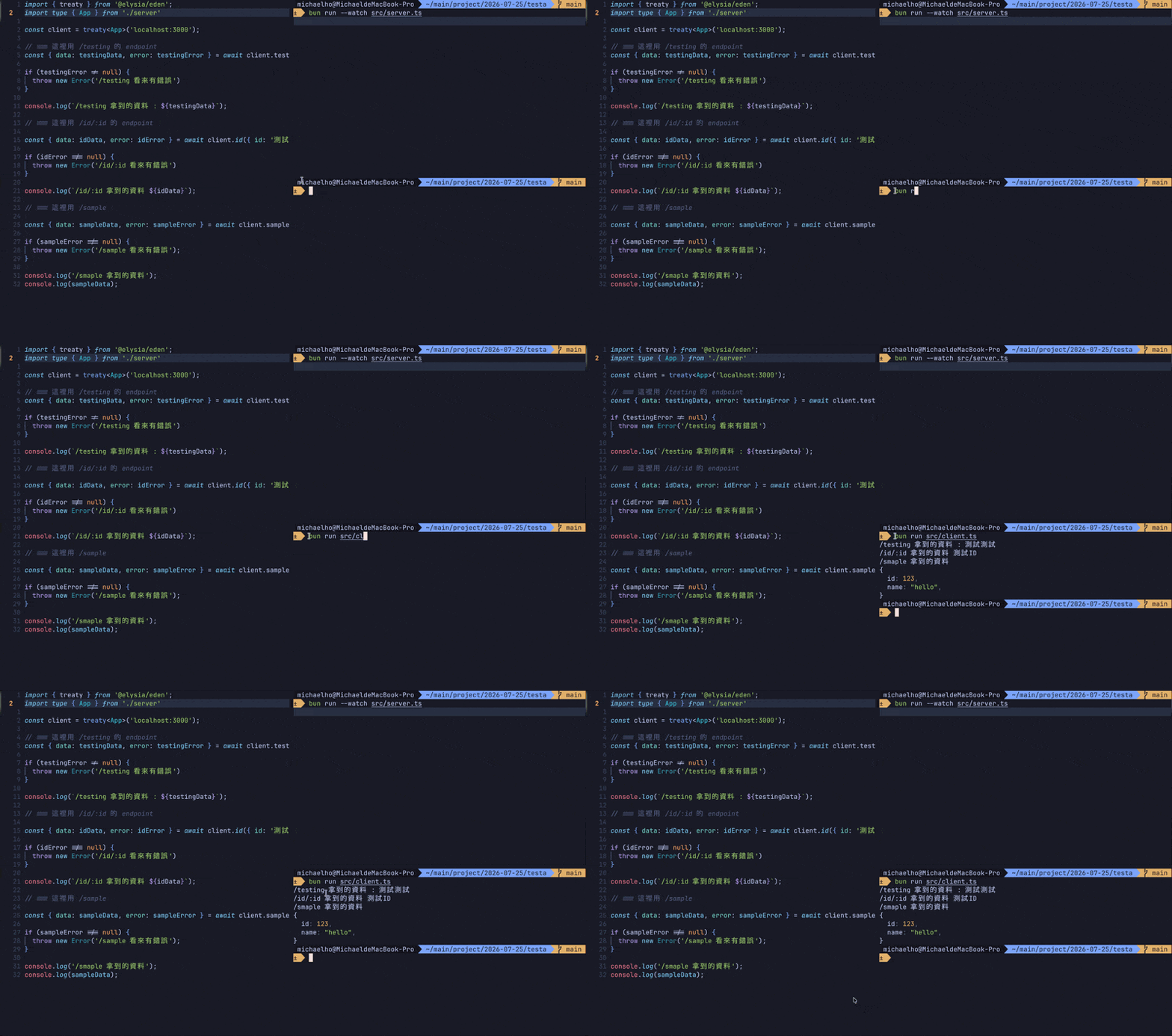
透過今天的練習,我們用短短幾行程式碼,就讓 client 端完整繼承了 server 端的型別定義
Eden Treaty 都幫我們在編譯期就把關好了。
這代表當 server 端的 API 規格改變時,client 端會立刻透過 TypeScript 的紅字提醒我們同步修改,
而不是等到執行期才發現前後端對不上,白白 debug 半天
我們要幫 Elysia 接上真正的資料庫!我們會介紹 Drizzle ORM



 iThome鐵人賽
 看影片追技術