
接下來,先接上Micro:bit,打開MakeCode網址,並把AI給我的Code貼上:
MakeCode 程式(JavaScript 分頁貼上即可)
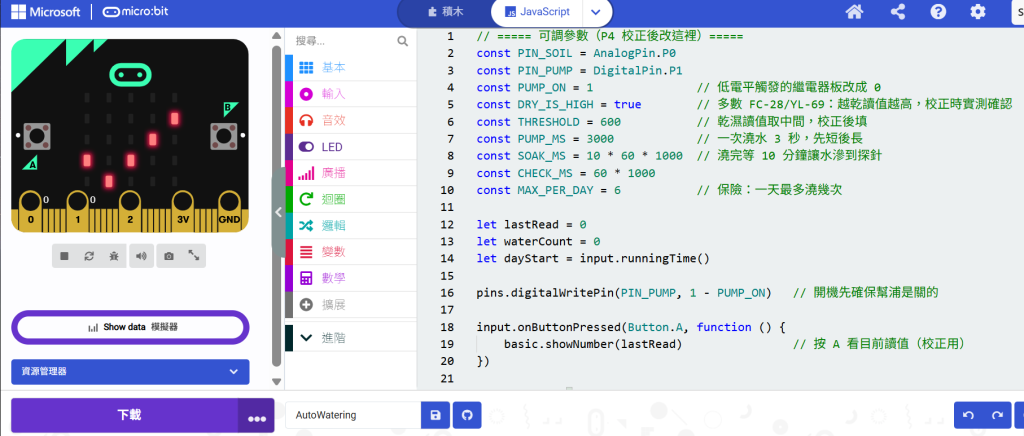
Figure 1: Micro:bit, JavaScript Editor
// ===== 可調參數(P4 校正後改這裡)=====
const PIN_SOIL = AnalogPin.P0
const PIN_PUMP = DigitalPin.P1
const PUMP_ON = 1               // 低電平觸發的繼電器板改成 0
const DRY_IS_HIGH = true        // 多數 FC-28/YL-69:越乾讀值越高,校正時實測確認
const THRESHOLD = 600           // 乾濕讀值取中間,校正後填
const PUMP_MS = 3000            // 一次澆水 3 秒,先短後長
const SOAK_MS = 10 * 60 * 1000  // 澆完等 10 分鐘讓水滲到探針
const CHECK_MS = 60 * 1000
const MAX_PER_DAY = 6           // 保險:一天最多澆幾次

let lastRead = 0
let waterCount = 0
let dayStart = input.runningTime()

pins.digitalWritePin(PIN_PUMP, 1 - PUMP_ON)   // 開機先確保幫浦是關的

input.onButtonPressed(Button.A, function () {
    basic.showNumber(lastRead)                // 按 A 看目前讀值(校正用)
})

basic.forever(function () {
    if (input.runningTime() - dayStart > 24 * 60 * 60 * 1000) {
        dayStart = input.runningTime()
        waterCount = 0
    }

    lastRead = pins.analogReadPin(PIN_SOIL)
    serial.writeValue("soil", lastRead)        // 接電腦可存 CSV 畫曲線

    let tooDry = false
    if (DRY_IS_HIGH) {
        tooDry = lastRead > THRESHOLD
    } else {
        tooDry = lastRead < THRESHOLD
    }

    if (tooDry && waterCount < MAX_PER_DAY) {
        basic.showIcon(IconNames.Umbrella)
        pins.digitalWritePin(PIN_PUMP, PUMP_ON)
        basic.pause(PUMP_MS)
        pins.digitalWritePin(PIN_PUMP, 1 - PUMP_ON)
        waterCount += 1
        basic.showIcon(IconNames.Asleep)
        basic.pause(SOAK_MS)
    } else {
        basic.showIcon(IconNames.Yes)
        basic.pause(CHECK_MS)
    }
})
當然,Threshold的部份,Claude Code也會提醒你要校正,另外pump要另接電源,甚至接法也詳細列出,對第一次拿到板子的新手,實在是詳細的有點可怕!!



 iThome鐵人賽
 看影片追技術