
今天我要把「新增書籍」的 HTML 表單介面add_book.php完成,並搭配 PHP 後端邏輯將使用者填寫的資料寫入 MySQL 資料庫。
add_book.php對 Claude Code 下這個 Prompt:
請幫我在 ~/library-system/add_book.php 建立新增書籍頁面:
1. 引進 config/database.php 並取得 PDO 連線。
2. 當收到 POST 請求時,接收表單欄位:title(書名)、author(作者)、category(類別)、quantity(數量)。
3. 使用 Prepared Statement (INSERT INTO books) 將資料寫入資料庫,available 預設等於 quantity。
4. 成功寫入後重新導向至 index.php。
5. 前端繪製包含上述欄位的 HTML5 表單,樣式需與 index.php 保持一致。
生成的 add_book.php:
<?php

require __DIR__ . '/config/database.php';

$pdo = Database::getConnection();

$errors = [];
$title = '';
$author = '';
$isbn = '';
$category = '';
$quantity = '';

// 只有表單送出(POST)時才驗證與寫入資料庫,GET 只是顯示空白表單
if ($_SERVER['REQUEST_METHOD'] === 'POST') {
    $title = trim($_POST['title'] ?? '');
    $author = trim($_POST['author'] ?? '');
    $isbn = trim($_POST['isbn'] ?? '');
    $category = trim($_POST['category'] ?? '');
    $quantity = trim($_POST['quantity'] ?? '');

    // 逐一驗證必填欄位與數量格式,錯誤訊息累積起來一次顯示
    if ($title === '') {
        $errors[] = '請輸入書名';
    }
    if ($author === '') {
        $errors[] = '請輸入作者';
    }
    if ($isbn === '') {
        $errors[] = '請輸入 ISBN';
    }
    if ($quantity === '' || !ctype_digit($quantity) || (int) $quantity < 0) {
        $errors[] = '數量請輸入 0 以上的整數';
    }

    if (empty($errors)) {
        $quantity = (int) $quantity;

        try {
            // 新增書籍時,可借數量(available)等於總數量(total)
            $sql = "INSERT INTO books (title, author, isbn, category, total, available)
                    VALUES (:title, :author, :isbn, :category, :total, :available)";
            $stmt = $pdo->prepare($sql);
            $stmt->execute([
                ':title' => $title,
                ':author' => $author,
                ':isbn' => $isbn,
                ':category' => $category !== '' ? $category : null,
                ':total' => $quantity,
                ':available' => $quantity,
            ]);

            // 新增成功導回列表頁
            header('Location: index.php');
            exit;
        } catch (PDOException $e) {
            // 23000 為唯一鍵衝突(ISBN 重複),其餘視為一般寫入錯誤
            if ($e->getCode() === '23000') {
                $errors[] = '這個 ISBN 已經存在,請確認後再試一次';
            } else {
                $errors[] = '寫入資料庫失敗,請稍後再試';
            }
        }
    }
}

?>
<!DOCTYPE html>
<html lang="zh-Hant">
<head>
<meta charset="UTF-8">
<title>新增書籍 - 圖書管理系統</title>
<style>
    body {
        font-family: "Microsoft JhengHei", Arial, sans-serif;
        background-color: #f5f5f5;
        color: #333;
        margin: 0;
        padding: 2rem;
    }
    h1 {
        text-align: center;
        margin-bottom: 1.5rem;
    }
    form {
        width: 100%;
        max-width: 480px;
        margin: 0 auto;
        background-color: #fff;
        box-shadow: 0 1px 3px rgba(0, 0, 0, 0.1);
        padding: 1.5rem 2rem;
        box-sizing: border-box;
    }
    .field {
        margin-bottom: 1rem;
    }
    label {
        display: block;
        margin-bottom: 0.35rem;
        font-weight: bold;
    }
    input[type="text"],
    input[type="number"] {
        width: 100%;
        padding: 0.5rem;
        border: 1px solid #ccc;
        border-radius: 4px;
        box-sizing: border-box;
        font-size: 1rem;
    }
    button {
        width: 100%;
        padding: 0.75rem;
        background-color: #2c3e50;
        color: #fff;
        border: none;
        border-radius: 4px;
        font-size: 1rem;
        cursor: pointer;
    }
    button:hover {
        background-color: #1a252f;
    }
    .errors {
        max-width: 480px;
        margin: 0 auto 1rem;
        background-color: #fdecea;
        color: #b71c1c;
        border: 1px solid #f5c6cb;
        border-radius: 4px;
        padding: 0.75rem 1rem;
    }
    .errors ul {
        margin: 0;
        padding-left: 1.25rem;
    }
    .back-link {
        display: block;
        max-width: 480px;
        margin: 1rem auto 0;
        text-align: center;
    }
</style>
</head>
<body>
    <h1>新增書籍</h1>

<?php // 有驗證或寫入錯誤時,在表單上方列出所有錯誤訊息 ?>
<?php if (!empty($errors)): ?>
    <div class="errors">
        <ul>
<?php foreach ($errors as $error): ?>
            <li><?= htmlspecialchars($error) ?></li>
<?php endforeach; ?>
        </ul>
    </div>
<?php endif; ?>

     <form method="POST" action="add_book.php">
        <div class="field">
            <label for="title">書名</label>
            <input type="text" id="title" name="title" value="<?= htmlspecialchars($title) ?>" required>
        </div>
        <div class="field">
            <label for="author">作者</label>
            <input type="text" id="author" name="author" value="<?= htmlspecialchars($author) ?>" required>
        </div>
        <div class="field">
            <label for="isbn">ISBN</label>
            <input type="text" id="isbn" name="isbn" value="<?= htmlspecialchars($isbn) ?>" required>
        </div>
        <div class="field">
            <label for="category">類別</label>
            <input type="text" id="category" name="category" value="<?= htmlspecialchars($category) ?>">
        </div>
        <div class="field">
            <label for="quantity">數量</label>
            <input type="number" id="quantity" name="quantity" value="<?= htmlspecialchars($quantity) ?>" min="0" required>
        </div>
        <button type="submit">新增書籍</button>
    </form>

    <a class="back-link" href="index.php">返回書籍列表</a>
</body>
</html>
在 WSL2 終端機輸入以下指令:
php -S 127.0.0.1:8000
打開瀏覽器輸入以下網址:
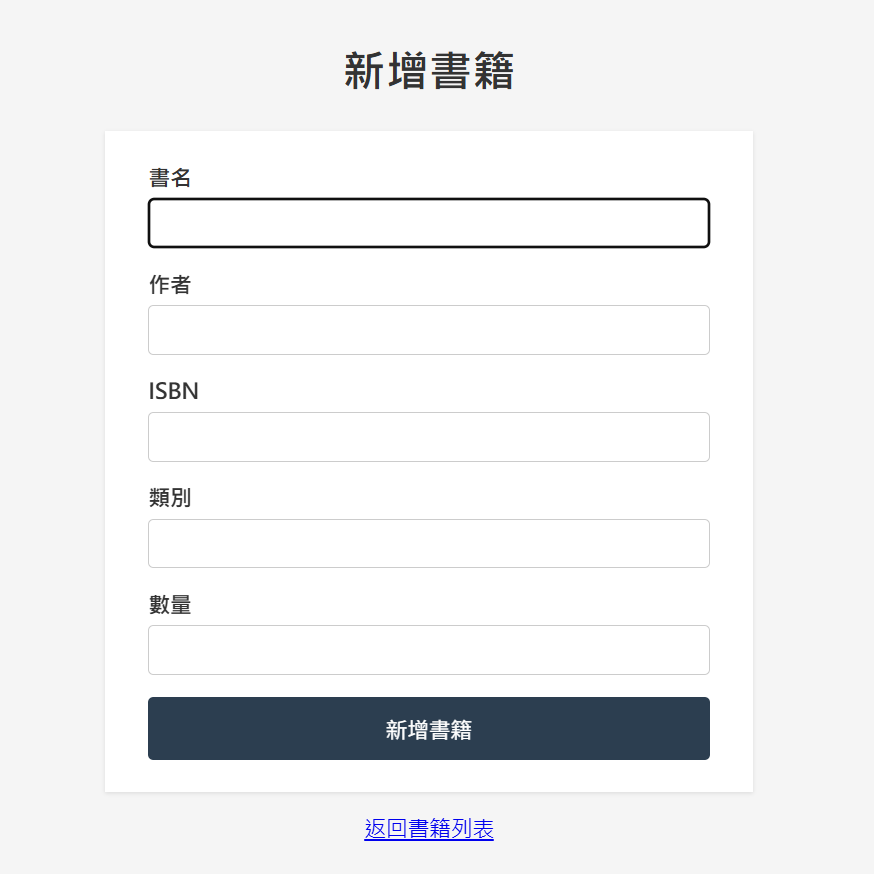
http://localhost:8000/add_book.php
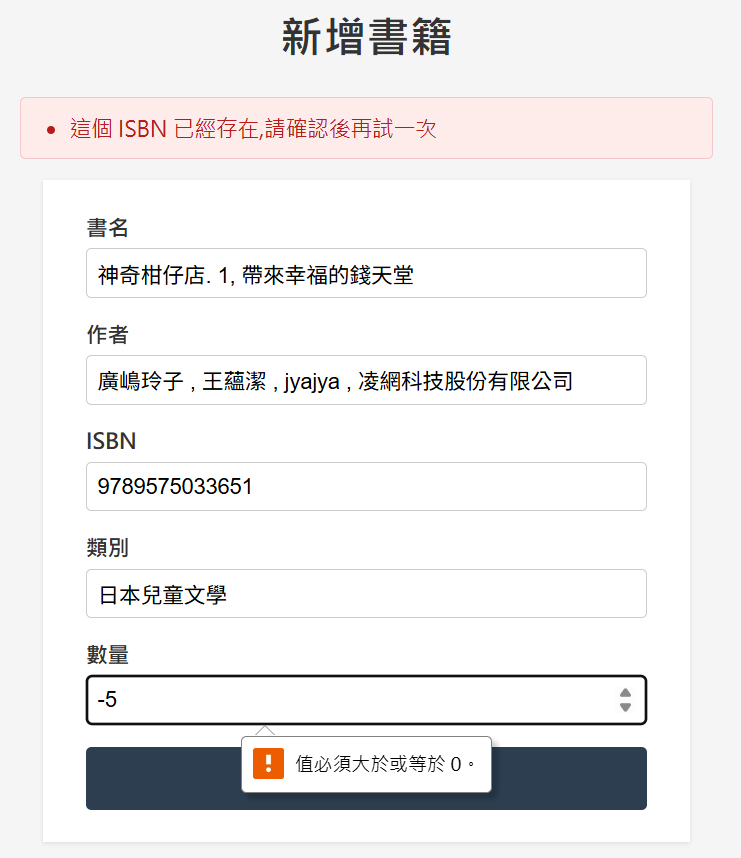
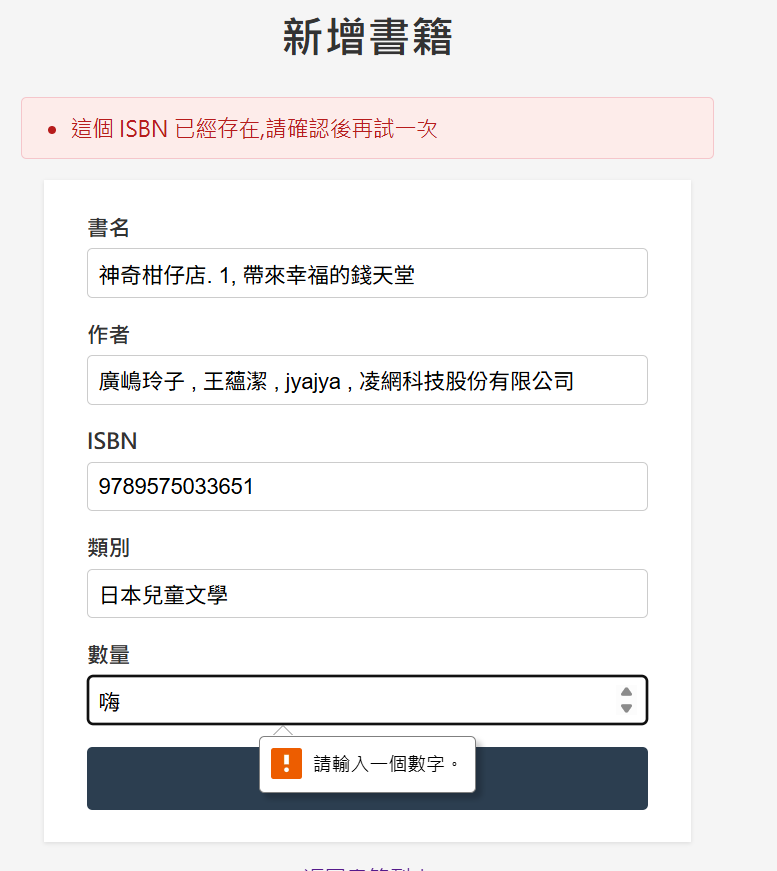
並進行以下四種測試:
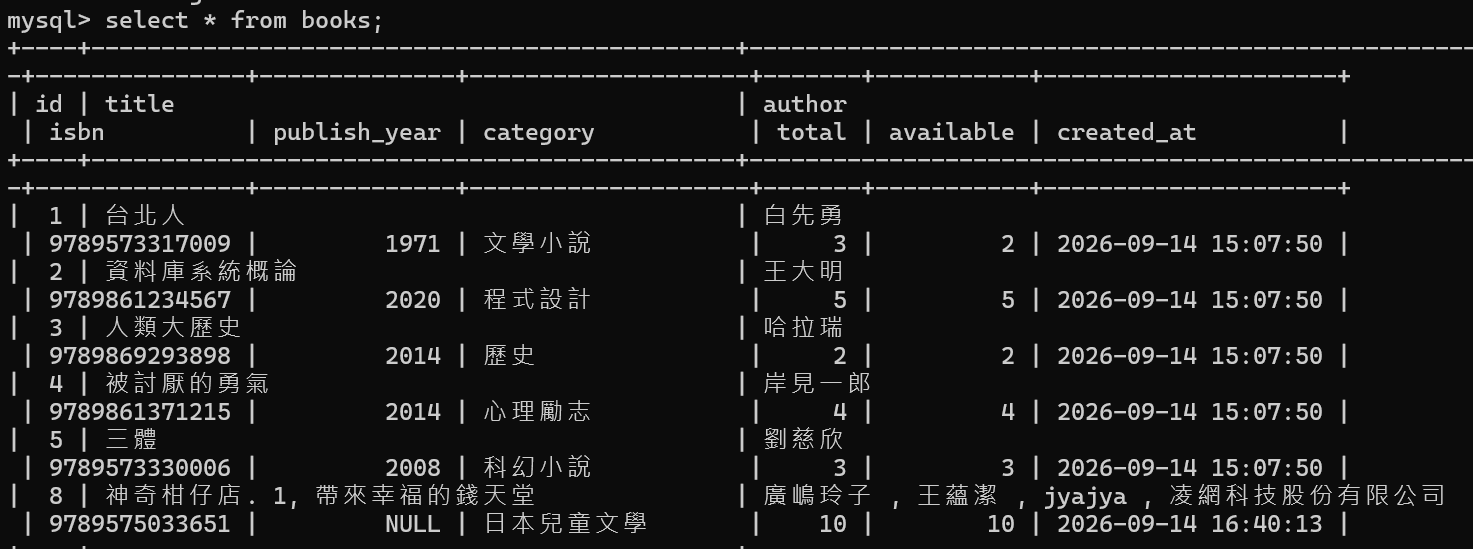
index.php,且相應位置出現剛剛新增的那本書,後端資料庫 total 與 available 數量皆顯示 10。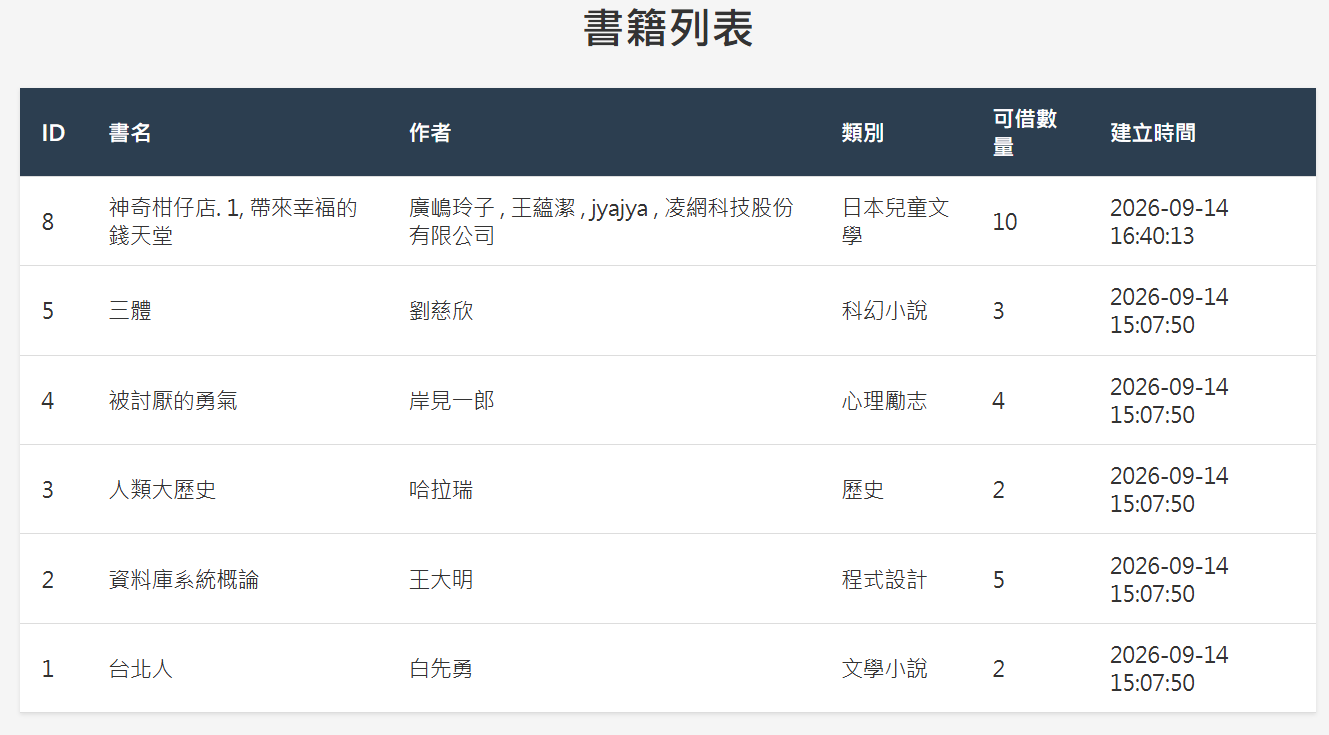
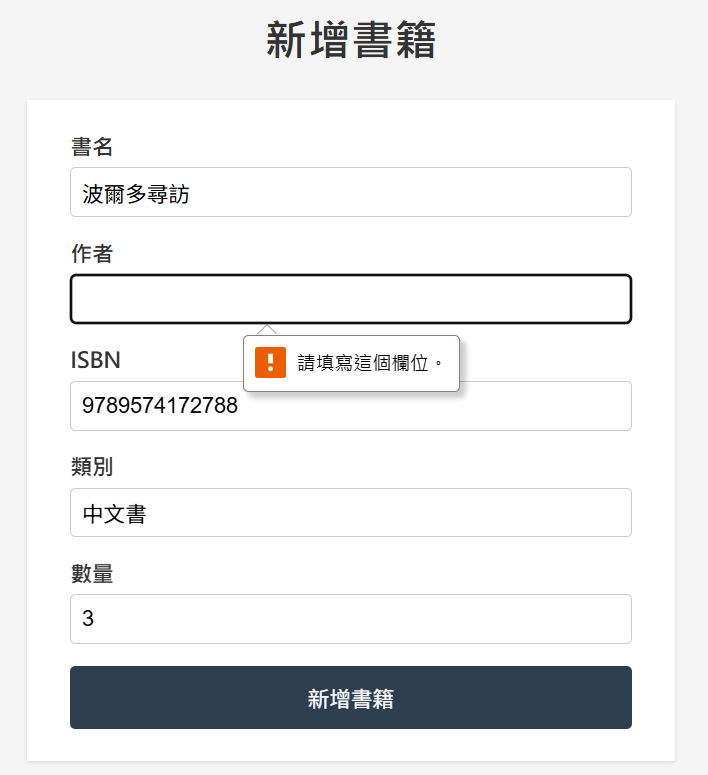
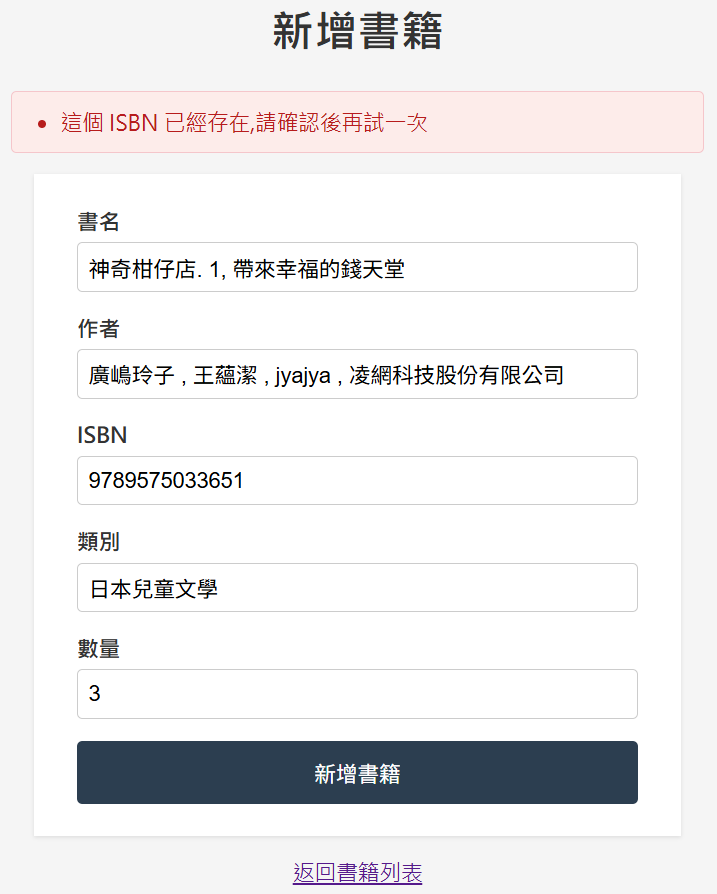
今天完成 add_book.php 新增書籍功能,包含完整的前後端驗證、防禦性程式碼與例外處理。
下一篇文章將繼續完成圖書管理系統的編輯書籍與刪除功能。



 iThome鐵人賽
 看影片追技術