
手上有前端、有柱子(Service)、有看板(Ingress)、有倉庫(PersistentVolume,PV)、有小盒(Secret)。
但它們到現在還是各自獨立的零件,沒有組成一個像樣的系統。
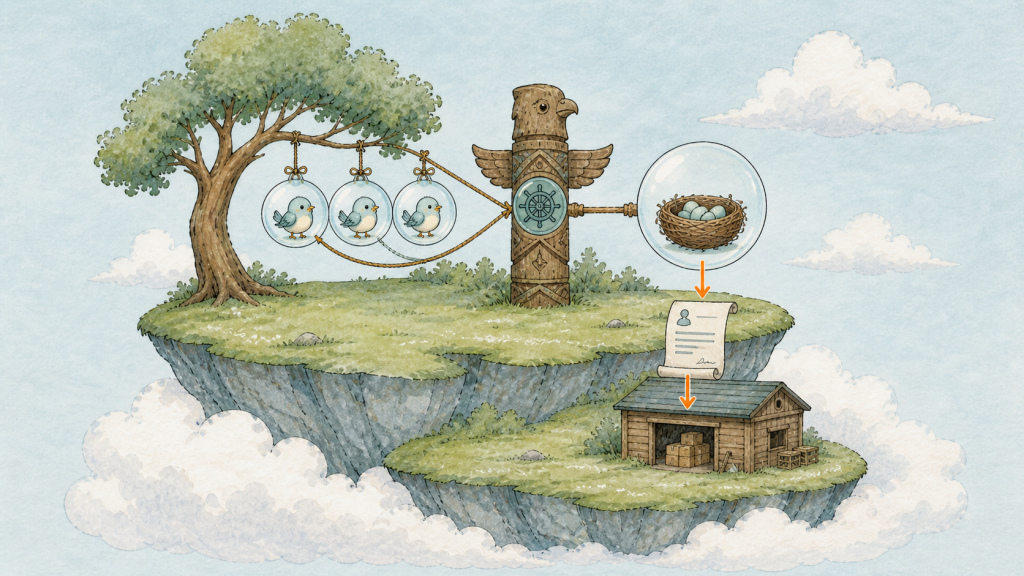
前端三顆泡泡(Pod)連到一根圖騰柱(Service),柱子(Service)後面一顆資料庫泡泡(Pod),泡泡下方連著地面的倉庫(PV)。
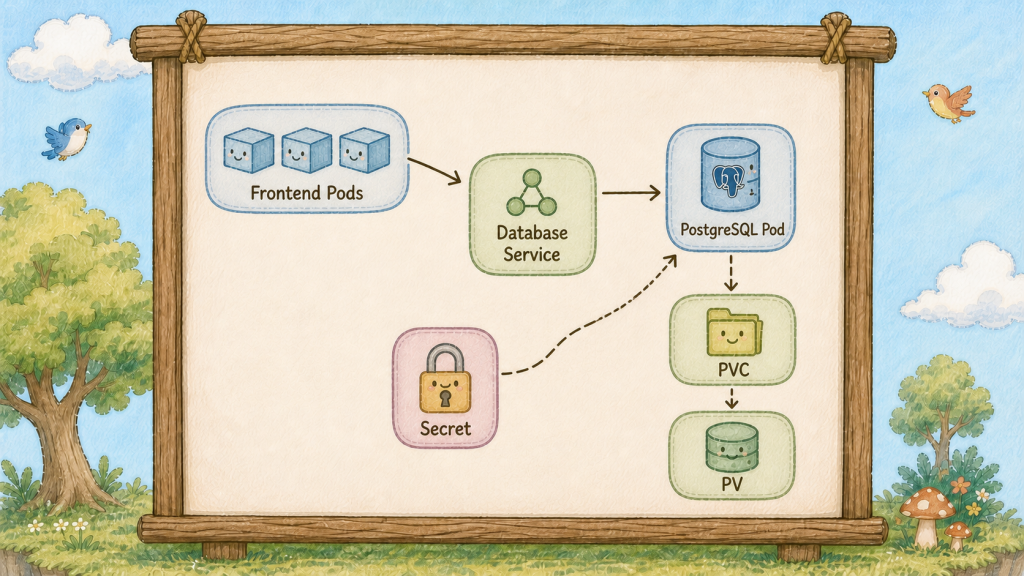
今天把第四幕的零件組成第一個真實架構。
從上往下看圖:
前端層
三顆 hello 泡泡(Pod),可以隨便破、隨便擴、隨便換版本。
它們不存任何東西,所以破一百次都無所謂。
中間層
一根 hello-db 圖騰柱(Service)。
這根柱子(Service)的存在,讓前端可以只認一個名字,不必知道資料庫泡泡(Pod)在哪棵樹、IP 是多少。
資料層
一顆 Postgres 泡泡(Pod),接著地面上的倉庫(PV)。
它是最不能隨便處理的東西之一,因為東西都在它手上。
每個都是前面學過的。
第一,前端用名字找資料庫
前端的設定裡寫的是 hello-db 這五個字,不是 IP。
這是 Day 14 那個內建 DNS 的價值:資料庫泡泡(Pod)重建一百次、IP 換一百次,前端的設定一個字都不用改。
第二,密碼從小盒(Secret)來
Postgres 的密碼不寫在 YAML 裡,用 secretKeyRef 從 Day 20 的小盒(Secret)撈。
這樣同一份 YAML 才能推上 git。
第三,資料放在倉庫(PV)
Day 22 的借用單(PersistentVolumeClaim,PVC)掛進資料庫泡泡(Pod)。
泡泡(Pod)破了資料還在。
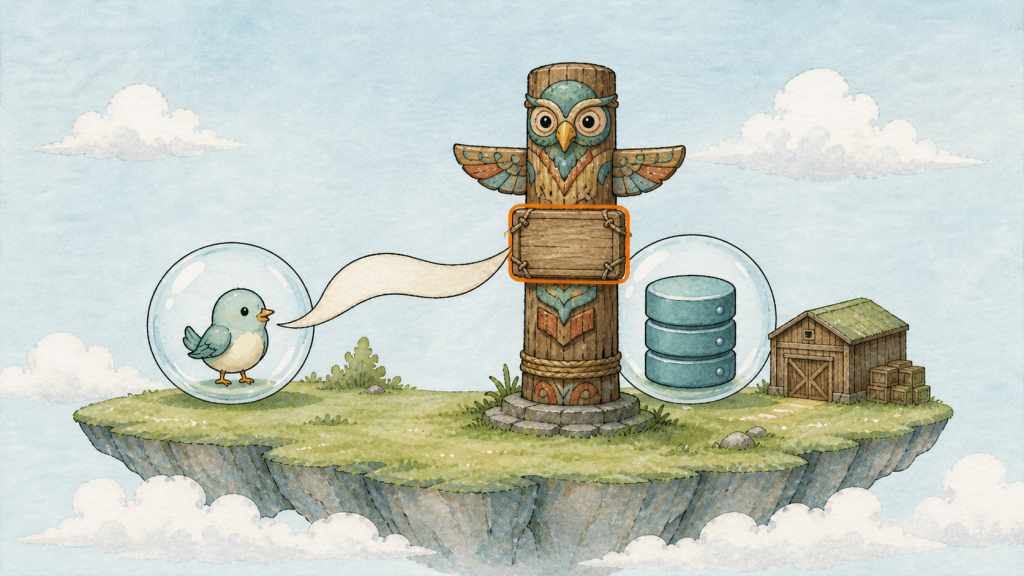
前端一顆泡泡(Pod)朝著一根寫著名字的圖騰柱(Service)喊話,柱子(Service)後面連著資料庫泡泡(Pod)。
先說清楚限制:這個單副本 Deployment 適合示範,正式環境還要處理高可用、備份、升級與資料一致性。
資料庫若需要固定身分、順序或每個 Pod 專屬儲存,再考慮 Day 27 的 StatefulSet。
前二十二天我們有前端三件套加一座本機測試用倉庫(PV)。今天長出第二層;資料庫另外使用一個明確的本機 PV,避免把 Kind 是否內建 StorageClass 當成前提。
先把密碼放進 Day 20 那個小盒(Secret)。編輯 hello-secret.yaml:
apiVersion: v1
kind: Secret
metadata:
  name: hello-secret
type: Opaque
stringData:
  DB_PASSWORD: super-secret-123
  POSTGRES_PASSWORD: super-secret-123
kubectl apply -f hello-secret.yaml
資料庫要自己的倉庫(PV)。建立 hello-db-pvc.yaml:
apiVersion: v1
kind: PersistentVolumeClaim
metadata:
  name: hello-db-data
spec:
  storageClassName: ""
  accessModes:
    - ReadWriteOnce
  resources:
    requests:
      storage: 1Gi
建立配對用的 hello-db-pv.yaml:
apiVersion: v1
kind: PersistentVolume
metadata:
  name: hello-db-pv
spec:
  capacity:
    storage: 1Gi
  accessModes:
    - ReadWriteOnce
  persistentVolumeReclaimPolicy: Retain
  hostPath:
    path: /var/local-path-provisioner/hello-db-data
    type: DirectoryOrCreate
主角登場。建立 hello-db-deployment.yaml:
apiVersion: apps/v1
kind: Deployment
metadata:
  name: hello-db
spec:
  replicas: 1
  selector:
    matchLabels:
      app: hello-db
  template:
    metadata:
      labels:
        app: hello-db
    spec:
      containers:
        - name: postgres
          image: postgres:16-alpine
          ports:
            - containerPort: 5432
          env:
            - name: POSTGRES_PASSWORD
              valueFrom:
                secretKeyRef:
                  name: hello-secret
                  key: POSTGRES_PASSWORD
            - name: PGDATA
              value: /var/lib/postgresql/data/pgdata
          volumeMounts:
            - name: db-store
              mountPath: /var/lib/postgresql/data
      volumes:
        - name: db-store
          persistentVolumeClaim:
            claimName: hello-db-data
三個地方值得停下來看。replicas: 1 ── 資料庫不能像前端那樣隨便多開,兩顆同時寫同一個倉庫(PV)會壞掉。secretKeyRef 是從小盒(Secret)撈單一一把鑰匙(Day 20 的 secretRef 是整盒倒進去)。PGDATA 指到子目錄,這是 Postgres 掛外部儲存時的標準做法,不加它初始化會失敗。
最後一根柱子(Service)。建立 hello-db-service.yaml:
apiVersion: v1
kind: Service
metadata:
  name: hello-db
spec:
  selector:
    app: hello-db
  ports:
    - port: 5432
      targetPort: 5432
沒有 type,所以是 ClusterIP。 這是故意的,資料庫絕對不該對島外開門。
一次全部套上去:
kubectl apply -f hello-db-pv.yaml -f hello-db-pvc.yaml -f hello-db-deployment.yaml -f hello-db-service.yaml
kubectl get pods,svc,pvc
等三十秒,hello-db 泡泡(Pod)變成 Running。第一次啟動要初始化資料庫,慢一點正常。
確認它真的起來了:
kubectl logs deploy/hello-db | tail -3
看到 database system is ready to accept connections。
現在做今天最重要的驗證:從島內用名字連進去。
kubectl run psql-client --rm -it --image=postgres:16-alpine --env="PGPASSWORD=super-secret-123" -- psql -h hello-db -U postgres
注意 -h hello-db ── 你打的是柱子(Service)的名字。提示字元變成 postgres=#,你連上了。
寫點資料進去:
CREATE TABLE greetings (id serial primary key, msg text);
INSERT INTO greetings (msg) VALUES ('hello from day 23');
SELECT * FROM greetings;
一行資料。打 \q 離開,客人泡泡(Pod)自動消失。
驗證資料真的活在倉庫(PV)裡。把資料庫泡泡(Pod)整顆砍掉:
kubectl delete pod -l app=hello-db
kubectl get pods -l app=hello-db
貓頭鷹(ReplicaSet)立刻補了一顆全新的泡泡(Pod),名字不一樣了。等它 Running,再連一次:
kubectl run psql-client --rm -it --image=postgres:16-alpine --env="PGPASSWORD=super-secret-123" -- psql -h hello-db -U postgres -c "SELECT * FROM greetings;"
hello from day 23 還在。 新泡泡(Pod)、新 IP、新容器,這次 demo 中資料仍然存在,因為它寫在地面上的倉庫(PV);PVC 提供持久化位置,但不等於備份或資料一致性保證。
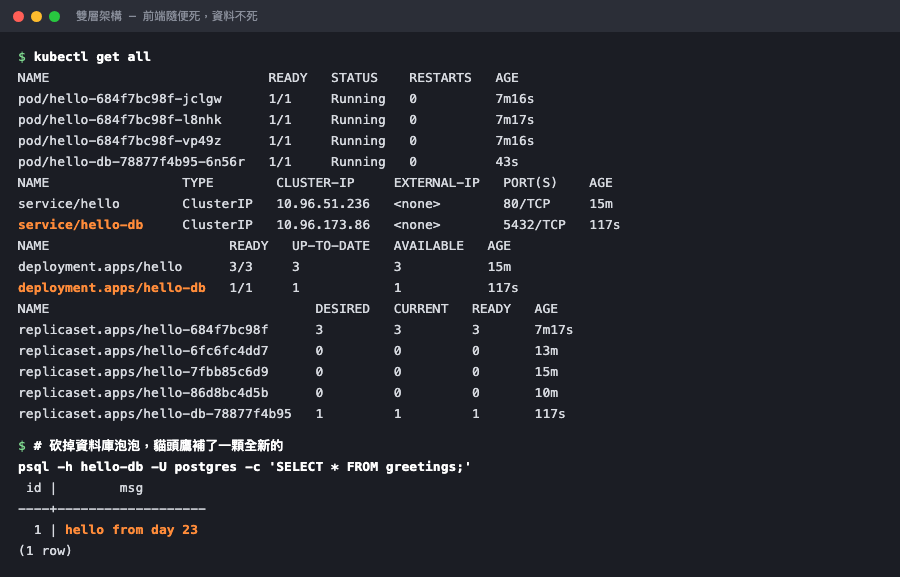
前端一組、資料庫一組,各有各的柱子(Service);資料庫泡泡(Pod)換過一輪,資料原封不動。
最後把整座島看一遍:
kubectl get all
前端部署管家(Deployment)、前端柱子(Service)、資料庫部署管家(Deployment)、資料庫柱子。這是你第一個像樣的架構。
順便驗證一件很重要的事:資料庫確實只有島內看得到。
kubectl get svc hello-db
curl --max-time 5 http://localhost/hello
hello-db 的 EXTERNAL-IP 是 <none>,島外沒有它的位址;而看板(Ingress)上也沒有任何一條規則指向它。你的資料庫沒有透過這組 Ingress/對外 Service 暴露。 這不等於所有網路路徑都不可達,真正的隔離仍要搭配網路與權限政策。
最後把今天的檔案整理一下,你的專案目錄現在應該長這樣:
ls *.yaml
前端四個(deployment、service、ingress、configmap)、資料庫四個(deployment、service、pvc、pv)、共用一個 secret,加上蓋島用的 kind-config。**十個檔案,一座完整的島。
** 換一台電腦,kind create cluster 加上 kubectl apply 就能整套重現。
記得 hello-secret.yaml 不進 git,其他八個都該進。
前端可以隨便,資料庫的倉庫(PV)不能隨便。



 iThome鐵人賽
 看影片追技術