
Day 22 已經將前幾天完成的 Gemini 分析流程包裝成 FastAPI Endpoint。透過 Swagger 輸入 Event ID,就可以取得事件摘要、風險、建議與 MITRE ATT&CK Mapping。
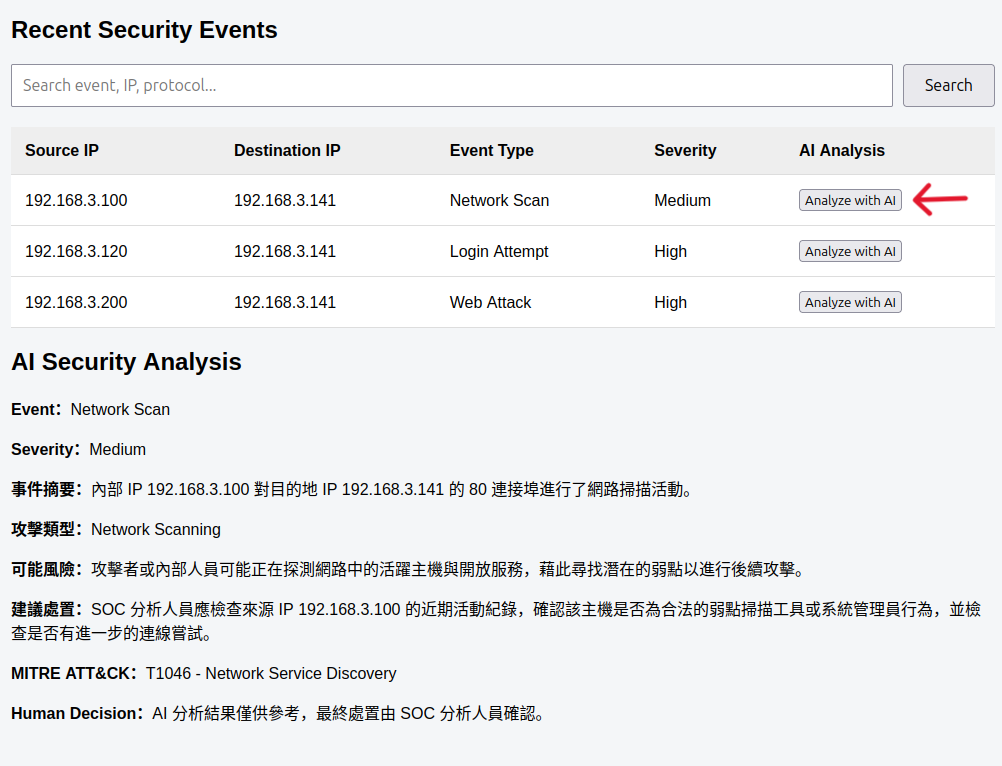
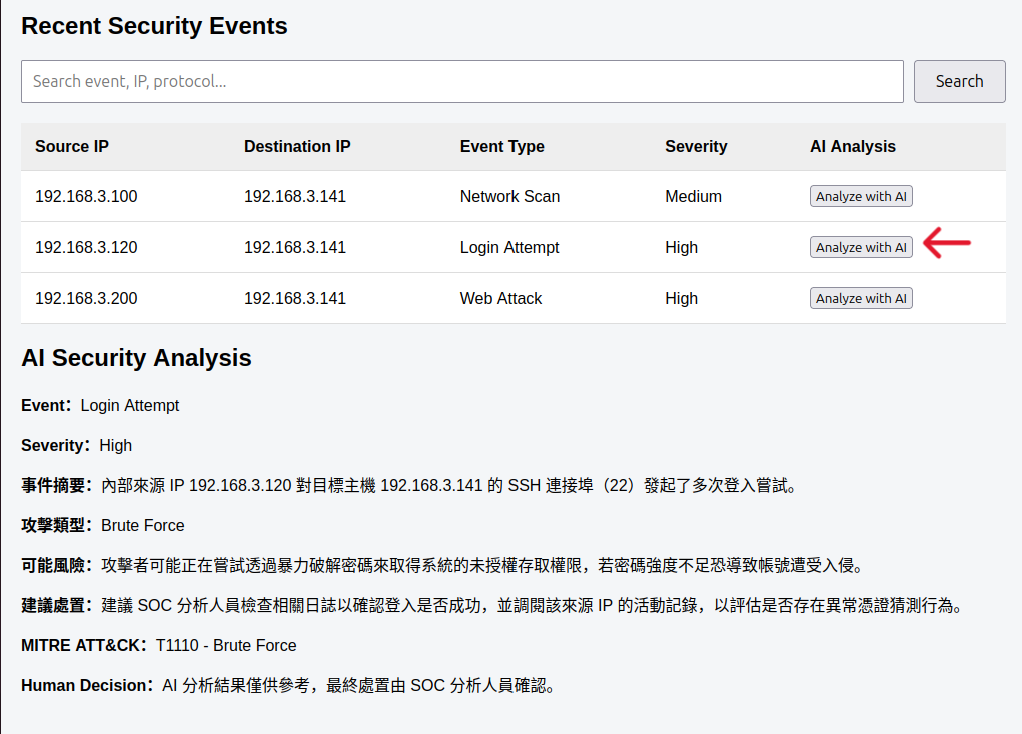
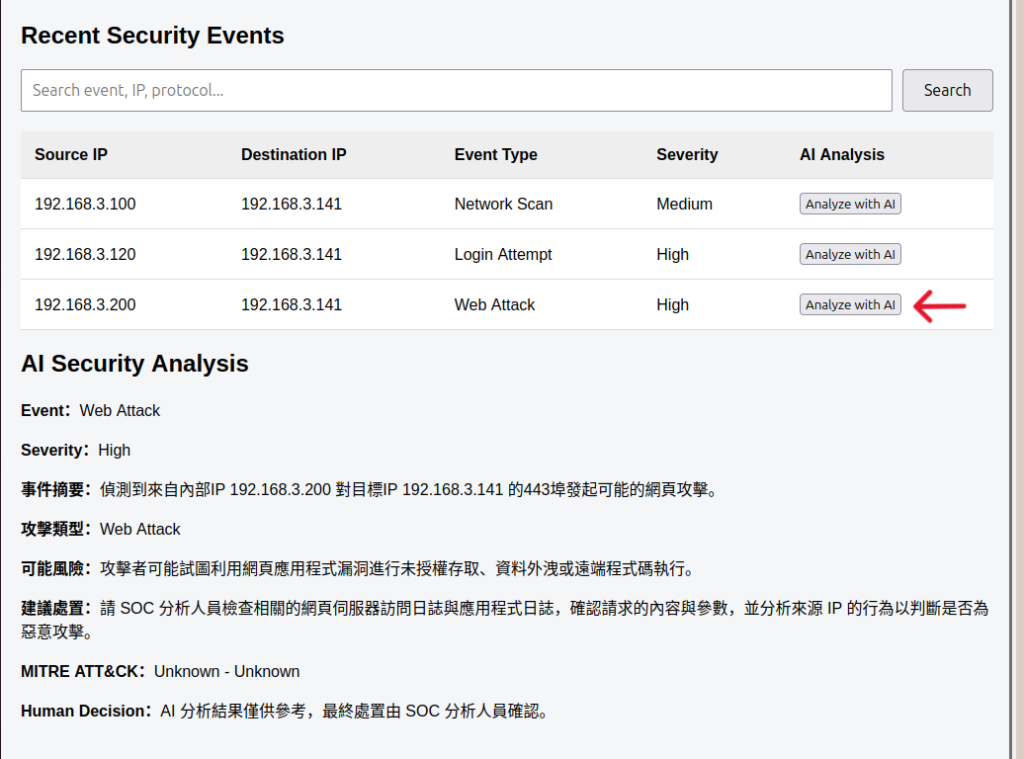
但使用者真正使用 SOC Dashboard 時,不可能每次都打開 Swagger、手動輸入事件 ID。因此 Day 23 要讓使用者直接在 Dashboard 的 Security Event 上按下 Analyze with AI,並將 FastAPI 回傳的分析結果顯示在網頁上。
修改 App.jsx
在 React 中新增 aiAnalysis 與 analyzingId 兩個 State。前者用來保存 Backend 回傳的 AI 分析結果,後者則用來記錄目前正在分析的 Event。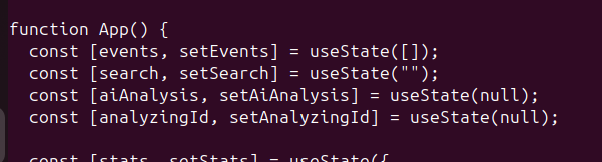
建立 analyzeEvent()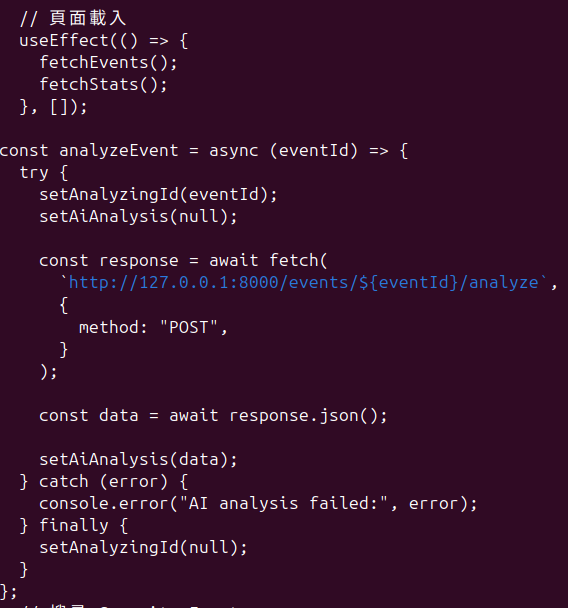
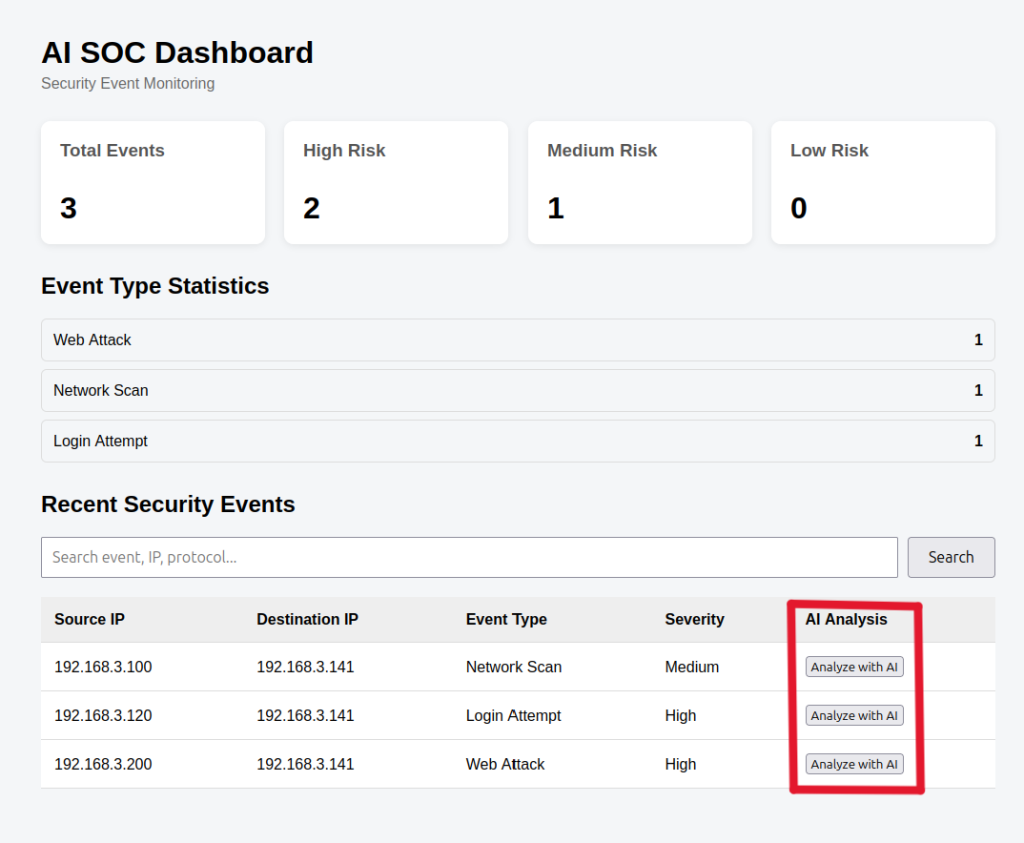
Event Table 增加一欄 AI Analysis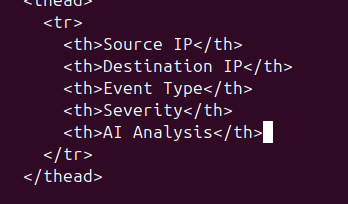
接著在 Security Event Table 新增 Analyze with AI 按鈕。使用者按下按鈕後,React 會向 POST /events/{event_id}/analyze發送 Request。
FastAPI 再依 Event ID 從 SQLite 取得原始事件,完成 Severity Mapping 並呼叫 Gemini,最後將 Structured Output 回傳給 React。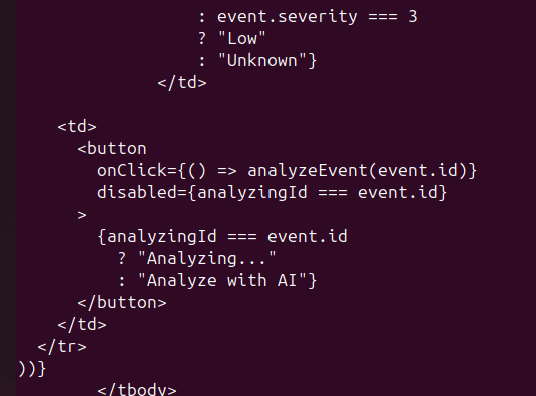
建立 AI Analysis Panel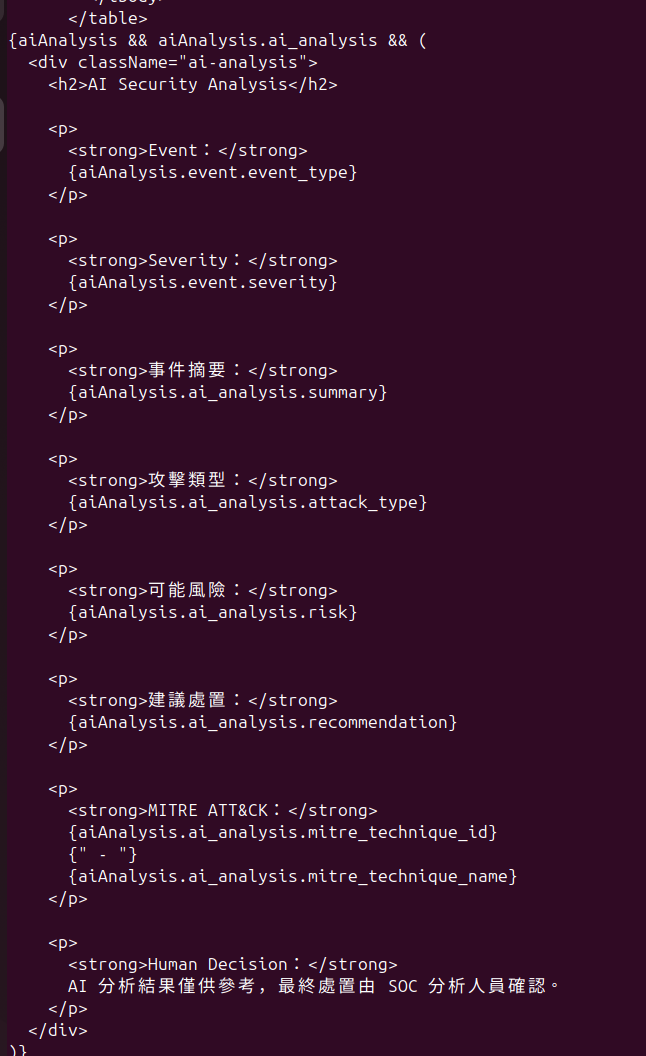
簡單加一點 CSSnano src/App.css在最下面加入
.ai-analysis {
  margin-top: 30px;
  padding: 20px;
  border: 1px solid #ccc;
  border-radius: 10px;
}
.ai-analysis h2 {
  margin-top: 0;
}
.ai-analysis p {
  line-height: 1.6;
}
button {
  padding: 8px 12px;
  cursor: pointer;
}
button:disabled {
  cursor: not-allowed;
  opacity: 0.6;
}
一開始只是讓 Gemini 回答文字;接著透過 Prompt Engineering 改善分析內容,再利用 Structured Output 固定資料格式,之後把確定性的 Severity 規則移回 Backend,加入 Recommendation 與 MITRE ATT&CK Mapping,最後再將整套流程包裝成 FastAPI。
到 Day 23,這些原本分散在 Terminal 與 Backend 中的功能,終於第一次出現在 Dashboard 上。
現在使用者不需要知道 Prompt、JSON Schema 或 Gemini API 的存在,只需要選擇 Security Event 並按下 Analyze with AI,就能看到分析結果。



 iThome鐵人賽
 看影片追技術