
1.root 預設變數與多套色系
/* 藍*/
:root {
    --bg-color: #f4f6f9;/*背景色*/
    --card-bg: #ffffff;
    --text-color: #333333;/*大的文字顏色*/
    --text-muted: #666666;/*小的文字顏色*/
    --border-color: #e9ecef;/*框框的邊*/
    --sidebar-bg: #d1d9e593;/*左側底色*/
    --primary-color: #b4bdcd;/*主題色*/
}

/* 紫 */
[data-theme="purple"] {
    --bg-color: #f0eef9;
    --card-bg: #ffffff;
    --text-color: #190a35;
    --text-muted: #270e51;
    --border-color: #dad7e2;
    --sidebar-bg: #e2e1eb;
    --primary-color: #b6b1c4;
}

/* 綠 */
[data-theme="green"] {
    --bg-color: #e9f4ef;
    --card-bg: #ffffff;
    --text-color: #073428;
    --text-muted: #074735;
    --border-color: #dbe5e0;
    --sidebar-bg: #dfece6;
    --primary-color: #b5d4ca;
}
...
2.替換硬編碼,全站連動
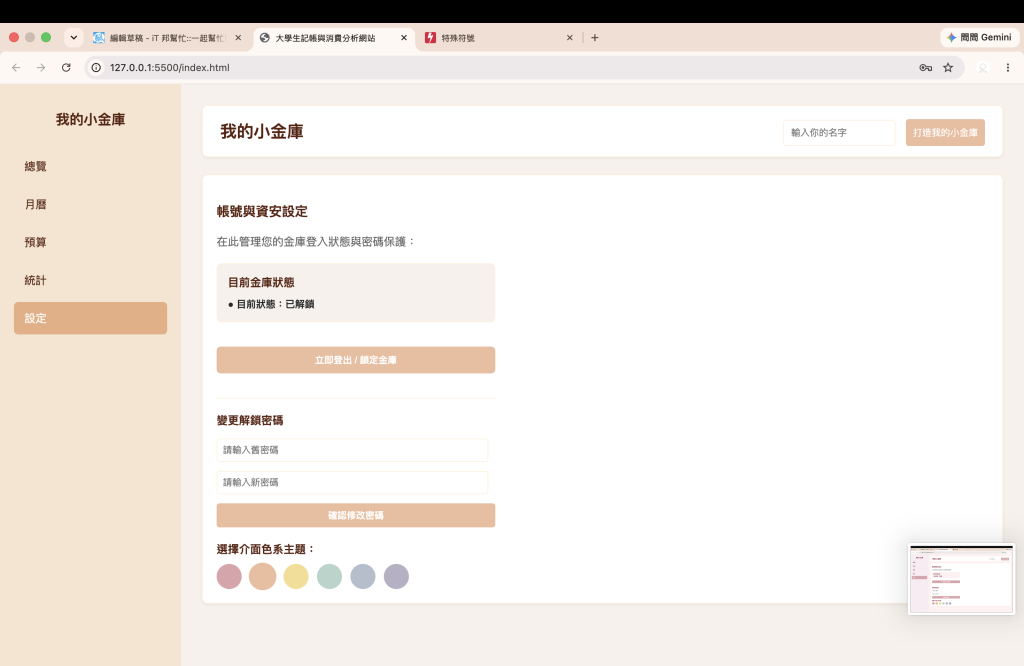
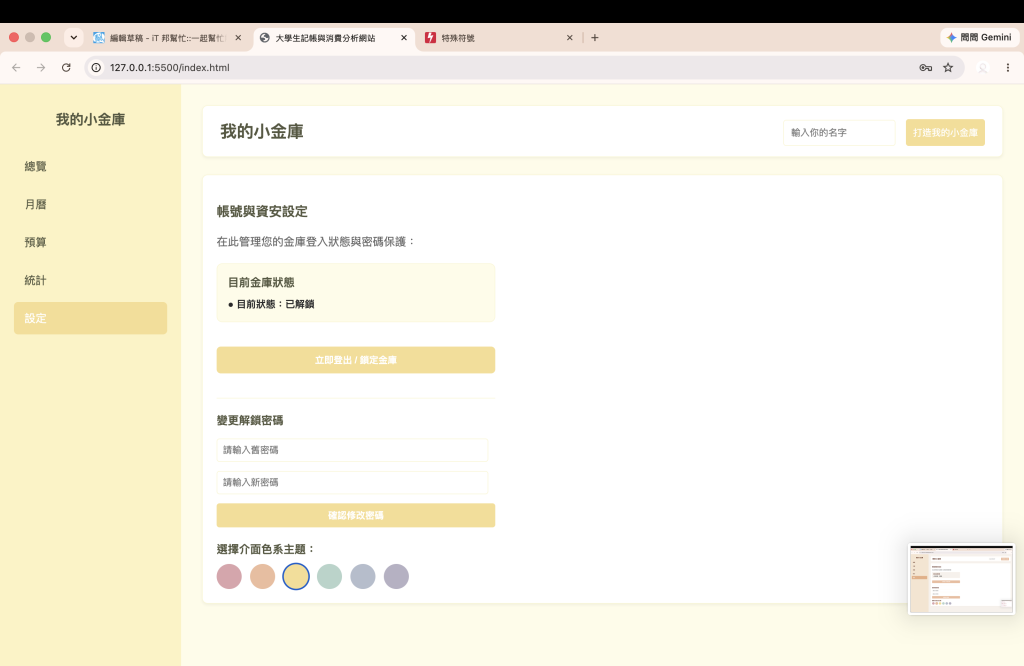
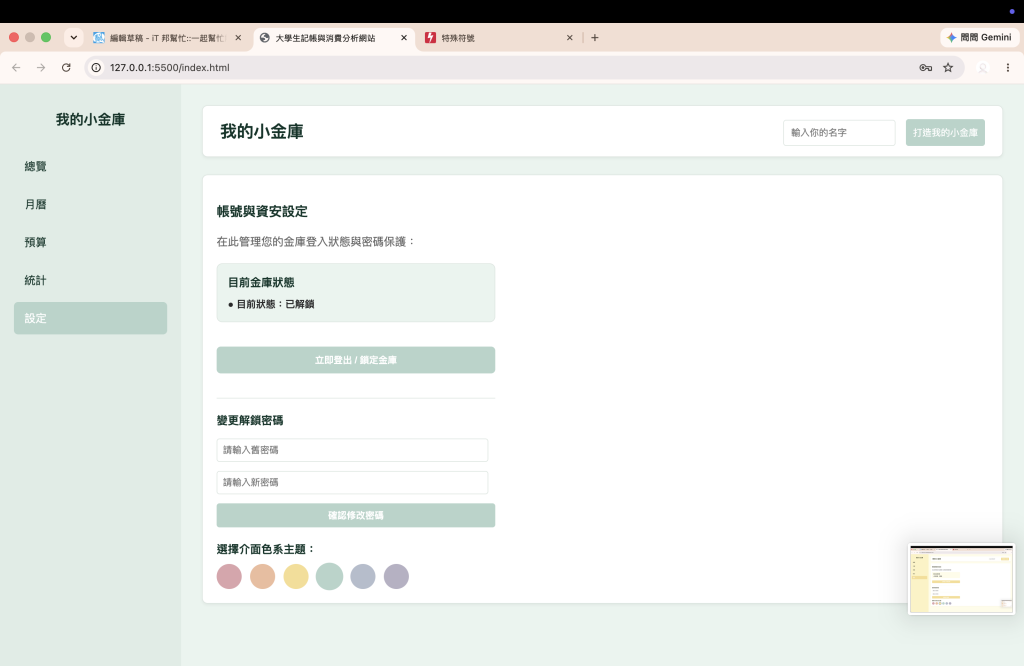
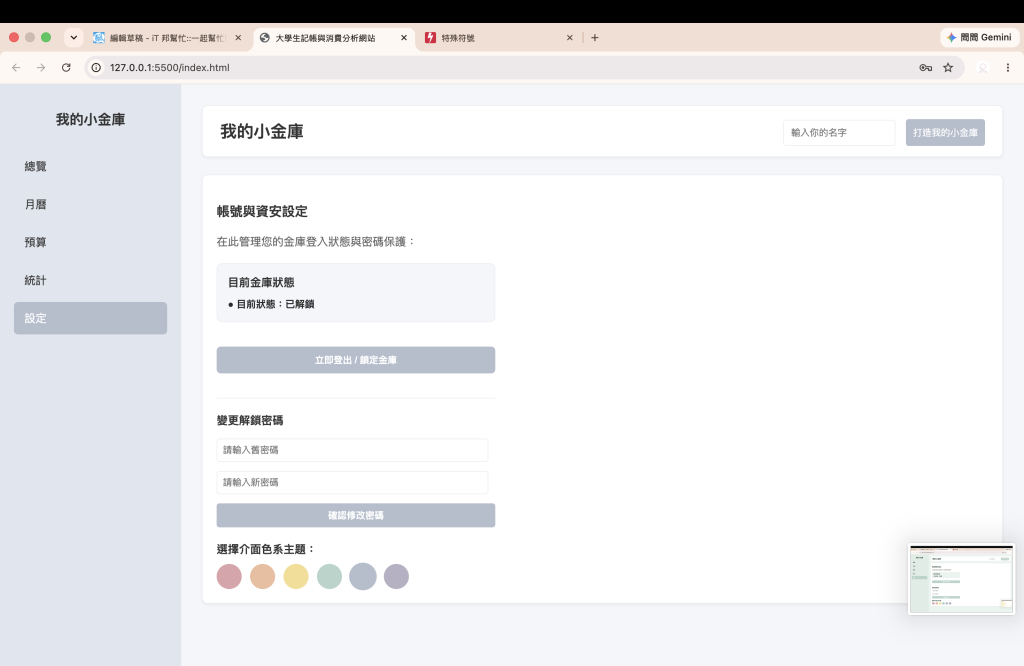
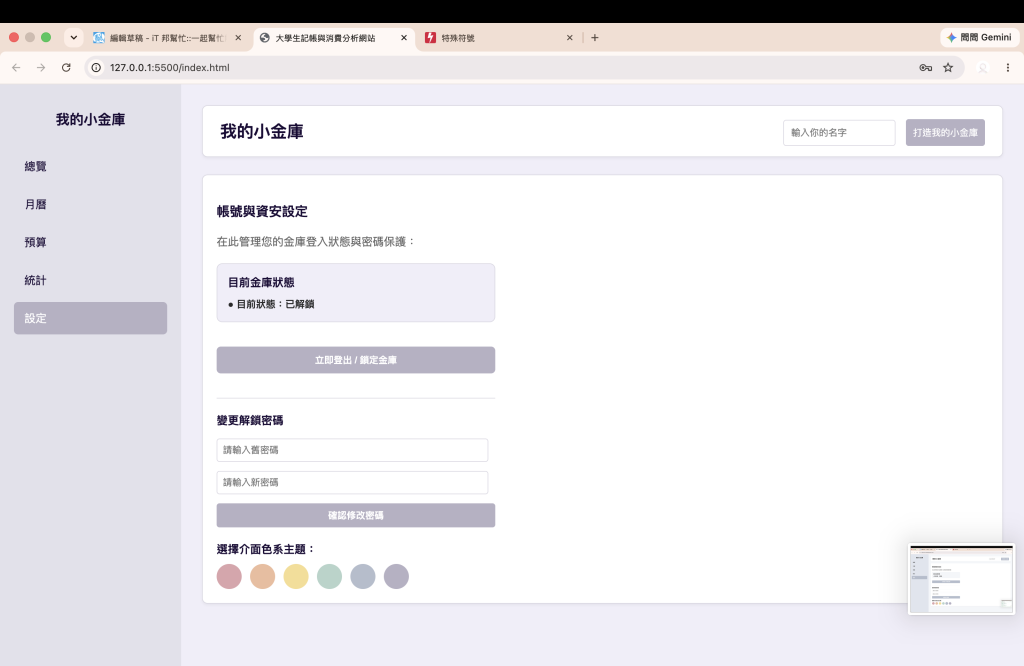
將原本寫死的 #3b82f6 或固定顏色全部改用變數(如 var(--primary-color)、var(--card-bg))。這樣一來,不只是按鈕變色,連側邊欄、卡片邊框、輸入框、甚至是月曆裡的小項目,都能隨著 HTML 根目錄的 data-theme 屬性改變而無縫同步!
1.圓形色彩按鈕:
<div class="theme-btn-group">

        <!-- 粉色按鈕 -->
        <button class="theme-btn" id="btn-pink" style="background-color: #dda4ac;" onclick="changeTheme('pink')" title="櫻花粉色系"></button>
        <!-- 橘色按鈕 -->
        <button class="theme-btn" id="btn-orange" style="background-color: #d872297b;" onclick="changeTheme('orange')" title="暖橘色系"></button>
        <!-- 黃色按鈕 -->
        <button class="theme-btn" id="btn-yellow" style="background-color: #f6dd91;" onclick="changeTheme('yellow')" title="陽光黃色系"></button>
        <!-- 綠色按鈕 -->
        <button class="theme-btn" id="btn-green" style="background-color: #b5d4ca;" onclick="changeTheme('green')" title="清新綠色系"></button>
        <!-- 藍色按鈕 -->
        <button class="theme-btn" id="btn-default" style="background-color: #b4bdcd;" onclick="changeTheme('default')" title="經典科技藍"></button>
        <!-- 紫色按鈕 -->
        <button class="theme-btn" id="btn-purple" style="background-color: #b6b1c4;" onclick="changeTheme('purple')" title="質感紫色系"></button>
    </div>
2.JavaScript 核心切換邏輯與狀態持久化:
function changeTheme(themeName) {
    if (themeName === 'default') {
        document.documentElement.removeAttribute('data-theme');
        localStorage.setItem('user_theme', 'default');
    } else {
        document.documentElement.setAttribute('data-theme', themeName);
        localStorage.setItem('user_theme', themeName);
    }
}
▲ 說明:當使用者點擊按鈕時,利用 document.documentElement.setAttribute() 動態更改根目錄屬性,並將選擇存入瀏覽器的 LocalStorage。
3.網頁重新載入時自動恢復狀態
window.addEventListener('DOMContentLoaded', () => {
    const savedTheme = localStorage.getItem('user_theme') || 'default';
    if (savedTheme !== 'default') {
        document.documentElement.setAttribute('data-theme', savedTheme);
    }
});
▲ 說明:在 DOMContentLoaded 事件中,讀取上一次儲存的主題,確保使用者下次打開網頁時,喜愛的色系依然完美保留。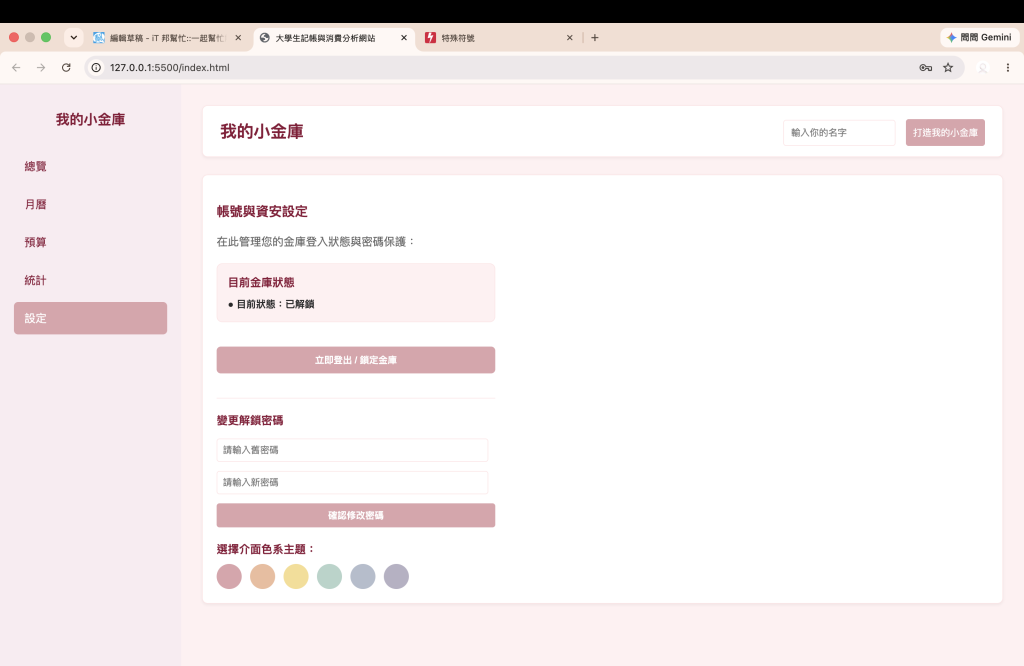

 rong824

 iThome鐵人賽
 看影片追技術