
本日參考文件 doc, 不過VPC, subnet, firewall展開的概念會非常廣 這只是一個文件的啟始
VPC: Virtual Private Cloud, 是一個global resource, 規範VM的連線邏輯
VPC是彼此獨立的 要互通有兩種方法
peering 可跨組織 跨project, 各自的VPC各自管
sharing - 一個VPC分享給其他專案, 只能分享給同組織的其他project
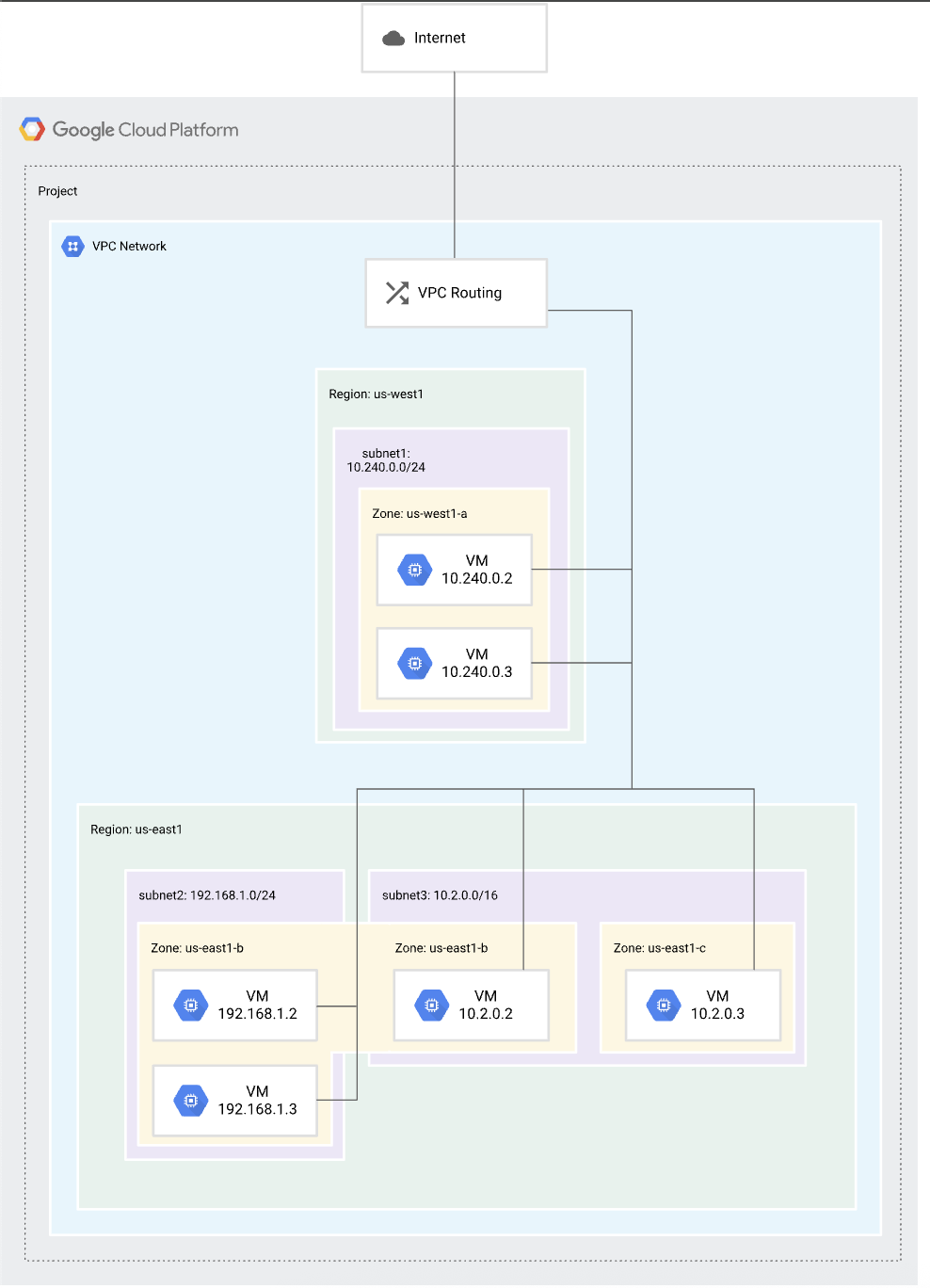
Subnet: 同Subnetwork, 是區域型的, 這裡的區域是指google的機房群, 如
asia-east1 台灣彰濱, asia-southeast1 新加坡, asia-northeast1 日本東京
關係到服務的易用性, 以台灣的銀行服務就會設定在台灣機房容易取用,
如果擴張服務到日本或越南, 就會另外建立subnet在東京或新加坡
另外subnet也被用來規範可使用網段, 可以用來切分環境,
像是staging, prod, 允許訪問的ip就會不一樣, 如開發環境就只允許內部人員的ip訪問
subnet不能有overlap
取自gcp的文件 圖像化VPC與Subnet的概念
Firewall: 防火牆規則
每個 VPC 都有兩條你刪不掉、優先級最低(65535)的隱含規則:
- 隱含出站允許 (Implied Allow Egress): 讓所有 VM 預設能連外。
- 隱含入站拒絕 (Implied Deny Ingress): 讓所有外部連線預設進不來。

防火牆規則 會定義 方向性、優先順序、目標、來源、協定和埠號範圍,以及允許或拒絕的動作。
防火牆可以套用到VCP, 套用到VM instance則是使用network tags 或 service accounts
防火牆policy會從上方層級繼承, 不過deny policy可以複寫allow policy
情境: 雲端部門可以是org owner, 但是可能財務部門和人資部門的folder, 會寫policy來阻止雲端部門讀取資料(像是薪資, 帳務, …etc)
本日實作
先在 /terraform 新增 provider.tf
provider "google" {
  project = "<project-id>" # 專案 ID
  region  = "asia-east1"
}
在 /terraform 中新增 network.tf
# 1. 定義 VPC
resource "google_compute_network" "main_vpc" {
  name                    = "bank-ai-vpc"
  auto_create_subnetworks = false # 銀行規範:嚴禁自動創建
}

# 2. 定義子網 (開啟 Private Google Access)
resource "google_compute_subnetwork" "bff_subnet" {
  name                     = "bff-subnet"
  ip_cidr_range            = "10.0.1.0/24" # 10.0.1.0 ~ 10.0.1.255
  region                   = "asia-east1" # 設在台灣
  network                  = google_compute_network.main_vpc.id
  private_ip_google_access = true # 這就是關鍵!
}

# 3. 預留給 Serverless Connector 的網段
resource "google_compute_subnetwork" "connector_subnet" {
  name          = "vpc-connector-subnet"
  ip_cidr_range = "10.8.0.0/28" # 10.8.0.0 ~ 10.8.0.15
  region        = "asia-east1"
  network       = google_compute_network.main_vpc.id
}
這邊注意幾件事
VPC中的 auto_create_subnetworks = false , 避免自動產生 由我們來定義
subnet中的ip_cide_range 的ip網段 是指內部的ip, 也就是存在這個vpc中, 而不是暴露在外的ip
然後要enable compute engine api,去 google console執行
https://console.cloud.google.com/apis/api/compute.googleapis.com/metrics?project=
在terminal確定cd到 /terraform 資料夾 使用 terraform apply 執行這個設定
完成後 就可以在 gcp console的 VPC network 中看到我們的設定
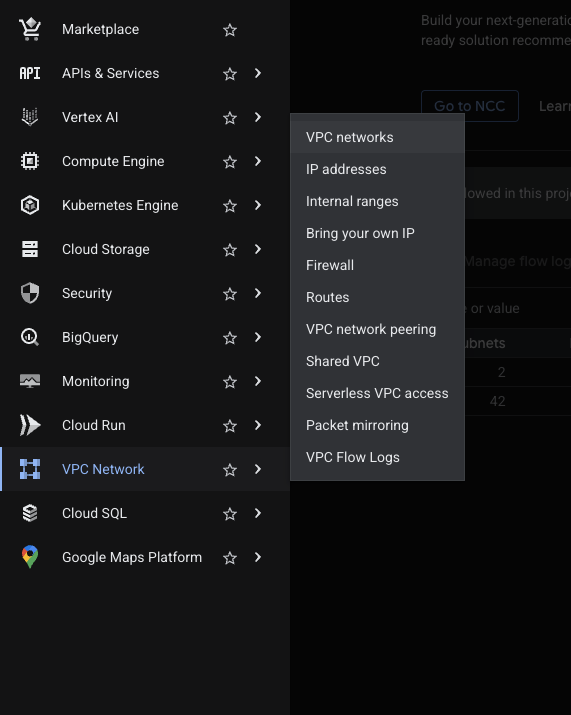
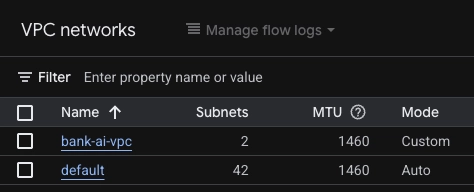
接著在 /terraform/network.tf 中 定義防火牆規則
# 定義防火牆
# 允許 VPC 內部互相溝通 (Internal Connectivity)
resource "google_compute_firewall" "allow_internal" {
  name    = "allow-internal-traffic"
  network = google_compute_network.main_vpc.name

  # 允許你定義的所有 10.x.x.x 網段互相通訊
  source_ranges = ["10.0.0.0/8"]

  allow {
    protocol = "tcp"
  }
  allow {
    protocol = "udp"
  }
  allow {
    protocol = "icmp" # 方便你測試 ping
  }

  description = "允許 VPC 內部的子網互相溝通"
}

# 允許 Google 健康檢查 (Health Checks)
resource "google_compute_firewall" "allow_health_checks" {
  name    = "allow-health-checks"
  network = google_compute_network.main_vpc.name

  # 這些是 Google 特定的 Health Check IP 網段,固定不變
  source_ranges = ["35.191.0.0/16", "130.211.0.0/22"]

  allow {
    protocol = "tcp"
    ports    = ["80", "8080"]
  }
}

# IAP 遠端存取 (可選,建議)
resource "google_compute_firewall" "allow_iap_proxy" {
  name    = "allow-iap-proxy"
  network = google_compute_network.main_vpc.name

  source_ranges = ["35.235.240.0/20"] # IAP 專用網段

  allow {
    protocol = "tcp"
    ports    = ["22", "3389"]
  }
}
定義好後 也用 terraform apply 更新到gcp上
另外這邊的firewall rule沒寫方向 預設就是 ‘INGRESS’ (進入)
也就是哪些訪問符合規定是允許通過的
今天我們定義專案中的訪問基本規則, 還沒套用到雲端資源的實體



 iThome鐵人賽
 看影片追技術