
昨天寫完後剛好看到一些有趣的內容,於是想要分別用一些篇幅來介紹實際的韌體解密中的做法。這份痛苦不該只有我承受
今天的案例會以靜態的方式將加密/魔改的韌體提取出完整的RootFS系統
Target 簡介:Tenda,來自中國的知名 IoT 品牌,會將韌體進行依定程度混淆。簡中地區有許多基於此品牌的解密研究,本篇採用的手法是利用靜態逆向修改回混淆的內容後再交由工具完成提取的做法
針對解壓縮的流程順序也可以參考下面的流程圖[1]:
韌體版本:4G03 V3.0 Firmware_V04.03.01.13
韌體來源:Tenda 官網
官網下載下來的zip解壓縮後會是這個 US_4G03V3.0re_V04.03.01.13_multi_TDE01.bin 韌體(國際版非國產版)
看了一下初步分析,顯示是uimage(bootloader)+lzma的架構(這類型的分析工具大多使用binary中的識別碼或是常見格式、CRC等進行辨識)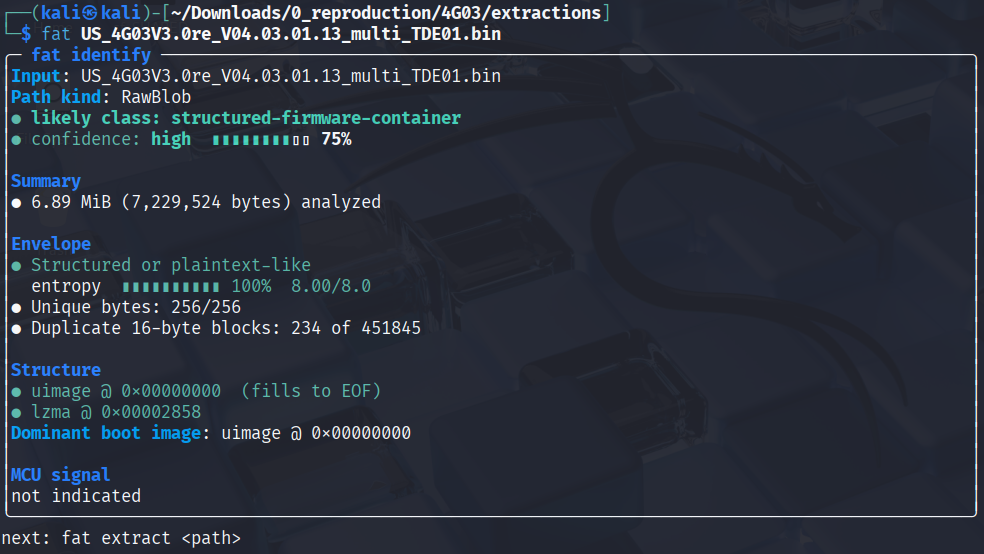
使用binwalk查看entropy也看起來像是經過完全的加密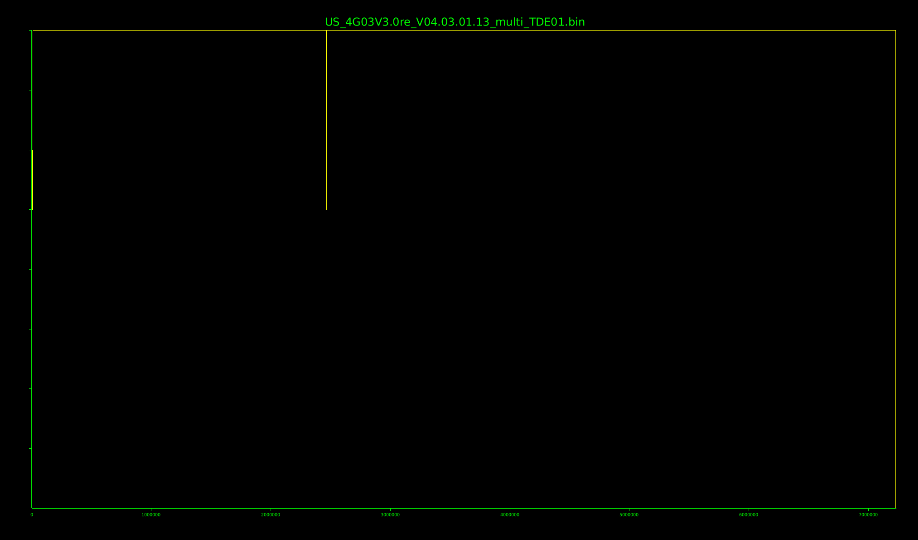
直接解壓縮的結果雖然有東西,但是查看檔案結構也是空白
┌──(kali㉿kali)-[~/Downloads/0_reproduction/4G03/extractions]
└─$ fat extract .
error: project metadata not found
binwalk 有時候會有這種 false positive的結果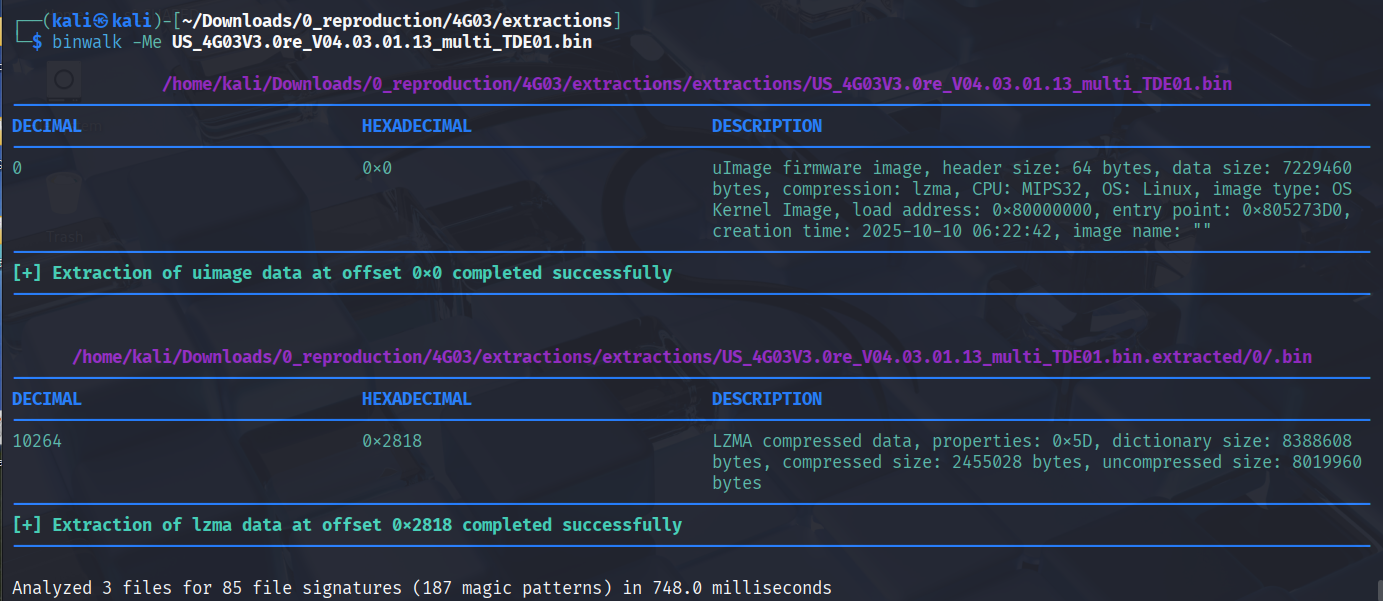
在解壓失敗的某個檔案夾找到decompressed.bin
└─$ tree
├── extractions
│   ├── US_4G03V3.0re_V04.03.01.13_multi_TDE01.bin
│   ├── US_4G03V3.0re_V04.03.01.13_multi_TDE01.bin.extracted
│   │   └── 0
│   │       ├── \002.bin
│   │       └── \002.bin.extracted
│   │           └── 2818
│   │               └── decompressed.bin
│   └── US_4G03V3.0re_V04.03.01.13_multi_TDE01.zip
└── US_4G03V3.0re_V04.03.01.13_multi_TDE01.bin
entropy 看起來比較像是正常的結構,但還是不完整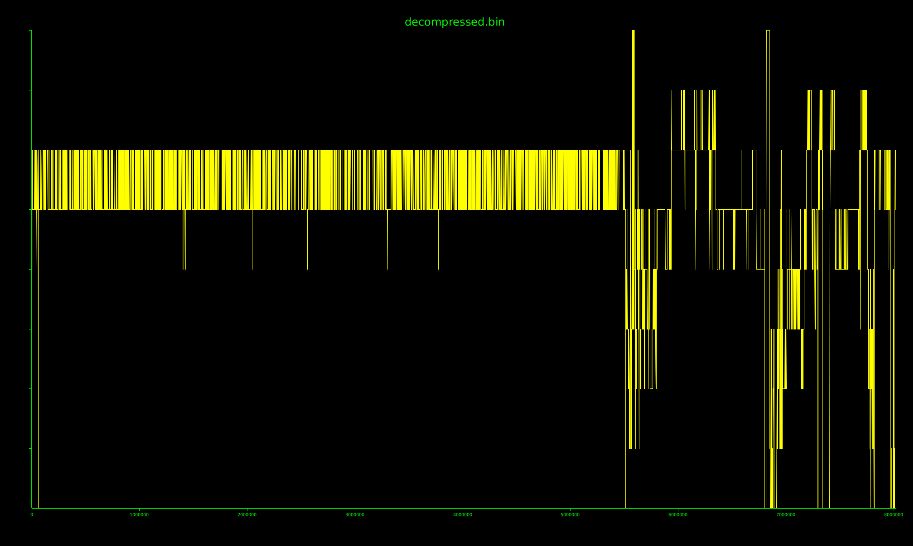
回到上一步來看,我們現在有一大包的加密和解壓失敗的部分bin檔
現在針對 metadata 來查驗
原始US_4G03V3.0re_V04.03.01.13_multi_TDE01.bin |
解壓失敗的 decompress.bin |
|---|---|
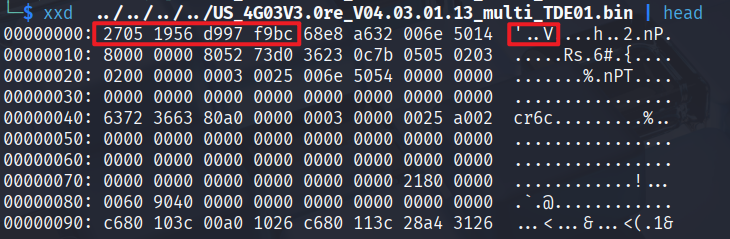 |
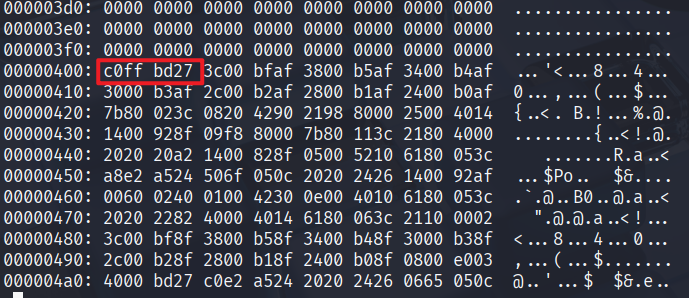 |
header 是 2705 1956,上網搜尋會看到是uboot的magic header[3][4] |
在後面才出現亂碼 |
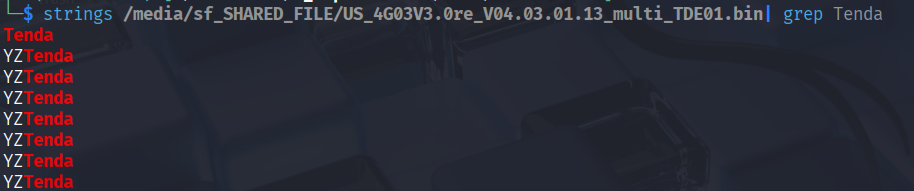 |
同左圖 |
出現了 YZTenda 的字樣 |
|
| 按照[3]的範例,uboot的header結構可以在細分成以下內容 |
| Offset | Field | Bytes | meaning / value |
|---|---|---|---|
0x00 |
ih_magic |
27 05 19 56 |
0x27051956 ✅ |
0x04 |
ih_hcrc |
d9 97 f9 bc |
0xD997F9BC |
0x08 |
ih_time |
68 e8 a6 32 |
0x68E8A632 |
0x0C |
ih_size |
00 6e 50 14 |
0x006E5014 = 7,229,460 bytes |
0x10 |
ih_load |
80 00 00 00 |
0x80000000 |
0x14 |
ih_ep |
80 52 73 d0 |
0x805273D0 |
0x18 |
ih_dcrc |
36 23 0c 7b |
0x36230C7B |
0x1C |
ih_os |
05 |
Linux |
0x1D |
ih_arch |
05 |
MIPS |
0x1E |
ih_type |
02 |
Kernel |
0x1F |
ih_comp |
03 |
LZMA |
0x20–0x3F |
ih_name[32] |
02 00 00 ... |
No readable data |
0x40 |
payload | 63 72 36 63... |
uImage data 開始 |
在其他的分享[4]中有看到 Tenda使用的 magic bytes 經常是叫作 nice / y9nice 之類的來替換掉原先的sqsh字樣,這次也不例外。
┌──(kali㉿kali)-[~/Downloads/0_reproduction/4G03/extractions]
└─$ grep -aob 'sqsh' extractions/US_4G03V3.0re_V04.03.01.13_multi_TDE01.bin.extracted/0/$'\002'.bin

┌──(kali㉿kali)-[~/Downloads/0_reproduction/4G03/extractions]
└─$ grep -aob 'nice' extractions/US_4G03V3.0re_V04.03.01.13_multi_TDE01.bin.extracted/0/$'\002'.bin
2465810:nice
xxd -s $((0x25A012-0x40)) -l 0x100 "$FW"
00259fd2: 0000 0000 0000 0000 0000 0000 0000 0000  ................
00259fe2: 0000 0000 0000 0000 0000 0000 0000 0000  ................
00259ff2: 0000 0000 0000 0000 0000 0000 0000 0000  ................
0025a002: 0000 0000 0000 0000 0000 0000 0000 c8b5  ................
0025a012: 6e69 6365 3902 0000 0048 ad80 0000 0200  nice9....H......
0025a022: 4d00 0000 0400 1100 e000 0100 0400 0000  M...............
0025a032: 990b d40e 0000 0000 04ad 4800 0000 0000  ..........H.....
0025a042: fcac 4800 0000 0000 ffff ffff ffff ffff  ..H.............

<這邊有點像是SquashFS Superblock>
0025a052: 5c7e 4800 0000 0000 2a90 4800 0000 0000  \~H.....*.H.....
0025a062: 44a8 4800 0000 0000 eeac 4800 0000 0000  D.H.......H.....
0025a072: 5465 6e64 6100 0001 fd69 95c6 03c0 ae7f  Tenda....i......
0025a082: 8080 0821 010a 0000 332f 921d e1ff ff3f  ...!....3/.....?
0025a092: a65d 003f 9145 8468 3bde dea6 0f23 da99  .].?.E.h;....#..
0025a0a2: a600 dc3c 8bef 3057 b97c 61ab 3a9a ad31  ...<..0W.|a.:..1
0025a0b2: 5248 6f74 a6c7 952f 6a97 4822 893b f07f  RHot.../j.H".;..
0025a0c2: d6e7 265c e12c a787 903f e2ba fd50 2b09  ..&\.,...?...P+.
這邊的0025a052很像是 SquashFS superblock 內容,而squashFS的magic是hsqs,我們嘗試把它改回hsqs的header
┌──(kali㉿kali)-[~/Downloads/0_reproduction/4G03/extractions]
└─$ FW="US_4G03V3.0re_V04.03.01.13_multi_TDE01.bin"
OFF=$((0x25A052))

printf 'hsqs' > 4G03_rootfs.bin
dd if="$FW" bs=1 skip=$((OFF+4)) status=none >> 4G03_rootfs.bin
之後重新嘗試 unsquashfs,成功!!
┌──(kali㉿kali)-[~/Downloads/0_reproduction/4G03/extractions]
└─$ unsquashfs -s 4G03_rootfs.bin
Found a valid SQUASHFS 4:0 superblock on 4G03_rootfs.bin.
Creation or last append time Sun May 30 09:43:28 2038
Filesystem size 4762884 bytes (4651.25 Kbytes / 4.54 Mbytes)
Compression xz
Block size 131072
Filesystem is exportable via NFS
Inodes are compressed
Data is compressed
Uids/Gids (Id table) are compressed
Fragments are compressed
Tailends are packed into fragments
Xattrs are compressed
Duplicates are removed
Number of fragments 77
Number of inodes 569
Number of ids 1
Number of xattr ids 0
明天開始就會來進入CVE復現的過程了,耶呼
第一個CVE會是什麼類型的呢?敬請期待好累 肝要、、死了
[1] https://wenku.csdn.net/column/4mjset2xdf#%E5%BA%94%E5%AF%B9%E6%9C%AA%E7%9F%A5%E5%9B%BA%E4%BB%B6%E7%9A%84%E9%80%9A%E7%94%A8%E8%A7%A3%E6%9E%90%E6%B5%81%E7%A8%8B
[2] https://paper.seebug.org/3137
[3] https://blog.csdn.net/weixin_43580872/article/details/123885462
[4] https://www.iotsec-zone.com/article/556



 iThome鐵人賽
 看影片追技術