iT邦幫忙

2026 iThome 鐵人賽

DAY 6
0
AI Security

30 天打造 AI 輔助 SOC 資安事件分析平台系列 第 6 篇

Day 6|FastAPI 入門:替 AI SOC Dashboard 建立一個 Backend API

  • 分享至 

  • xImage
  •  

FastAPI 是什麼?

FastAPI 是一個用於建構 Web API 的 Python 框架(Framework)。
在整體架構中,FastAPI 扮演前端介面與後端資料處理之間的關鍵橋樑。例如未來的前端 Dashboard 若需取得資安事件,可透過 API 向後端發出請求GET /events,後端則回傳對應的資料格式:

[
  {
    "id": 1,
    "event_type": "alert",
    "severity": "Medium"
  }
]

若要進行事件分析,也可以設計對應的端點POST /analyze。
由前端將 Security Event 傳送至後端,再由後端統一處理並呼叫 LLM 進行分析。

Day 6 實作:建立 FastAPI

因為 Suricata 在 Ubuntu VM 裡,為了之後比較容易讓 FastAPI 讀取 Suricata 資料,Backend 也會先部署在同一個 Ubuntu 環境中。

https://ithelp.ithome.com.tw/upload/images/20260920/20177754sYMkd7v9XR.png
建立 Python Virtual Environment
https://ithelp.ithome.com.tw/upload/images/20260920/20177754VKBLUX0QU3.png
安裝 FastAPI

pip install fastapi "uvicorn[standard]"
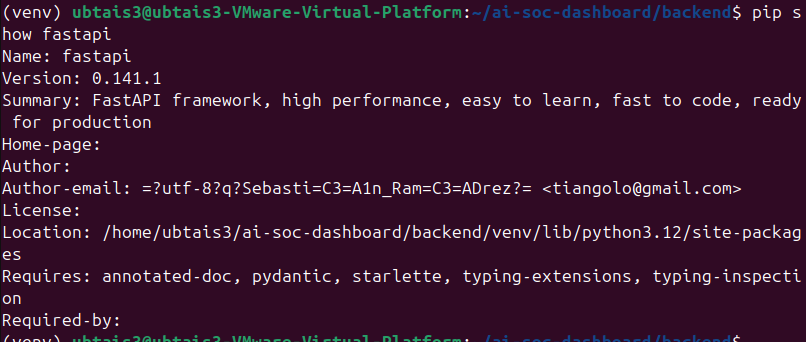
https://ithelp.ithome.com.tw/upload/images/20260920/20177754mWKqPMllMF.png
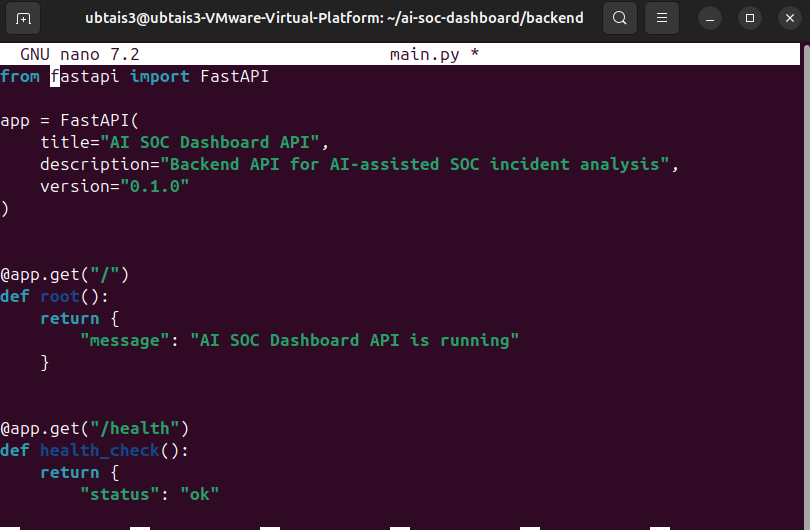
建立main.py
https://ithelp.ithome.com.tw/upload/images/20260920/201777543ex7GGuYdZ.png
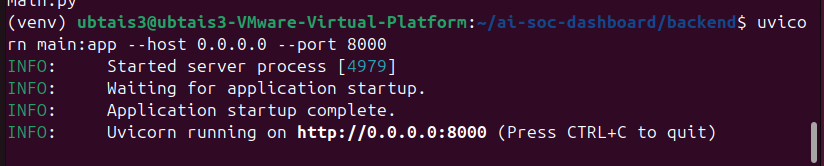
啟動 Backend
https://ithelp.ithome.com.tw/upload/images/20260920/20177754NKJwJG2CBI.png
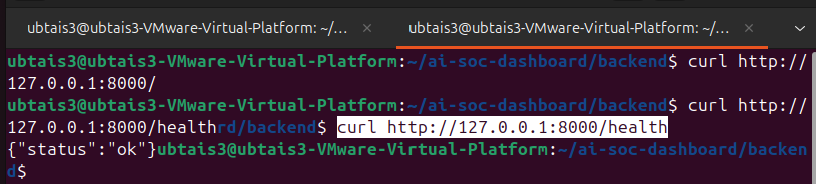
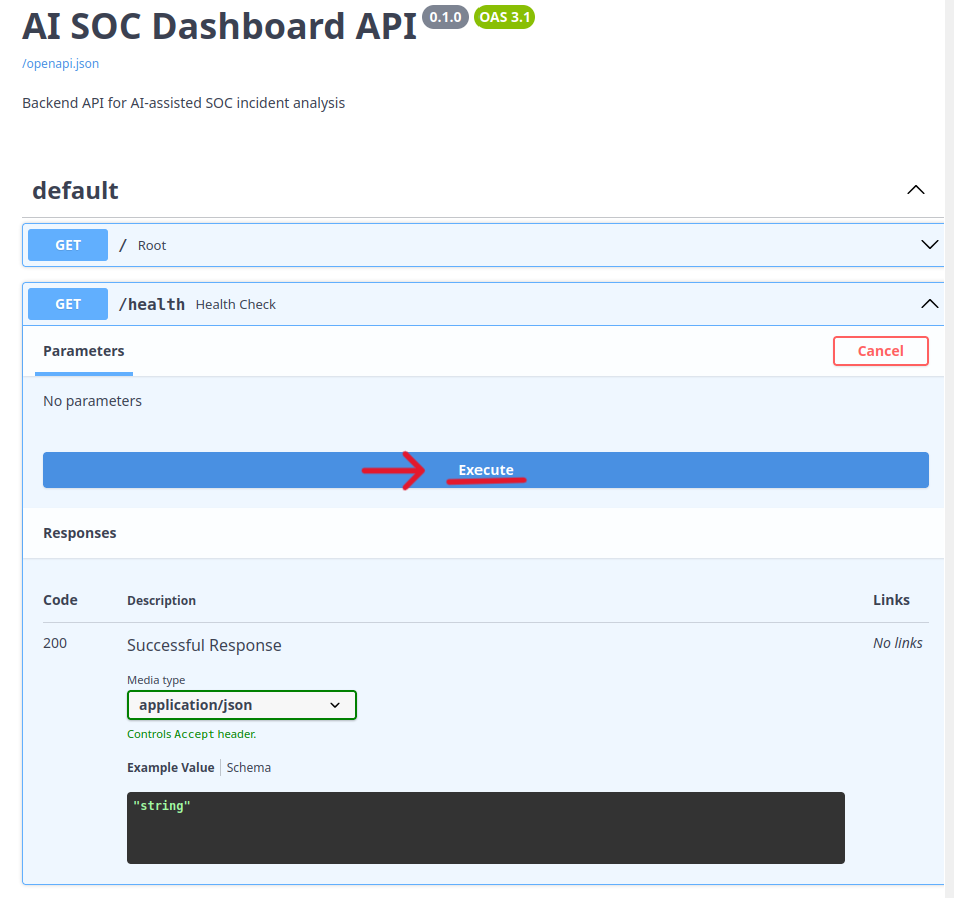
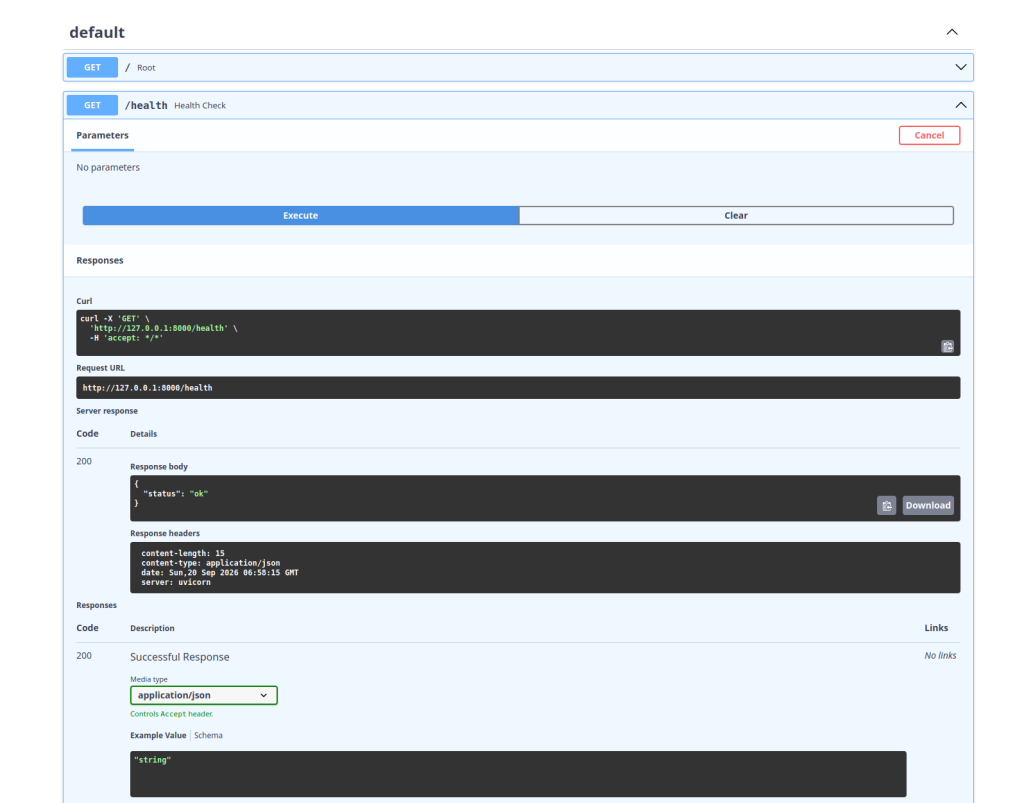
打API
https://ithelp.ithome.com.tw/upload/images/20260920/20177754oR2u1xACEx.png
這表示 Client--> HTTP Request--> FastAPI--> Python Function--> JSON Response 跑通了
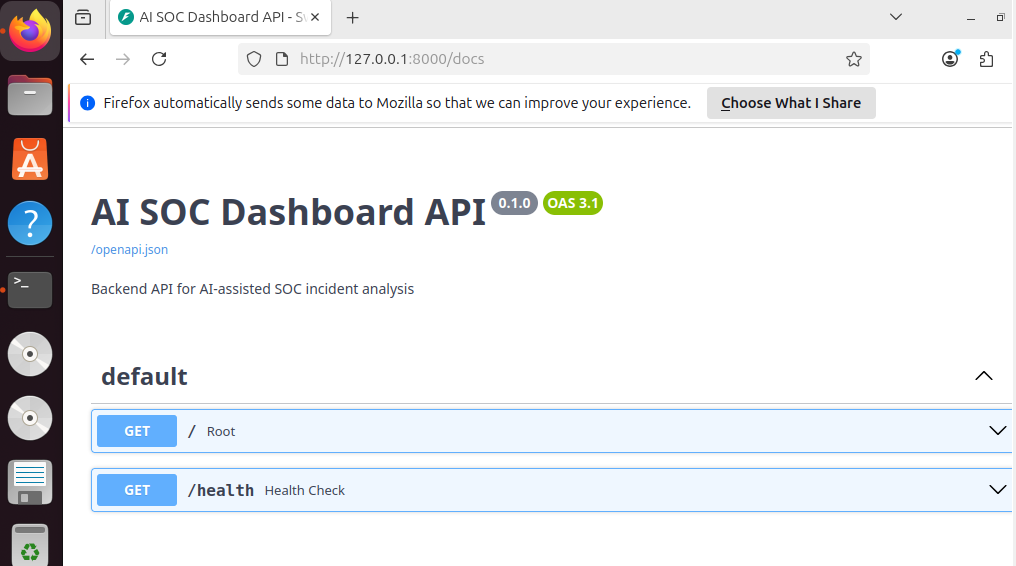
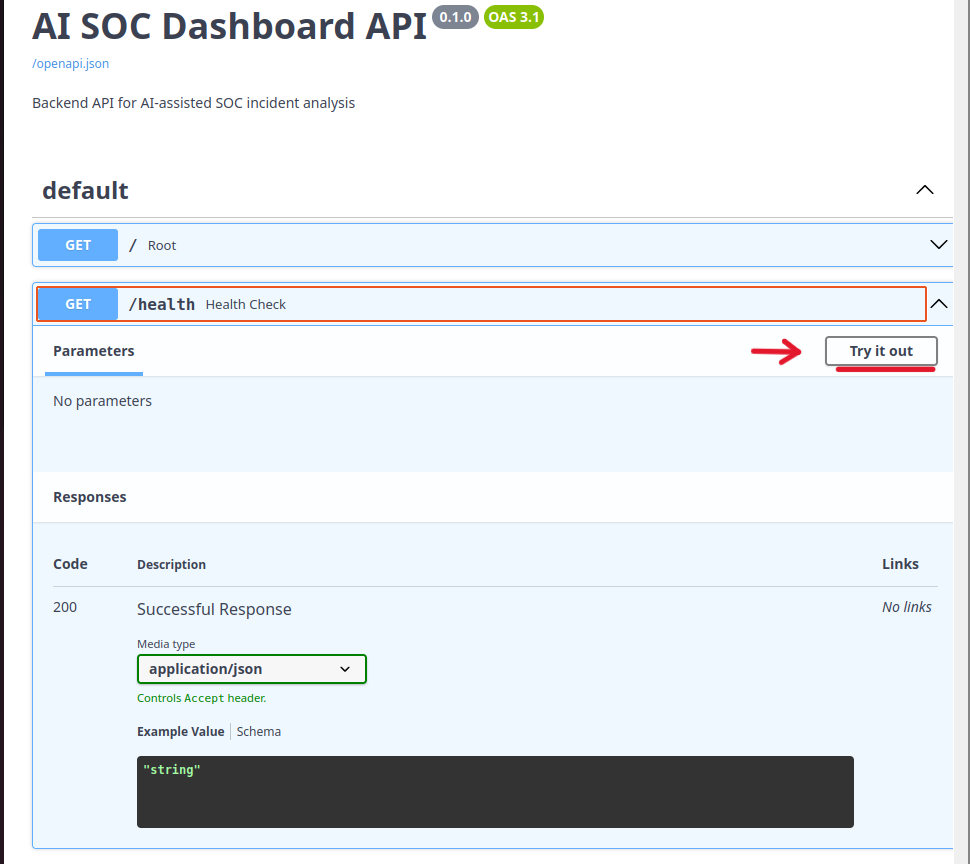
Swagger UI

https://ithelp.ithome.com.tw/upload/images/20260920/20177754b7bjmzsSM7.png
這是 FastAPI 自動產生的 API Documentation
https://ithelp.ithome.com.tw/upload/images/20260920/201777543PVAXl6YcT.png
https://ithelp.ithome.com.tw/upload/images/20260920/201777542mNdizDuqV.png
https://ithelp.ithome.com.tw/upload/images/20260920/20177754DmQXJ2H7UA.png

Day 6 小結

今天是 Web 後端開發,在實際操作 FastAPI 後,發現僅需透過簡潔的 Python 程式碼,便能快速建立 API。


上一篇
Day 5|MITRE ATT&CK 是什麼?讓資安事件有一套共同語言
下一篇
Day 7|REST API:把資安事件送進 Backend
系列文
30 天打造 AI 輔助 SOC 資安事件分析平台 共 17 篇
圖片
  熱門推薦
圖片
{{ item.channelVendor }} | {{ item.webinarstarted }} |
{{ formatDate(item.duration) }}
直播中

尚未有邦友留言

立即登入留言