
當關閉 FastAPI 服務並重新啟動後,先前透過 POST 新增的第三筆資料便會消失。因為目前的資料結構僅暫存於 Python 的記憶體中。當後端服務關閉時,記憶體中的 events 陣列會清除。
而SQLite能直接將資料儲存成檔案,確保服務重啟後資料依然存在。
Python 內建 sqlite3 模組,因此不需要額外安裝資料庫套件
修改 FastAPInano main.py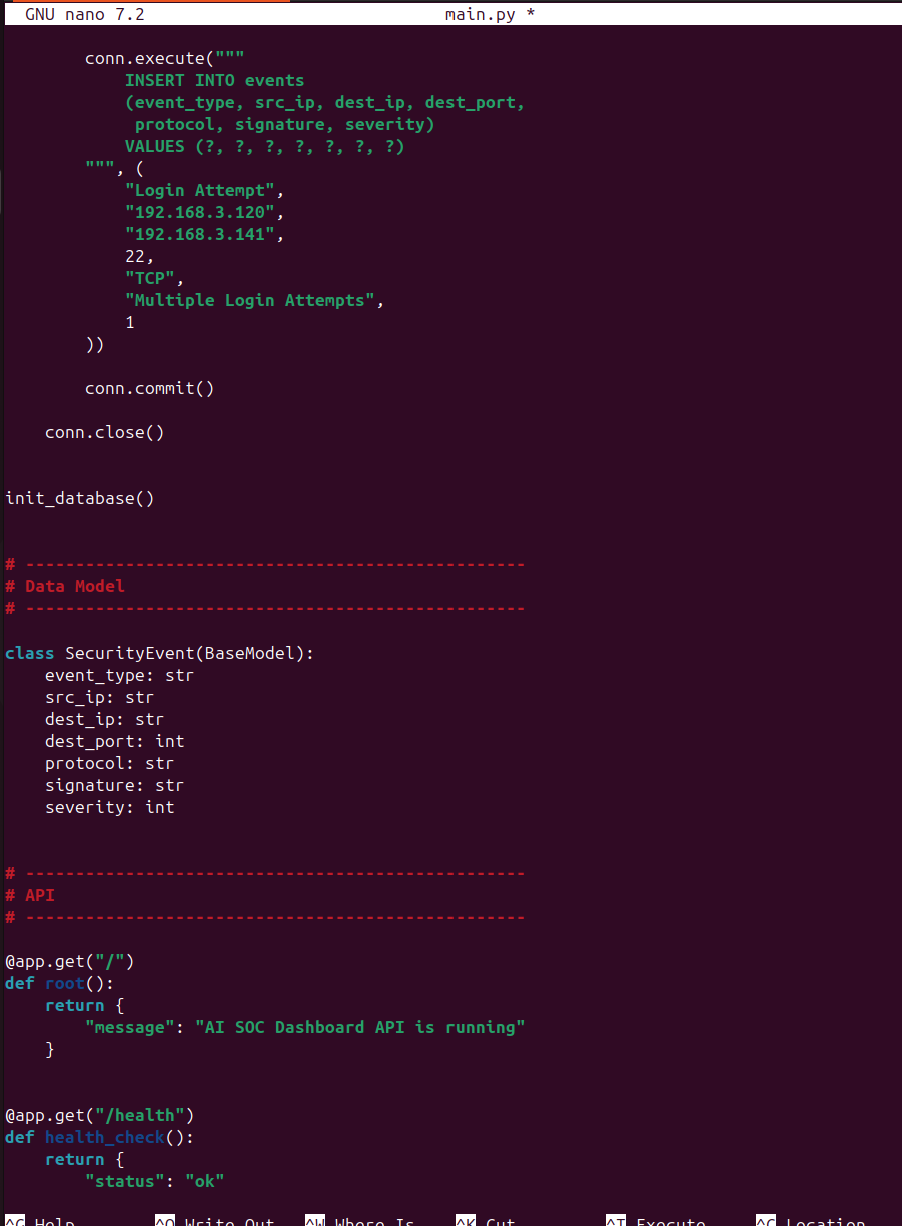
from fastapi import FastAPI
from fastapi.middleware.cors import CORSMiddleware
from pydantic import BaseModel
import sqlite3
app = FastAPI(
    title="AI SOC Dashboard API",
    description="Backend API for AI-assisted SOC incident analysis",
    version="0.4.0"
)

# CORS
app.add_middleware(
    CORSMiddleware,
    allow_origins=[
        "http://localhost:5173",
        "http://127.0.0.1:5173"
    ],
    allow_credentials=True,
    allow_methods=["*"],
    allow_headers=["*"],
)

# Database
DATABASE = "soc.db"
def get_db_connection():
    conn = sqlite3.connect(DATABASE)
    conn.row_factory = sqlite3.Row
    return conn
def init_database():
    conn = get_db_connection()
    conn.execute("""
        CREATE TABLE IF NOT EXISTS events (
            id INTEGER PRIMARY KEY AUTOINCREMENT,
            event_type TEXT NOT NULL,
            src_ip TEXT NOT NULL,
            dest_ip TEXT NOT NULL,
            dest_port INTEGER NOT NULL,
            protocol TEXT NOT NULL,
            signature TEXT NOT NULL,
            severity INTEGER NOT NULL
        )
    """)
    conn.commit()
    count = conn.execute(
        "SELECT COUNT(*) FROM events"
    ).fetchone()[0]
    # 第一次建立資料庫時加入兩筆 Mock Data
    if count == 0:
        conn.execute("""
            INSERT INTO events
            (event_type, src_ip, dest_ip, dest_port,
             protocol, signature, severity)
            VALUES (?, ?, ?, ?, ?, ?, ?)
        """, (
            "Network Scan",
            "192.168.3.100",
            "192.168.3.141",
            80,
            "TCP",
            "Possible Network Scan",
            2
        ))
        conn.execute("""
            INSERT INTO events
            (event_type, src_ip, dest_ip, dest_port,
             protocol, signature, severity)
            VALUES (?, ?, ?, ?, ?, ?, ?)
        """, (
            "Login Attempt",
            "192.168.3.120",
            "192.168.3.141",
            22,
            "TCP",
            "Multiple Login Attempts",
            1
        ))
        conn.commit()
    conn.close()
init_database()

# Data Model
class SecurityEvent(BaseModel):
    event_type: str
    src_ip: str
    dest_ip: str
    dest_port: int
    protocol: str
    signature: str
    severity: int

# API
@app.get("/")
def root():
    return {
        "message": "AI SOC Dashboard API is running"
    }
@app.get("/health")
def health_check():
    return {
        "status": "ok"
    }
@app.get("/events")
def get_events():
    conn = get_db_connection()
    rows = conn.execute(
        "SELECT * FROM events ORDER BY id"
    ).fetchall()
    conn.close()
    return [dict(row) for row in rows]
@app.post("/events")
def create_event(event: SecurityEvent):
    conn = get_db_connection()
    cursor = conn.execute("""
        INSERT INTO events
        (event_type, src_ip, dest_ip, dest_port,
         protocol, signature, severity)
        VALUES (?, ?, ?, ?, ?, ?, ?)
    """, (
        event.event_type,
        event.src_ip,
        event.dest_ip,
        event.dest_port,
        event.protocol,
        event.signature,
        event.severity
    ))
    conn.commit()
    new_id = cursor.lastrowid
    row = conn.execute(
        "SELECT * FROM events WHERE id = ?",
        (new_id,)
    ).fetchone()
    conn.close()
    return {
        "message": "Security event saved to SQLite",
        "event": dict(row)
    }
啟動 FastAPI
uvicorn main:app --host 0.0.0.0 --port 8000 --reload
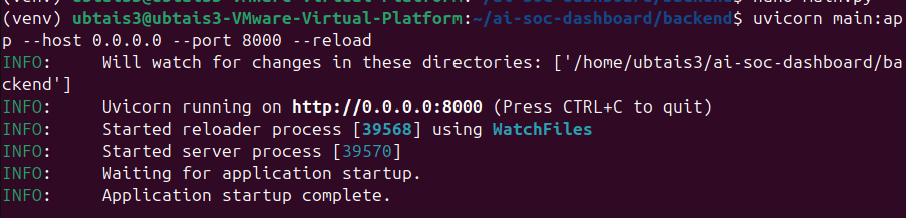
另外開一個 Terminal檢視建立的 SQLite 資料庫
驗證 SQLite
Swagger POST /events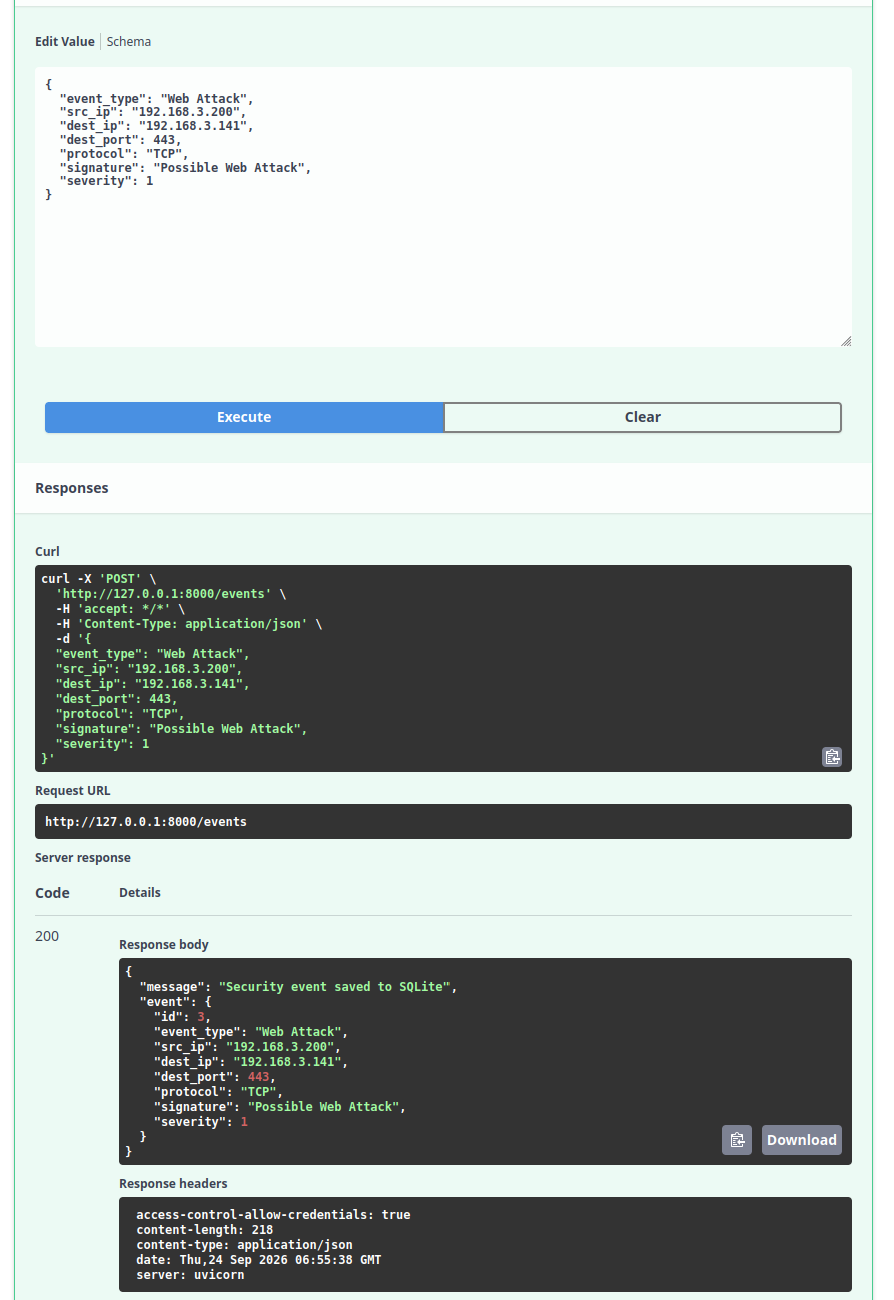
查看 Dashboard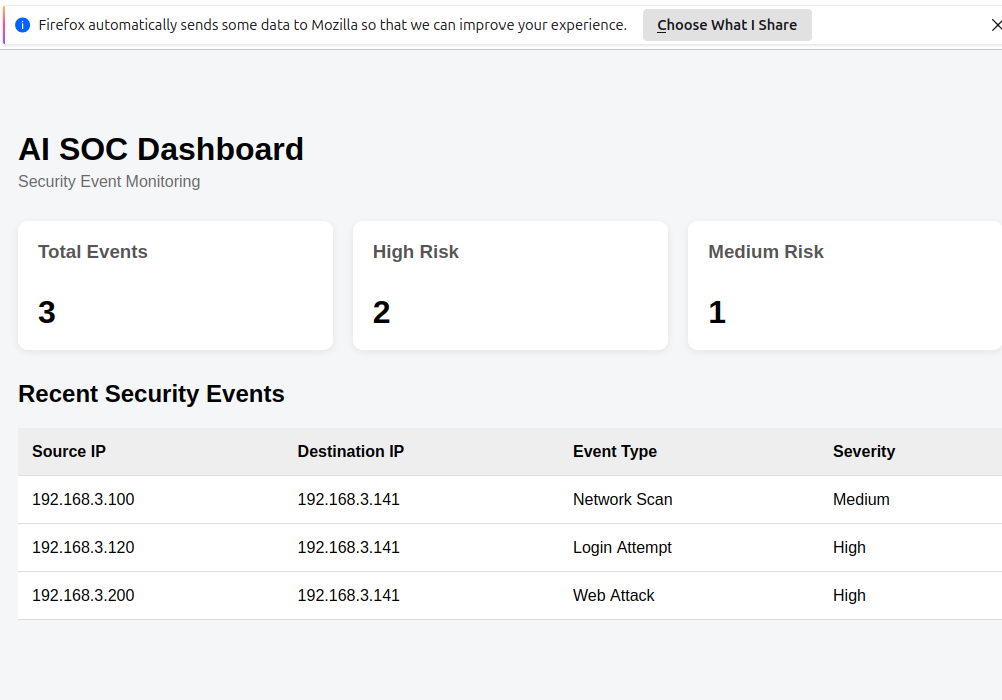
重開 FastAPI
Ctrl + C
uvicorn main:app --host 0.0.0.0 --port 8000 --reload
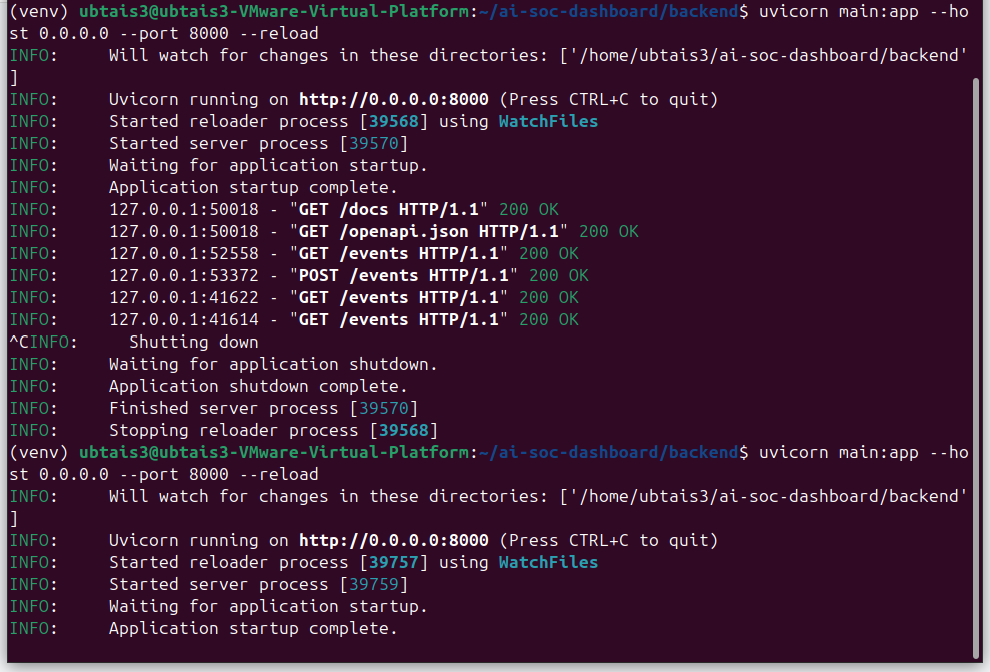
資料依然留存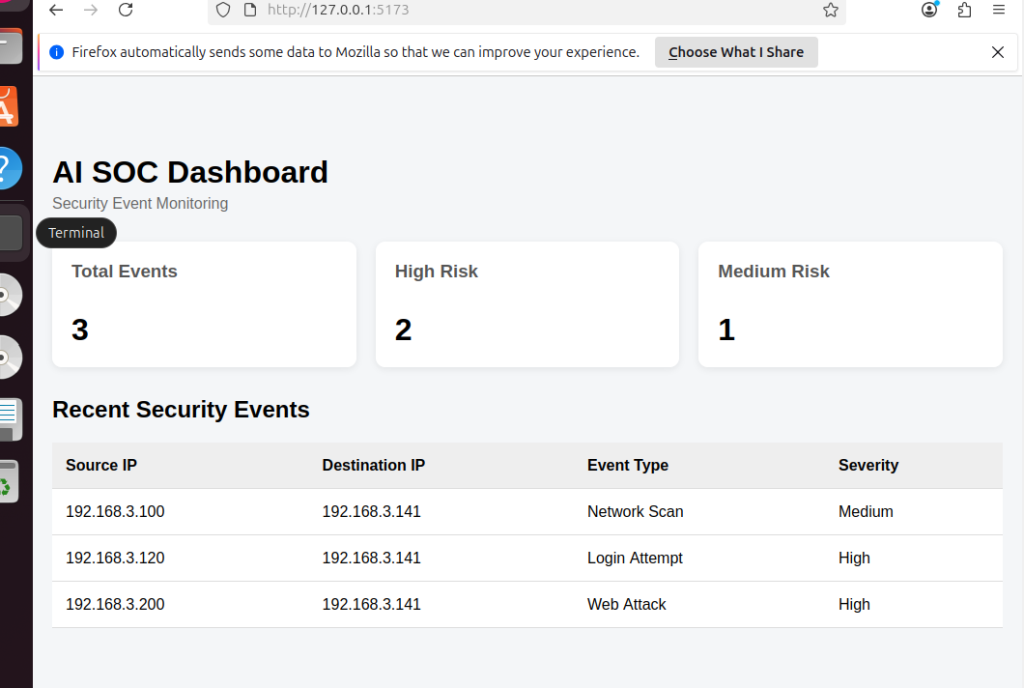
如何刪除測試資料
在沒有SQList之前,只要把FastAPI重啟即可還原成原來的兩筆資料。
SQList如欲刪除測試資料:
cd ~/ai-soc-dashboard/backend
rm soc.db
再重啟
uvicorn main:app --host 0.0.0.0 --port 8000 --reload
程式發現 soc.db 不存在就會重新建立資料庫,再放入原始兩筆 Mock Data。



 iThome鐵人賽
 看影片追技術