

一、 前言
在敘事與經營類遊戲中,如果讓玩家在前期不小心選錯一個選項就瞬間強制 Game Over,往往會大打折扣,甚至讓玩家感到挫折而棄坑。所以今天我們就要專注實作 DAY22 的核心規則:建立獨立的 Bad End 結局場景,並在選項管理器中加入 「決策攔截機制」,當關鍵數值低於門檻時,才正式進入壞結局!
二、 Bad End 需求與防呆挑戰
實作 Bad End 轉換與數值判定時,程式必須依序克服以下幾個痛點:
三、 核心程式實作:PaperManager 與 GameConditionManager 結合
我們將判定邏輯拆分為獨立的 GameConditionManager 來管理結局場景設定與防呆跳轉,並在 PaperManager 的決策執行函式中加入攔截機制。
using UnityEngine;
using UnityEngine.SceneManagement;

public class GameConditionManager : MonoBehaviour {
    [Header("結局場景設定")]
    public string badEndSceneName = "BadEnd_Choices"; // 對應你的 Bad End 獨立場景名稱

    // 檢查遊戲勝負條件
    public void CheckGameOverCondition(int currentStat)  {
        if (currentStat < 5) {
            TriggerBadEnd();
        }
    }
    private void TriggerBadEnd() {
        // 1. 【防呆】切換場景前務必恢復時間軸
        Time.timeScale = 1f;

        // 2. 清除全域暫停狀態旗標
        PauseMenuController.IsGamePaused = false;

        // 3. 載入 Bad End 獨立場景
        SceneManager.LoadScene(badEndSceneName);

        Debug.Log("觸發 Bad End,正在前往結局場景...");
    }
}
private void ProcessDecision(int moneyChange, int reputationChange, string targetScene, string debugTag) {
        if (statsManagerCache == null) FindStatsManager();
        if (statsManagerCache != null) {
            // 1. 執行數值變動
            statsManagerCache.HandleDecision(moneyChange, reputationChange);
            Debug.Log($"{debugTag} 決策執行:金錢 {moneyChange}, 聲譽 {reputationChange}");

            // 2. 關閉 UI
            HideDocumentDecision();

            // 3. 【關鍵攔截】檢查更新後的數值是否觸發 Bad End
            GameConditionManager conditionManager = GetComponent<GameConditionManager>();
            if (conditionManager != null) {
                // 以聲譽或關鍵數值作為判定依據
                int currentReputation = PlayerStatsManager.Instance.reputation;
                if (currentReputation < 5) {
                    Debug.Log("數值低於 5,強制導向 Bad End!");
                    SceneManager.LoadScene(conditionManager.badEndSceneName);
                    return; // 終止後續,直接返回
                }
            }

            // 4. 原本根據選項跳轉不同場景
            if (!string.IsNullOrEmpty(targetScene)) {
                SceneManager.LoadScene(targetScene);
            }
            else {
                Debug.LogWarning($"{debugTag} 選項未設定目標場景名稱!");
            }
        }
        else {
            Debug.LogError("無法處理決策,因為找不到 StatsManager。");
        }
    }
四、 Unity Inspector 設定與實測驗收(只需掛載在最後一幕)
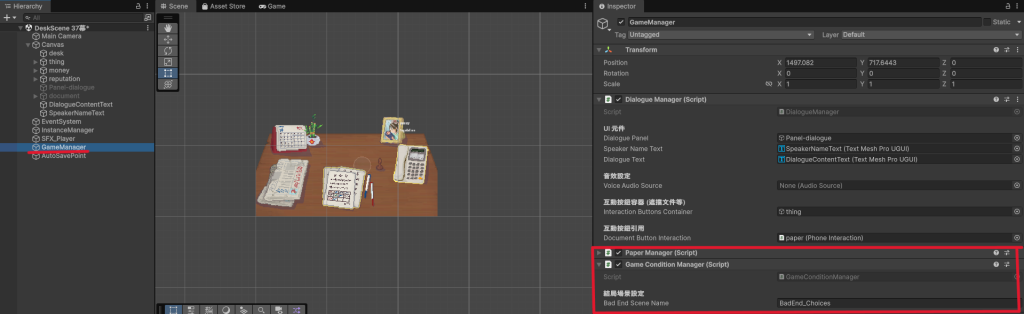
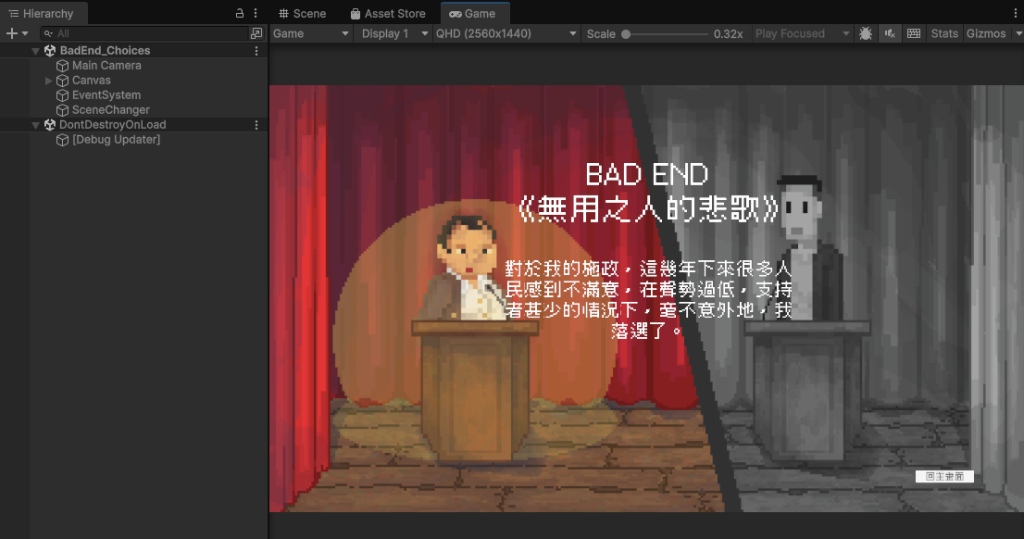
圖二、BadEnd_Choices Scene
五、 開發實戰經驗:踩坑與架構反思
六、 今日成果與小結
範例影片: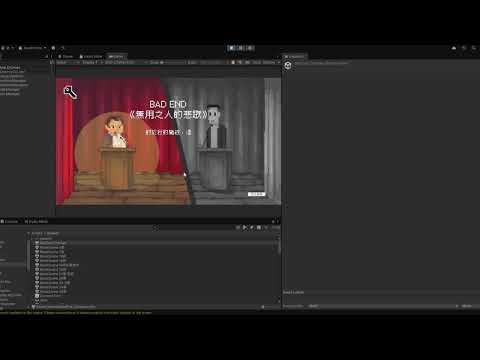
今天的內容屬於遊戲的核心遊戲迴圈(Gameplay Loop)與遊戲狀態/結局判定系統,所以會建立一個專屬的新分支--feature/game-condition來管理!
1.檢查目前修改狀態
git status
2.建立並切換至新的獨立分支:
git checkout -b feature/game-condition
3.將今天的程式碼與修改加入暫存區並提交 Commit:
git add .
git commit -m "feat: 實作 GameConditionManager 與 PaperManager 決策攔截機制,完成 Bad End 獨立場景跳轉與數值勝負判定"
4.將新分支推送到遠端倉庫:
git push origin feature/game-condition


 iThome鐵人賽
 看影片追技術